00193888-0402_AI_LBO_HFXD3_DE+EN.pdf - 第44页
2 Assembly instructions: Long board option - SIPLACE HF -series / X-series / D3 Long board 02/2007 Edition 44 2.7.2 Extending the stopper : S tart the SITEST program. : Select "General Functions" --> "R…
Long board 2 Assembly instructions: Long board option - SIPLACE HF-series / X-series / D3
02/2007 Edition
43
2.7 Functions in the SITEST program
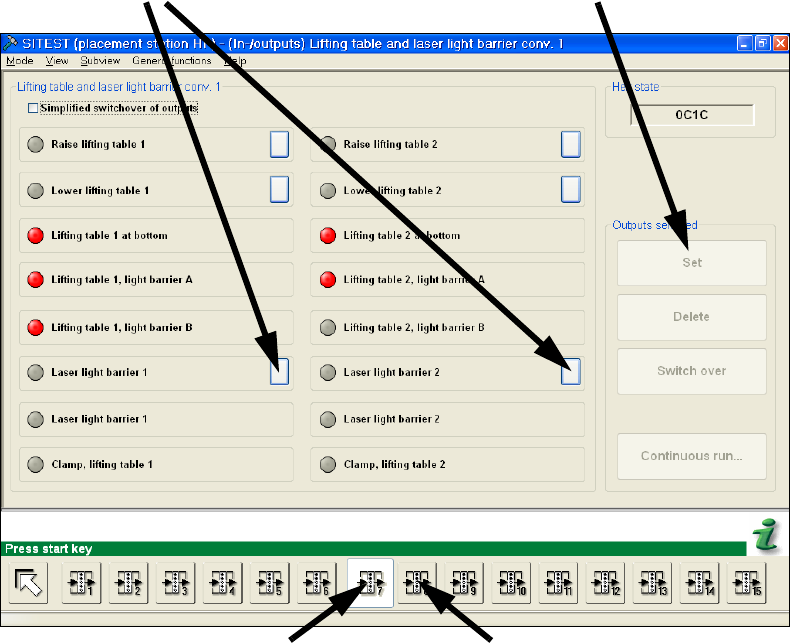
2.7.1 Setting the laser light barrier
: Start the SITEST program.
: Select "General Functions" --> "Running Options" --> "Safety Mode (reduced speed)".
: Select "I/O Functions" (see screenshot below) -->
Window 7 (for conveyor track 1)
Window 8 (for conveyor track 2).
: Click on the boxes behind "Laser light barrier" and on the "Set" box that appears.
2
2
2
2
Window 7 (conveyor track 1)
Window 8 (conveyor track 2)
Click on the "Laser light barrier" box
Click on "Set"
2 Assembly instructions: Long board option - SIPLACE HF-series / X-series / D3 Long board
02/2007 Edition
44
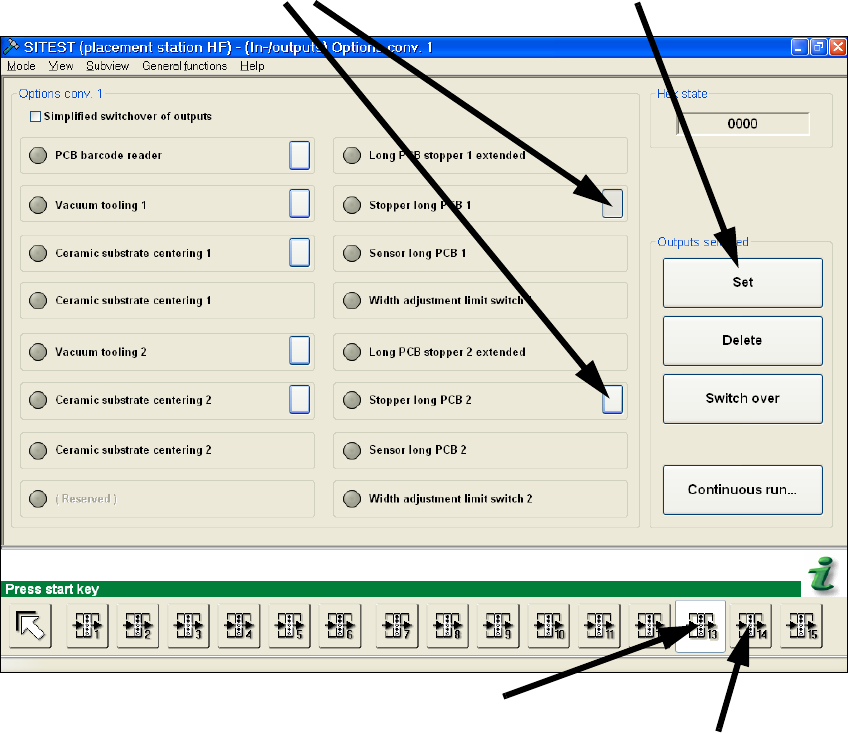
2.7.2 Extending the stopper
: Start the SITEST program.
: Select "General Functions" --> "Running Options" --> "Safety Mode (reduced speed)".
: Select "I/O Functions" (see screenshot below) -->
Window 13 (for conveyor track 1)
Window 14 (for conveyor track 2).
: Click on the boxes behind "Stopper Long Board 1/2" and on the "Set" box that appears.
2
2
2
2
Window 7 (conveyor track 1)
Window 14 (conveyor track 2)
Click on "Set"
Click on the "Stopper Long PCB" boxes
Long board 2 Assembly instructions: Long board option - SIPLACE HF-series / X-series / D3
02/2007 Edition
45
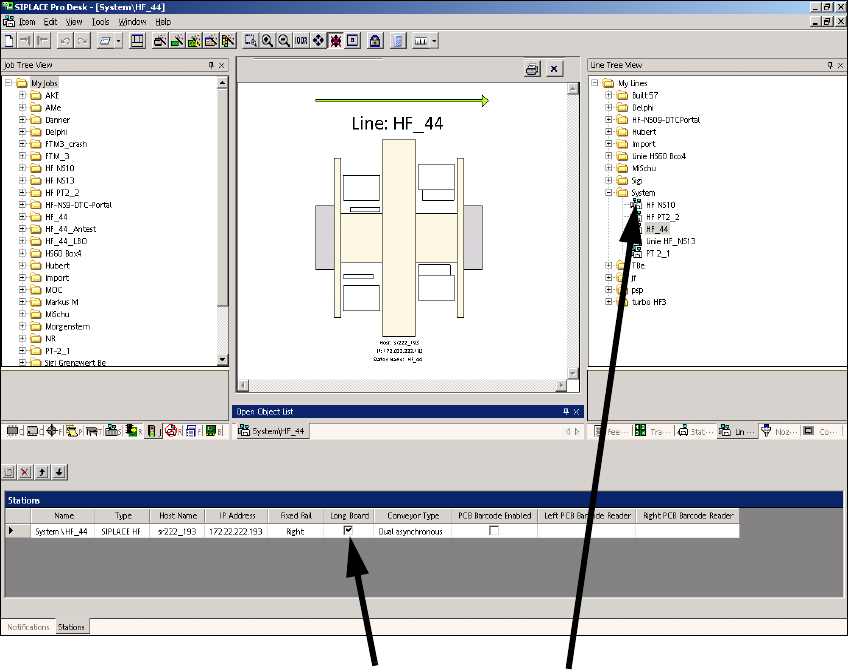
2.8 Changes in SIPLACE PRO
The option must be entered in the line configuration in SIPLACE PRO and in the set-up. 2
2.8.1 Line configuration
: Select a line and check the Long board check box.
2
2
2
2
2
2
Click on Long board Select the lineClick on Long board