00197392-02_IM_OIS_SIS_11.2_DE_EN.pdf - 第11页
SIPLAC E OI S V11. 2 / Ins tallatio n Manual Ausgabe 05/2014 Edit ion 11 The f ollowing dia log box is opened. Figure 3-6 : Choos ing d estination l ocation ► Click Brow se... if you want to choose a diff erent insta lla…
SIPLACE OIS V11.2 / Installation Manual Ausgabe 05/2014 Edition
10
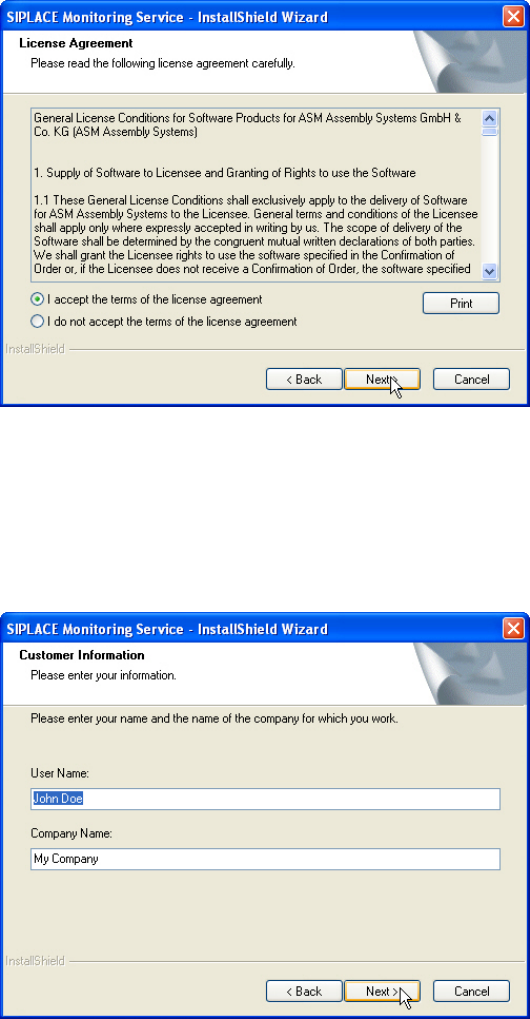
The software licensing contract is opened.
Figure 3-4: License agreement
If you do not accept the licensing contract, the setup process is terminated.
► Select I accept the terms of the license agreement to accept the licensing conditions.
► Click Next >.
The following dialog box is opened.
Figure 3-5: Customer information
► Enter your name and company name.
► Click Next >.
SIPLACE OIS V11.2 / Installation Manual Ausgabe 05/2014 Edition
11
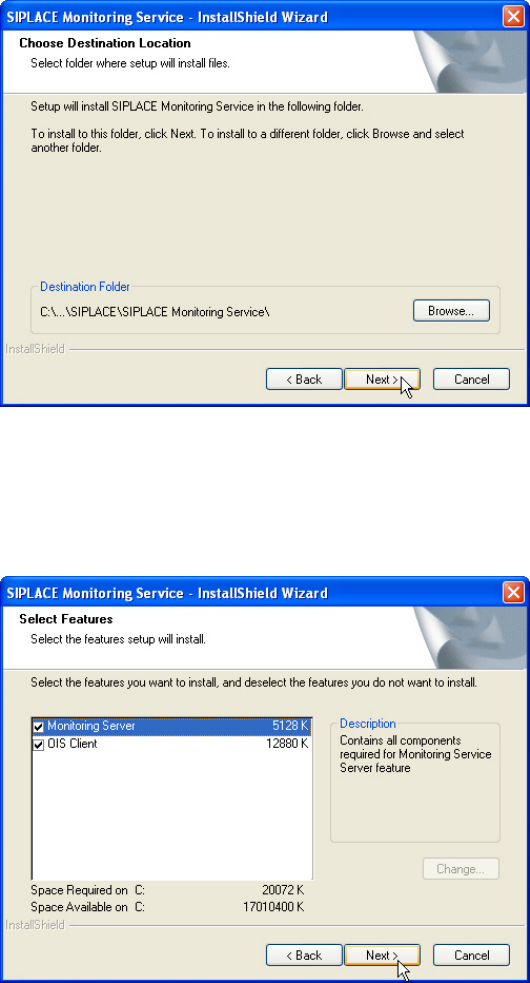
The following dialog box is opened.
Figure 3-6: Choosing destination location
► Click Browse... if you want to choose a different installation directory.
► Click Next >.
The following dialog box is opened.
Figure 3-7: Selecting features
Here you can select to install Monitoring Service only or OIS Client only or both features. The
further installation steps depend on the feature to be installed. In this installation sample both
features are selected to be installed.
► Check the Monitoring Server and OIS Client entries.
► Click Next >.
SIPLACE OIS V11.2 / Installation Manual Ausgabe 05/2014 Edition
12
Error messages and warnings
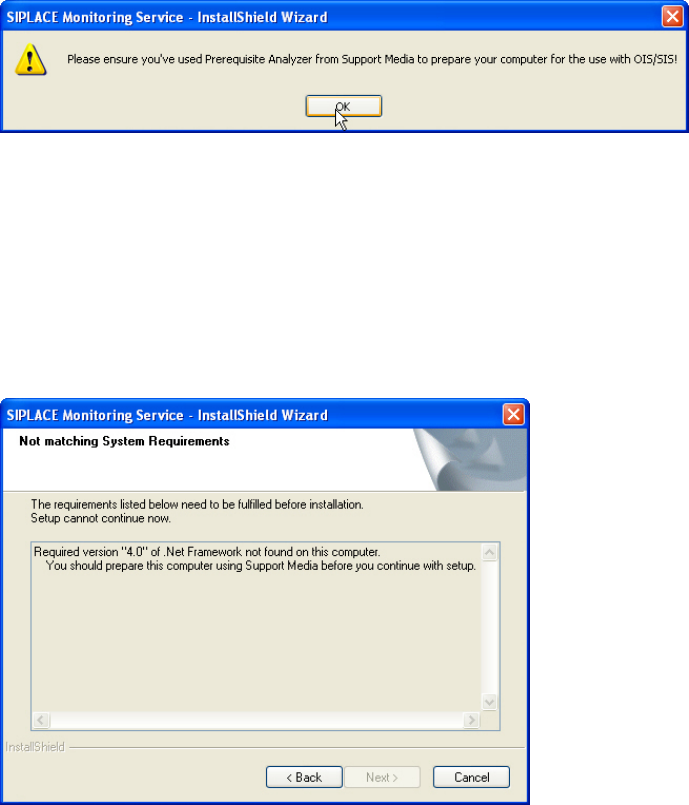
If some prerequisites are failing for the installation, corresponding error messages and warnings
will be displayed.
The following error messages are displayed by Monitoring Server if the Support Media for OIS
has not been performed.
Figure 3-8: Support Media not performed
► Click OK to confirm the error message.
► Click Cancel to cancel the installation.
► Prepare the system with the Prerequisite Analyzer of Support Media for OIS/SIS.
► Restart the installation.
The following error message displays that the required version of .Net Framework has not been
installed.
Figure 3-9: System requirements not matching
► Click Cancel to cancel the installation.
► Prepare the system with Support Media.
► Restart the installation.