00197392-02_IM_OIS_SIS_11.2_DE_EN.pdf - 第29页
SIPLAC E OI S V11. 2 / Ins tallatio n Manual Ausgabe 05/2014 Edit ion 29 The f ollowing dia log box is opened. Figure 3- 36 : Reviewi ng settings This s hows a summ ar y of the settings and ent ries you have m ade so f a…
SIPLACE OIS V11.2 / Installation Manual Ausgabe 05/2014 Edition
28
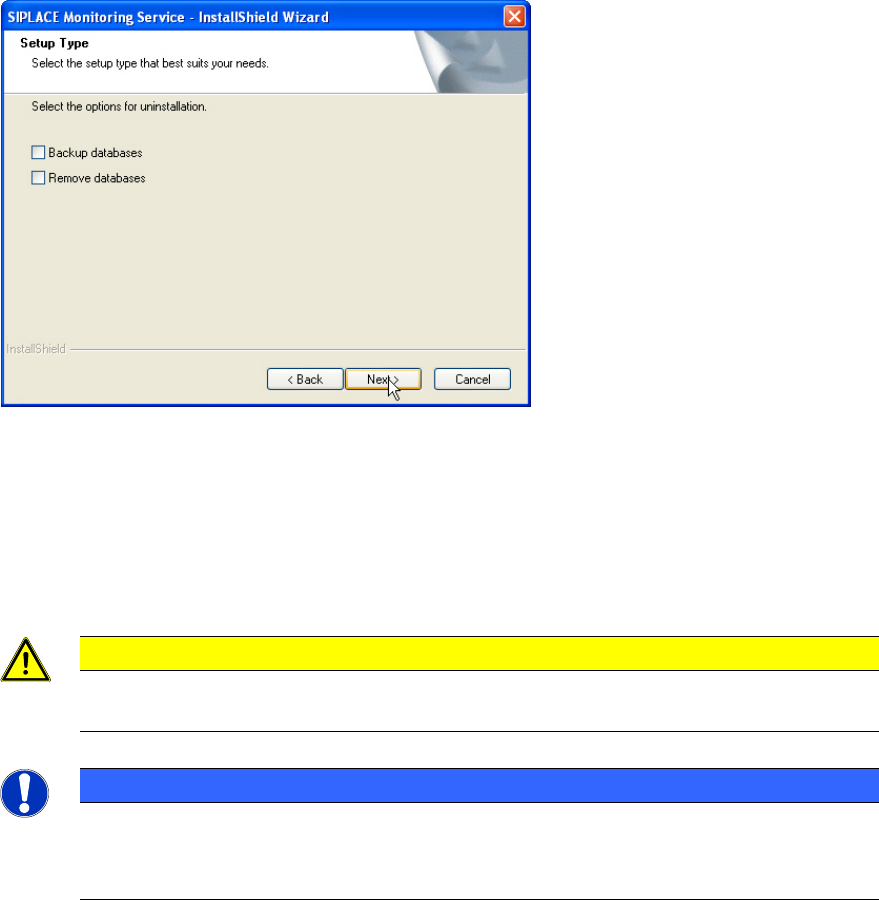
The following dialog box is opened if Monitoring Service is installed.
Figure 3-35: Backing up/removing databases
► Select Backup databases to keep the OIS/SIS databases.
or
► Select Remove databases to remove the OIS/SIS databases.
► Click Next >.
CAUTION
If you remove the databases, all the recipe and setup data of the OIS/SIS system are
lost!
NOTICE
Deinstallation options
Depending on the selected deinstallation options further dialog boxes might appear now
(e.g. Figure 3-29 and Figure 3-30).
SIPLACE OIS V11.2 / Installation Manual Ausgabe 05/2014 Edition
29
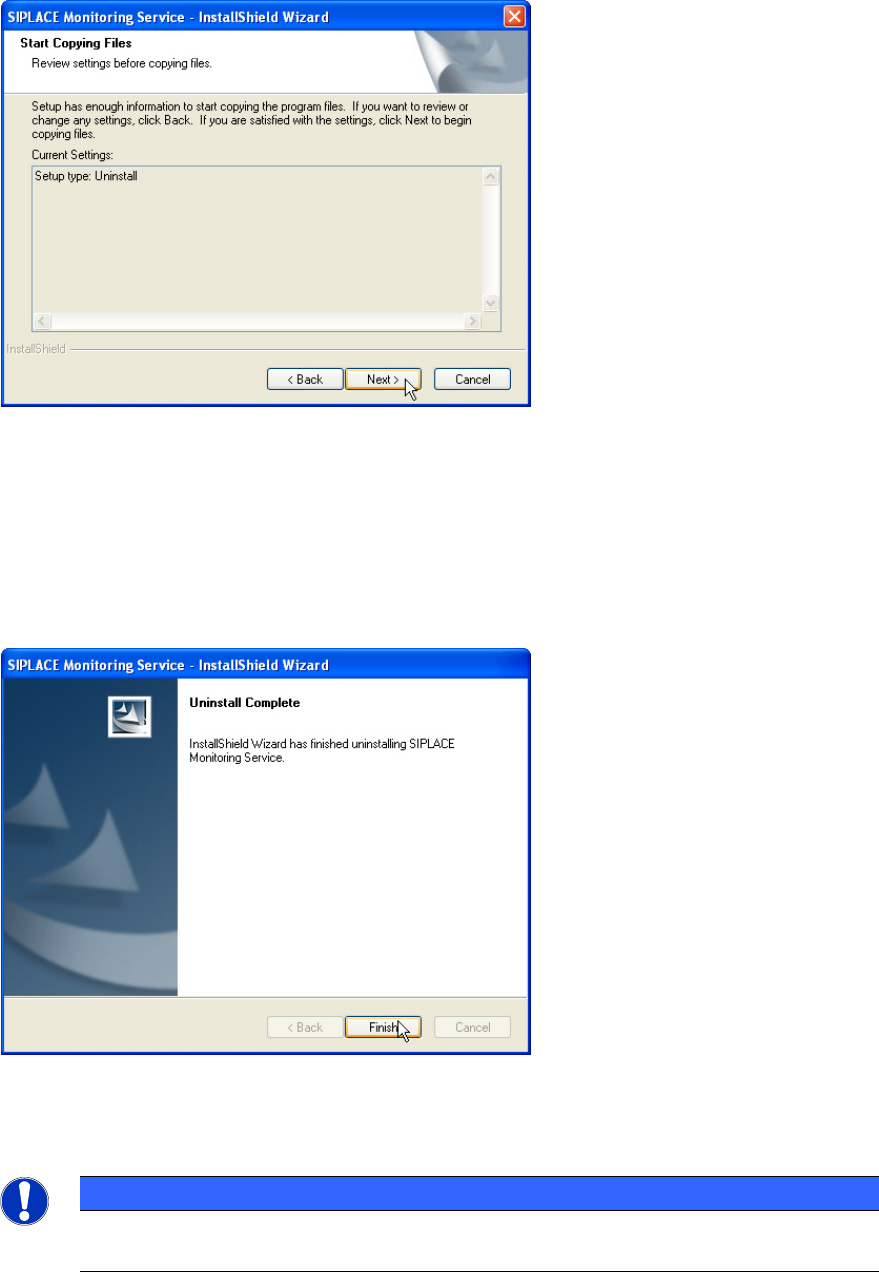
The following dialog box is opened.
Figure 3-36: Reviewing settings
This shows a summary of the settings and entries you have made so far.
► Check the settings.
► If you wish to change your entries, click < Back to return to the appropriate dialog.
► Click Next > to start the uninstallation process.
Once the uninstallation process has been completed, the following dialog box appears.
Figure 3-37: Finishing uninstallation
► Click Finish to complete the uninstallation process.
NOTICE
If this dialog box suggests rebooting the computer, you should do so, as the
uninstallation is only completed after a reboot.

SIPLACE OIS V11.2 / Installation Manual Ausgabe 05/2014 Edition
30
3.6 System time (only OIS client)
The OIS operating data is stored using the appropriate station's system time. The SIS operating
data are stored with the server system time. Therefore, it is important that the system time on all
station computers is synchronized to allow the operating data to be evaluated correctly. To do this,
you must install a time server client on each machine.
SIPLACE Explorer also requires the system time of the OIS and SIS operating data to be
synchronized.
NOTICE
► Install the current version of TimeSync to synchronize the system time.
TimeSync is not included in the OIS package.
TimeSync is provided on the Support Media DVD. In the software guide, item no.
[00194669-xx] you find detailed information for the installation of TimeSync.