ET8383-說明書(英文).pdf - 第30页
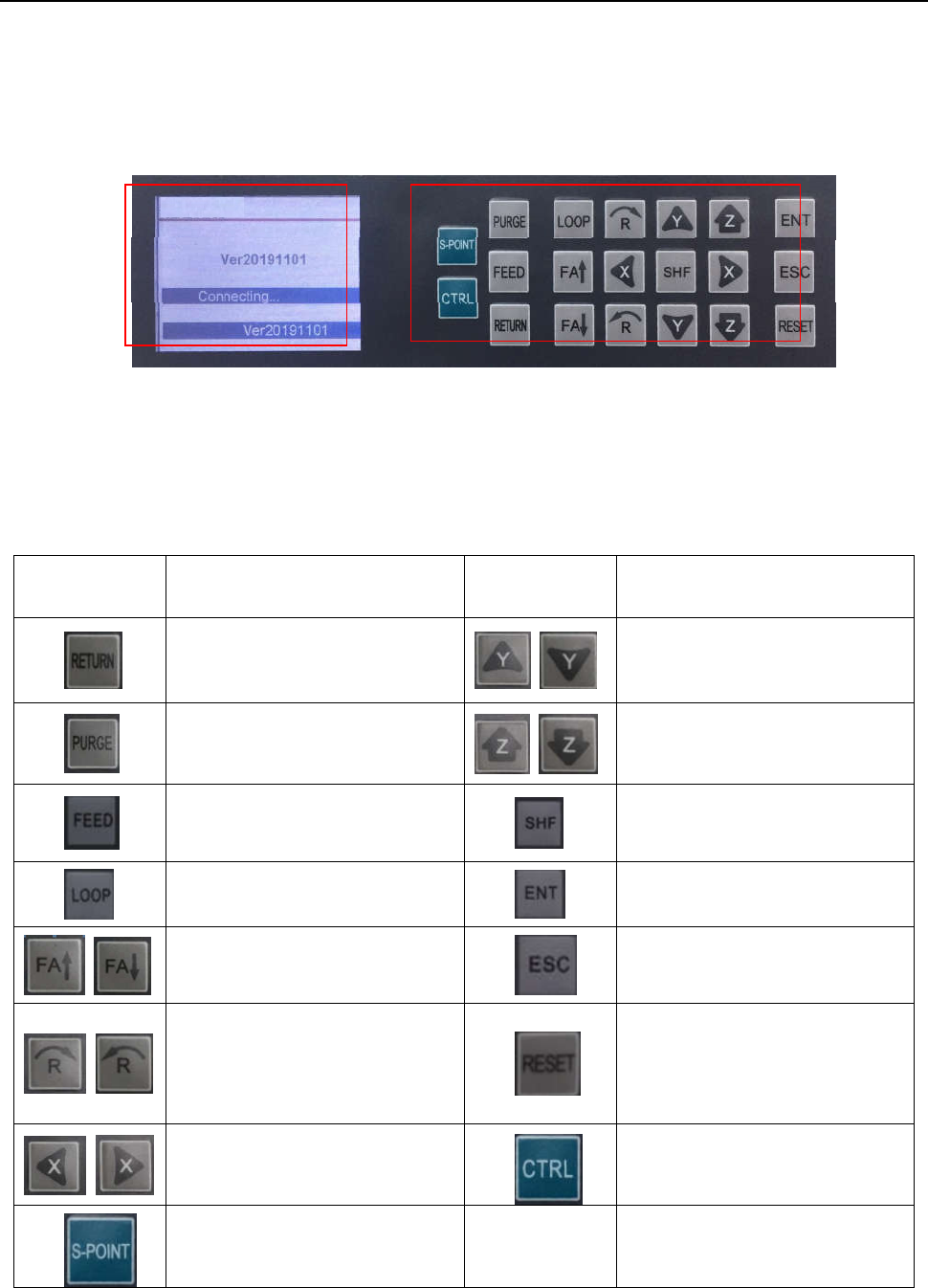
26 Ⅳ . Operation P anel Instruction 4.1 Introdu ction ① Display area Display co mmunic ation\version inform ation. ② Operation button Operation butt on functions list : ITEM FUNCTION ITEM FUNCTION W ir e back button Y a …
25
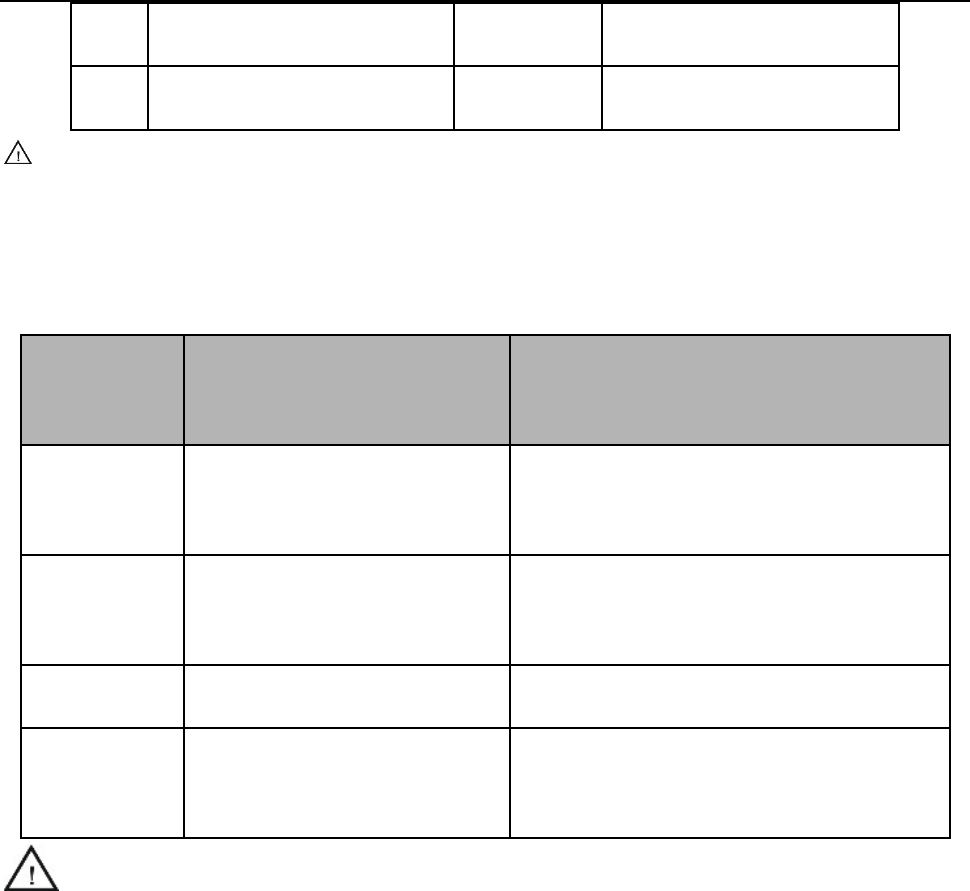
5 L
ack material alarm* A/B/C/D Stop immediately
6 Block m
aterial alarm* A/B/C/D Stop immediately
Cauti
on:
If it was interrupted by emergency stop, you can continue after dismiss the emergency stop and reset.
The above “interrupt type” is effective in the processing mode, and at the teaching mode and debu
gging
mode, the “interrupt type” with “*” is ineffective.
A/B/C/D is interrupted mark, these mean:
Inte
rrupt
m
ark
Inte
rrupted station
Con
tinue station
A
F
rom Start feeding to dispensing
process finish.
Jump interruption dispensing point, and go
straight to next point.
B
Mov
ing between two dispensing
points.
Go straight to next dispensing point.
C P
ause Go to next dispensing point.
D
Holding
up distance after
dispensing process.
Go to next dispensing point.
Cauti
on: If power outages during the operation, it cannot continue the interrupted work after
troubleshooting.
26
Ⅳ. Operation Panel Instruction
4.1 Introdu
ction
① Display
area
Display communication\version information.
② Operation button
Operation button functions list:
ITEM FUNCTION ITEM FUNCTION
Wir
e back button
Y a
xis position (+)/(-)
Nozzle
purge button
Z axi
s position (+)/(-)
Wir
e feeder button(used in
soldering robot)
Speed control button
Pro
duct cycle processing mode
Enter butt
on
Cyl
inder open / close switch (used
for screw robot)
Back butt
on
R a
xis motor rotating direction
(counter clockwise/ clockwise).
Reset
button(movement go to
machine default position)
X axis posi
tion (+)/(-)
Heating
controller ON/OFF
switch
Sta
rt point button
① ②
27
4.2 Main
menu (with teach pendant cord)
●
Connect the power cord to the power supply.
● Connect teach pendant line from operation panel.
● Display version and communication information, see picture
4.3 Main
menu (disconnect teach pendant cord)
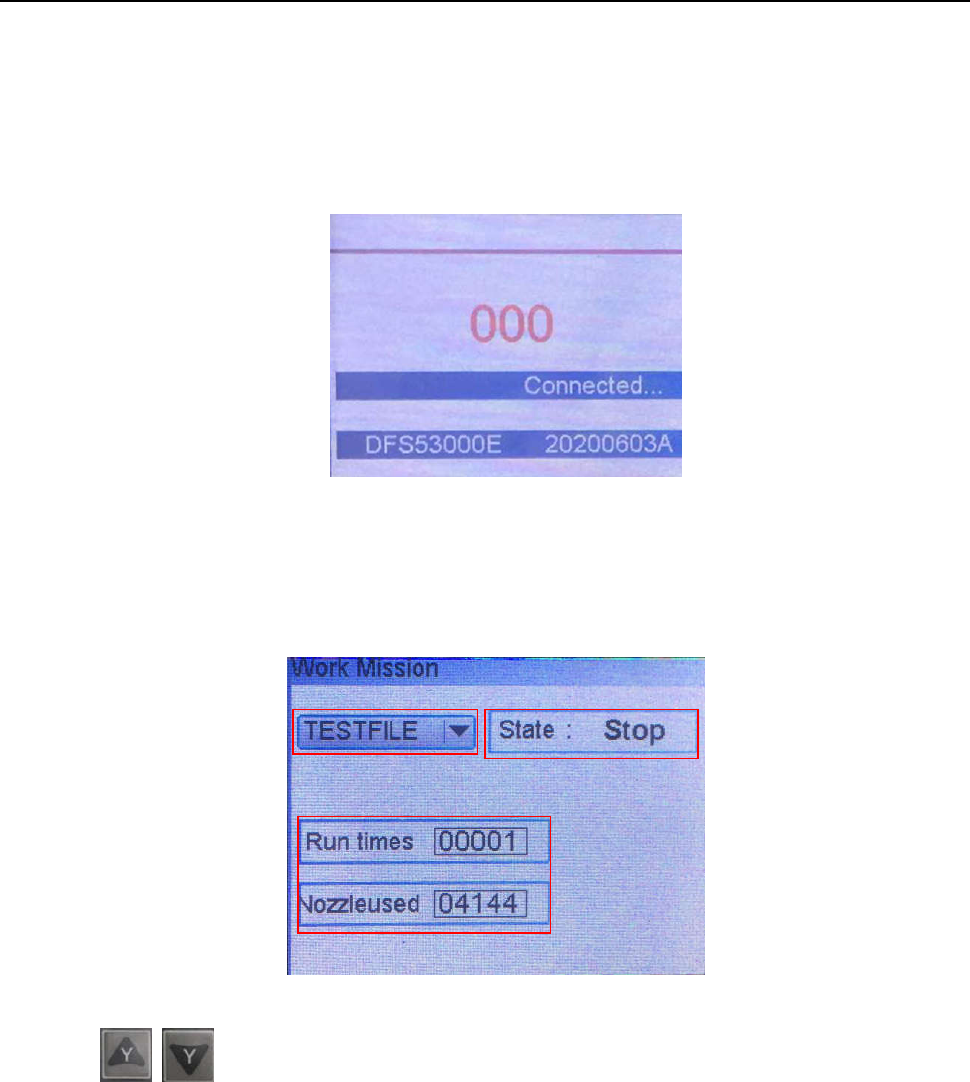
Disconne
ct teach pendant cord from operation panel and it will automatic enter into Work Mission menu, see
following picture:
① T
he current work process file name.
Press
butt
on to change the file.
② State.
Show machine current state.
③ Run times
Display machine operation totalizer.
Nozzle used
Display nozzle operation totalizer, press “ENT” button to reset.
①
②
③