00198001-01_IM_709.0_DE_EN.pdf - 第34页
Station Software 709.0 / Installation Manual Ausgabe 11/2015 E dition 34 6 Installing the C oplan C omputer or Feeder Computer S oftware CAUTION The station software must not run o n the station com puter during instal l…
Station Software 709.0 / Installation Manual Ausgabe 11/2015 Edition
33
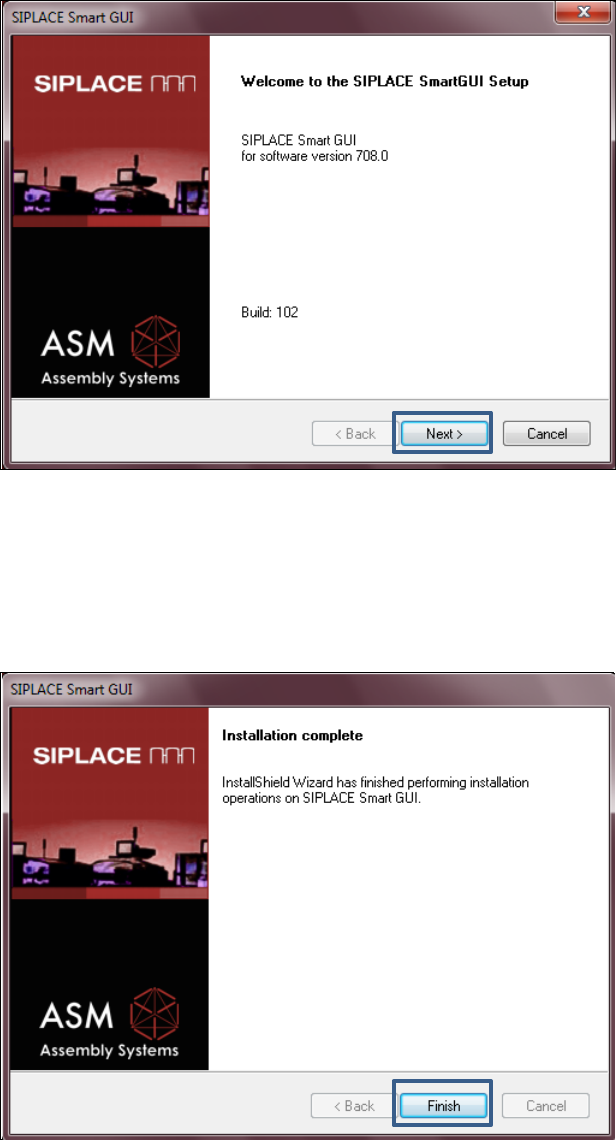
5.5.1 Welcome Screen
Figure 5-15: Welcome screen
► Click the Next button.
The necessary files are installed.
5.5.2 Finalizing the Installation
Figure 5-16: Finalizing the installation
► Click the Finish button.
Station Software 709.0 / Installation Manual Ausgabe 11/2015 Edition
34
6 Installing the Coplan Computer or Feeder
Computer Software
CAUTION
The station software must not run on the station computer during installation of the
Coplan computer or feeder computer software!
NOTICE
The installation requires approx. 20 minutes.
► Follow the instructions in the Assembly Instructions for the 3D Coplanarity Module, item no.
[00197395-xx] if you want to install the Coplan computer software
► Follow the instructions in the SIPLACE BulkFeeder X Operating Manual, item no.
[00198045-xx] if you want to install the feeder computer software.
► Then log on to the Coplan computer or feeder computer under the ASM_Admin user account.
► Insert the installation DVD in the drive.
► Open the Windows Explorer and start setup.exe under drive E: by double-clicking it.
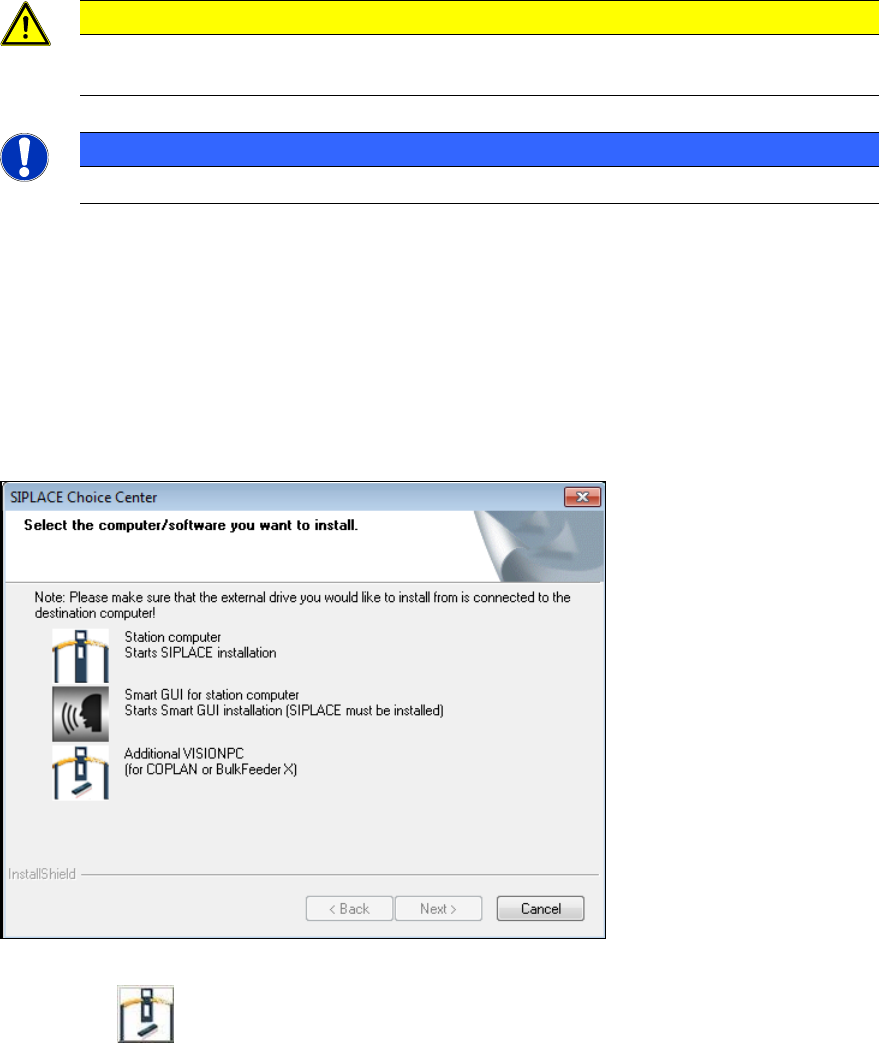
The SIPLACE Choice Center dialog box is opened.
Figure 6-1: "SIPLACE Choice Center" dialog box
► Click the Additional VISIONPC button.
Station Software 709.0 / Installation Manual Ausgabe 11/2015 Edition
35
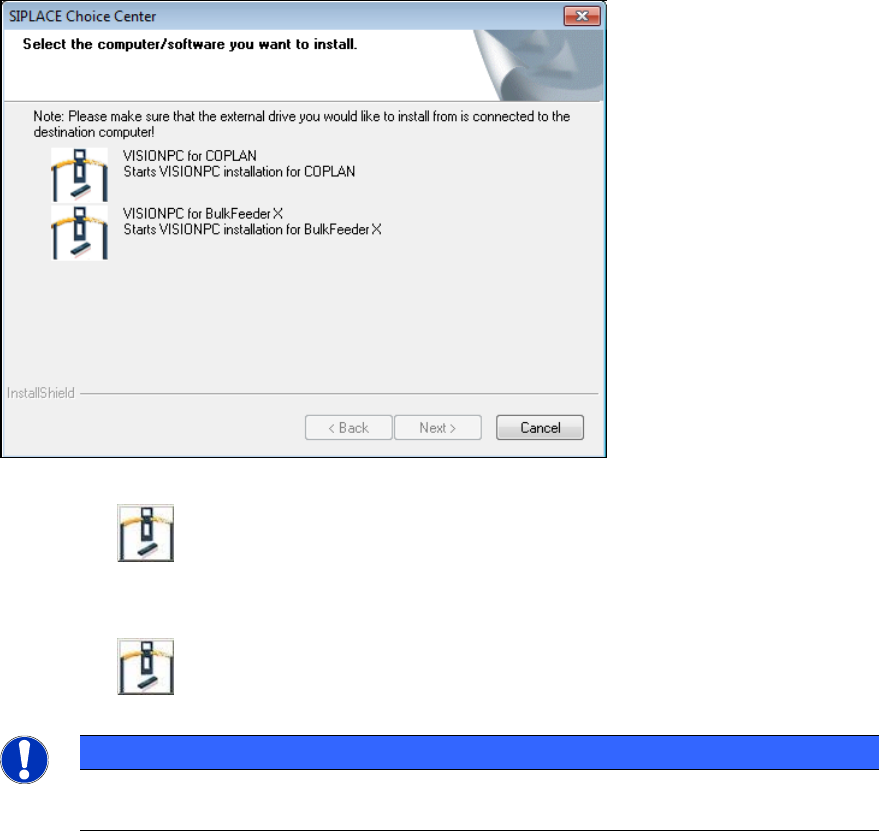
The following dialog box is opened:
Figure 6-2: Selecting computer / software
► Click the VISIONPC for COPLAN button to install the Coplan computer software.
Or:
► Click the VISIONPC for BulkFeeder X button to install the feeder computer software.
NOTICE
The Coplan computer and feeder computer software cannot be combined with each
other!
Installation of the Coplan computer or feeder computer software continues with the welcome
screen.