00198001-01_IM_709.0_DE_EN.pdf - 第39页
Station Software 709.0 / Installation Manual Ausgabe 11/2015 E dition 39 Figure 7-2: Used hardware co mponents The Machine service activit y level is required to exe cute the Aut o - configuration. ► Click the icon to ca…
Station Software 709.0 / Installation Manual Ausgabe 11/2015 Edition
38
7 First Booting after Installation
When a machine is booted for the first time after installation, the station software detects for the
most part independently which hardware components are used via the Auto-configuration feature.
Certain settings, such as CAN card type, table type, lamp indicators and pin magazines cannot be
detected automatically and will have to be selected manually.
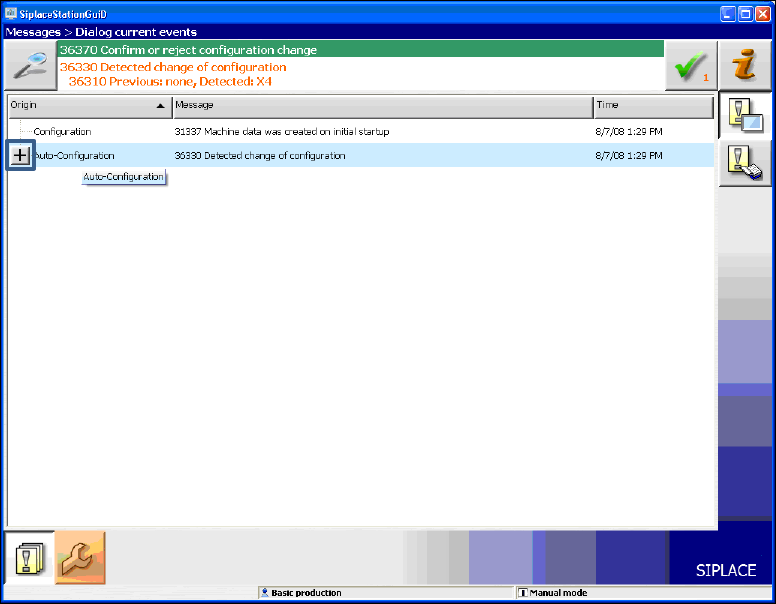
Generally, the operator will be prompted to confirm or reject any configuration changes.
Figure 7-1: Auto-configuration
► Click the + sign in front of the Auto-configuration text to open the message list of the
Auto-configuration function.
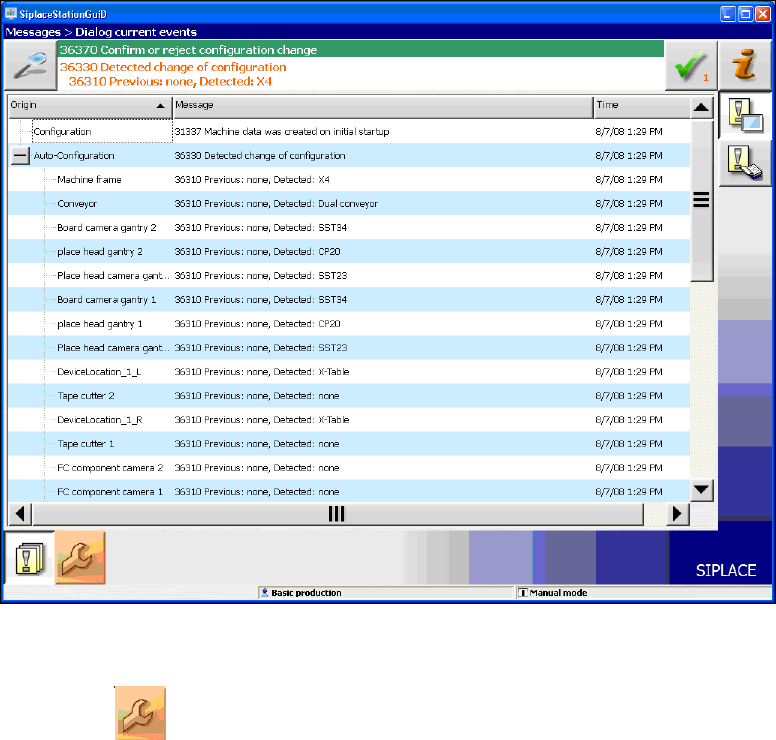
The used hardware components are displayed.
Station Software 709.0 / Installation Manual Ausgabe 11/2015 Edition
39
Figure 7-2: Used hardware components
The Machine service activity level is required to execute the Auto-configuration.
► Click the icon to call the user settings.
Station Software 709.0 / Installation Manual Ausgabe 11/2015 Edition
40
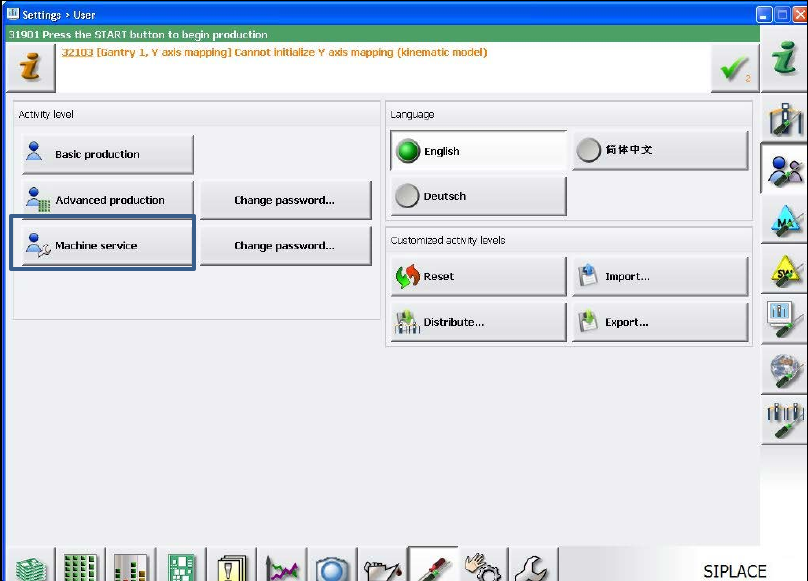
The user settings are displayed.
Figure 7-3: Changing activity level
► Click the Machine service button and enter the password to change into this activity level.