00196800-03_IM_Explorer_2.10_EN.pdf - 第35页
In st al la tio n an d Co nf ig ura t ion G ui de SIP LACE Ex pl ore r 3 I n st alli ng S IP LAC E Ex pl or e r Edi tion 02 /201 2 EN 3.3 I ns ta lla ti on of SIP LA CE Expl ore r 2 .10 35 T he Ready to Install the P r…
3 Installing SIPLACE Explorer Installation and Configuration Guide SIPLACE Explorer
3.3 Installation of SIPLACE Explorer 2.10 Edition 02/2012 EN
34
3
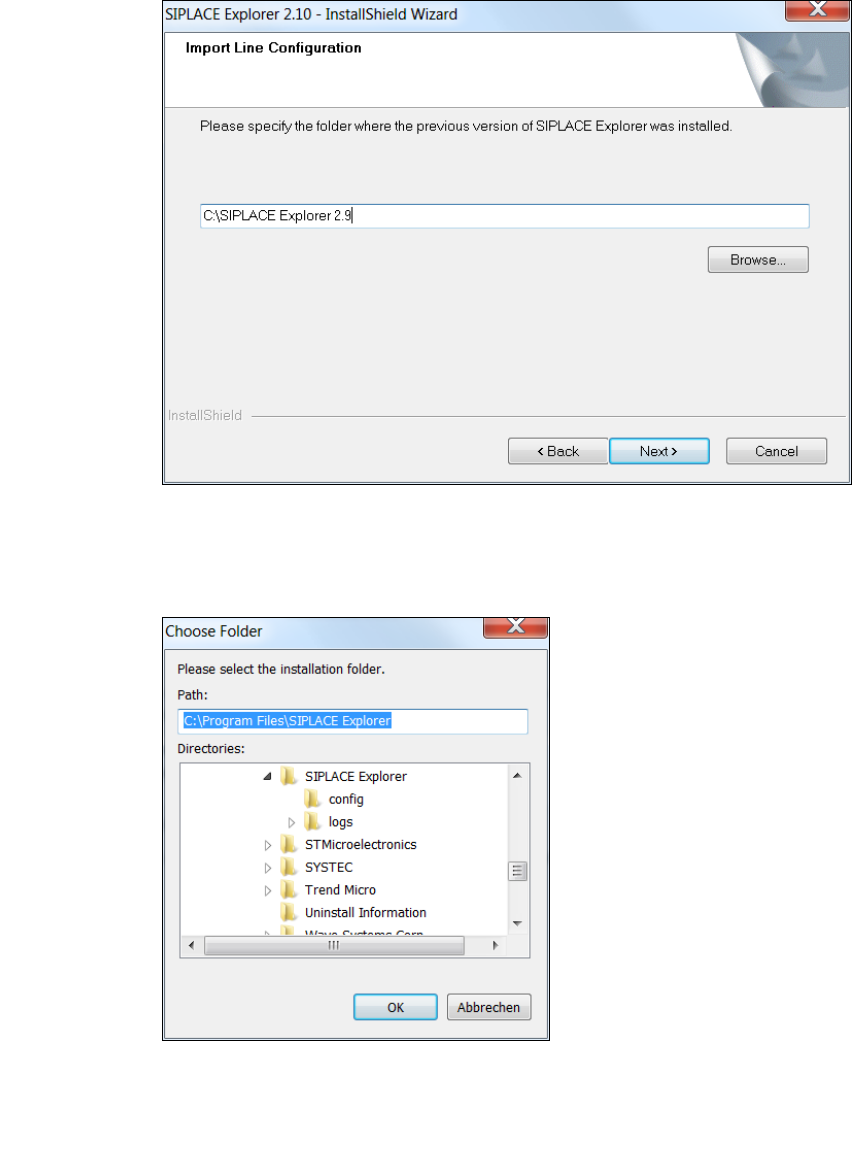
Fig. 3 - 9 SIPLACE Explorer setup - import line configuration
You can alter the default installation folder by using the Browse button.
The Choose Folder dialog box will open to locate the desired folder.
3
Fig. 3 - 10 SIPLACE Explorer Setup - 'choose folder' dialog box
Specify the required folder and click on OK, to confirm your choice. You will return to the Import
Line Configuration dialog box, where the folder will be shown.
To accept the destination folder, click on Next in the Import Line Configuration window.
Installation and Configuration Guide SIPLACE Explorer 3 Installing SIPLACE Explorer
Edition 02/2012 EN 3.3 Installation of SIPLACE Explorer 2.10
35
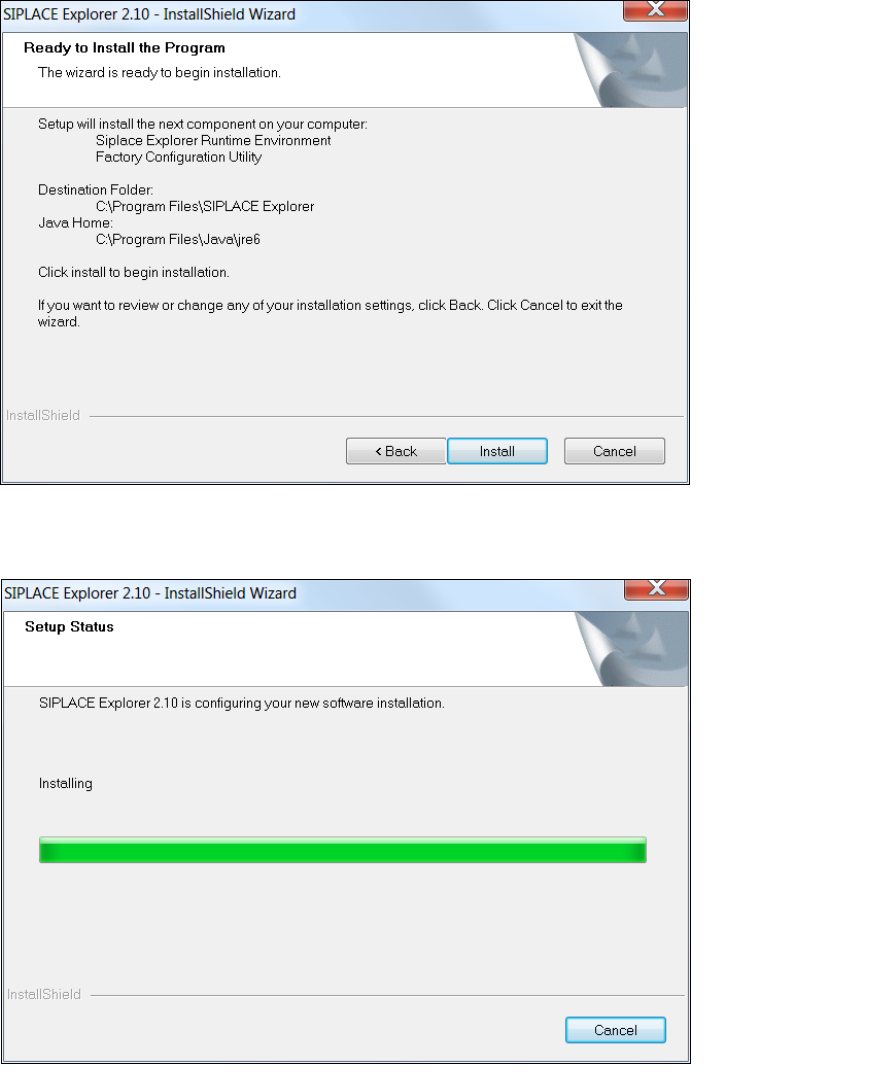
The Ready to Install the Program dialog box will open.
3
Fig. 3 - 11 SIPLACE Explorer setup - 'ready to install' dialog box
Click on the Install button, to begin the actual installation of SIPLACE Explorer V2.10.
3
Fig. 3 - 12 SIPLACE Explorer setup - setup status
3 Installing SIPLACE Explorer Installation and Configuration Guide SIPLACE Explorer
3.3 Installation of SIPLACE Explorer 2.10 Edition 02/2012 EN
36
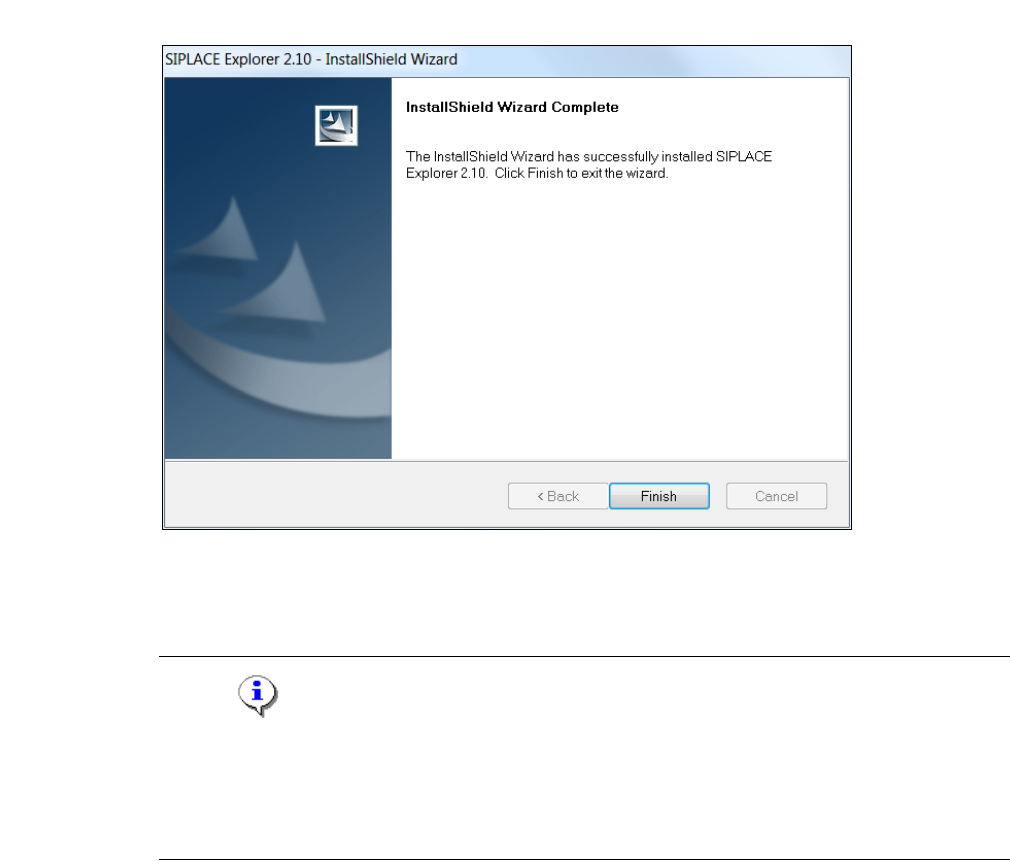
Once the installation procedure has finished, the following dialog box will open.
3
Fig. 3 - 13 SIPLACE Explorer setup - installation complete
Click on Finish. After you have rebooted your computer, SIPLACE Explorer will be available
for use. Follow the instructions at “Starting SIPLACE Explorer” on page 37.
NOTE
After installing SIPLACE Explorer, reboot your system. This ensures that port 1099 is available for
the Java Runtime Environment. In rare cases, port 1099 may be used by another application. If
you start SIPLACE Explorer after the installation, without rebooting the system, the error message
"SIPLACE Explorer 2.10 runtime not found" would be shown in such cases. 3