00196800-03_IM_Explorer_2.10_EN.pdf - 第74页
4 Co nfigur atio n Ins tall ati on and Con f igu rati on Guid e SIPL ACE Exp lorer 4. 2 C on fig uri ng th e Fa ct or y Co nfi gu rat ion Ut il ity Ed iti on 02 /2 01 2 EN 74 4 F ig. 4 - 4 1 F act or y Con fig u r ati on…
Installation and Configuration Guide SIPLACE Explorer 4 Configuration
Edition 02/2012 EN 4.2 Configuring the Factory Configuration Utility
73
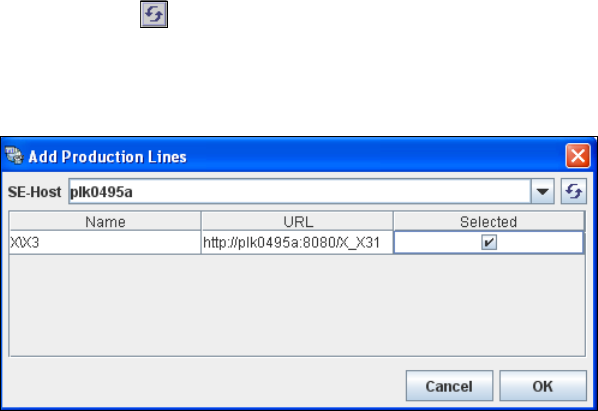
Enter the name or IP address of the SIPLACE Explorer host in the SE-Host field and click on
the Refresh icon.
If a connection to the specified host can be established, a list of all available production lines
will be shown. The Name and URL will be shown for each line. 4
4
Fig. 4 - 40 Factory configuration utility - add production lines
Now select the required production lines by enabling the relevant checkbox(es) in the Selected
column.
Confirm your choice with OK.
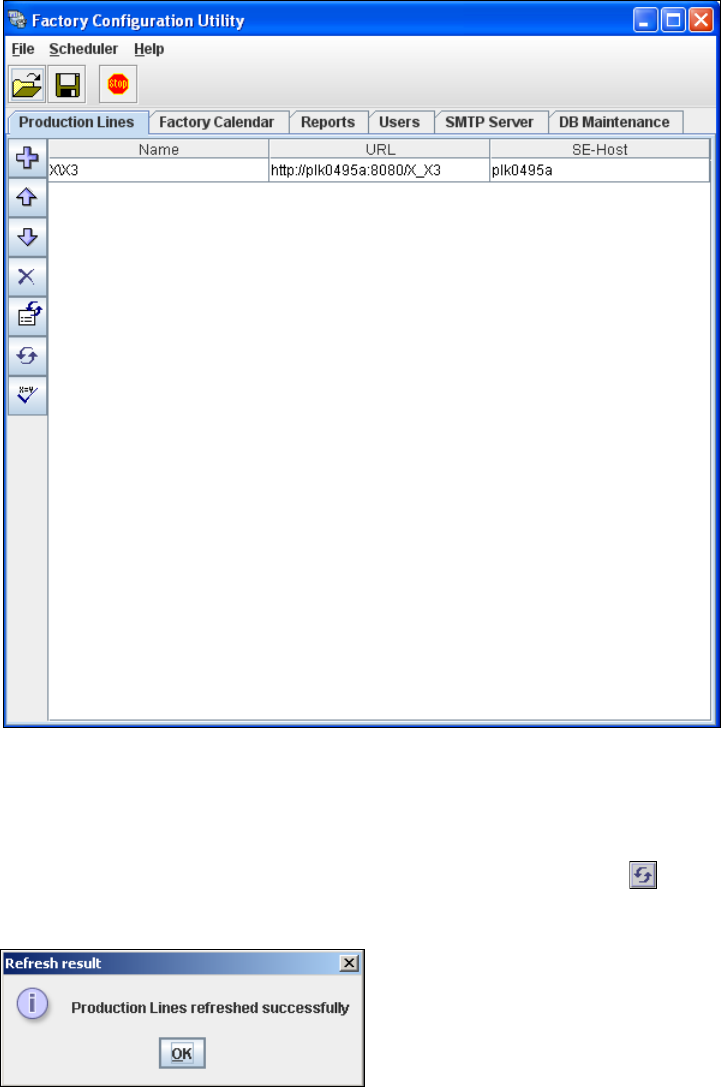
The selected production lines will be added to the list and shown in the Factory Configuration
Utility dialog box. 4
4 Configuration Installation and Configuration Guide SIPLACE Explorer
4.2 Configuring the Factory Configuration Utility Edition 02/2012 EN
74
4
Fig. 4 - 41 Factory Configuration Utility - production lines
After the data for the selected production line has been transferred, the line name, line URL
and host name can no longer be changed.
If you have made changes to the other tabs, you will need to synchronize this data with the
data in the SIPLACE Explorer host, by clicking on the Refresh lines icon. If the data have
been successfully synchronized, you will see the following information box:
4
Fig. 4 - 42 Factory Configuration Utility - refresh result
Installation and Configuration Guide SIPLACE Explorer 4 Configuration
Edition 02/2012 EN 4.2 Configuring the Factory Configuration Utility
75
4.2.3 Factory Calendar
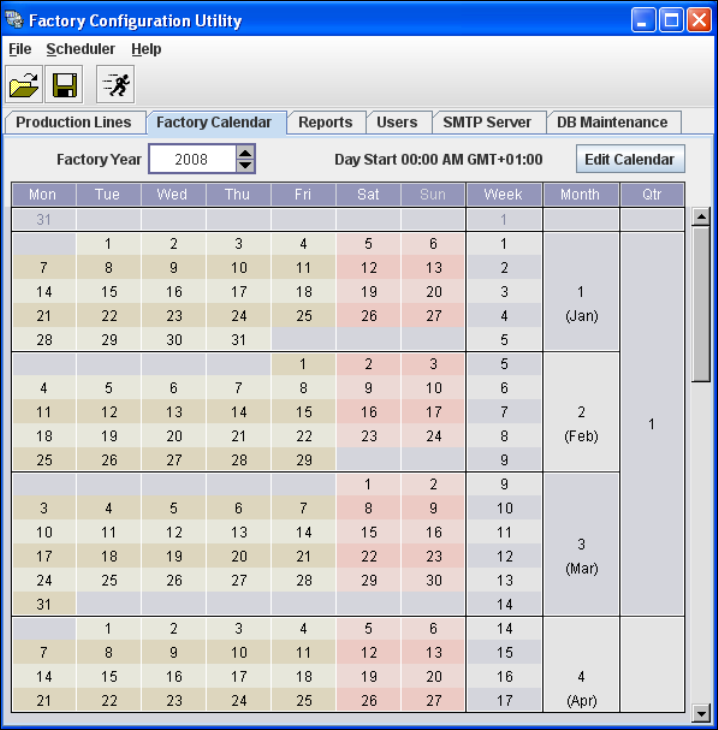
This is where you can create a calendar with details of working times e.g. on which day the work-
ing week begins, at which time a shift begins etc. 4
Select the Factory Calendar tab.
4
Fig. 4 - 43 Factory Configuration Utility - factory calendar