00197222-02_IM_PCB_Barcode_V2_0_SP2_de_en.pdf - 第11页
PCB Barcode V2.0 SP2 / Installation Manual Ausgabe 03/2012 Edition 4.2 Installing PCB Barcode Software The required drivers and license s are available on th e gray USB stick. ► Switch to the operating system level on th…
PCB Barcode V2.0 SP2 / Installation Manual Ausgabe 03/2012 Edition
4.1.3 SX1/SX2- and DX1/DX2-Series Placement Machines
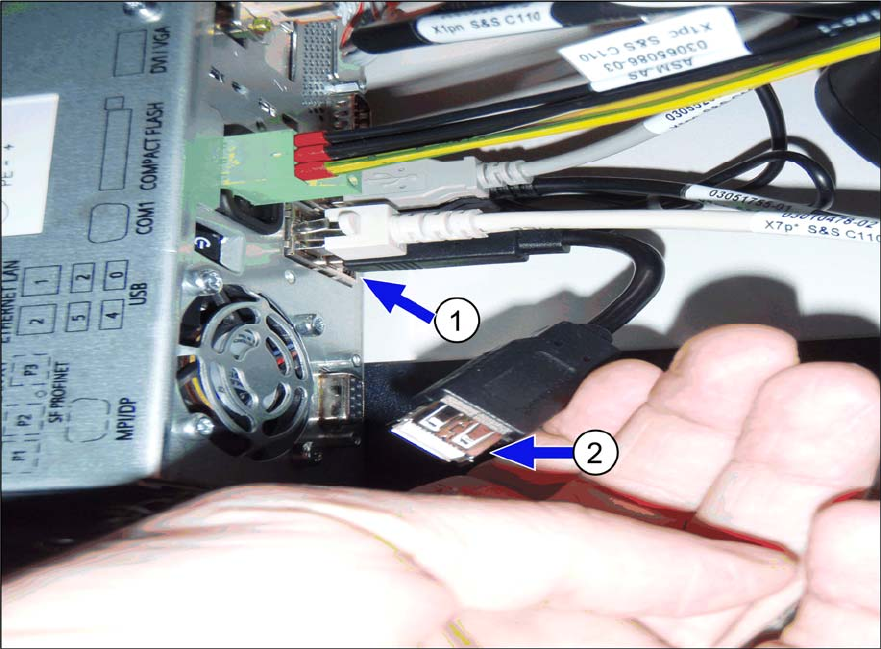
► Plug the green USB dongle into the empty USB interface on the box PC (1).
► Plug the gray USB stick into the extension of the keyboard interface on the box PC (2).
Figure 4-2: Installing PCB Barcode hardware on SX1/SX2 and DX1/DX2 placement machines
► Install the PCB Barcode software as described in section 4.2.
4.1.4 SX4- and DX4-Series Placement Machines
The installation of the PCB Barcode hardware on the SX4- and DX4-series placement machines is
performed in the same way as on the X-series placement machines in one-computer operation,
see section 4.1.1.
10
PCB Barcode V2.0 SP2 / Installation Manual Ausgabe 03/2012 Edition
4.2 Installing PCB Barcode Software
The required drivers and licenses are available on the gray USB stick.
► Switch to the operating system level on the station
computer.
► Log in a
s administrator.
► Open Windows Explorer.
► Start the Install.bat batch file from the USB stick drive.
NOTICE
If necessary, the installation file may be started several times.
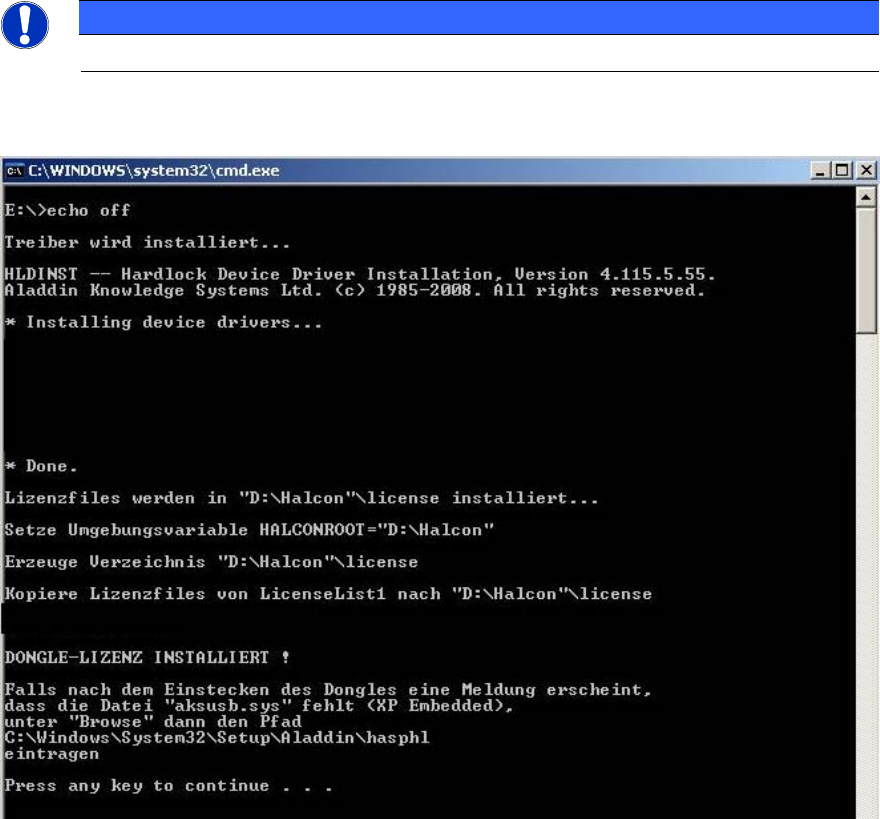
The following window is displayed on the screen during installation.
Figure 4-3: Installation of drivers and licenses
11
PCB Barcode V2.0 SP2 / Installation Manual Ausgabe 03/2012 Edition
Additional steps in two-computer operation
► Connect to the Vision computer via remote access.
► Log in as administrator.
► Perform the installation as described above on the Vision computer as well.
After finishing the installation procedure, the license files are automatically copied to the
D:\Halcon\license directory.
Shortly after, the indicator on the USB dongle lights up in red. This means that the USB dongle has
been detected by the system.
► Remove the gray USB stick and hand it over to the customer.
► Shut down the station computer and in two-computer operation the Vision computer as well.
► Reboot the computer(s).
12