00197222-02_IM_PCB_Barcode_V2_0_SP2_de_en.pdf - 第7页
PCB Barcode V2.0 SP2 / Installation Manual Ausgabe 03/2012 Edition 3 Prerequisites – The PCB Barcode has to be installed on both station computer and Vision co mputer on X-series placement machi nes in two-computer opera…
PCB Barcode V2.0 SP2 / Installation Manual Ausgabe 03/2012 Edition
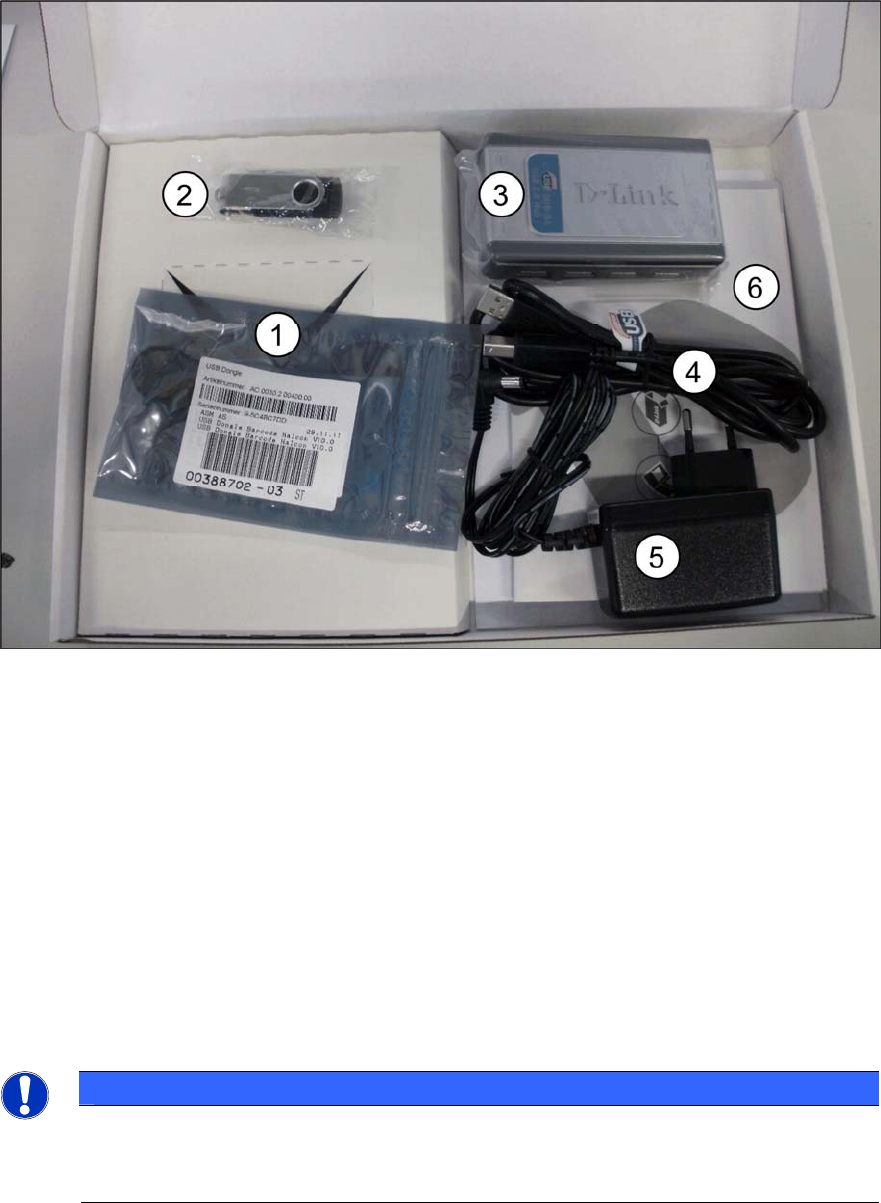
2 Scope of Delivery
The installation package PCB Barcode V2.0 SP2, item no. [00388759-03] contains the following
parts:
Figure 2-1: Installation package PCB Barcode V2.0 SP1
(1) 1x green USB dongle
(2) 1 x gray USB stick (with drivers and licenses)
(3) 1x USB hub
(4) 1x USB cable
(5) 1x power supply unit
(6) Licenses:
Barcode WdtL
Reading Barcode with PCB Camera
SIPLACE Traceability Station Connection
1x adhesive tape "Klettostar Flausch" (not displayed)
NOTICE
X-series placement machines in two-computer operation
If the placement machine is equipped with a separate Vision computer, you will have to
order two installation packages.
6
PCB Barcode V2.0 SP2 / Installation Manual Ausgabe 03/2012 Edition
3 Prerequisites
– The PCB Barcode has to be installed on both station computer and Vision computer on
X-series placement machines in two-computer operation. For this, two dongles are required,
see Scope of Delivery.
– You have to be logged in as administrator.
– A D: partition has to be available on the station computer / Vision computer.
7
PCB Barcode V2.0 SP2 / Installation Manual Ausgabe 03/2012 Edition
4 Installing PCB Barcode
4.1 Installing PCB Barcode Hardware
The following sub-sections describe how to install the PCB Barcode hardware on the different
SIPLACE placement machines.
4.1.1 X-Series Placement Machines in One-Computer Operation
► Unplug the keyboard cable from the box PC and connect it to the USB hub.
► Plug the data cable of the USB hub into the keyboard interface of the box PC.
► Adhere the adhesive tape (Klettostar Flausch) onto the underside of the USB hub and put the
USB hub on the box PC.
► Plug the USB cable into the USB hub.
► Stow the USB cable and secure it with a cable tie.
► Plug the green USB dongle into the USB hub.
► Plug the gray USB stick into the USB hub.
8