00195813-04_IM_SSW_605.03_DE EN.pdf - 第39页
Installation Manual, Station Software Version 605.03 10/2010 Edition → Close the applications listed here and then click the Retry button. The installation program now installs the additional programs on the station comp…
Installation Manual, Station Software Version 605.03 10/2010 Edition
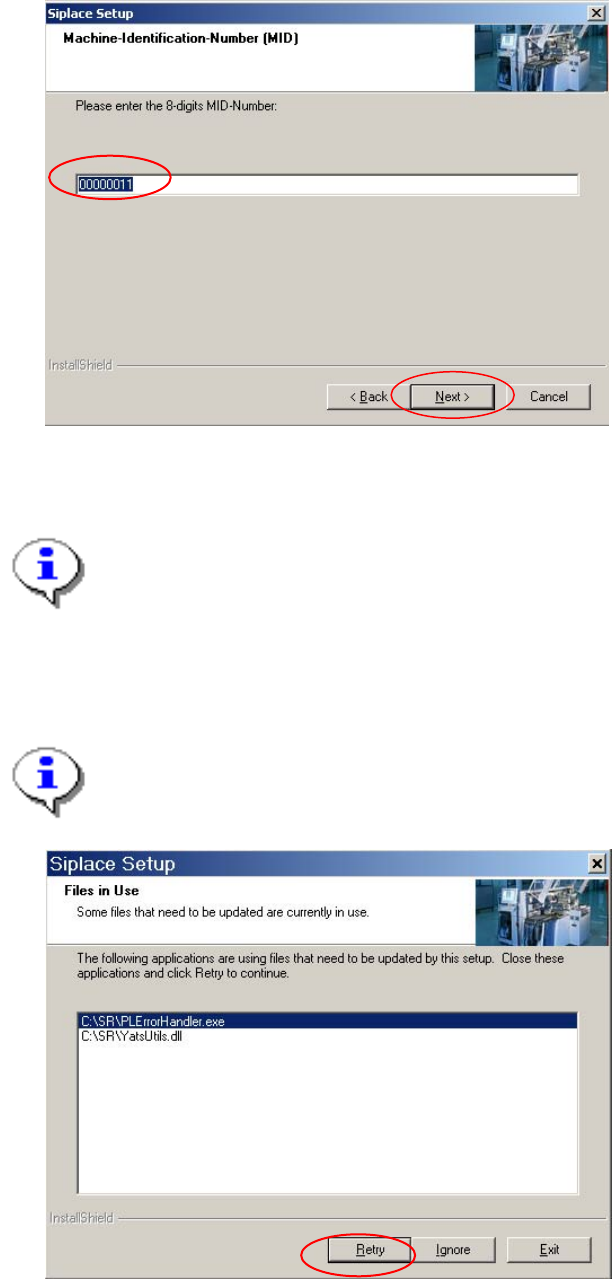
5.5.6 Entering the Machine Identification Number (MID)
Fig. 5-20: Entering the Machine Identification Number (MID)
→ In the text box, enter the 8-digit machine identification number.
Note:
You will find the MID on an adhesive label on the side of the protective covers directly below
the label for the number of the relevant location. Only the first eight digits with leading zeros
must be entered. The number following the dash after the MID specifies the location
(e.g. 00000001-2 stands for location 2).
→ Click the Next button.
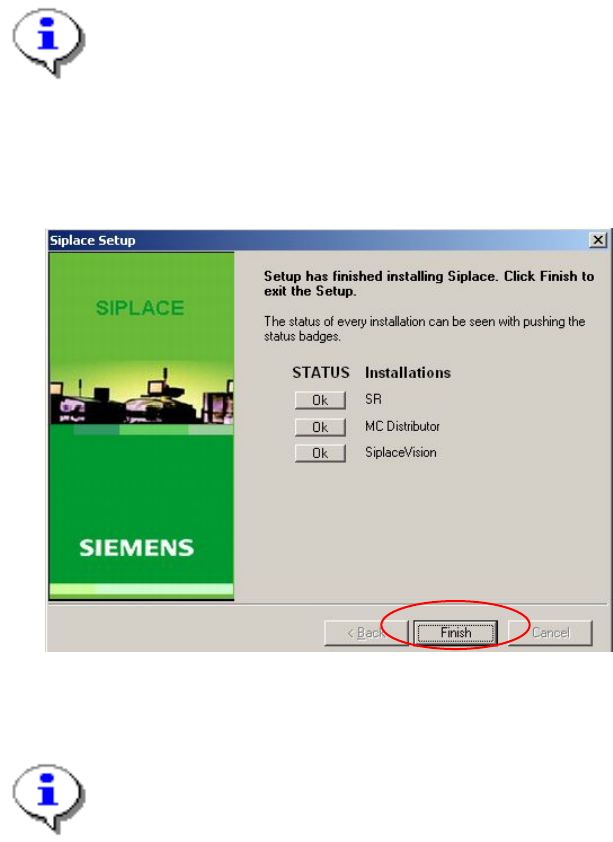
Note:
The following screen only appears if applications are open which use files which must be
updated during installation of SIPLACE.
Fig. 5-21: Open applications
38 of 50
Installation Manual, Station Software Version 605.03 10/2010 Edition
→ Close the applications listed here and then click the Retry button.
The installation program now installs the additional programs on the station computer.
5.5.7 Finalizing the installation
Note:
The status only lists the programs that have just been installed. If, for instance, the current
version of SIPLACE Vision was already installed, it is not listed here.
If errors occurred during installation, the status is indicated by the Error button being
displayed next to the program name instead of the Ok button.
→ If you wish to read the log of the installation of any program, click the Ok (or Error) button next to the
name of the program. The Notepad is started and displays the appropriate file.
Fig. 5-22: Finalizing the installation
→ Click the Finish button.
Note:
To establish the connection between the station computer and the machine controller after
installation has been completed, the station computer, machine controller and Vision
computer (if present) must first be run down and the machine must then be switched off
completely.
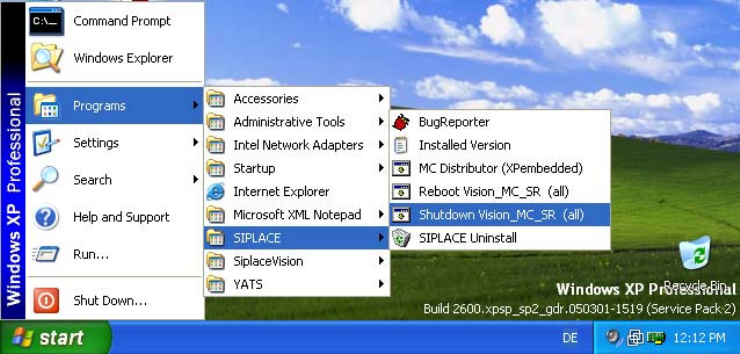
→ To do this, open the Start menu and select Programs Æ SIPLACE Æ Shutdown_Vision_MC_SR
(all).
39 of 50
Installation Manual, Station Software Version 605.03 10/2010 Edition
Fig. 5-23: Shutting down the station computer, machine controller and Vision computer
→ Switch the machine off when the computer systems have shut down.
→ Switch the machine back on again. This then reboots the station computer, the machine controller and
the Vision computer (if present).
40 of 50