i3070+s5i_ReplacePowerSupply+ed2.pdf.pdf - 第10页
10 Replacing the Power Supply i3070 Lean Inline System (E9988EL) i3070 Lean Inline System (E9988EL) 1 Remove the button scr ews securing the s ys tem ’s to p co ve r a nd remo ve t he to p cover. 2 R e m o v e t h e c a …
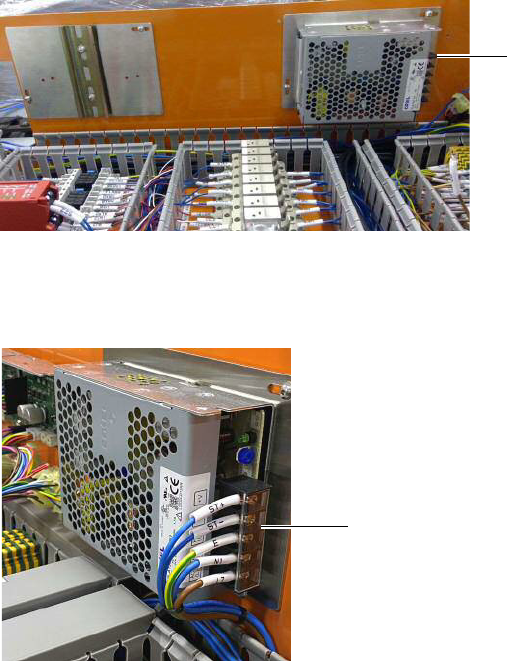
i3070 Inline System (E9988E)
Replacing the Power Supply 9
Installing the Cosel 6.4 A AC/DC power supply
If installing the Cosel 6.4 A AC/DC power supply, follow step 14 through step 17.
14 Install the bracket and mount the new Cosel 6.4 A AC/DC power supply.
15 Connect the cables labeled ST+, ST-, E, N1, L7 (formerly from PS3) to the
Cosel power supply. Tighten the screws to secure the cables and close the
protective cover.
Completing the installation
16 Make sure all the cables are routed properly in the trunking, then close all the
trunking covers.
17 Ensure all connections are correct before securing the system’s top cover.
Cosel 6.4 A AC/DC power
supply with bracket
protective cover
10 Replacing the Power Supply
i3070 Lean Inline System (E9988EL)
i3070 Lean Inline System (E9988EL)
1 Remove the button screws securing the system’s top cover and remove the top
cover.
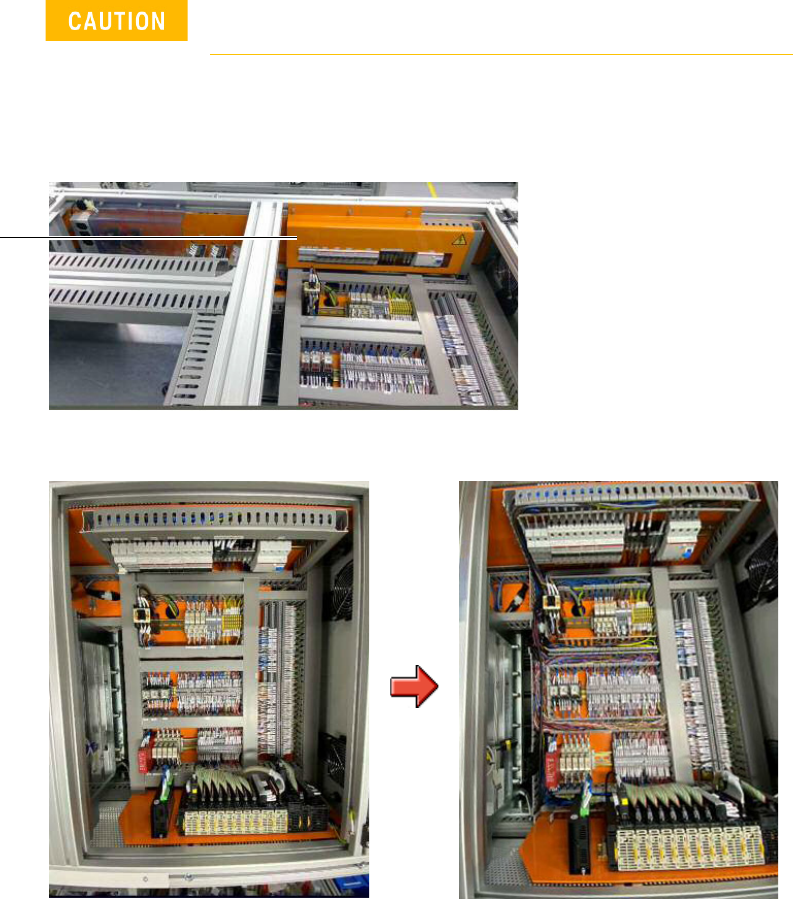
2 Remove the cap screws to remove the cover to the electrical panel.
3 Remove the trunking covers to access the cables.
Turn off the main switch before beginning any replacement
work.
electrical panel
i3070 Lean Inline System (E9988EL)
Replacing the Power Supply 11
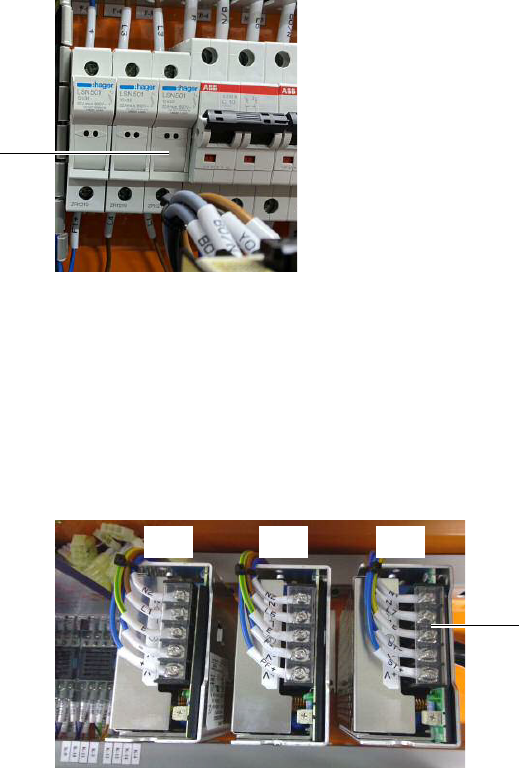
4 Open the F-3 fuse holder and replace the 2.5 A slow blow fuse with a new 6.0 A
slow blow fuse.
5 Remove old power supply:
If installing the Omron 20 A AC/DC power supply, remove PS1 and PS2.
If installing the Cosel 6.4 A AC/DC power supply, remove PS3.
a Open the protective cover and loosen the screws to release all cables at the
AC/DC power supply terminal point of the power supply to be replaced.
b Remove the button screws and any cable ties securing the power supply to
be replaced. Remove the power supply and bracket.
F-3
protective cover
PS1 PS3PS2