i3070+s5i_ReplacePowerSupply+ed2.pdf.pdf - 第11页
i3070 Lean Inline System (E9988EL) Replacing the Power Supply 11 4 Open the F-3 fuse holder and r eplace the 2.5 A slow blow fuse with a new 6.0 A slow blow fuse. 5 Remov e old power suppl y: If installing the Omr on 20 …
10 Replacing the Power Supply
i3070 Lean Inline System (E9988EL)
i3070 Lean Inline System (E9988EL)
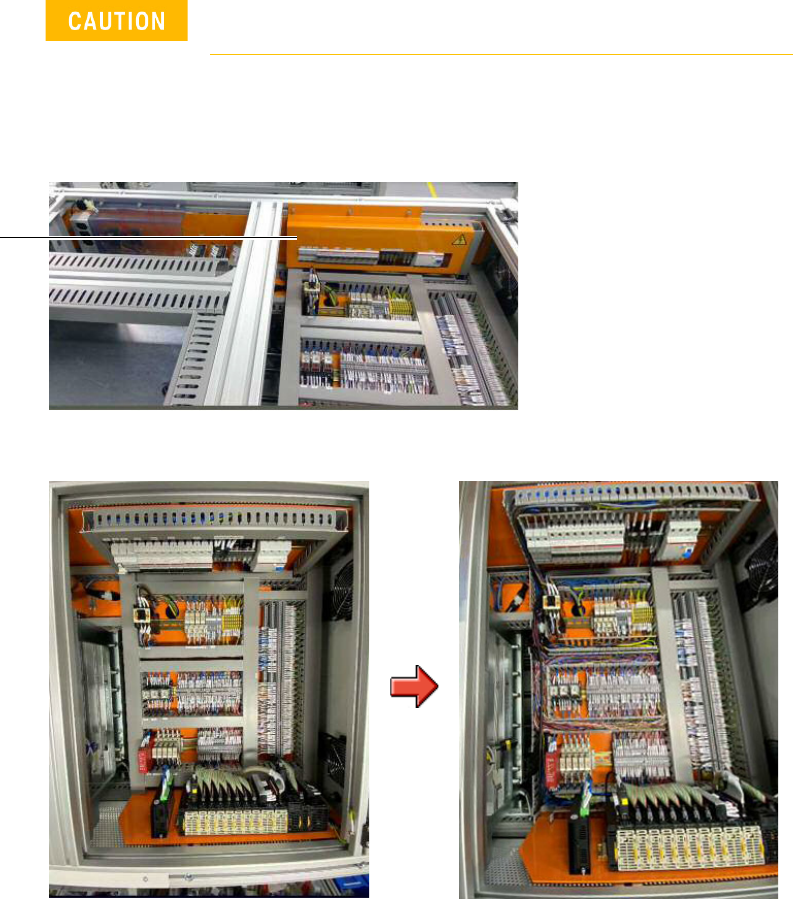
1 Remove the button screws securing the system’s top cover and remove the top
cover.
2 Remove the cap screws to remove the cover to the electrical panel.
3 Remove the trunking covers to access the cables.
Turn off the main switch before beginning any replacement
work.
electrical panel
i3070 Lean Inline System (E9988EL)
Replacing the Power Supply 11
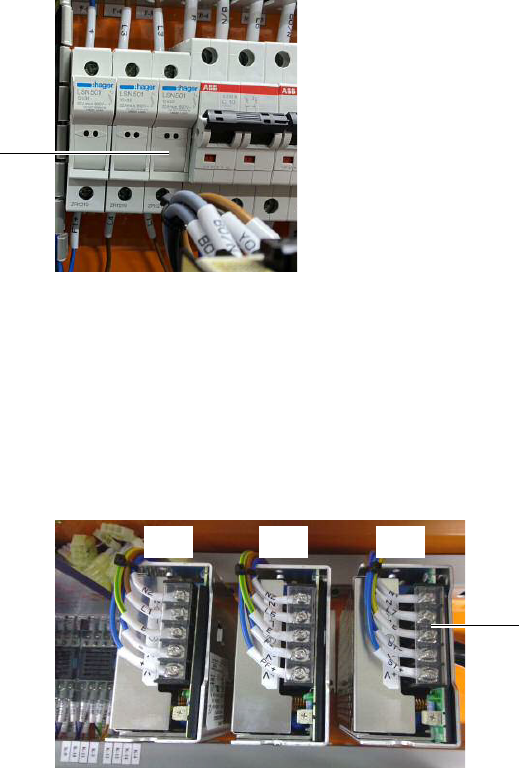
4 Open the F-3 fuse holder and replace the 2.5 A slow blow fuse with a new 6.0 A
slow blow fuse.
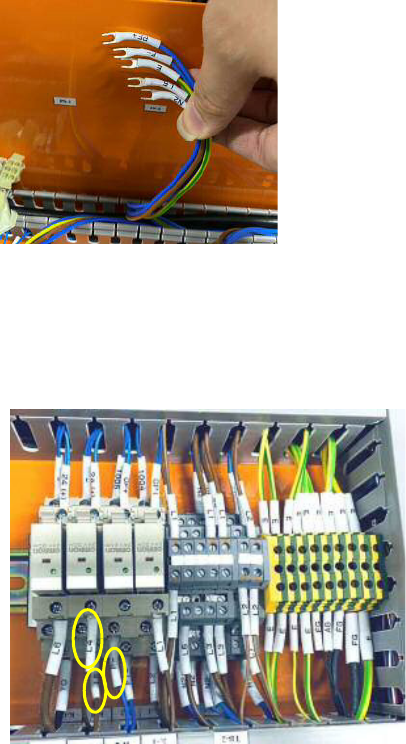
5 Remove old power supply:
If installing the Omron 20 A AC/DC power supply, remove PS1 and PS2.
If installing the Cosel 6.4 A AC/DC power supply, remove PS3.
a Open the protective cover and loosen the screws to release all cables at the
AC/DC power supply terminal point of the power supply to be replaced.
b Remove the button screws and any cable ties securing the power supply to
be replaced. Remove the power supply and bracket.
F-3
protective cover
PS1 PS3PS2
12 Replacing the Power Supply
i3070 Lean Inline System (E9988EL)
Installing the Omron 20 A AC/DC power supply
If installing the Omron 20 A AC/DC power supply, follow step 6 through step 15.
6 Locate and remove the cables labeled PF+, F-, E, L5 and N2 that were
connected to PS2, as they are no longer needed.
7 Locate and remove these cables:
• cable labeled F– that connects K-2 (terminal contact 12) and TB-4.
• brown cable labeled L4 that connects K-B (terminal contact 12) and F-4.
• brown cable labeled L5 that connects K-B (terminal contact 8) and TB-2.