i3070+s5i_ReplacePowerSupply+ed2.pdf.pdf - 第5页
i3070 Inline System (E9988E) Replacing the Power Supply 5 i3070 Inline System (E9988E) 1 Remove the button scr ews securing the s ys tem ’s to p co ve r a nd remo ve t he to p cover. 2 Open the F-3 fuse holder and r epla…
4 Replacing the Power Supply
Parts
Parts
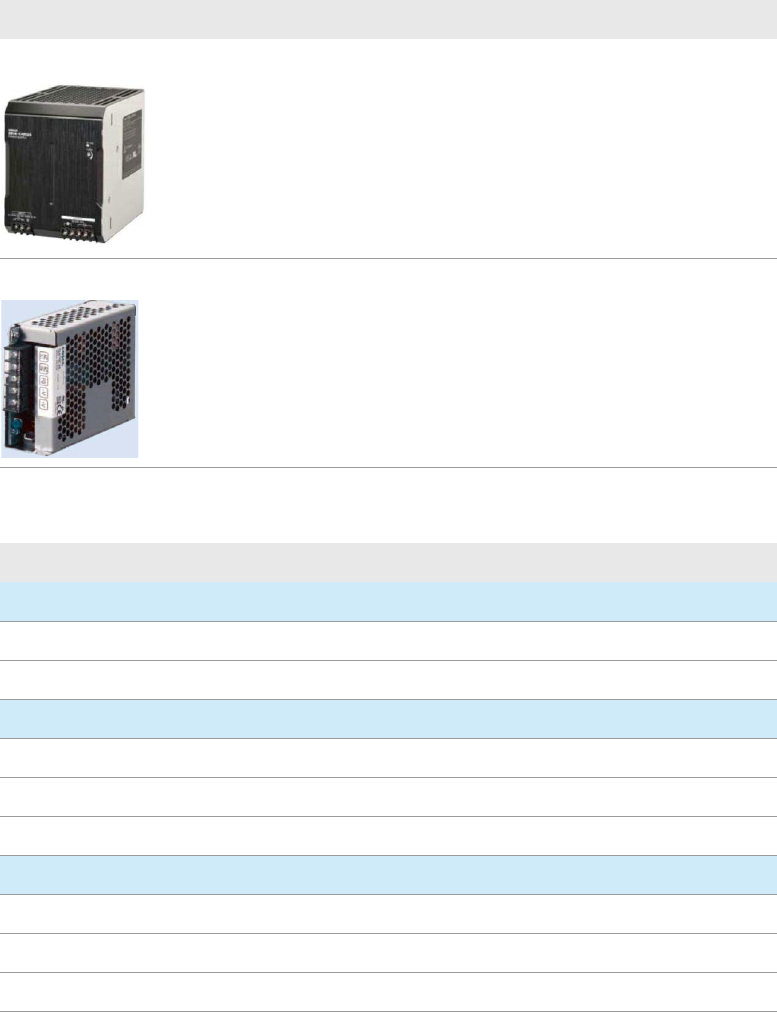
Table 1 Power Supply
Part Number Description
0950-6343 Omron Power Supply AC/DC 480W 1-Output 24V 20A
Replaces PS1 and PS2 (0950-5621).
Note: Even if only one of the power supplies (PS1 or PS2) is faulty, both
need to be replaced.
0950-6344 Cosel Power Supply AC-DC 153.6W 1-Output 24V 6.4A
Replaces PS3 (0950-5621).
Table 2 Additional parts required
Part Number Description
For i3070 Inline System (E9988E)
E9988-61208 Omron & Cosel Power Supply Bracket with DIN Rail, Standard Inline
E9988-61615 Cables Set for Omron Power Supply 20A Replacement, Standard Inline
For i3070 Lean Inline System (E9988EL)
E9988-61209 Omron Power Supply Bracket, Lean Inline & EMU
E9988-61616 Cables Set for Omron Power Supply 20A Replacement, Lean Inline
E9988-61210 Cosel Power Supply Bracket, Lean Inline
For i3070 4-mod Inline System (E9986E)
E9988-61209 Omron Power Supply Bracket, Lean Inline & EMU
E9986-61601 Cables Set for Omron Power Supply 20A Replacement, EMU
E9986-61206 Cosel Power Supply Bracket, EMU
i3070 Inline System (E9988E)
Replacing the Power Supply 5
i3070 Inline System (E9988E)
1 Remove the button screws securing the system’s top cover and remove the top
cover.
2 Open the F-3 fuse holder and replace the 2.5 A slow blow fuse with a new 6.0 A
slow blow fuse.
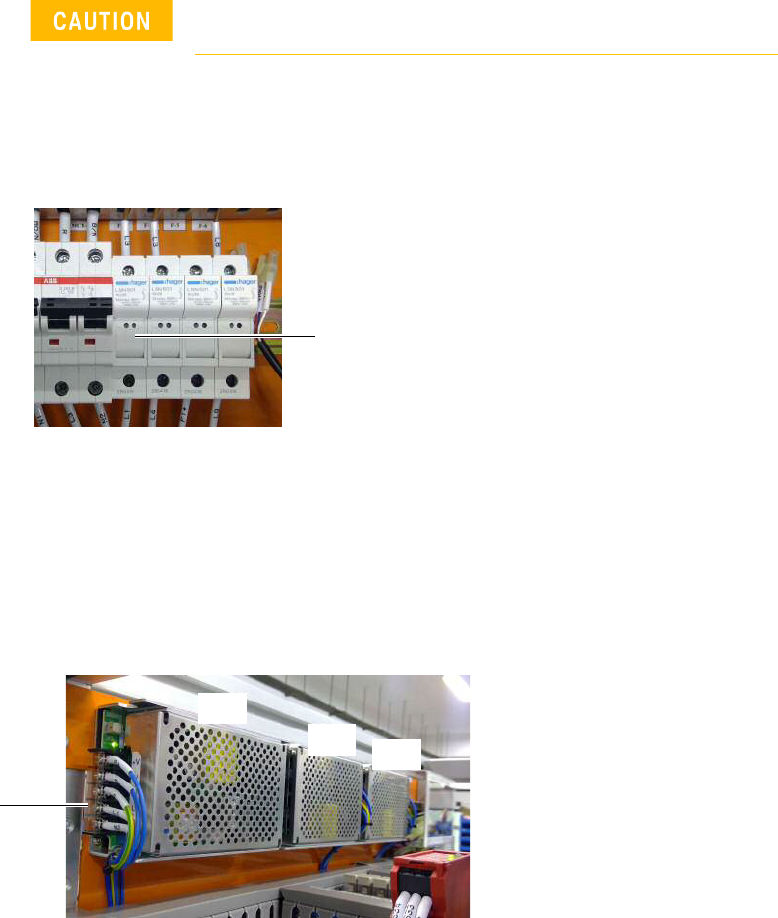
3 Remove old power supply:
If installing the Omron 20 A AC/DC power supply, remove PS1 and PS2.
If installing the Cosel 6.4 A AC/DC power supply, remove PS3.
a Open the protective cover and loosen the screws to release all cables at the
AC/DC power supply terminal point of the power supply to be replaced.
b Remove the button screws and any cable ties securing the power supply to
be replaced. Remove the power supply and bracket.
Turn off the main switch before beginning any replacement
work.
F-3
protective cover
PS1
PS3
PS2
6 Replacing the Power Supply
i3070 Inline System (E9988E)
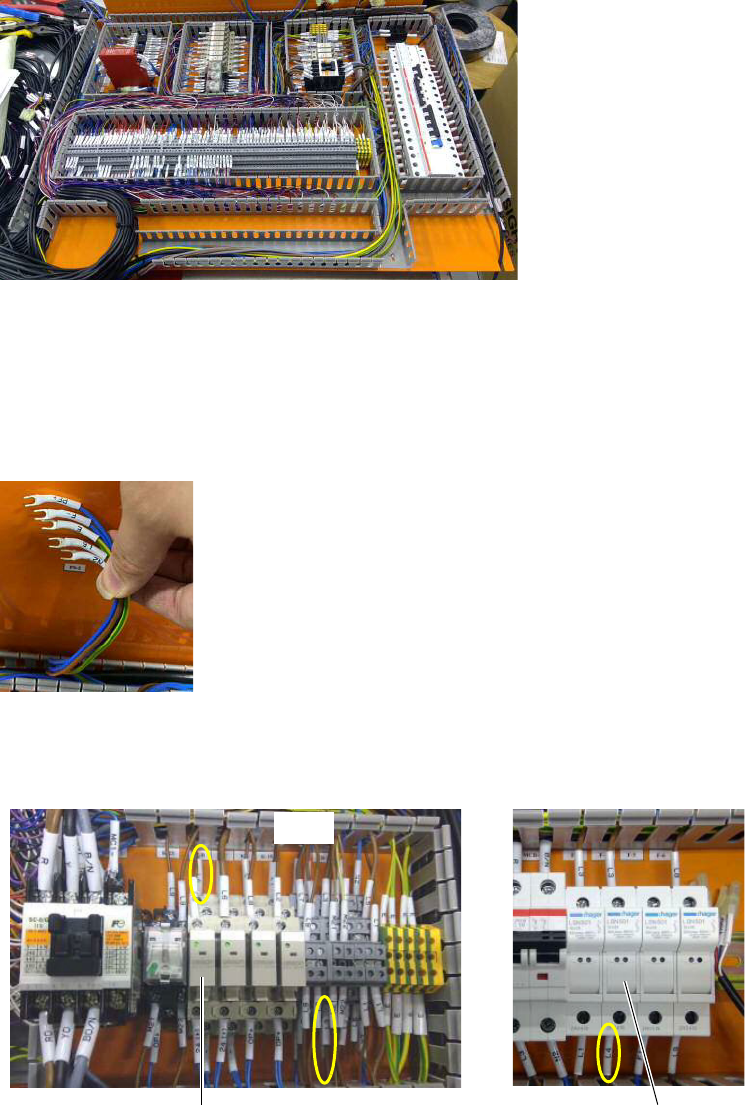
4 Remove the trunking covers to access the cables.
Installing the Omron 20 A AC/DC power supply
If installing the Omron 20 A AC/DC power supply, follow step 5 through step 13.
5 Locate and remove the cables labeled PF+, F-, E, L5 and N2 that were
connected to PS2, as they are no longer needed.
6 Locate and remove these cables:
• brown cable labeled L4 that connects F-4 and K-B (terminal contact 4).
• brown cable labeled L5 that connects TB-2 and K-B (terminal contact 3).
TB-2
K-B F-4