i3070+s5i_ReplacePowerSupply+ed2.pdf.pdf - 第14页
14 Replacing the Power Supply i3070 Lean Inline System (E9988EL) 12 Connect a new cable labeled – fr om K -2 (terminal contact 12) t o TB-4. 13 Disconnect the blue cable labeled F1+ fr om TB-3 and connect it to K -B (ter…
i3070 Lean Inline System (E9988EL)
Replacing the Power Supply 13
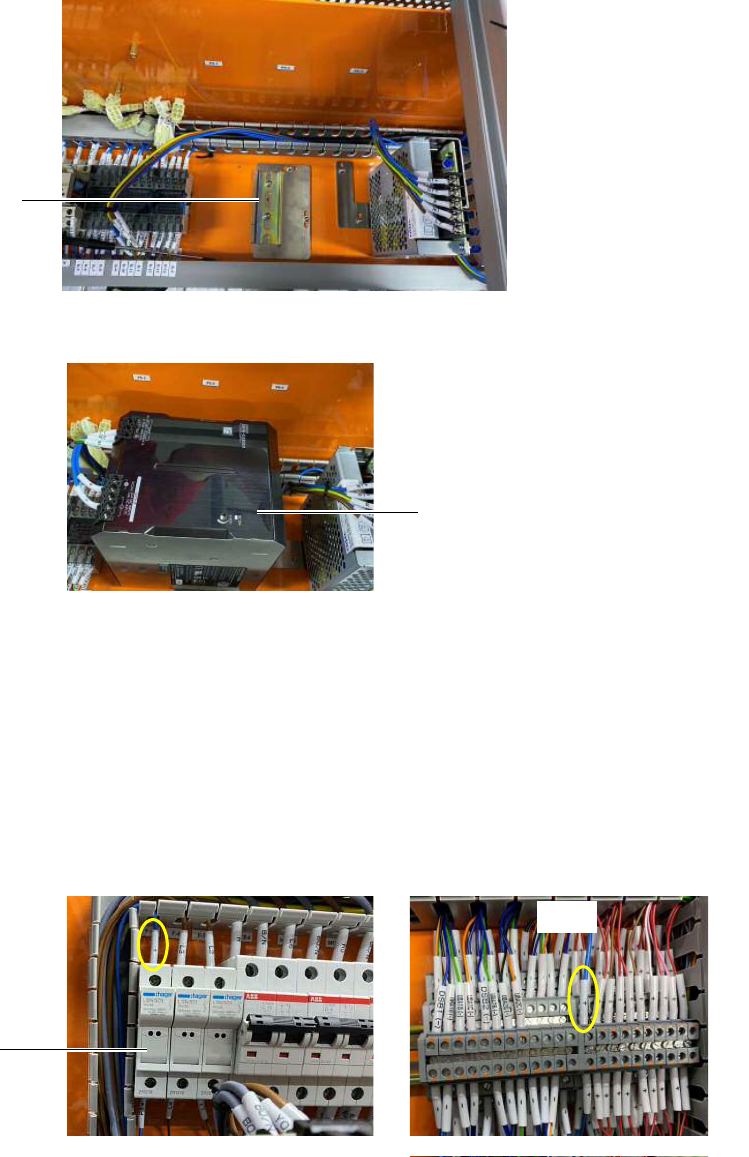
8 Mount the bracket for the new Omron 20 A AC/DC power supply.
9 Fit the new Omron 20 A AC/DC power supply into the DIN rail and lock it.
10 Cables labeled L1, N2, E, +, and – (previously connected to PS1) are to be
connected to the Omron power supply. The terminal point connections remain
the same.
• If using the existing cables, the connector heads have to be replaced with
ferrule heads to connect to the Omron power supply.
• If the existing cables are not long enough, replace them with the new cables
that have the same labels. Be sure to connect the new cables to the same
locations as the old cables.
11 Connect a new cable labeled + from F-5 to TB-4.
Mounting bracket for
Omron power supply
Omron 20 A AC/DC power supply
TB-4
F-5
14 Replacing the Power Supply
i3070 Lean Inline System (E9988EL)
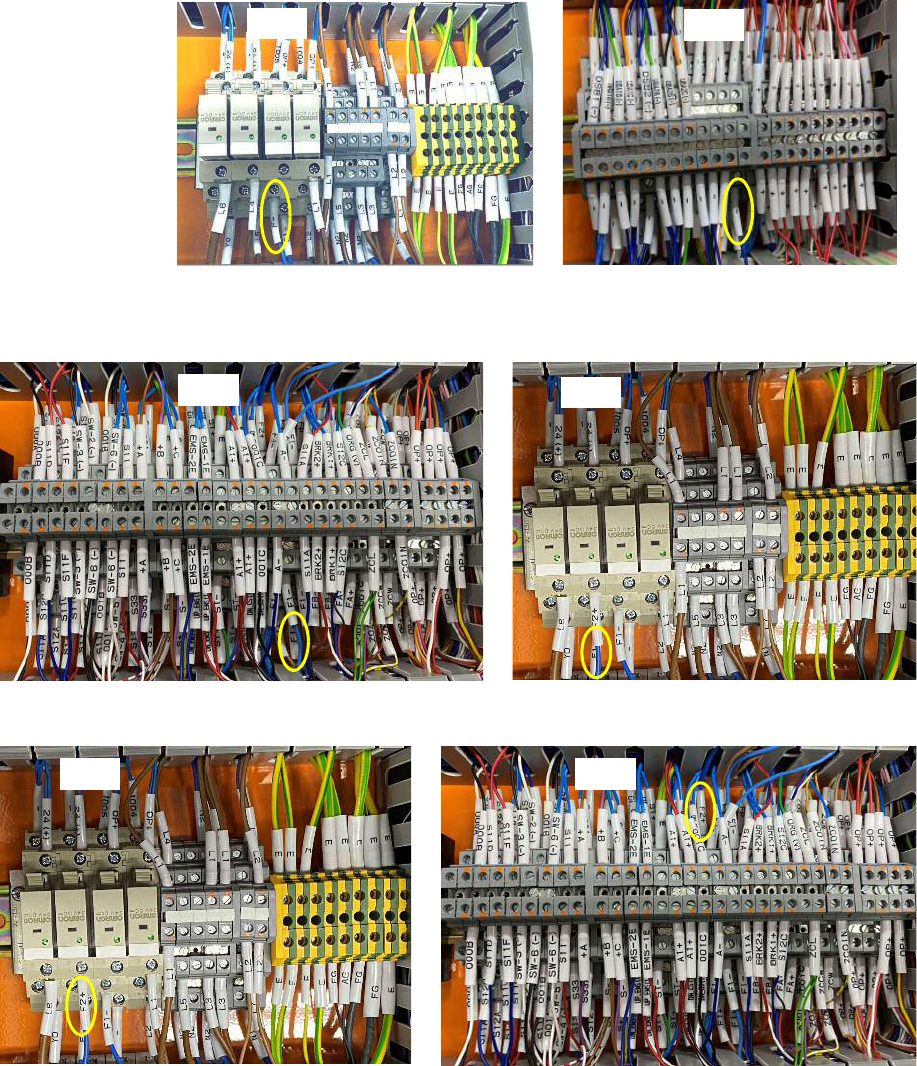
12 Connect a new cable labeled – from K-2 (terminal contact 12) to TB-4.
13 Disconnect the blue cable labeled F1+ from TB-3 and connect it to K-B
(terminal contact 8).
14 Connect a new cable labeled F2+ from K-B (terminal contact 12) to TB-3.
TB-4
K-2
TB-3
K-B
TB-3K-B
i3070 Lean Inline System (E9988EL)
Replacing the Power Supply 15
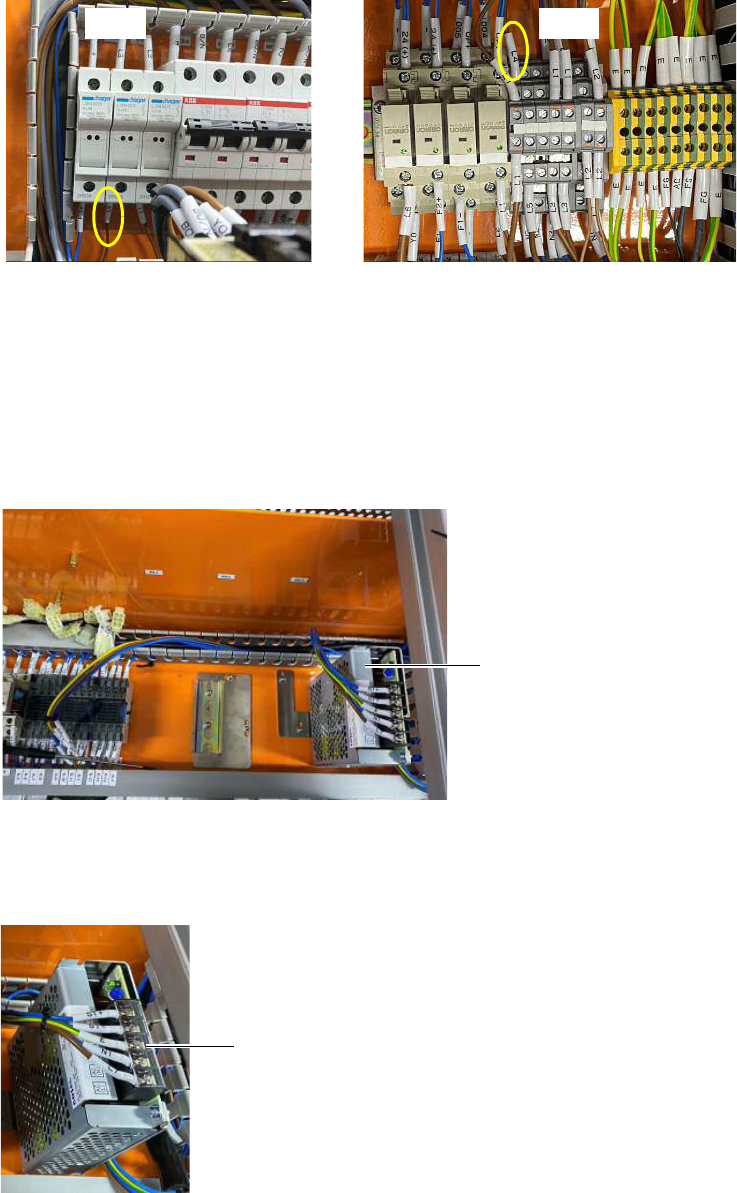
15 Connect a new cable labeled L4 from F-4 to TB-2.
Continue with Completing the installation.
Installing the Cosel 6.4 A AC/DC power supply
If installing the Cosel 6.4 A AC/DC power supply, follow step 16 through step 20.
16 Install the bracket and mount the new Cosel 6.4 A AC/DC power supply.
17 Connect the cables labeled ST+, ST-, E, N1, and L7 (formerly from PS3) to the
Cosel power supply. Tighten the screws to secure the cables and close the
protective cover.
TB-2F-4
Cosel 6.4 A AC/DC power
supply with bracket
protective cover