TM2939.Solder Remaining Quantity Detection-Function.pdf - 第13页
SMT Software En gineering G roup IM Operati ons Y AMAHA MOTOR CO., L TD. MDOC-SOFT50 128 13 /18 Fig.4.9 “Rol ling” dialo g box 4.2.3. T es t print During t he test print, t he solder rol ling width on the mask is scanned…
SMT Software Engineering Group
IM Operations YAMAHA MOTOR CO., LTD.
MDOC-SOFT50128
12/18
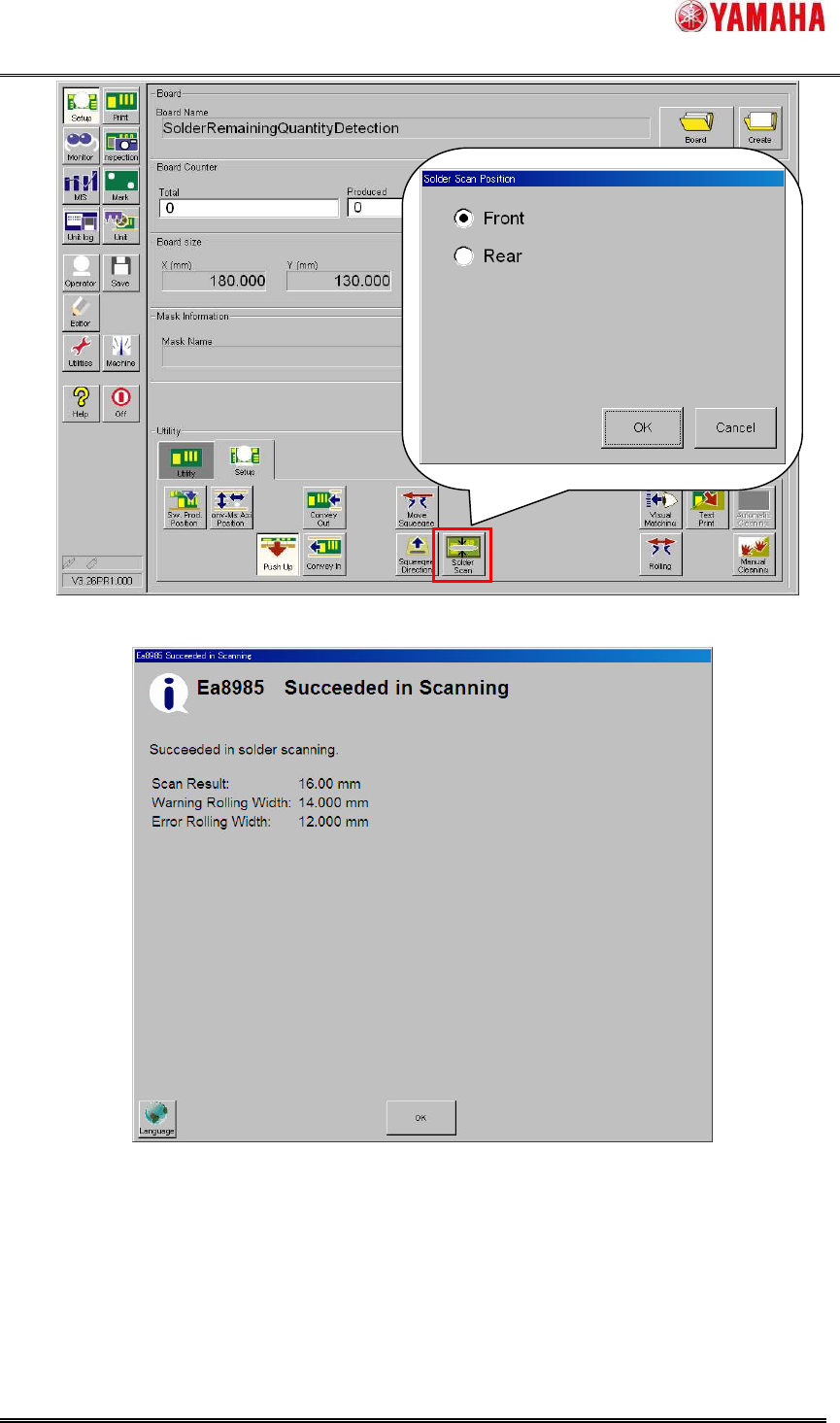
Fig.4.7 “Solder Scan” button
Fig.4.8 “Ea8985:Succeeded in Scanning” message
4.2.2. Rolling
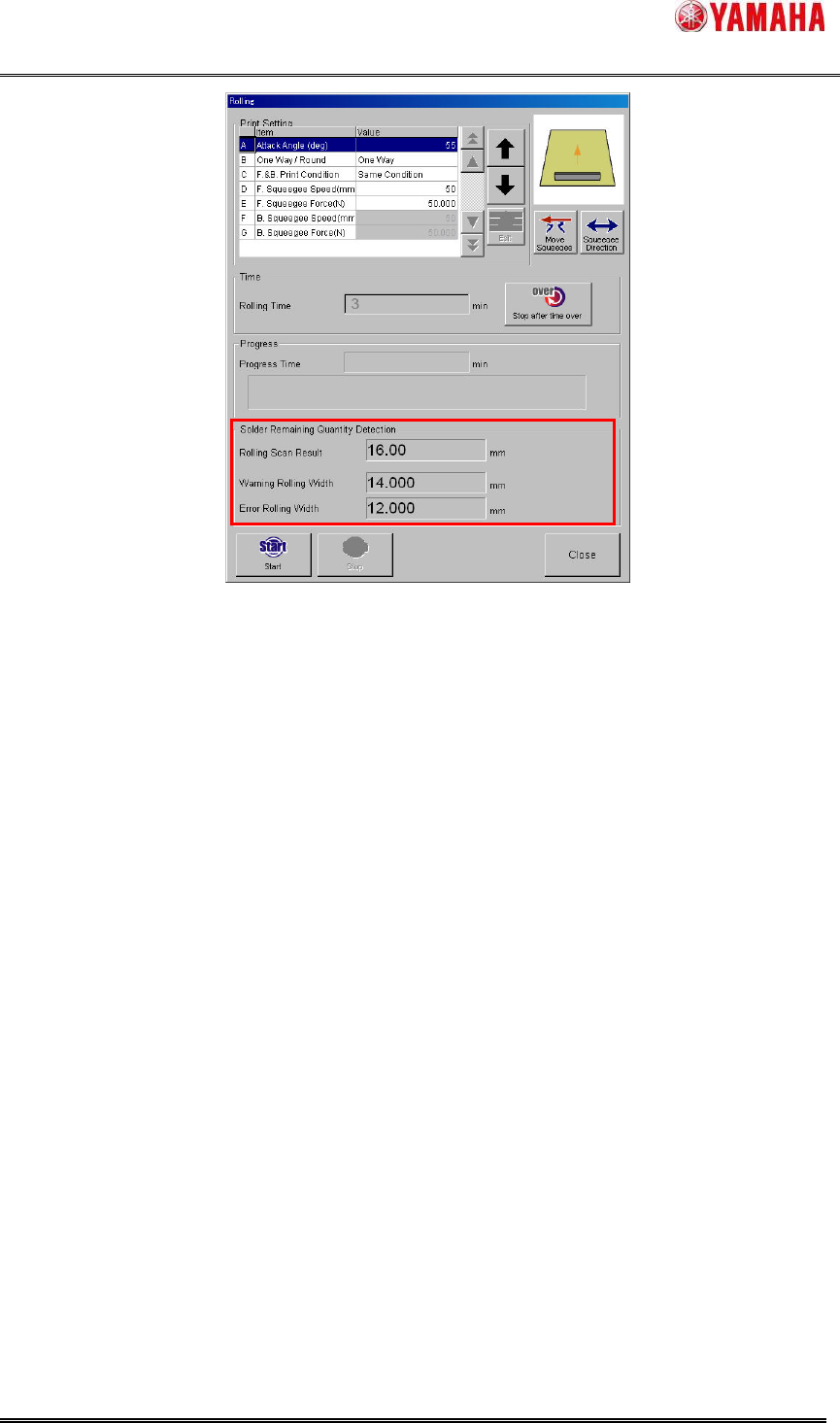
During the rolling operation, the solder rolling width on the mask is scanned after backward
printing every time. The result is displayed in the “Rolling” dialog box (Fig.4.9). Even if scan result
is smaller than “Warning Rolling Width” or “Error Rolling Width”, neither warnings nor errors are
counted. However, “Refilling Solder Board” counter is counted down.
SMT Software Engineering Group
IM Operations YAMAHA MOTOR CO., LTD.
MDOC-SOFT50128
13/18
Fig.4.9 “Rolling” dialog box
4.2.3. Test print
During the test print, the solder rolling width on the mask is scanned only after backward
printing. When the rolling width is scanned correctly, the result is displayed in the ”Ea8985:
Succeeded in Scanning” message (Fig.4.8). After that “Ea8645: Do you wish to carry out the
fixed Board?” is displayed. Even if scan result is smaller than “Warning Rolling Width” or “Error
Rolling Width”, neither warnings nor errors are counted. However, “Refilling Solder Board”
counter is counted down.
4.3. Result log function
The rolling width scan result is output to history and graph.
4.3.1. Board log
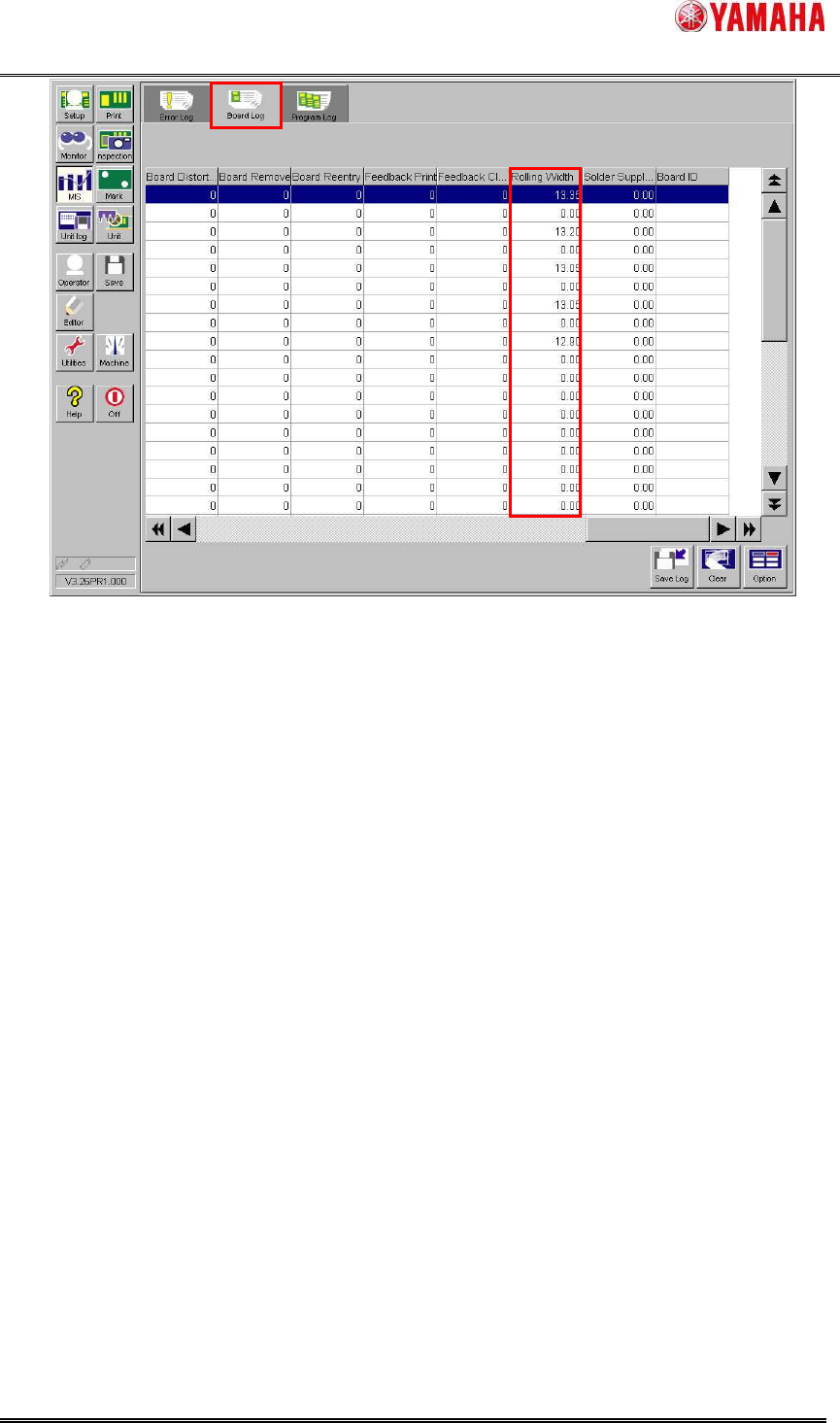
The rolling width scan result is output to [MIS] – [Board Log] – [Rolling Width] column per
board. If board log is saved to CSV file, it is useful for result analysis in offline software.
SMT Software Engineering Group
IM Operations YAMAHA MOTOR CO., LTD.
MDOC-SOFT50128
14/18
Fig.4.10 [MIS] - [Board Log] screen
4.3.2. Solder transition graph
Transition of the rolling width per board is displayed visually in [Monitor] – [Solder transition].
The horizontal axis is the number of produced board and the vertical axis is the rolling width. The
blue line shows rolling width scan result, the red line shows the ”Error Rolling Width” of board
data, and the green line shows the ”Warning Rolling Width” of the board data.
When solder is supplied (“Yes” button is tapped in “Ea8988:Supply Solder” message), the
“Supply” flag is indicated on the graph to check solder supply timings at a glance.