TM2939.Solder Remaining Quantity Detection-Function.pdf - 第3页
SMT Software Engineering Group IM Operati ons Y AMAHA MOTOR CO., L TD. MDOC-SOFT50 128 3/ 18 Fig.2.2 Sum m ary of the “ Solder Rem aining Qua ntit y D etection” f unction 3. Settin gs Settings to use this func tion ar e …
SMT Software Engineering Group
IM Operations YAMAHA MOTOR CO., LTD.
MDOC-SOFT50128
2/18
1.
Target Model and Version
The target model and version are as follows.
Table1.1 Target model and version
Target Model,
Software
Target Version Remarks
YSP VGOS V3.27STD R1.000 and later
Y.FacT V1.27STD R1.000 and later
“Solder Scan Sensor”
(KHT-M7240-A00) or “PSC” required
2. Summary
“Solder Remaining Quantity Detection” is a function to measures the solder rolling width on the
metal mask, and displays a warning or error message to instruct operators to supply solder, if the
solder rolling width is smaller than the setting.
It detects a solder shortage according to the actual rolling width. Therefore, operators don’t
need to check and supply solder unnecessarily, which improves operating time. In addition, this
function can avoid printing quality loss caused by shortages of solder.
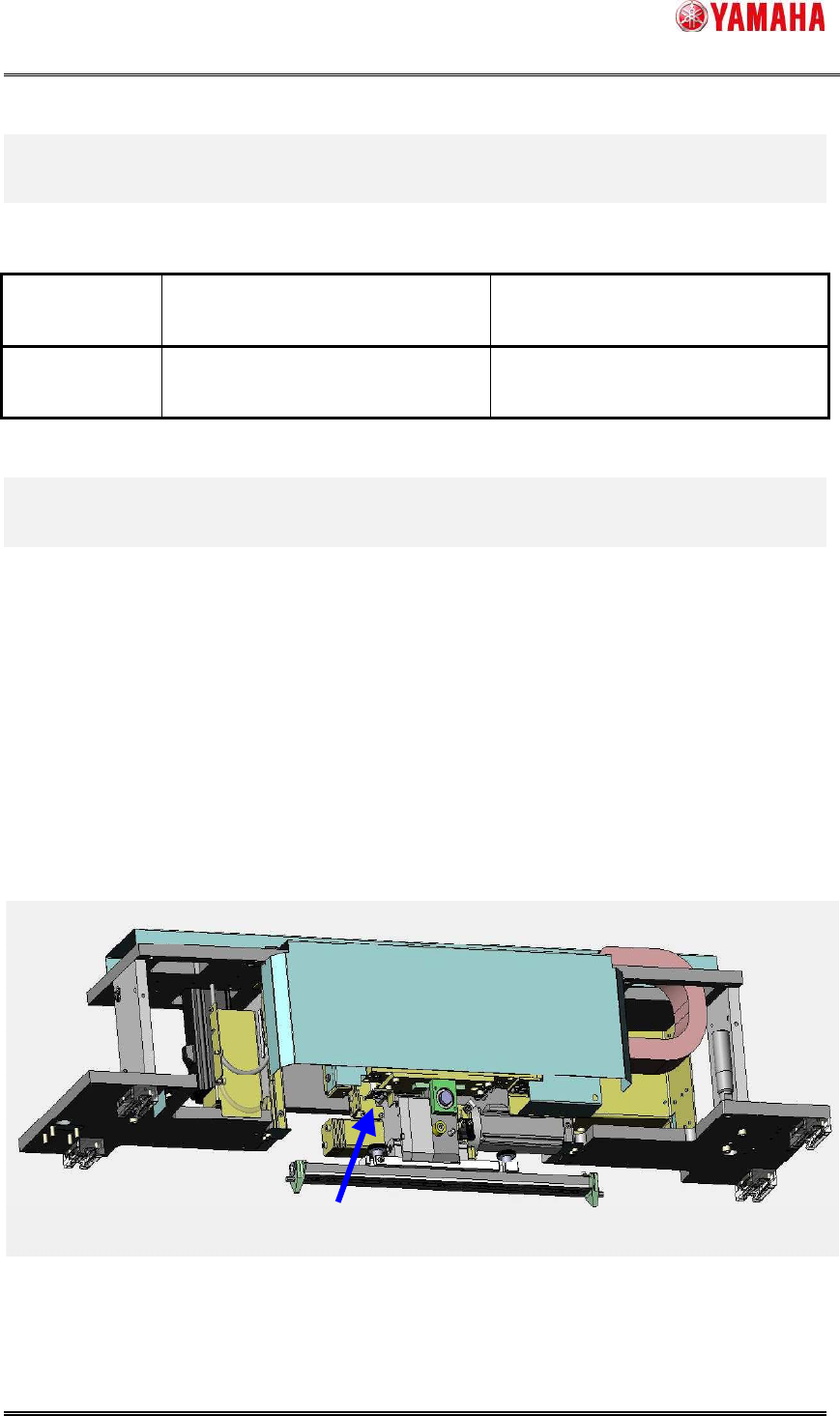
“Solder Scan Sensor” is equipped on the rear side of “3S Squeegee Head” (Fig.2.1). Solder
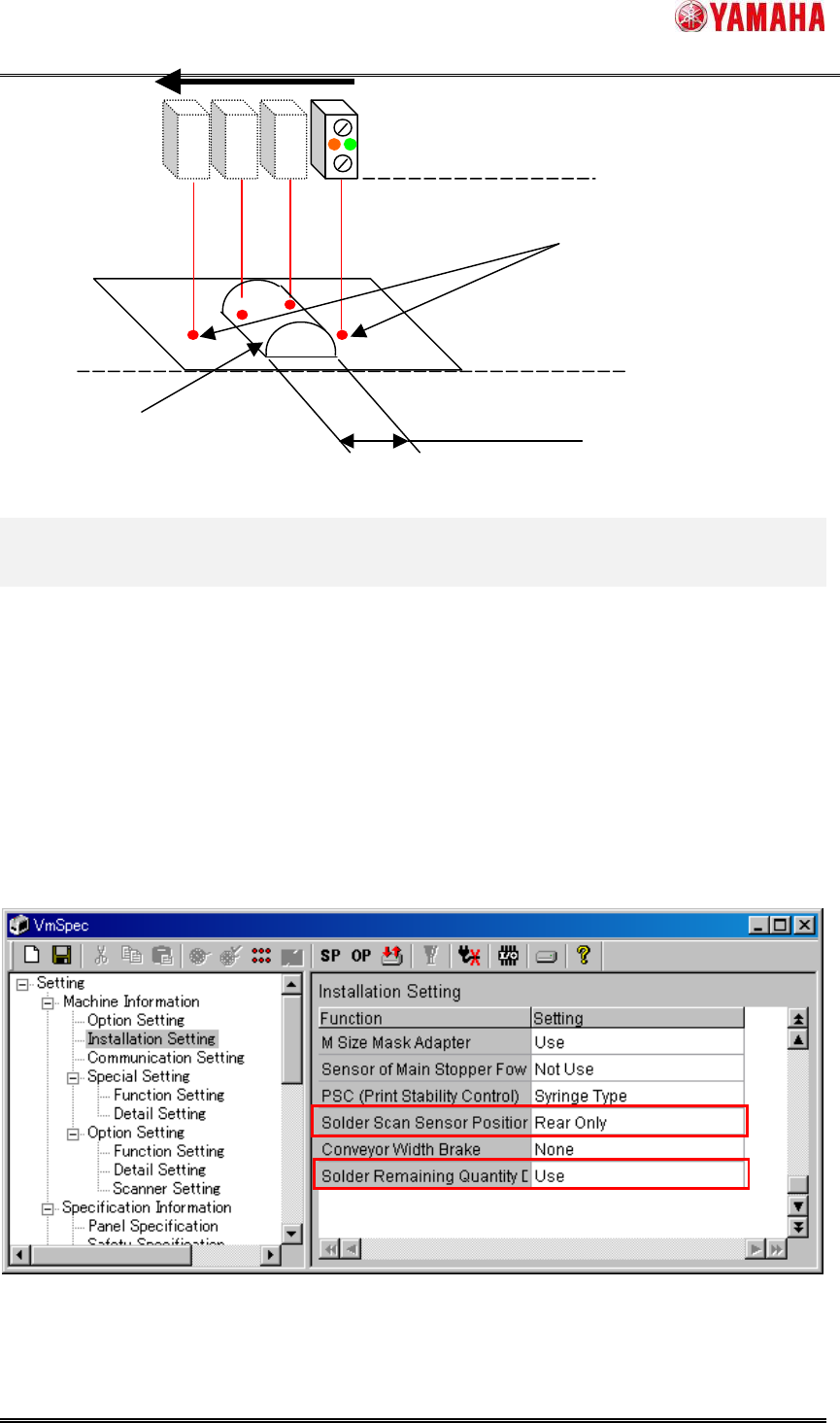
Scan Sensor measures the solder rolling width by moving to the Y-axis direction while the
squeegee is turning around after backward printing (Fig.2.2).
Fig.2.1 The appearance of the “Solder Remaining Quantity Detection” equipment
Solder Scan Sensor
SMT Software Engineering Group
IM Operations YAMAHA MOTOR CO., LTD.
MDOC-SOFT50128
3/18
Fig.2.2 Summary of the “Solder Remaining Quantity Detection” function
3. Settings
Settings to use this function are as follows.
3.1. Machine settings
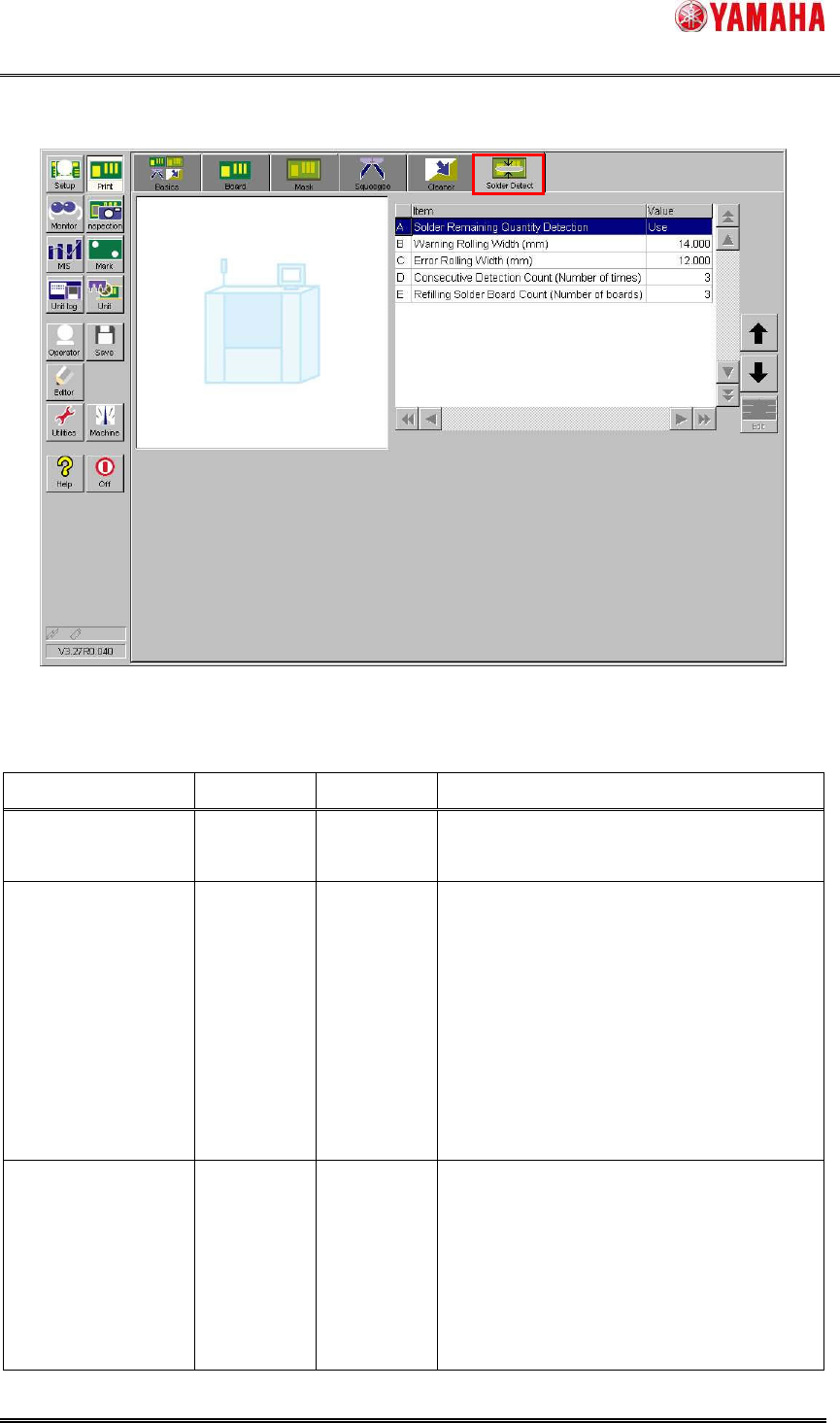
In [Machine] - [Setting] - [Machine Information] - [Installation settings], set ”Solder Scan
Sensor Position” to ”Rear Only” and ”Solder Remaining Quantity Detection” to ”Use”.
When the machine equips with “PSC (Print Stability Control)”, set ”PSC (Print Stability
Control)” to ”Syringe Type” or ”Pot Type”, not invalid this. (This setting makes Safety Checks of
FX-axis activated.)
After you change the setting, save it and reboot the machine.
Fig.3.1 “Installation Settings”
Solder on the mask
Rolling width
Detect Solder Width
(Metal mask only.
Plastic mask or mesh
mask unusable)
Solder Scan Sensor
SMT Software Engineering Group
IM Operations YAMAHA MOTOR CO., LTD.
MDOC-SOFT50128
4/18
3.2. Board data
When this function is effective, the [Print] - [Solder Detect] tab is enabled.
Fig.3.3 [Print] - [Solder Detect] screen
Table3.1 Setting items of board data
Item Initial value
Input range
Explanation
Solder Remaining
Quantity Detection
Not Use Not Use
/ Use
Set whether “Solder Remaining Quantity
Detection” function is used or not.
Warning Rolling
Width (mm)
14.000
0.000
~99.999
Set the rolling width that ”Ea8986:Solder
Empty Warning” message is displayed.
Actually, this message is displayed when
the rolling width falls below this value
consecutively in “Consecutive Detection
Count”(see below).
Auto-running is continued while displaying
warning.
Error Rolling Width
(mm)
12.000
0.000
~99.999
Set the rolling width that ”Ea8987:Solder
Empty Error” message is displayed.
Actually, this message is displayed when
the rolling width falls below this value
consecutively in “Consecutive Detection
Count”(see below).