TM2939.Solder Remaining Quantity Detection-Function.pdf - 第8页
SMT Software En gineering G roup IM Operati ons Y AMAHA MOTOR CO., L TD. MDOC-SOFT50 128 8/ 18 Fig.4.4 “E a8988: Suppl y Solder” m essage 1) “Y es” butt on W hen solder is supp lied on the m ask, tap the ” Y es ” button …
SMT Software Engineering Group
IM Operations YAMAHA MOTOR CO., LTD.
MDOC-SOFT50128
7/18
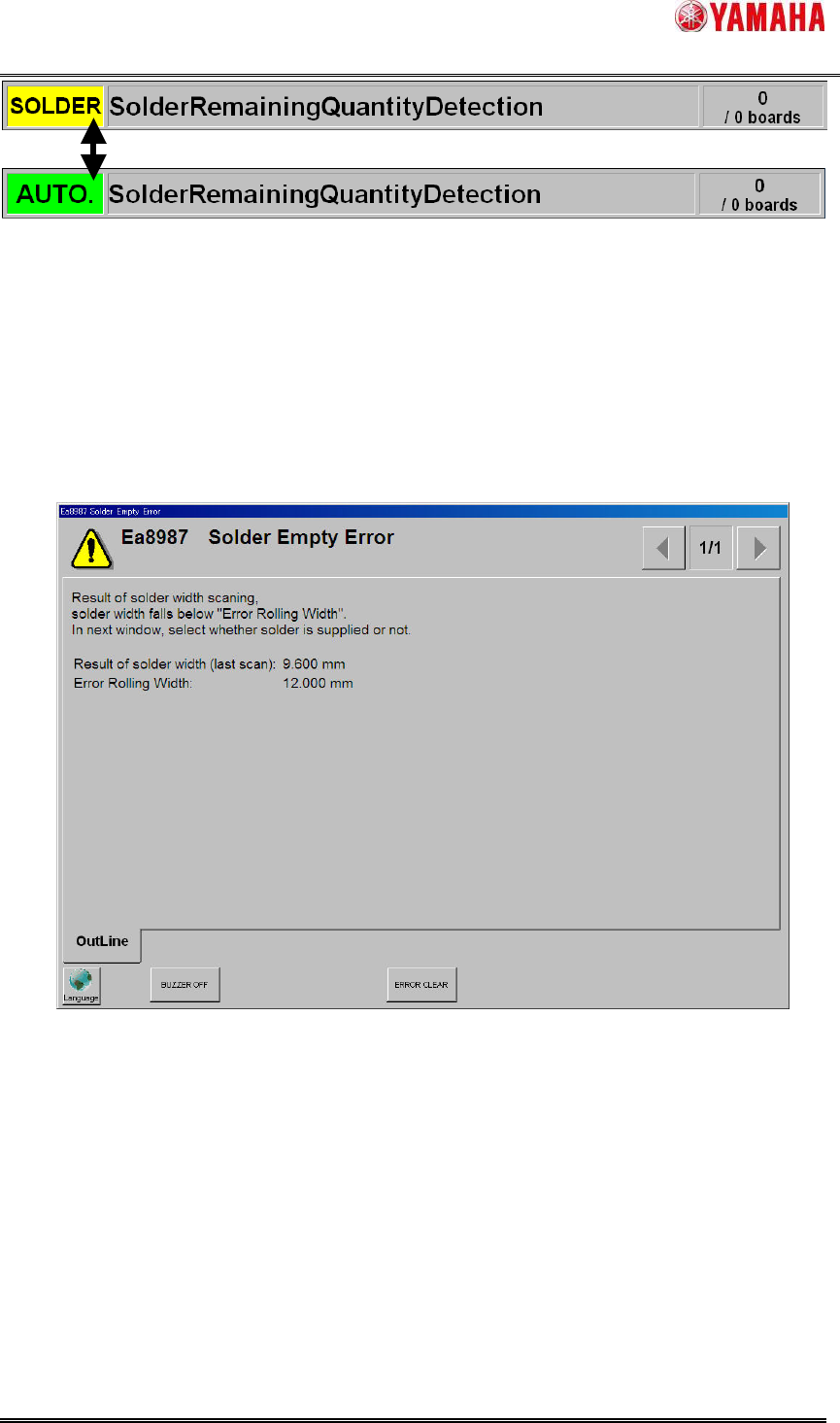
Fig.4.2 “SOLDER” blinks on status area
4.1.2. Solder empty error
When the rolling width is scanned as smaller than “Error Rolling Width” consecutively in
“Consecutive Detection Count” times, ”Ea8987: Solder Empty Error”(Fig.4.3) is displayed and
auto-running is stopped. In this time, the squeegee head moves to the escaping position to make
it easy to supply solder on the mask.
Fig.4.3 “Ea8987:Solder Empty Error” message
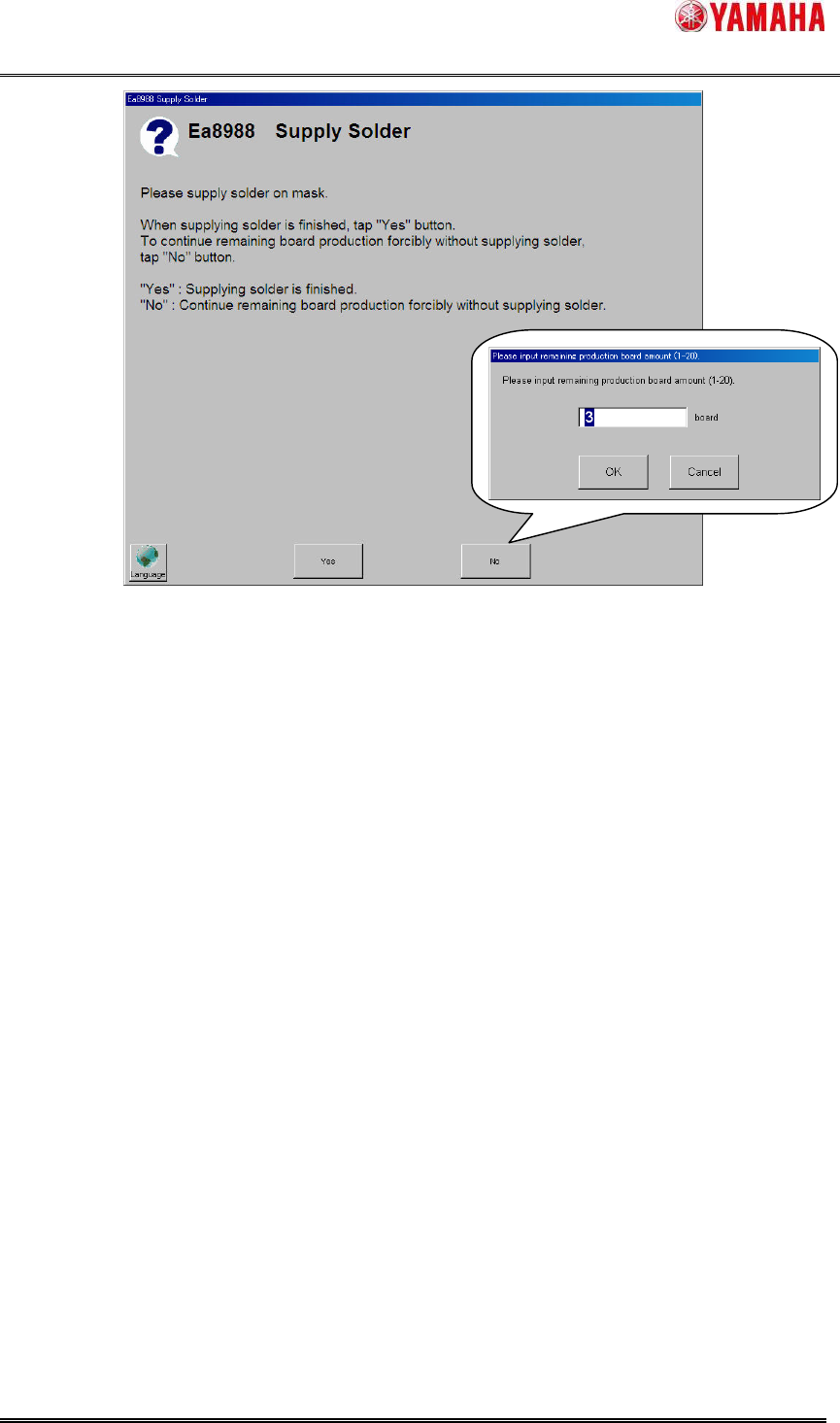
When “Ea8987: Solder Empty Error” message is cleared, the ”Ea8988: Supply Solder”
message (Fig.4.4) is displayed. Tap the “Yes” button or the “No” button depending on whether
solder is supplied or not.
SMT Software Engineering Group
IM Operations YAMAHA MOTOR CO., LTD.
MDOC-SOFT50128
8/18
Fig.4.4 “Ea8988: Supply Solder” message
1) “Yes” button
When solder is supplied on the mask, tap the ”Yes” button.
After auto-running is restarted, neither warnings nor errors are counted until the production of
board amount set by “Refilling Solder Board Count” is completed (Solder width is scanned). If the
rolling width is smaller than ”Warning Rolling Width” or ”Error Rolling Width” after that, count of
warnings and errors are started.
2) ”No” button
When only few boards left to be produced, it is possible to continue forcibly without solder
supply. In this case, tap the [No] button. When the “Input Remaining Production Board Amount”
dialog box is displayed, input the number of boards that should be produced forcibly (Input range
is 1~20 boards), tap ”OK” button. (If the ”Cancel” button is tapped, ”Ea8988: Supply Solder”
message is displayed again)
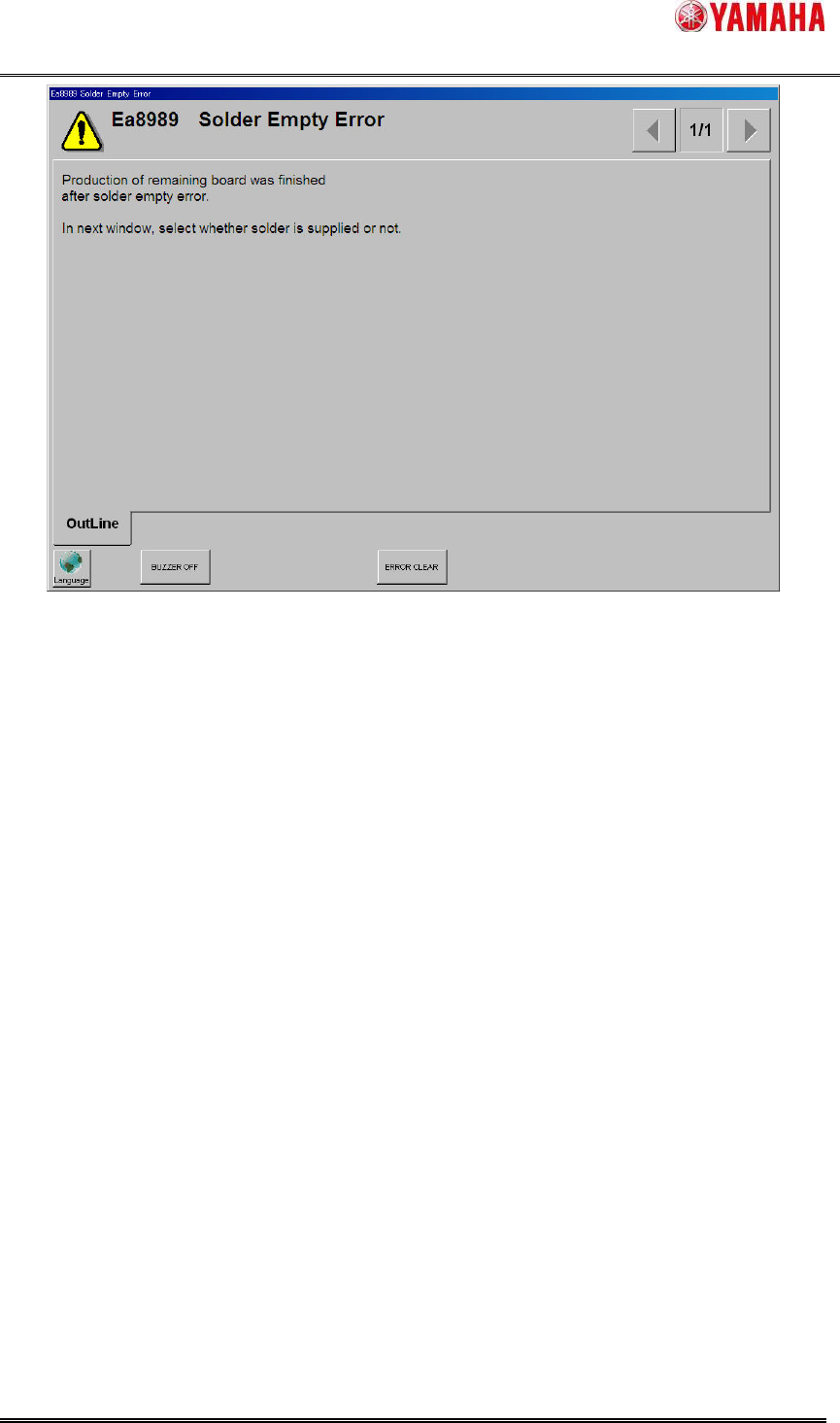
After auto-running is restarted, when the production of board amount set by “Remaining
Production Number Of Board” is completed, ”Ea8989: Solder Empty Error” message (Fig.4.5) is
displayed and auto-running is stopped. (Solder width is scanned after also restarting
auto-running. But auto-running is always stopped separated to scan result.)
When the production completion timing of “Remaining Production Number Of Board” is
corresponding to the production completion timing of “Total Board Counter”, ”Ea8989:Solder
Empty Error” message is displayed all the same.
SMT Software Engineering Group
IM Operations YAMAHA MOTOR CO., LTD.
MDOC-SOFT50128
9/18
Fig.4.5 “Ea8989:Solder Empty Error” message
The tapped button type and the inputed “Remaining Production Number Of Board” value in
“Ea8988: Supply Solder” message are output to the [MIS] - [Error Log] - [Details] column like
“(Button)Yes” or “(Button)No(3)”.
4.1.3. Counter screen
The current counter values can be checked in [Monitor] - [Counter] screen (Fig.4.6).
These counters are initialized when the power off or the [Print] - [Mask] - [Mask Name] is
changed by switching board data.