TM2939.Solder Remaining Quantity Detection-Function.pdf - 第9页
SMT Software En gineering G roup IM Operati ons Y AMAHA MOTOR CO., L TD. MDOC-SOFT50 128 9/ 18 Fig.4.5 “E a8989: Solder Empt y Error” mes sage The tapped button t ype an d the i nputed “Rem aining Product ion Num ber O f…
SMT Software Engineering Group
IM Operations YAMAHA MOTOR CO., LTD.
MDOC-SOFT50128
8/18
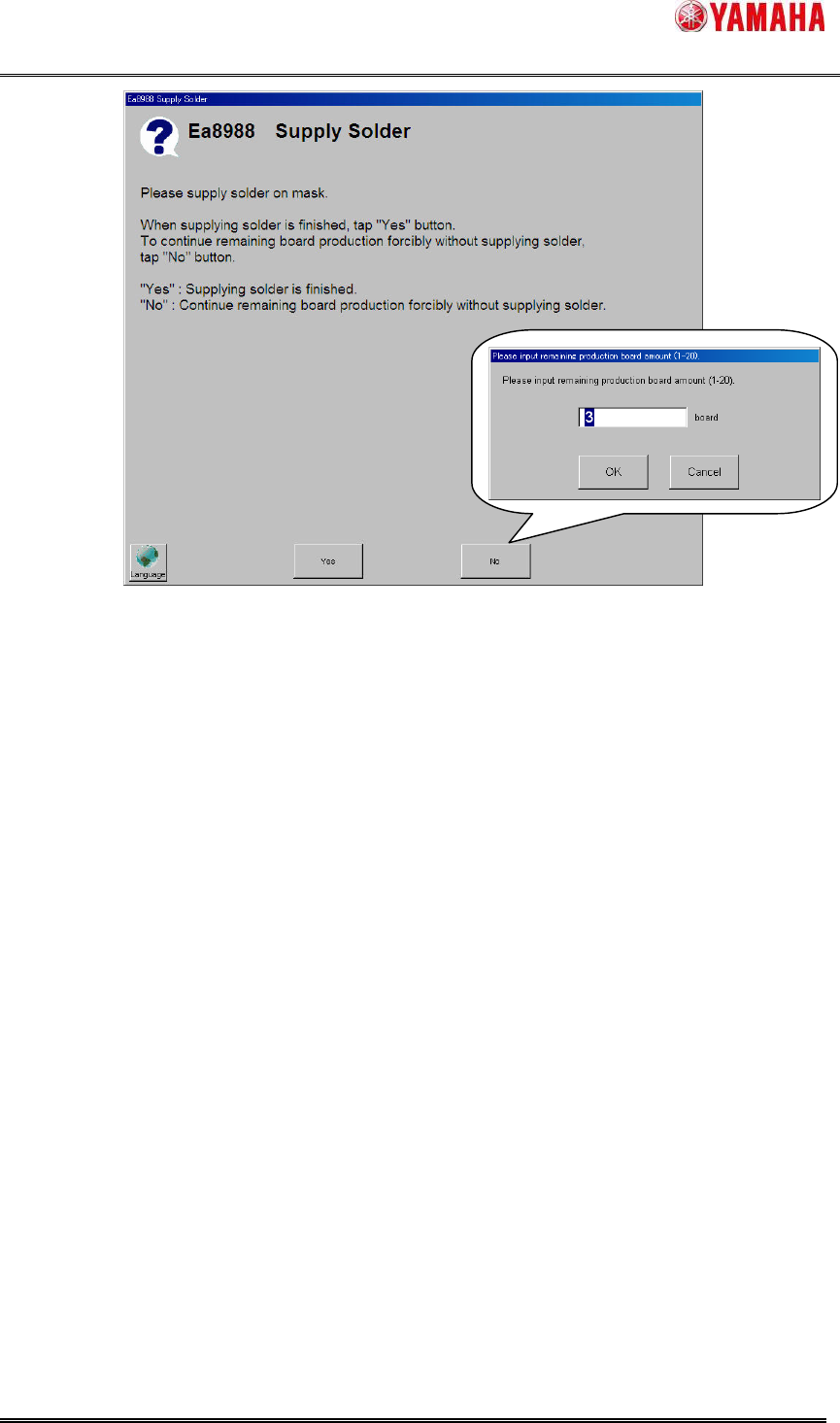
Fig.4.4 “Ea8988: Supply Solder” message
1) “Yes” button
When solder is supplied on the mask, tap the ”Yes” button.
After auto-running is restarted, neither warnings nor errors are counted until the production of
board amount set by “Refilling Solder Board Count” is completed (Solder width is scanned). If the
rolling width is smaller than ”Warning Rolling Width” or ”Error Rolling Width” after that, count of
warnings and errors are started.
2) ”No” button
When only few boards left to be produced, it is possible to continue forcibly without solder
supply. In this case, tap the [No] button. When the “Input Remaining Production Board Amount”
dialog box is displayed, input the number of boards that should be produced forcibly (Input range
is 1~20 boards), tap ”OK” button. (If the ”Cancel” button is tapped, ”Ea8988: Supply Solder”
message is displayed again)
After auto-running is restarted, when the production of board amount set by “Remaining
Production Number Of Board” is completed, ”Ea8989: Solder Empty Error” message (Fig.4.5) is
displayed and auto-running is stopped. (Solder width is scanned after also restarting
auto-running. But auto-running is always stopped separated to scan result.)
When the production completion timing of “Remaining Production Number Of Board” is
corresponding to the production completion timing of “Total Board Counter”, ”Ea8989:Solder
Empty Error” message is displayed all the same.
SMT Software Engineering Group
IM Operations YAMAHA MOTOR CO., LTD.
MDOC-SOFT50128
9/18
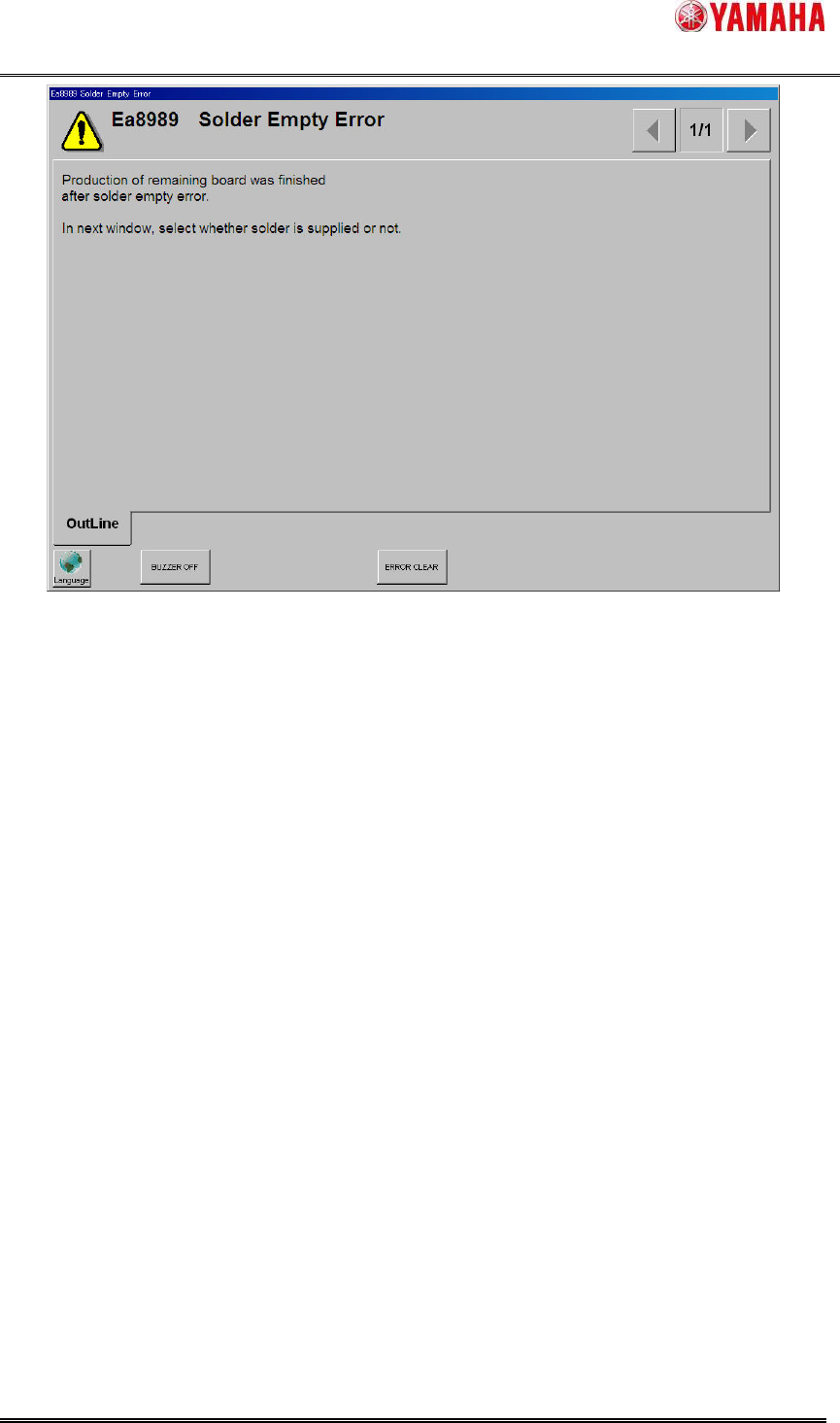
Fig.4.5 “Ea8989:Solder Empty Error” message
The tapped button type and the inputed “Remaining Production Number Of Board” value in
“Ea8988: Supply Solder” message are output to the [MIS] - [Error Log] - [Details] column like
“(Button)Yes” or “(Button)No(3)”.
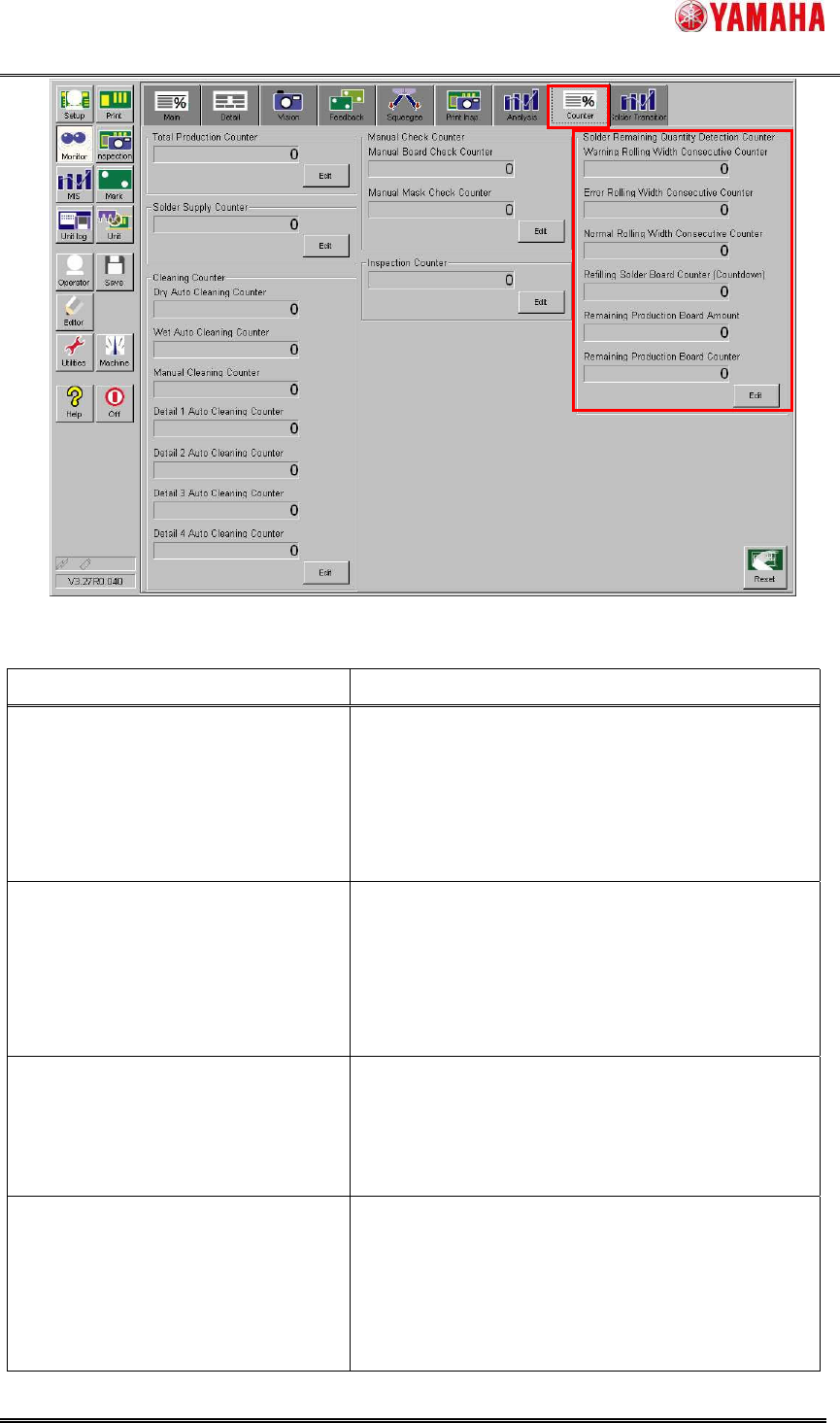
4.1.3. Counter screen
The current counter values can be checked in [Monitor] - [Counter] screen (Fig.4.6).
These counters are initialized when the power off or the [Print] - [Mask] - [Mask Name] is
changed by switching board data.
SMT Software Engineering Group
IM Operations YAMAHA MOTOR CO., LTD.
MDOC-SOFT50128
10/18
Fig.4.6 [Monitor] – [Counter] screen
Table4.1 Items of [Counter] screen
Item Explanation
Warning Rolling Width Consecutive
Counter
This counter is incremented by “1” when the rolling
width scan result falls below “Warning Rolling Width”.
This counter is reset to “0” when solder is supplied or
the rolling width scan result exceeds “Warning
Rolling Width”.
Error Rolling Width Consecutive
Counter
This counter is incremented by “1” when the rolling
width scan result falls below “Error Rolling Width”.
This counter is reset to “0” when solder is supplied or
the rolling width scan result exceeds “Error Rolling
Width”.
Normal Rolling Width Consecutive
Counter
This counter is incremented by “1” when the rolling
width scan result exceeds “Warning Rolling Width”.
This counter is reset to “0” when the rolling width
scan result falls below “Warning Rolling Width”.
Refilling Solder Board Counter This counter is set [Refilling Solder Board Count]
value when “Yes” is tapped in “Ea8988:Supply
Solder” message (Fig.4.4).
This counter is decremented each time one print
cycle is complete.