TM2939.Solder Remaining Quantity Detection-Function.pdf - 第6页
SMT Software En gineering G roup IM Operati ons Y AMAHA MOTOR CO., L TD. MDOC-SOFT50 128 6/ 18 4. Det ails 4.1. A uto- running During aut o-running, the s older rol ling width on t he m ask is sc anned ever y ti me when …
SMT Software Engineering Group
IM Operations YAMAHA MOTOR CO., LTD.
MDOC-SOFT50128
5/18
Auto-running is stopped when displayed
error.
If “Error Rolling Width” is larger than
“Warning Rolling width”, “Ea8980:Data
Check Error” is displayed when data is
checked.
Consecutive
Detection Count
(Number of times)
3
1~9999 Set necessary number of consecutive
scanning times until “Ea8986:Solder
Empty Warning” or “Ea8987:Solder Empty
Error“ is displayed.
Rolling shape is sometimes unstable. If
warning or error is judged by only one
rolling width scan result, warning or error
might be caused by mistake.
To avoid this, “Ea8986:Solder Empty
Warning” and “Ea8987:Solder Empty
Error” can be displayed only when the
rolling width falls below “Warning Rolling
Width” or “Error Rolling Width”
consecutively in “Consecutive Detection
Count” times.
Refilling Solder
Board Count
(Number of boards)
3
0~9999 Set the production board amount that
neglects the rolling width scan result just
after solder supply.
The rolling width might be scanned
incorrectly just after solder supply because
solder is not uniform until some boards are
printed.
To avoid this, warning or error is able to be
not counted even if scan result fall below
“Warning Rolling Width” or “Error Rolling
Width” from solder supply until the
production of board amount set by
“Refilling Solder Board Count” completed.
Besides, production board count is started
when “Yes” button is tapped in
“Ea8988:Supply Solder” message.
SMT Software Engineering Group
IM Operations YAMAHA MOTOR CO., LTD.
MDOC-SOFT50128
6/18
4. Details
4.1. Auto-running
During auto-running, the solder rolling width on the mask is scanned every time when the
squeegee is turning around on the front side (after backward printing; before forward printing).
The solder rolling width is not scanned on the rear side (after forward printing; before
backward printing) by mechanical constraint.
4.1.1. Solder Empty Warning
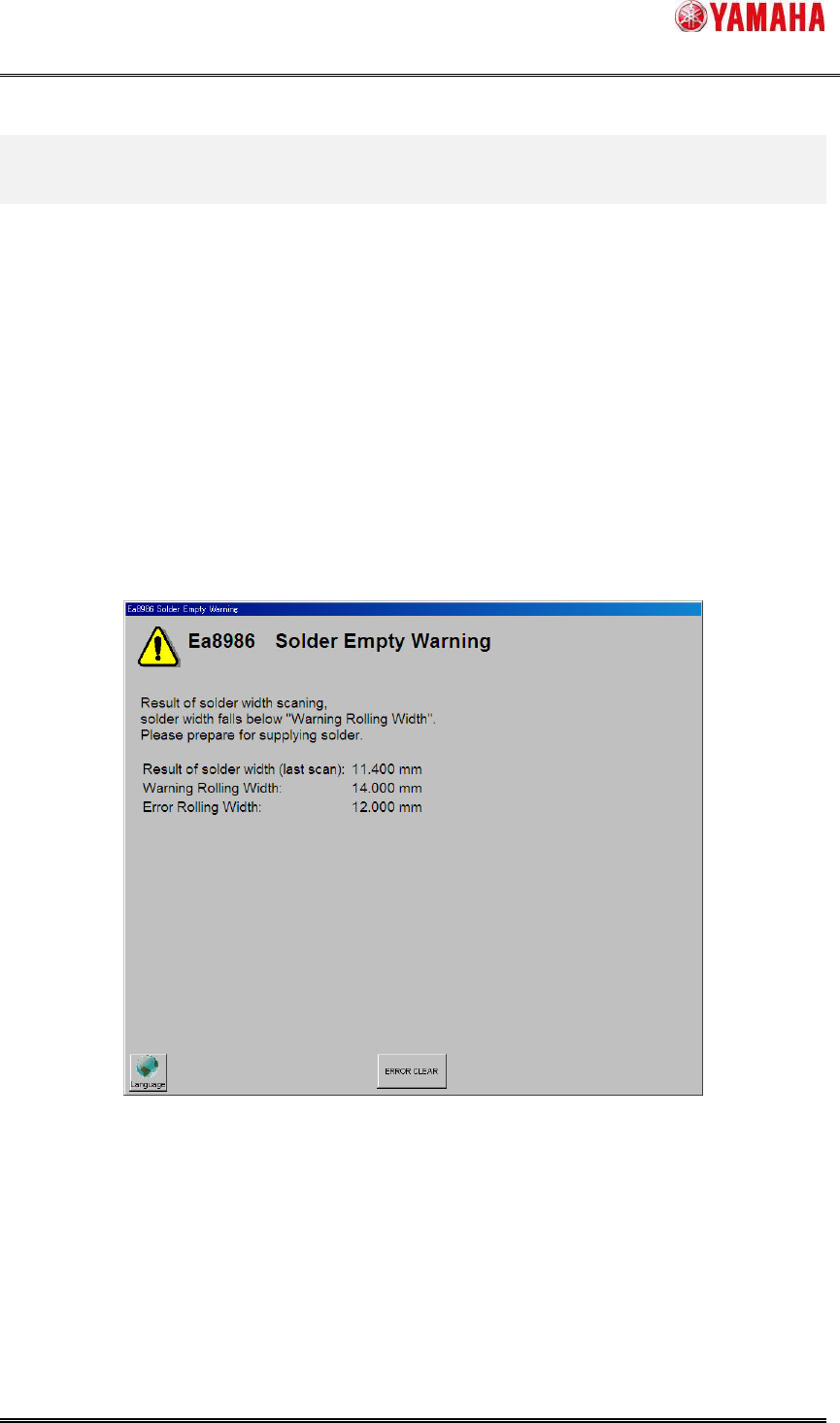
If the rolling width is scanned as smaller than “Warning Rolling Width” consecutively in
“Consecutive Detection Count” times, ”Ea8986: Solder Empty Warning” (Fig.4.1) is displayed.
(Auto-running is continued while the warning is displayed). When this message was displayed,
prepare for solder supply.
Fig.4.1 “Ea8986:Solder Empty Warning” message
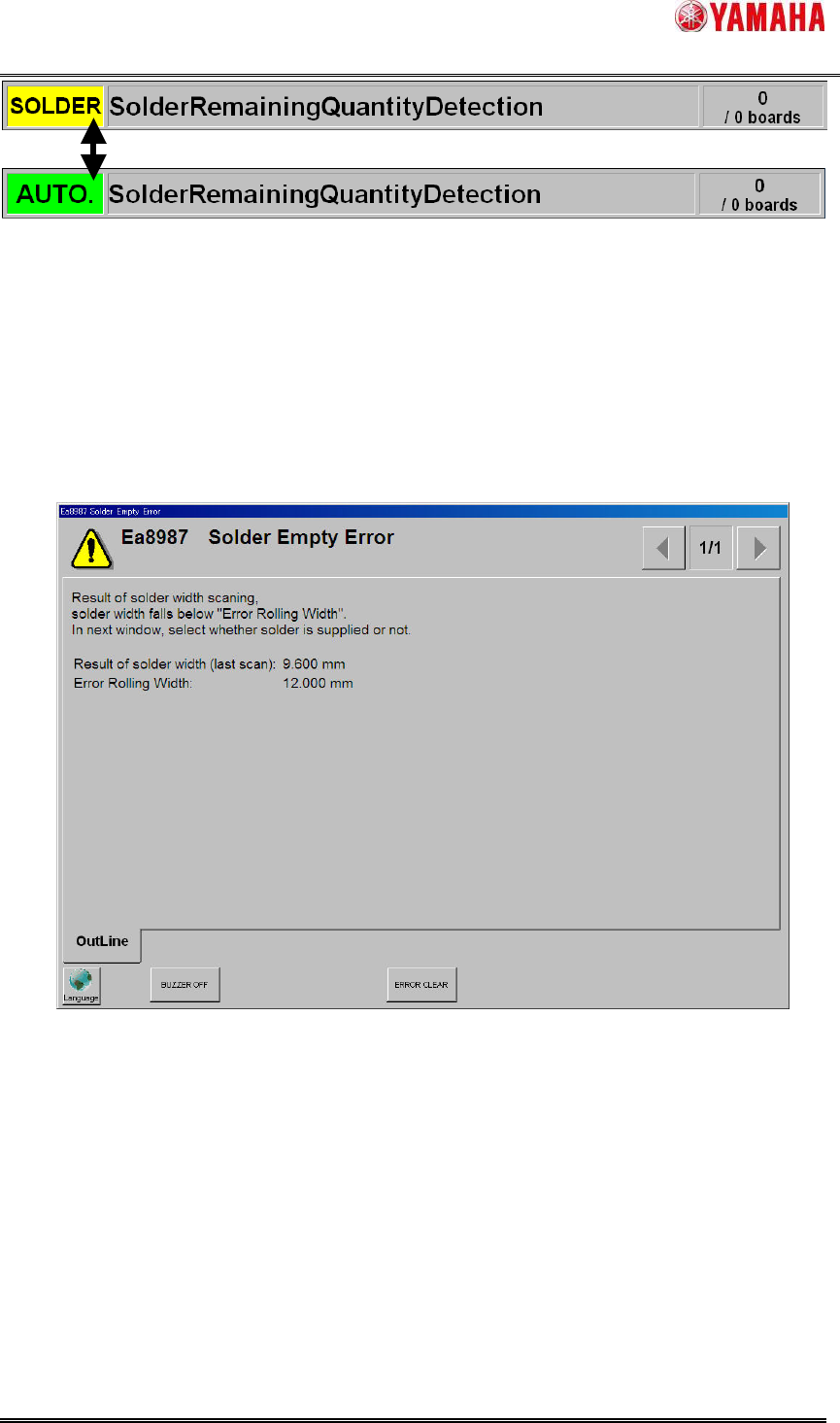
When the “Ea8986: Solder Empty Warning” message is displayed, the ”SOLDER” sign blinks
on the status area and the signal tower blinks in yellow.
When solder is supplied during the warning and the rolling width exceeds “Warning Rolling
Width” consecutively in “Consecutive Detection Count” times, the ”SOLDER” sign on the status
area disappears.
SMT Software Engineering Group
IM Operations YAMAHA MOTOR CO., LTD.
MDOC-SOFT50128
7/18
Fig.4.2 “SOLDER” blinks on status area
4.1.2. Solder empty error
When the rolling width is scanned as smaller than “Error Rolling Width” consecutively in
“Consecutive Detection Count” times, ”Ea8987: Solder Empty Error”(Fig.4.3) is displayed and
auto-running is stopped. In this time, the squeegee head moves to the escaping position to make
it easy to supply solder on the mask.
Fig.4.3 “Ea8987:Solder Empty Error” message
When “Ea8987: Solder Empty Error” message is cleared, the ”Ea8988: Supply Solder”
message (Fig.4.4) is displayed. Tap the “Yes” button or the “No” button depending on whether
solder is supplied or not.