Installation_Manual_SIPLACE_Explorer_2.4_EN.pdf - 第52页
3 Installing SIPLACE Explorer Installation and Configuration Guide SIPLACE Explorer 3.4 Tomcat Configuratio n Edition 08/2008 EN 52 3 Fig. 3 - 33 Windows firewall - exceptions → In the T omcat installation path, click on…
Installation and Configuration Guide SIPLACE Explorer 3 Installing SIPLACE Explorer
Edition 08/2008 EN 3.4 Tomcat Configuration
51
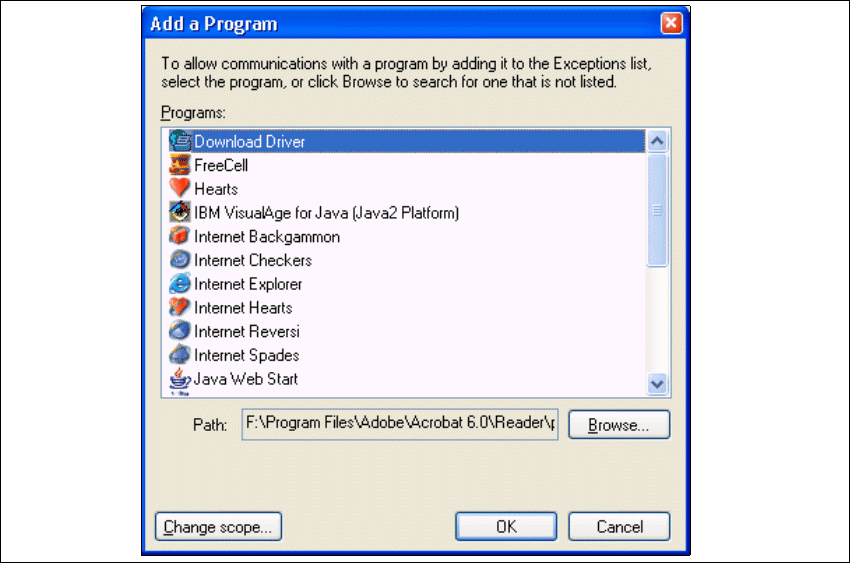
→ The Add a Program dialog box will open:
3
Fig. 3 - 32 Add a program
→ Specify the path in which the Tomcat.exe file is stored, by using the Browse button.
3 Installing SIPLACE Explorer Installation and Configuration Guide SIPLACE Explorer
3.4 Tomcat Configuration Edition 08/2008 EN
52
3
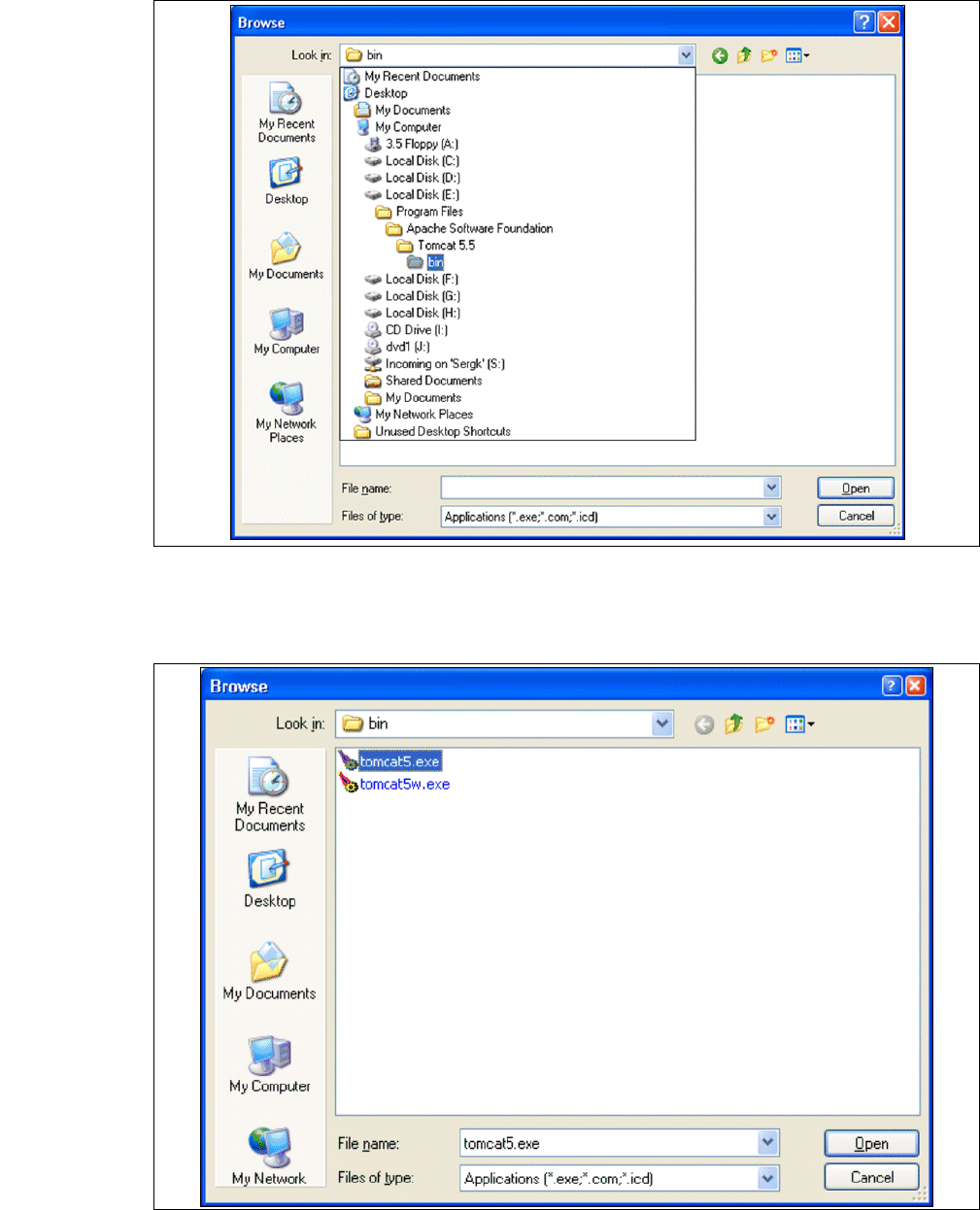
Fig. 3 - 33 Windows firewall - exceptions
→ In the Tomcat installation path, click on the ..\Tomcat 5.5\bin path and then on the Open
button.
3
Fig. 3 - 34 Windows firewall - exceptions
Installation and Configuration Guide SIPLACE Explorer 3 Installing SIPLACE Explorer
Edition 08/2008 EN 3.4 Tomcat Configuration
53
→ Select the file tomcat5.exe and click on the Open button.
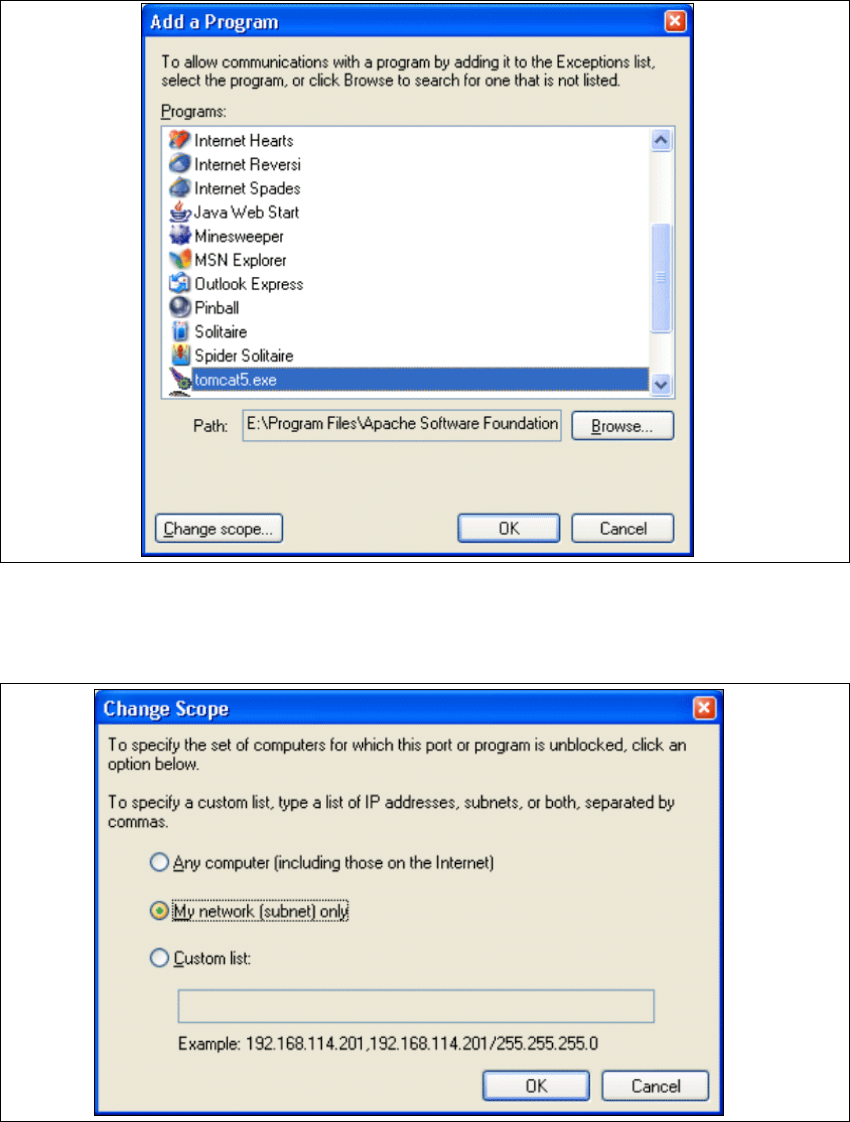
→ The Add a Program dialog box will open again:
3
Fig. 3 - 35 Add a program
→ Select the entry tomcat5.exe from the Programs menu and click on the Change Scope
button.
3
Fig. 3 - 36 Change scope