KE-2030使用说明书.pdf - 第95页
3 − 30 3.6.9 Exit This command executes t he shut-down process to quit the system. See Page 3-13 ( 3-4 " Star ting up or T erm inating t he System"). Figure 3.6.9 Shut -dow n confi rmation dial og box CA UTION …
3 − 29
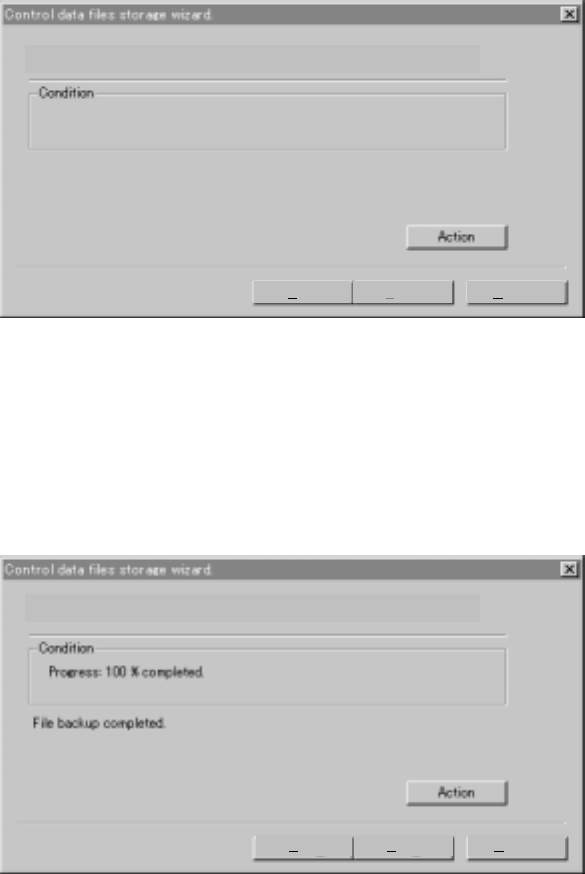
3.6.8.3 Starting the save operation
When you click the <Action> button, the system starts saving the control data on a
floppy disk.
3.6.8.4 Finishing the save operation
When the system finishes saving a control file, the following dialog box appears on
the screen. Click the <Finish> button, then eject the floppy disk and store it at a safe
place.
The backup is executed. Please push the action button when you can.
Back Finish Cancel
The backup is executed. Please push the action button when you can.
Back Finish Cancel
3 − 30
3.6.9 Exit
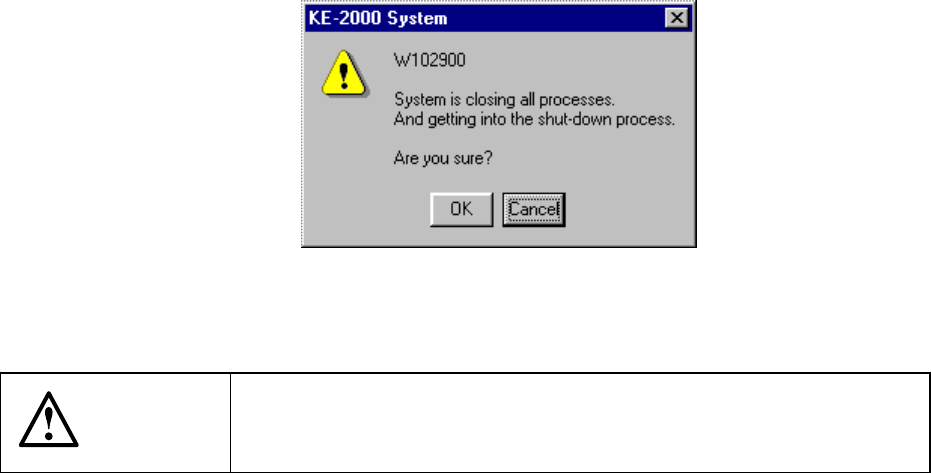
This command executes the shut-down process to quit the system.
See Page 3-13 (3-4 " Starting up or Terminating the System").
Figure 3.6.9 Shut-down confirmation dialog box
CAUTION
If you turn off the machine without performing the shut-down process,
you may not be able to restart the machine. Be sure to perform the
shut-down process to terminate the system.
3 − 31
3.7 Corrective Action for A Power Failure
When the power supply to a KE-2000 malfunctions, the power monitor function of the
UPS is activated.
If you do not operate the machine for the certain time of period, the machine saves
the production program, production management information, information required to
restart production, and device management information, and perform the shutdown
process.
3.7.1 Process to be performed when a power failure occurs
Step 1. Preparation for the automatic shutdown
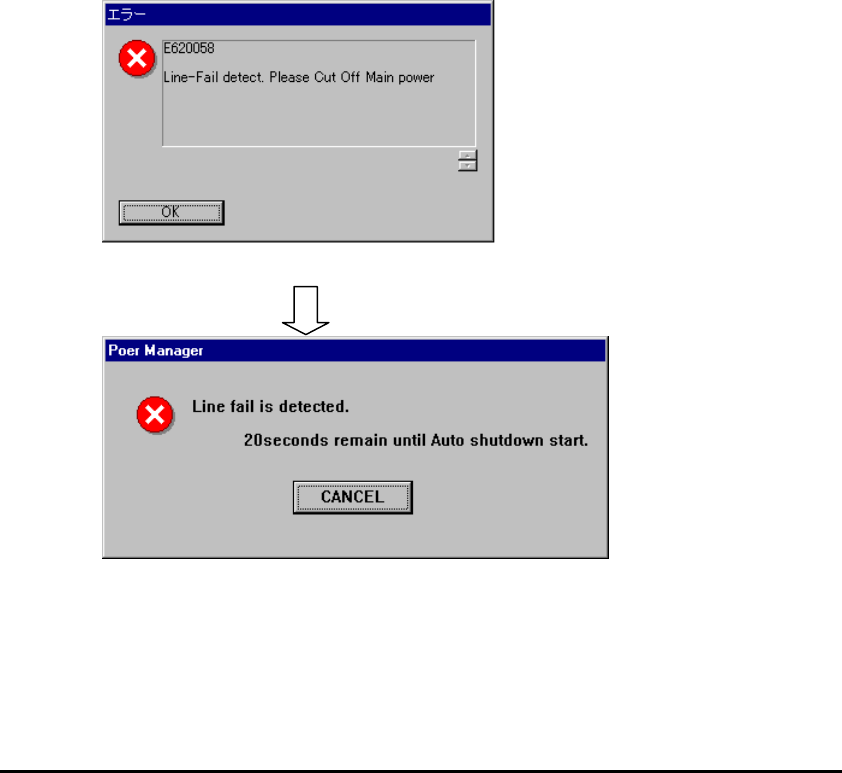
When the machine detects a power failure, the following dialog box appears on the
screen.
Figure 3.7.1.1 Dialog box displayed when the machine detects a power failure (1)
Figure 3.7.1.2 Dialog box displayed when the machine detects a power failure (2)
◇ If you do not perform any operation when the screen shown in Figure 3.7.1.1
appears, the screen shown in Figure 3.7.1.2 (2) appears. The machine counts
down the remaining time. When the remaining time reaches “0”, the machine
displays the automatic shutdown dialog box (see Figure 3.7.1.4).
◇ When you select the <CANCEL> button
− When you click the <CANCEL> button, the machine interrupts the current
operation such as PWB production.
In such a case, the current operation is interrupted for several minutes
(approximately 3 minutes as the factory setting), so manually save data and shut
down the system.
OK: clears the error message
displayed on the screen
.