O_03._DE68_04547E_03_IB_FULL_MW3500K_MS23K3513AK_SP_EN_061025.pdf - 第12页
12 English Oven use Ov en use Pow er levels and time v ariations The power le vel function enables y ou to adapt the amount of ener gy dissipated and thus the time required t o cook or r eheat your food, ac cording to it…
English 11
Oven use
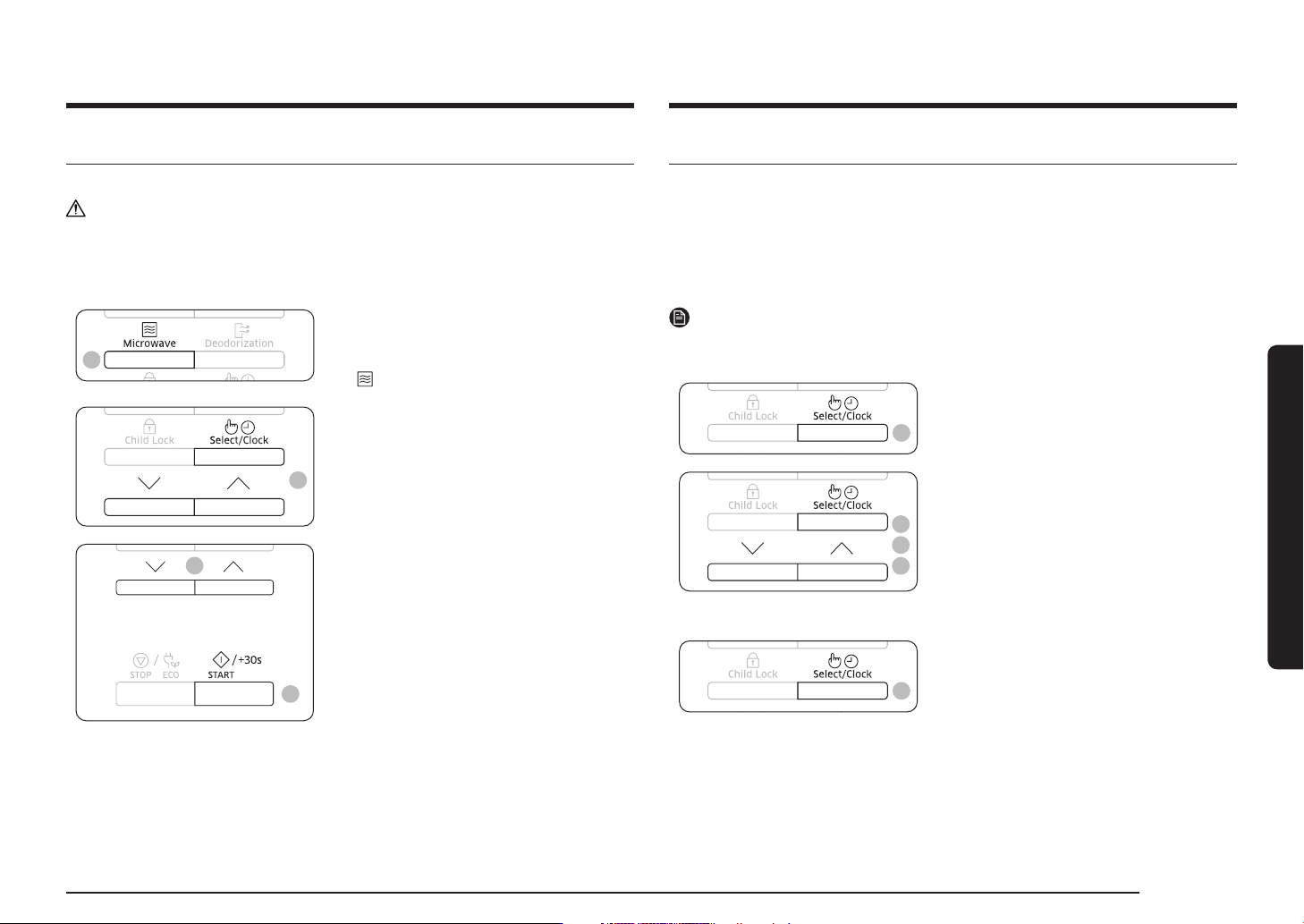
Setting the time
When power is supplied, 88:88 and then 12:00 is automatically displayed on the
display.
Please set the current time. The time can be displayed in either the 24-hour or 12-
hour notation. You must set the clock:
• When you first install your microwave oven
• After a power failure
NOTE
Do not forget to reset the clock when you switch to and from summer and winter
time.
1
1. Press the Select/Clock button.
4
3
2
2. Set the 24-hour or 12-hour notation by
pressing the Up or Down button. And
then press the Select/Clock button.
3. Press the Up or Down button to set the
hour. And then press the Select/Clock
button.
4. Press the Up or Down button to set the
minute.
5
5. When the right time is displayed, press
the Select/Clock button to start the
clock.
The time is displayed whenever you are
not using the microwave oven.
Cooking/Reheating
The following procedure explains how to cook or reheat food.
CAUTION
ALWAYS check your cooking settings before leaving the oven unattended.
Open the door. Place the food in the centre of the turntable. Close the door. Never
switch the microwave oven on when it is empty.
1
1. Press the Microwave button.
The 800 W (Maximum cooking power)
indications are displayed:
(microwave mode)
2
2. Select the appropriate power level by
pressing the Up or Down button. (Refer to
the power level table.) And then press the
Select/Clock button.
4
3
3. Set the cooking time by pressing the Up
or Down button.
The cooking time is displayed.
4. Press the START/+30s button.
The oven light comes on and the
turntable starts rotating. Cooking starts
and when it has finished.
1) The oven beeps 4 times.
2) The end reminder signal will beep
3 times (once every minute).
3) The current time is displayed again.
12 English
Oven use
Oven use
Power levels and time variations
The power level function enables you to adapt the amount of energy dissipated
and thus the time required to cook or reheat your food, according to its type and
quantity. You can choose between six power levels.
Power level Percentage Output
HIGH 100 % 800 W
MEDIUM HIGH 75 % 600 W
MEDIUM 56 % 450 W
MEDIUM LOW 38 % 300 W
DEFROST 23 % 180 W
LOW 13 % 100 W
The cooking times given in recipes and in this booklet correspond to the specific
power level indicated.
If you select a... Then the cooking time must be...
Higher power level
Lower power level
Decreased
Increased
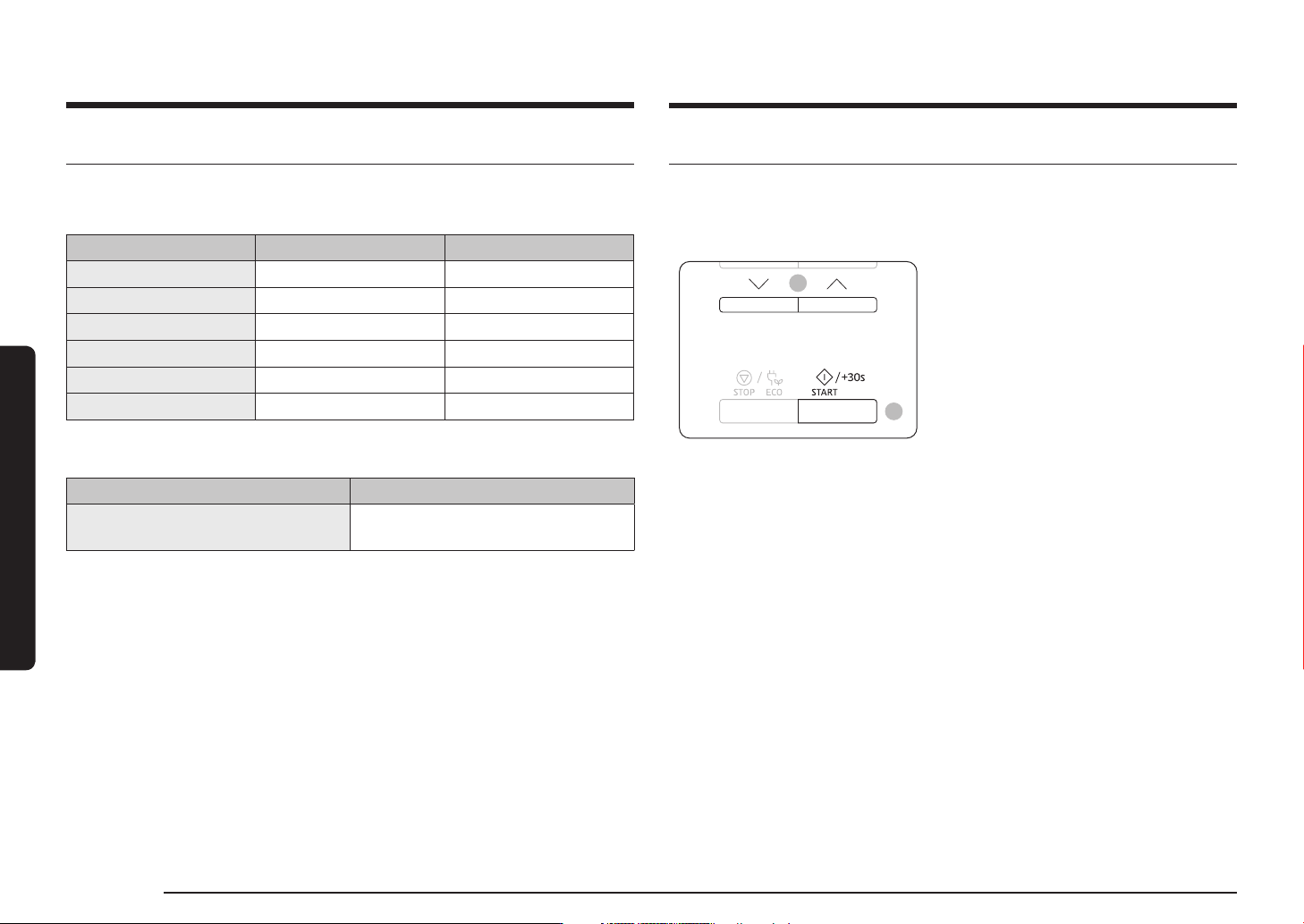
Adjusting the cooking time
You can increase the cooking time by pressing the START/+30s button once for
each 30 seconds to be added.
• Check how cooking is progressing at any time simply by opening the door
• Increase the remaining cooking time
1
2
Method 1
To increase the cooking time of your food
during cooking, press the START/+30s
button once for each 30 seconds that you
wish to add.
• Example: To add three minutes, press
the START/+30s button six times.
Method 2
Just pressing the Up or Down button to
adjust cooking time.
English 13
Oven use
Stopping the cooking
You can stop cooking at any time so that you can:
• Check the food
• Turn the food over or stir it
• Leave it to stand
To stop the cooking... Then...
Temporarily
Open the door or press the STOP/ECO button once.
Result: Cooking stops.
To resume cooking, close the door again and press the
START/+30s button.
Completely
Press the STOP/ECO button once.
Result: Cooking stops.
If you wish to cancel the cooking settings, press the
STOP/ECO button again.
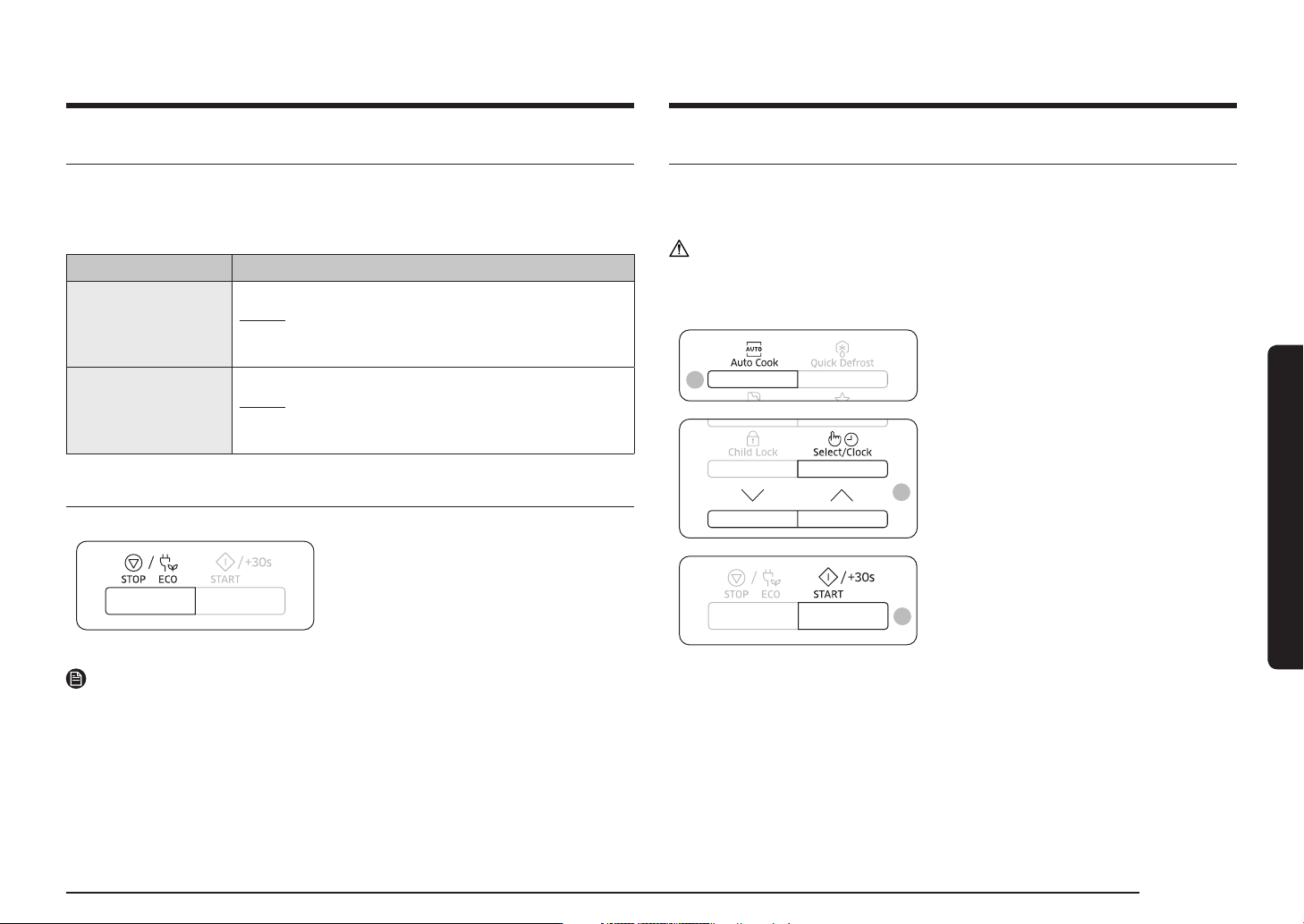
Setting the energy save mode
The oven has an energy save mode.
• Press the STOP/ECO button.
Display off.
• To remove energy save mode, open the
door or press the STOP/ECO button and
then display shows current time. The
oven is ready for use.
NOTE
Auto energy saving function
If you do not select any function when appliance is in the middle of setting or
operating with temporary stop condition, function is canceled and clock will be
displayed after 25 minutes.
Oven Lamp will be turned off after 5 minutes with door open condition.
Using the Auto Cook features
The Auto Cook features has 20 pre-programmed cooking times. You do not need to
set either the cooking times or the power level.
You can adjust the type of the serving by pressing the Up or Down button.
CAUTION
Use only recipients that are microwave-safe.
First, place the food in the centre of the turntable and close the door.
1
1. Press the Auto Cook button.
2
2. Select the type of food that you are
cooking by pressing the Up or Down
button. And then press the Select/Clock
button.
3
3. Press the START/+30s button.
The food is cooked according to the pre-
programmed setting selected.
1) The oven beeps 4 times.
2) The end reminder signal will beep
3 times (once every minute).
3) The current time is displayed again.