O_03._DE68_04547E_03_IB_FULL_MW3500K_MS23K3513AK_SP_EN_061025.pdf - 第9页
English 9 Oven f eatures Ov en featur es Oven 01 02 04 09 10 07 06 03 08 05 01 Door handle 02 Door 03 Ventilation holes 04 Light 05 Door latches 06 T urntable 07 Coupler 08 Roller ring 09 Safety int erlock holes 10 Contr…
8 English
Maintenance
Maintenance
Cleaning
Clean the oven regularly to prevent impurities from building up on or inside the
oven. Also pay special attention to the door, door sealing, and turntable and roller
ring (applicable models only).
If the door won’t open or close smoothly, first check if the door seals have built up
impurities. Use a soft cloth in soapy water to clean both the inner and outer sides
of the oven. Rinse and dry well.
To remove stubborn impurities with bad smells from inside the oven
1. With an empty oven, put a cup of diluted lemon juice on the centre of the
turntable.
2. Heat the oven for 10 minutes at max power.
3. When the cycle is complete, wait until the oven cools down. Then, open the
door and clean the cooking chamber.
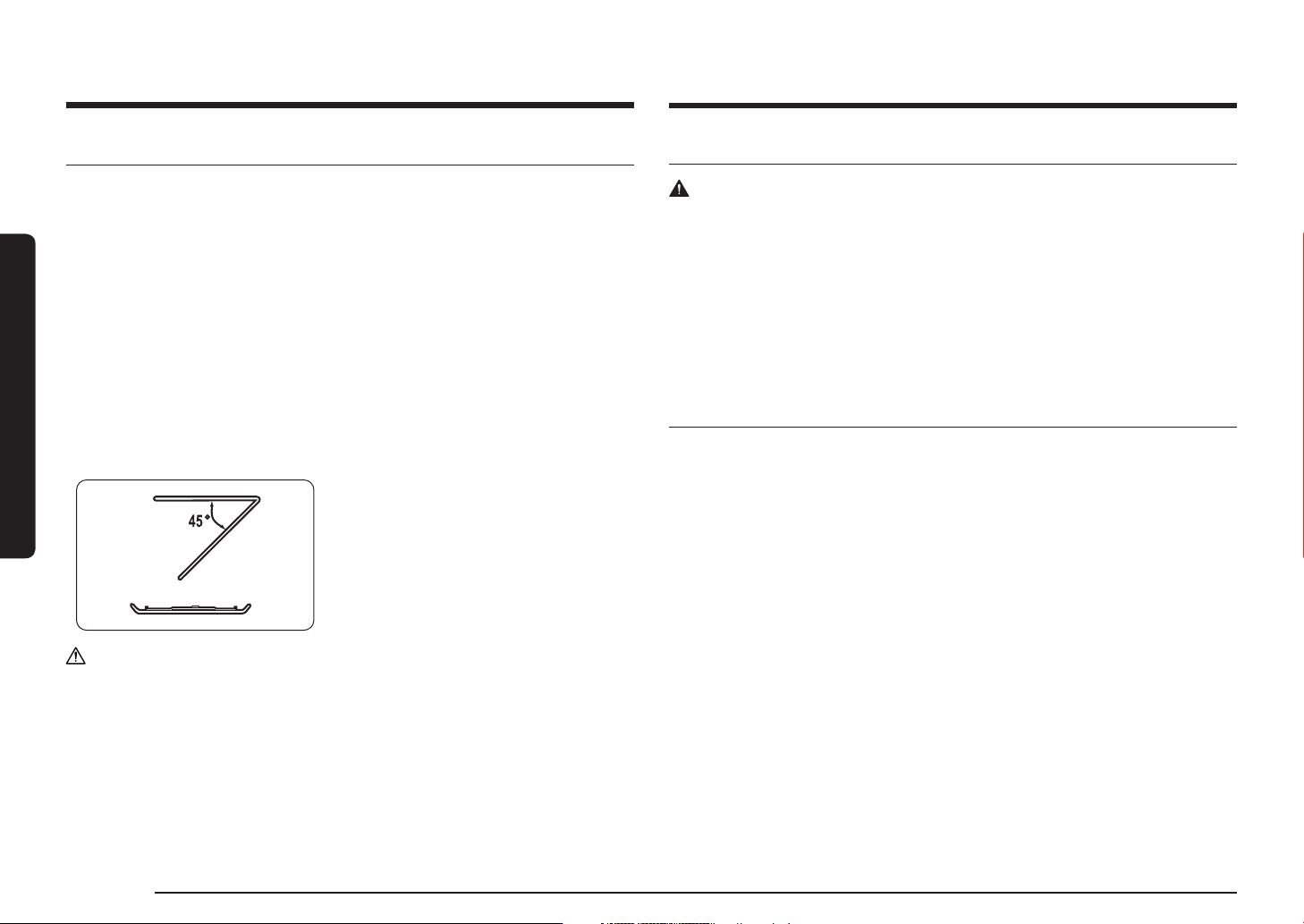
To clean inside swing-heater models
To clean the upper area of the cooking
chamber, lower the top heating element by
45° as shown. This will help clean the upper
area. When done, reposition the top heating
element.
CAUTION
• Keep the door and door sealing clean and ensure the door opens and closes
smoothly. Otherwise, the oven’s lifecycle may be shortened.
• Take caution not to spill water into the oven vents.
• Do not use any abrasive or chemical substances for cleaning.
• After each use of the oven, use a mild detergent to clean the cooking chamber
after waiting for the oven to cool down.
Replacement (repair)
WARNING
This oven has no user-removable parts inside. Do not try to replace or repair the
oven yourself.
• If you encounter a problem with hinges, sealing, and/or the door, contact a
qualified technician or a local Samsung service centre for technical assistance.
• If you want to replace the light bulb, contact a local Samsung service centre. Do
not replace it yourself.
• If you encounter a problem with the outer housing of the oven, first unplug the
power cord from the power source, and then contact a local Samsung service
centre.
Care against an extended period of disuse
• If you don’t use the oven for an extended period of time, unplug the power
cord and move the oven to a dry, dust-free location. Dust and moisture that
builds up inside the oven may affect the performance of the oven.
English 9
Oven features
Oven features
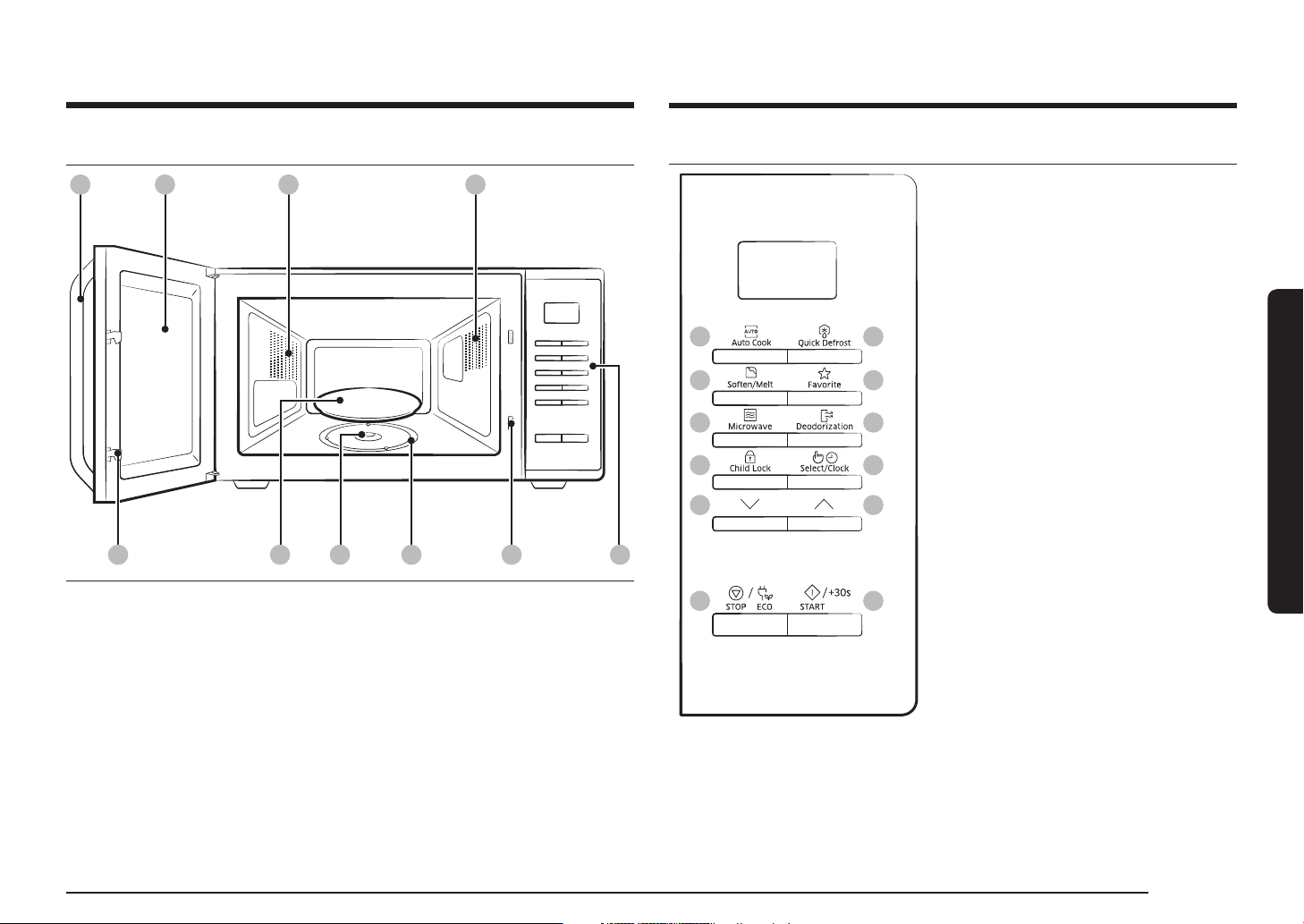
Oven
01 02 04
09 100706
03
0805
01 Door handle 02 Door 03 Ventilation holes
04 Light 05 Door latches 06 Turntable
07 Coupler
08 Roller ring
09 Safety interlock holes
10 Control panel
Control panel
01
03
05
07
12
09
02
04
06
08
11
10
01 Auto Cook
02 Quick Defrost
03 Soften/Melt
04 Favorite
05 Microwave
06 Deodorization
07 Child Lock
08 Select/Clock
09 Down
10 Up
11 STOP/ECO
12 START/+30s
10 English
Oven use
Oven use
How a microwave oven works
Microwaves are high-frequency electromagnetic waves; the energy released
enables food to be cooked or reheated without changing either the form or the
colour.
You can use your microwave oven to:
• Defrost
• Reheat
• Cook
Cooking principle.
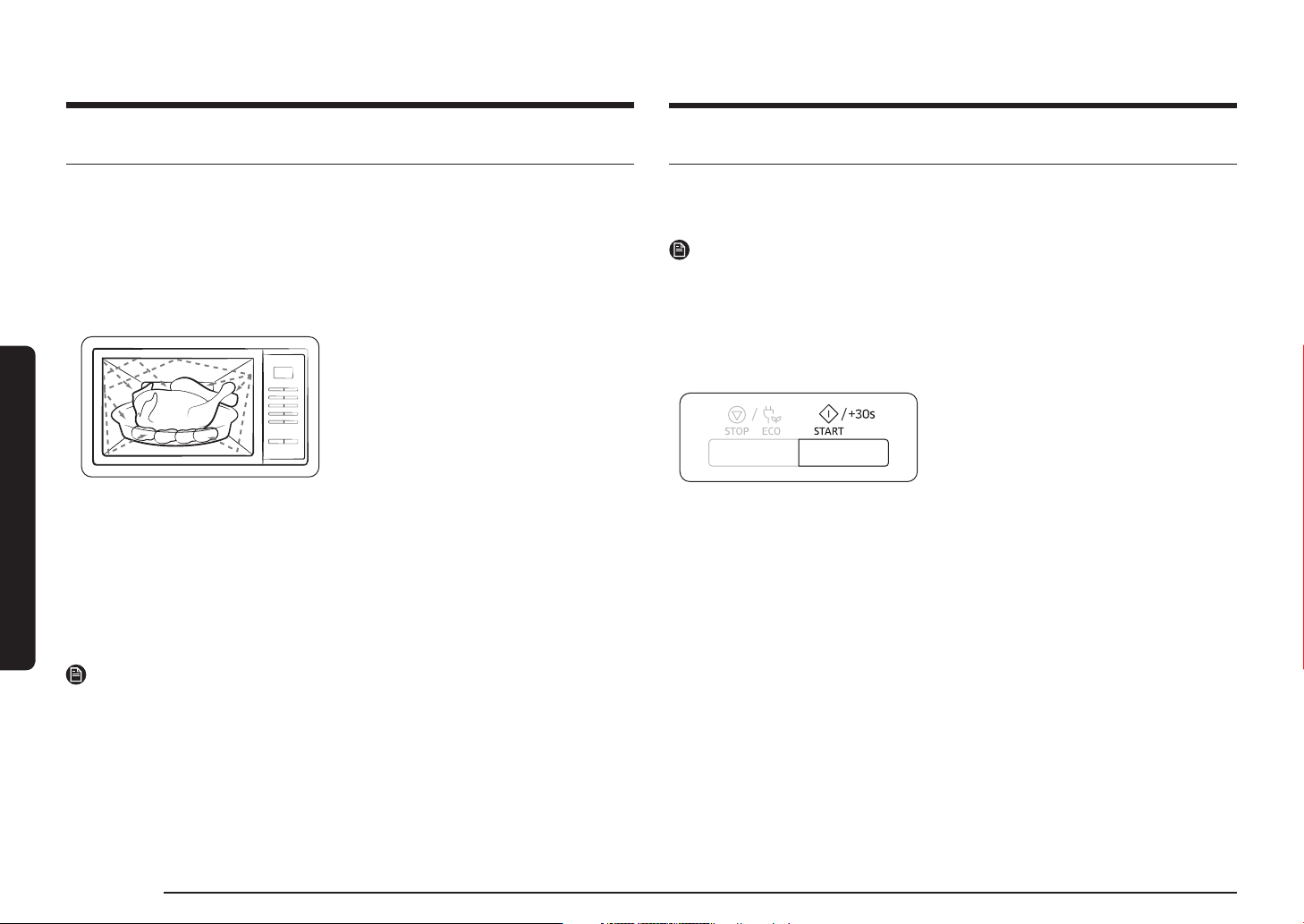
1. The microwaves generated by the
magnetron reflected at cavity and
are distributed uniformly as the food
rotates on the turntable. The food is
thus cooked evenly.
2. The microwaves are absorbed by the
food up to a depth of about 1 inch
(2.5 cm). Cooking then continues as the
heat is dissipated within the food.
3. Cooking times vary according to the
container used and the properties of the
food:
• Quantity and density
• Water content
• Initial temperature (refrigerated or
not)
NOTE
As the centre of the food is cooked by heat dissipation, cooking continues even when
you have taken the food out of the oven. Standing times specified in recipes and in
this booklet must therefore be respected to ensure:
• Even cooking of the food right to the centre.
• The same temperature throughout the food.
Checking that your oven is operating correctly
The following simple procedure enables you to check that your oven is
working correctly at all times. If you are in doubt, refer to the section entitled
Troubleshooting on the pages 21 to 23.
NOTE
The oven must be plugged into an appropriate wall socket. The turntable must be
in position in the oven. If a power level other than the maximum (100 % - 800 W)
is used, the water takes longer to boil.
Open the oven door.
Place a glass of water on the turntable. Close the door.
Press the START/+30s button and set the
time to 4 or 5 minutes, by pressing the
START/+30s button the appropriate number
of times.
The oven heats the water for 4 or 5
minutes.
The water should then be boiling.