00198574-01_Process_Foundation_DEK_Micron_EN.pdf - 第12页
3 Stencil Print 12 Process Foundation DEK Micron-Series 12/2017
3 Stencil Print
Process Foundation DEK Micron-Series 12/2017 11
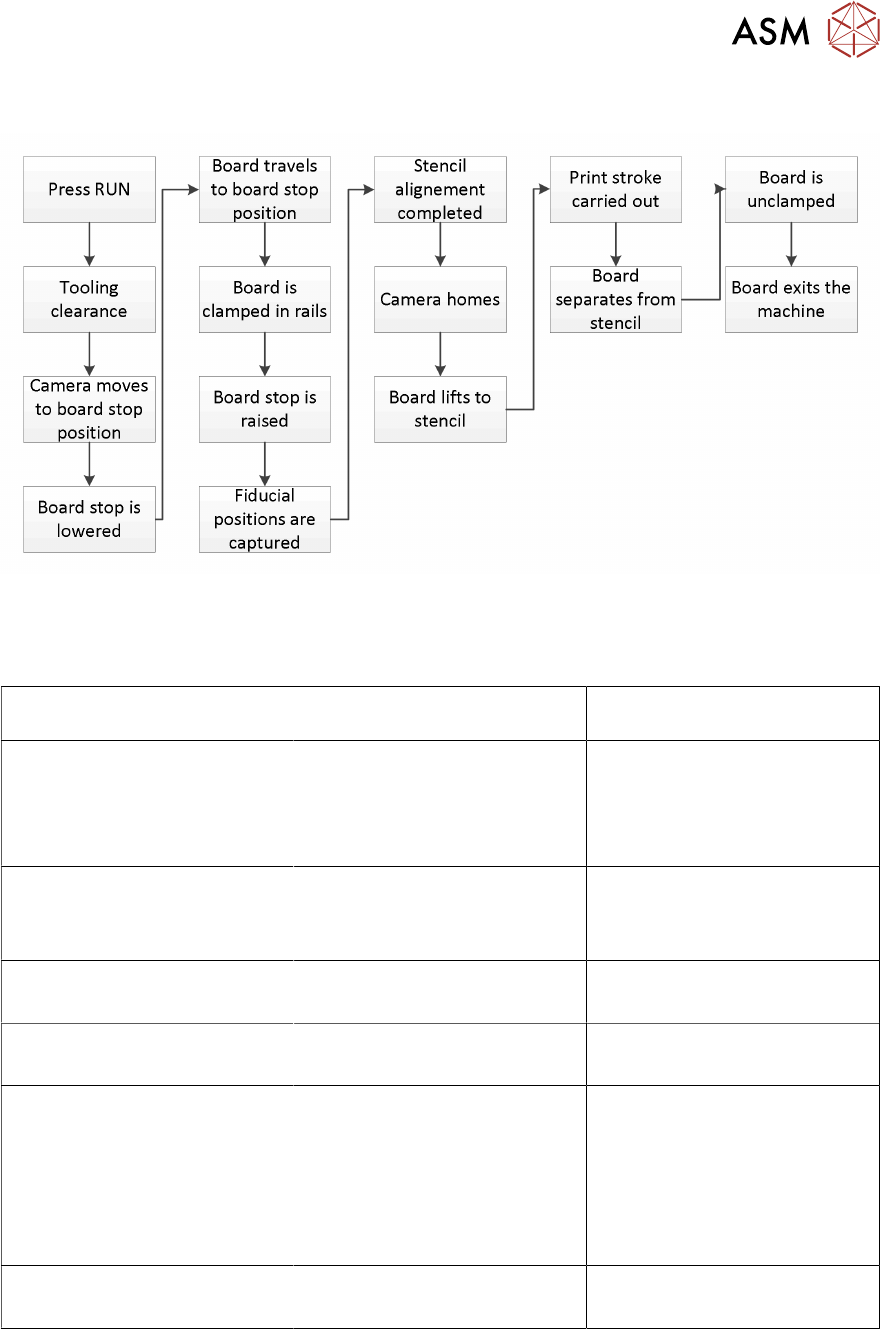
Print Cycle
Critical Success Factors
The screen-printing process is a combination of many factors and variables and to ensure that the
process is successful in its aim, each of these must be kept in control.
The critical factors are: What control do I have over
these factors?
Process Hardware
●
Board (Substrate)
●
Tooling
●
Stencil Print Material
●
Squeegees
Process Parameters
●
Print Speed
●
Print Pressure
●
Separation Speed
Under-screen Cleaner
●
Settings
●
Performance
Environment
●
Temperature
●
Humidity
Machine Condition
●
Clean
●
Free From Damage
●
Machine accuracy
●
Machine repeatability
●
Machine regularly, ser-
viced and maintained
Training
●
Printer Staff Suitably
●
Qualified
This course will provide the knowledge required to keep these critical success factors in control and
thus maintain a robust process.
Exercise
Complete the table above. Next to each critical success factor, identify what control you have over
them i.e. do they fall directly under your area of responsibility, if there was a problem could you
simply change it or would you need to escalate the problem?

3 Stencil Print
12 Process Foundation DEK Micron-Series 12/2017
4 Process Hardware
4.1 Board (Substrate)
Process Foundation DEK Micron-Series 12/2017 13
4 Process Hardware
The hardware used is dictated by the process design. This will specify the print material and the
design of the stencil, tooling, etc. Just as important as getting the design right is ensuring that the
resulting hardware is correctly used and maintained.
This objective reviews each of the main elements of process hardware and offers advice on their
use and maintenance. This includes:
●
Board (Substrate)
●
Print Material
●
Tooling
●
Squeegees
●
Stencil
4.1 Board (Substrate)
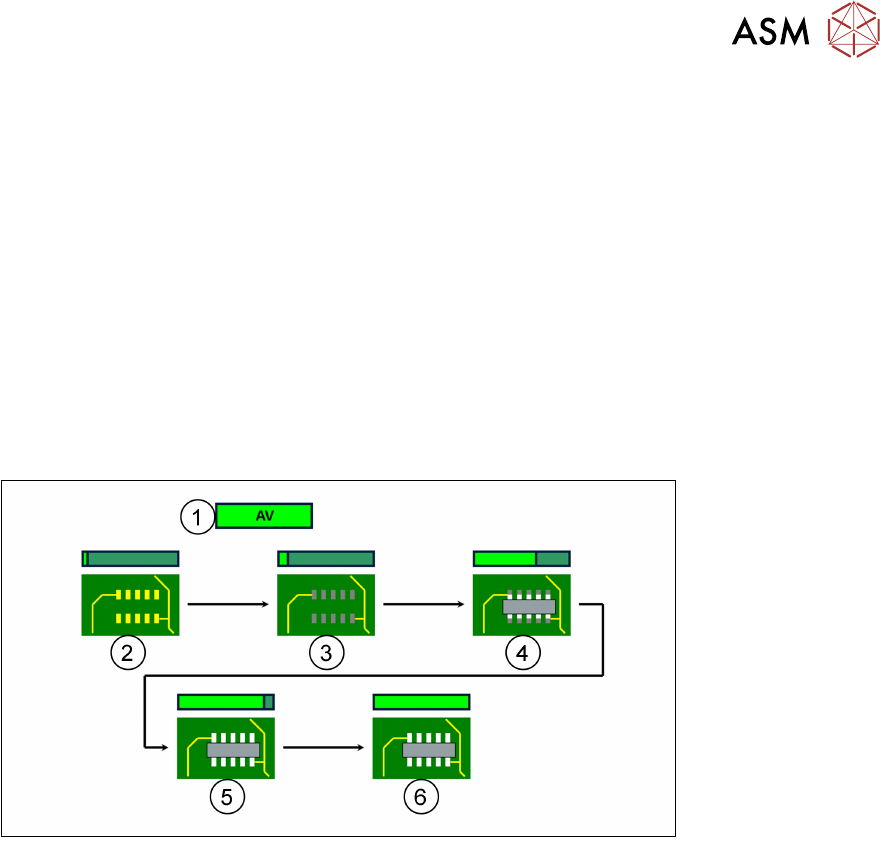
1. Added Value
2. Bare board
3. Print
4. Place
5. Reflow
6. Test
Storage/ Unpacking
●
Ideally boards should be stored in a temperature and humidity controlled environment
●
Boards should be unpacked just in time for production
●
Unpacking in small batches will further minimize the risk of contamination
Cleanliness and Condition
●
Boards should be unpacked and handled in a clean area free form debris
●
Reject boards if there are any noticeable fibres or dust on the board surface as these can
adhere to the underside of the stencil and block the apertures
●
Check board for damage to its surface, edges and fiducials
●
Check board for warpage. Warped boards can cause print problems – a possible solution is to
increase print pressure to flatten the board
Handling
●
Boards should be handled by their edges and as little as possible
●
Cotton gloves should be worn when handling boards
Labelling
●
Bar code labels, stickers, etc. can create a print gap and affect the print quality and height
●
Position labels away from components (especially fine pitch)
●
If possible, apply labels after the printer stage