00198574-01_Process_Foundation_DEK_Micron_EN.pdf - 第54页
7 Product File and Machine Optimisation 7.5 Optimise Parameters to Produce Acceptable Quality Prints at Higher Throughputs 54 Process Foundation DEK Micron-Series 12/2017 Step 5 Determine, through experimentation, the be…

7 Product File and Machine Optimisation
7.5 Optimise Parameters to Produce Acceptable Quality Prints at Higher Throughputs
Process Foundation DEK Micron-Series 12/2017 53
7.5 Optimise Parameters to Produce Acceptable Quality
Prints at Higher Throughputs
Aim
To optimize the product file and machine set up parameters to be capable of printing twenty
consecutive boards at the stated throughput with zero print defects.
Required throughput: 300 boards/ hour
Step 1
Calculate the required cycle time for the stated throughput ………………..s
Hint: Calculate the cycle time assuming that there will be no under screen cleaning but be
aware that if cleaning becomes necessary it will significantly reduce throughput hence the
cycle time will need to be increased.
Step 2
Estimate the required separation speed ………………..mm/s
Estimate the required separation distance ………………..mm
Hint: Use 10mm/s and 2mm distance if you are unsure of the paste performance.
Step 3
Determine through experimentation what print speed will
achieve the desired cycle time
………………..mm/s
Hint: Cycle a batch of boards through the machine left to right with no squeegees fitted and print
pressure set to 0kg. Vary the print speed until the desired cycle time and throughput is
achieved.
Step 4
Record below any other product file or machine set up parameters that you had to change to
achieve the required cycle time.
Note: Speeding up the cycle time can lead to instability of the process so any changes should
be monitored closely.
7 Product File and Machine Optimisation
7.5 Optimise Parameters to Produce Acceptable Quality Prints at Higher Throughputs
54 Process Foundation DEK Micron-Series 12/2017
Step 5
Determine, through experimentation, the best print parameter settings to successfully achieve the
objective. Record your results in the table over:
Squeegees
Print Speed
Squeegee Pressure
Separation Speed
Separation Distance
USC Program (mode 1)
USC Rate (Mode 1)
USC Program (Mode 2)
USC Rate (Mode 2)
Notes:
………………………………………………………………………………………………………………
………………………………………………………………………………………………………………
8 Troubleshooting and Process Review
8.1 Identify Causes of Print Defects
Process Foundation DEK Micron-Series 12/2017 55
8 Troubleshooting and Process Review
8.1 Identify Causes of Print Defects
It is important that the people responsible for the design and maintenance of the process
understand which areas under their control can have a direct influence on the print quality, how to
identify a defect and to quickly rectify the problem.
Note: This section refers to solder paste related print defects. For other print materials, refer to
the appropriate application modules.
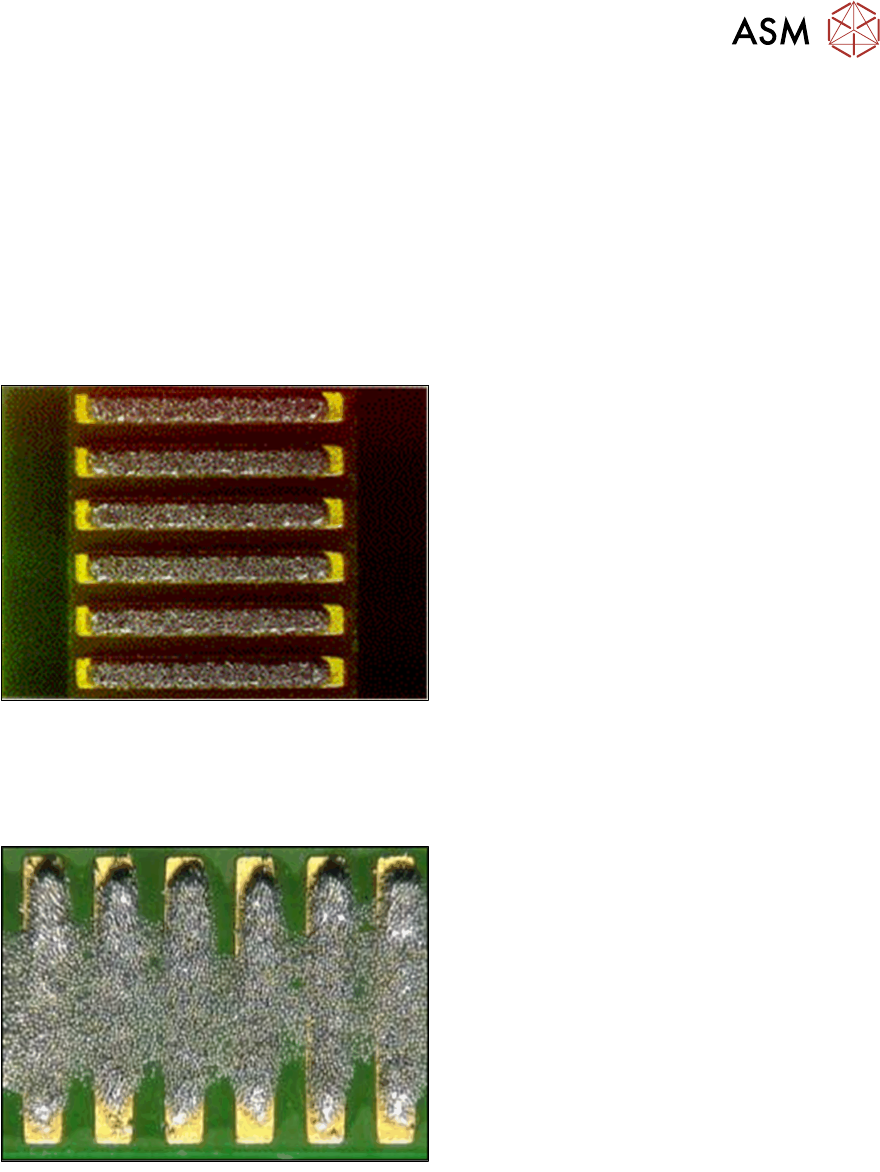
The Perfect Solder Print
Causes:
●
Good Alignment
●
Good Gasket Seal
●
Good Board Support
●
Good Stencil Design
●
Good Print Material
Well Designed Process (speed, pressure, etc.)
Exercise
For each of the print defects shown below, identify the possible design and/ or process
maintenance causes:
Bridging
Causes:
………………………………………………………
………………………………………………………
………………………………………………………
………………………………………………………
………………………………………………………
………………………………………………………
………………………………………………………
………………………………………………………
………………………………………………………
………………………………………………………