00195378-0102_UM_FilterDiskTool_CP20_DE EN.pdf - 第18页
Filter disk insertion and extraction tool for the C&P20 04/2007 Edition 18 2.7 Removing the filter disk : Switch off the compre ssed air to the plac ement machine so that no dirt partic les can enter the vacuum syste…
Filter disk insertion and extraction tool for the C&P20
04/2007 Edition
17
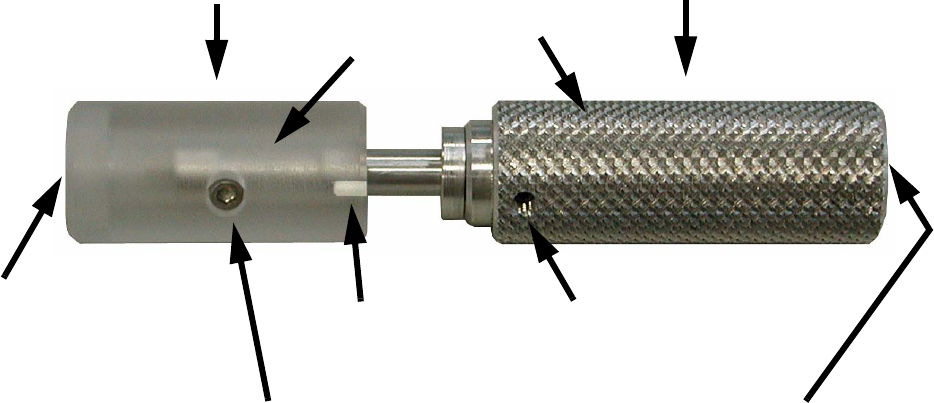
2.5 Structure of the insertion and extraction tool
(03055046-01)
2
2
2.6 Preparatory work
: Using the software, set down all the nozzles in the nozzle changer.
: Dock the component trolley out of its location.
: Move the gantry so that the C&P 20 placement head is easily accessible.
2
Extraction end
Insertion end
Drill bit (inside the
guide sleeve)
Screw for removing the
movable guide sleeve
Grub screw for fixing and adjust-
ing the drill bit (1 mm)
Surface for pressing against
the filter disk
Handle
Guide sleeve
Adjusting hole
Filter disk insertion and extraction tool for the C&P20
04/2007 Edition
18
2.7 Removing the filter disk
: Switch off the compressed air to the placement machine so that no dirt particles can enter the
vacuum system when the filter disks are removed.
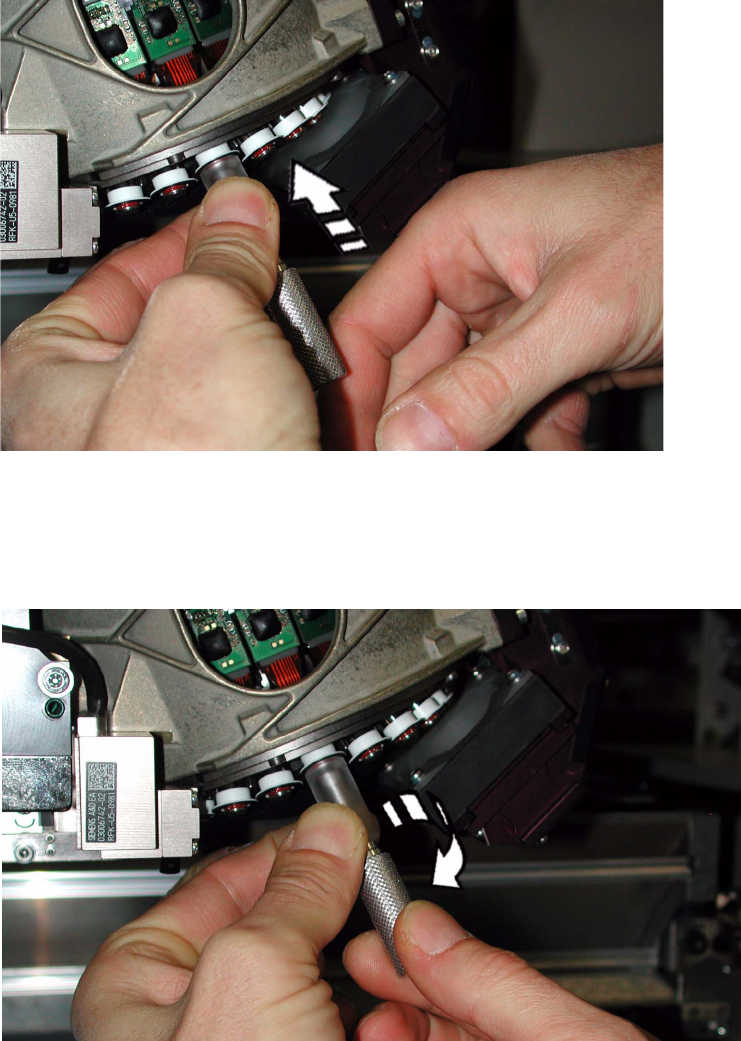
: Place the tool with the guide sleeve in front on the collar.
2
: Press the guide sleeve against the collar until the segment is spring deflected completly.
Use the handle to turn the drill bit clockwise into the filter disk until it reaches the stop.
: Then turn the handle a quarter turn more!
2
Filter disk insertion and extraction tool for the C&P20
04/2007 Edition
19
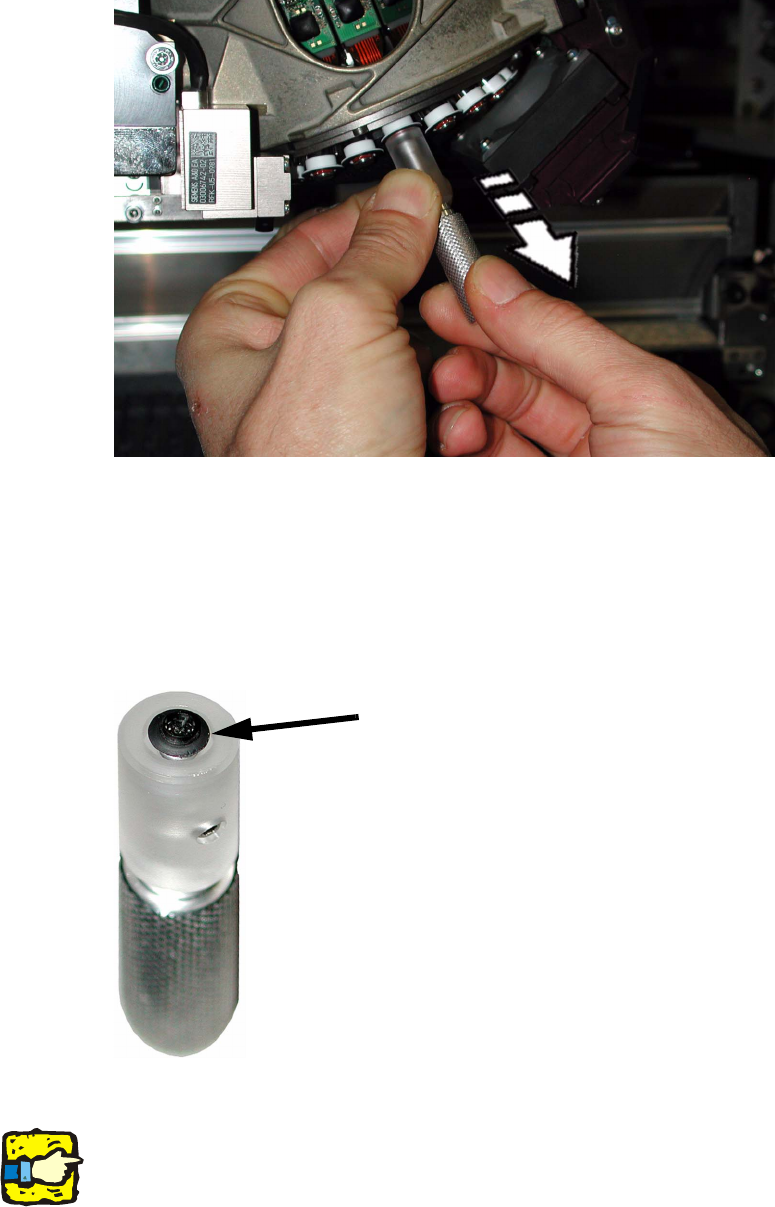
: Press the guide sleeve further against the collar and pull the handle back.
This will remove the filter disk from the segment.
2
: Remove the tool.
The filter disk is now in the guide sleeve and sticks on the tool (drill bit).
: Pull the insertion end downwards so that the filter disk gets separated from the drill bit.
: If the filter disk remains in the segment, use pointed tweezers to remove the filter disk through
the opening created by the drill bit.
2
: Dispose of the filter disk.
2
It is defective and must not be used again. 2
Filter disk