00195378-0102_UM_FilterDiskTool_CP20_DE EN.pdf - 第21页
Filter disk insertion and ex traction tool for the C&P20 04/2007 Edition 21 2.9 Final t asks : Dock the component tro lley into it s location. : Using the software , pick up a ll the nozzles. 2.10 Replacing and adju …
Filter disk insertion and extraction tool for the C&P20
04/2007 Edition
20
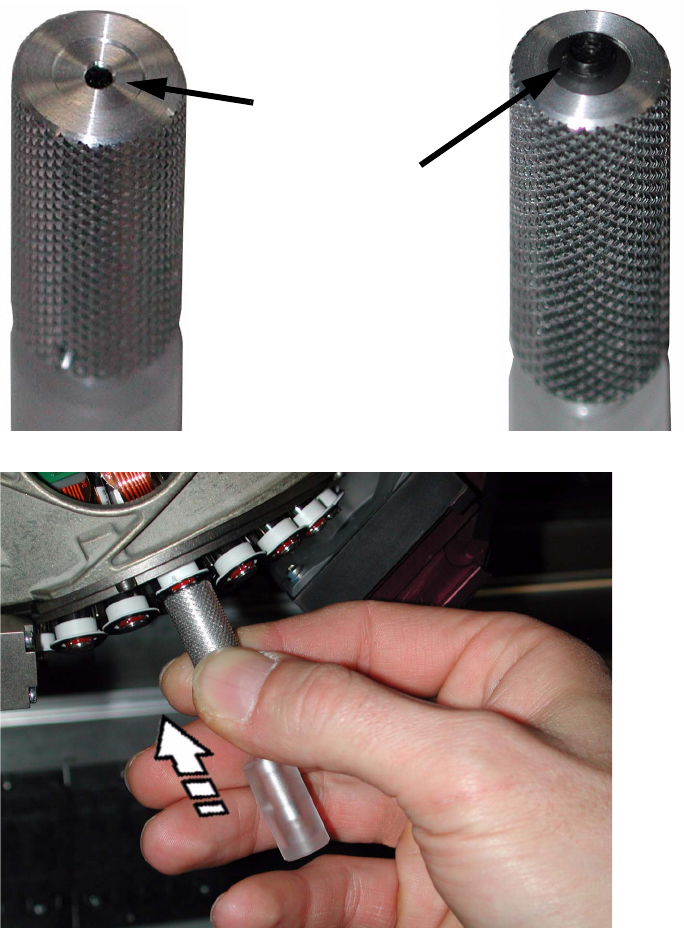
2.8 Attaching the filter disk
: Switch on the compressed air to the placement machine.
This will make it easier to insert the filter disks.
: Place the top of the filter disk on the tool.
2
2
2
: Use the tool to press the filter disk centrally onto the collar.
Indentation
Filter disk
Filter disk insertion and extraction tool for the C&P20
04/2007 Edition
21
2.9 Final tasks
: Dock the component trolley into its location.
: Using the software, pick up all the nozzles.
2.10 Replacing and adjusting the drill bit
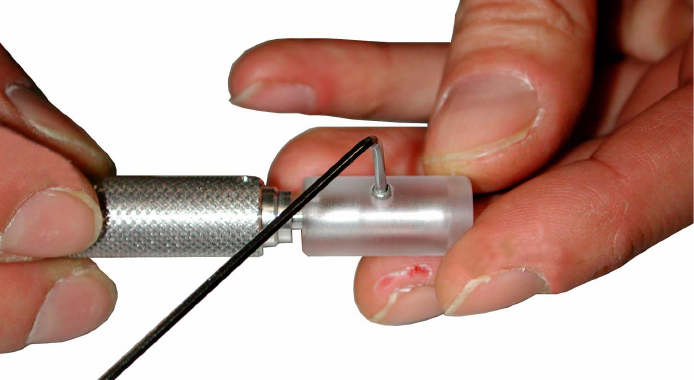
: Use a 1.5 mm hexagon socket spanner to loosen the fixing screw for the guide sleeve and pull
the guide sleeve off.
2
2
2
2
2
2
2
2
2
2
2
2
Filter disk insertion and extraction tool for the C&P20
04/2007 Edition
22
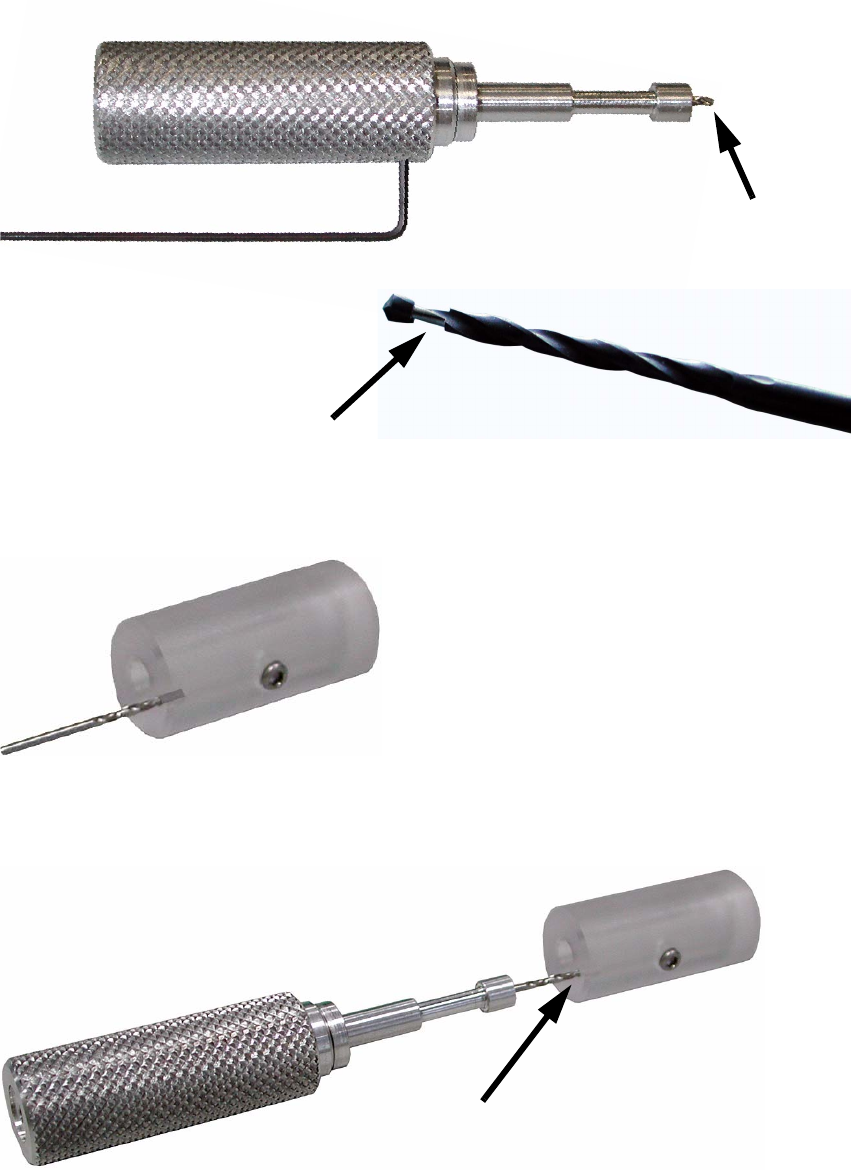
: Use a 0.89 mm hexagon socket spanner to loosen the fixing screw for the drill bit and pull the
bit out of the tool.
2
: Insert a new drill bit (max. length 34 mm) into the adjusting hole in the guide sleeve.
2
: Push the tool onto the end of the drill bit in the guide sleeve.
2
Drill bit
Cutout
Hole