00196604_Install_SQL2008Server_manual.pdf - 第20页
Installation of SQL Server 2008 02/2011 Edition → Click the Install button to begin the installation. The installation may take 15 minutes or more. After completion, the window should lo ok like this: Fig. 3-22: SQL Serv…
Installation of SQL Server 2008 02/2011 Edition
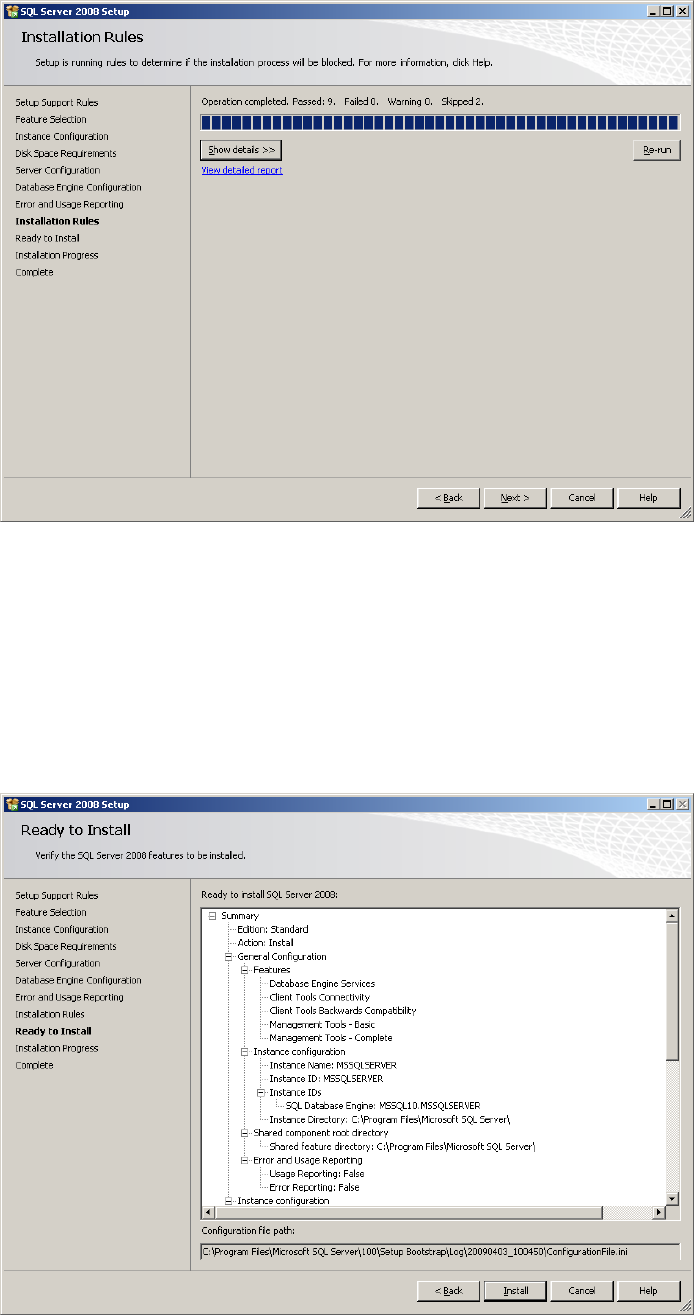
The following window will appear:
Fig. 3-20: SQL Server Setup Installation Rules
→ Click the button Show details >> to examine the rules and follow the rule instructions if
necessary.
→ Click the Next > button to continue.
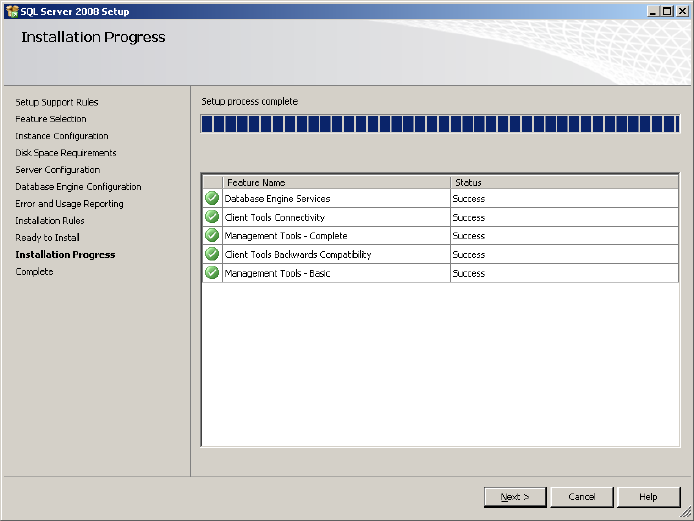
The following window will appear:
Fig. 3-21: SQL Server Setup Ready to Install
19
Installation of SQL Server 2008 02/2011 Edition
→ Click the Install button to begin the installation.
The installation may take 15 minutes or more.
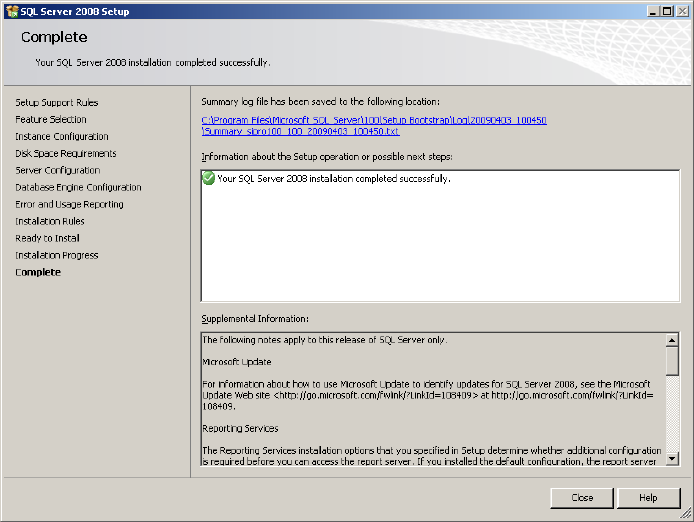
After completion, the window should look like this:
Fig. 3-22: SQL Server Setup progress window - completed
→ Clickt the Next > button to continue.
20
Installation of SQL Server 2008 02/2011 Edition
The following window will appear:
Fig. 3-23: SQL Server Setup completed
→ Click the Close button to finish the installation.
21