00196604_Install_SQL2008Server_manual.pdf - 第7页
Installation of SQL Server 2008 02/2011 Edition Some files will be extracted to your hard di sk. After that, the following window will appe ar: Fig. 3-1: .Net Framework 3.5 SP 1 initial setup window → Click the I have re…
Installation of SQL Server 2008 02/2011 Edition
3 Installation
Note:
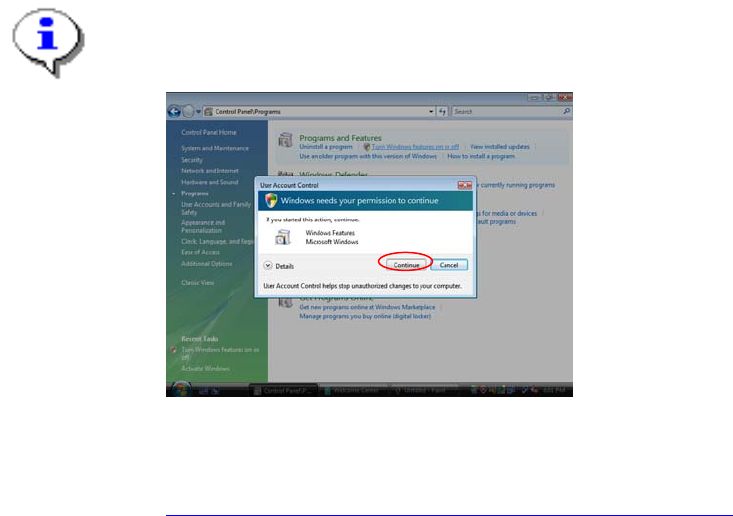
With Windows Vista there is a new feature called “User Account Control” introduced, which
controls access to functions that require permissions above the default user. If you see warning
messages between the described steps you have to acknowledge them before proceeding.
Fig. 3-11: Vista User Account Control
More information on this feature:
http://technet.microsoft.com/en-us/windowsvista/aa905108.aspx
3.1 Installation of SQL Server 2008 Prerequisites
3.1.1 Windows Installer 4.5
SQL Server 2008 requires Microsoft Windows Installer 4.5 or later.
You have to install this package manually if it is missing before you start with the SQL Server installation.
It is provided on the SIPLACE Net Support Media in the directory
<DVD-Drive>\Updates\Windows Installer\4.5.
3.1.2 .Net Framework 3.5 SP 1
SQL Server 2008 requires Microsoft .Net Framework 3.5 SP 1 or later.
→ Insert the SIPLACE Net Support Media CD/DVD into your drive.
→ Navigate to the directory <DVD-Drive>\TOOLS\DOTNETFRAMEWORK\GENERAL\3.5 SP1.
→ Double- click the setup package DOTNETFX35.EXE.
6
Installation of SQL Server 2008 02/2011 Edition
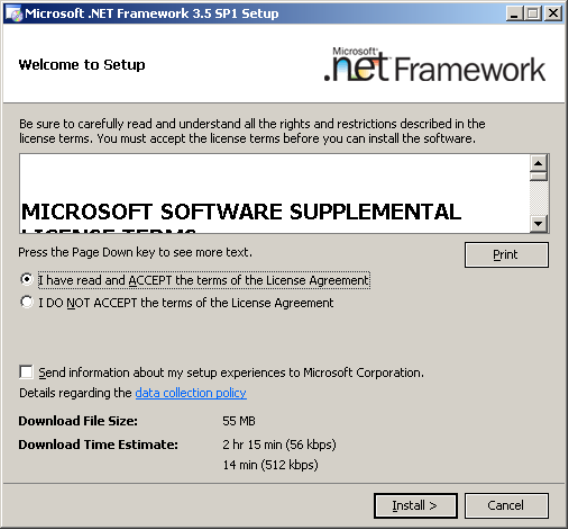
Some files will be extracted to your hard disk. After that, the following window will appear:
Fig. 3-1: .Net Framework 3.5 SP 1 initial setup window
→ Click the I have read and ACCEPT the terms of the License Agreement radio button.
→ Click the Install > button to begin the installation.
7
Installation of SQL Server 2008 02/2011 Edition
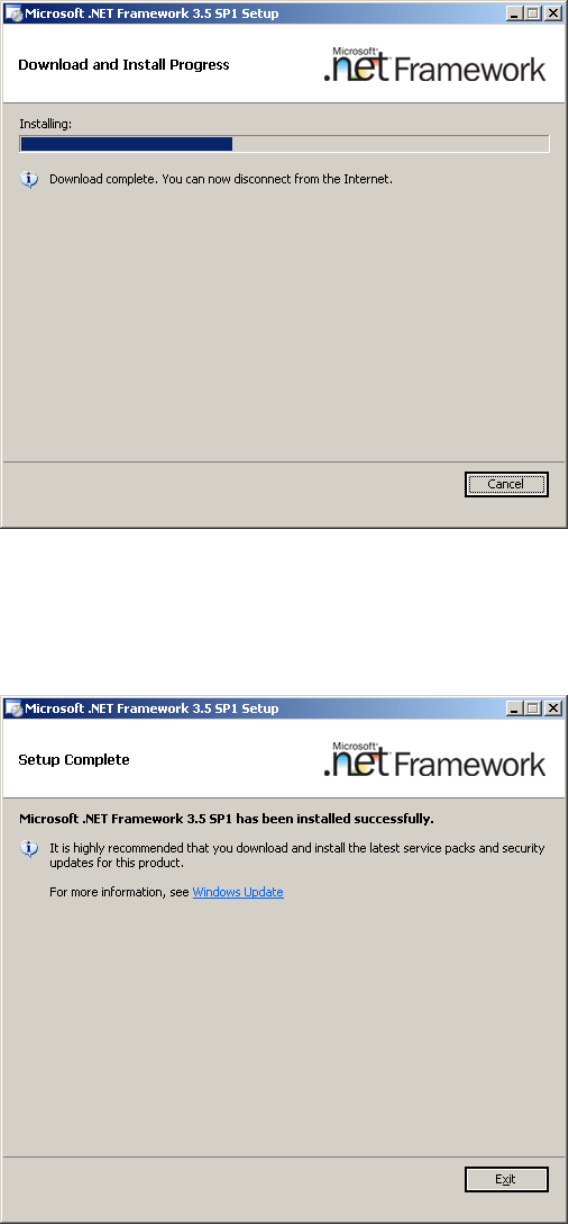
During the installation, the window might look like this:
Fig. 3-2: .Net Framework 3.5 SP 1 during setup
After successful installation, the window should look like this:
Fig. 3-3: .Net Framework 3.5 SP 1 after setup
→ Click Exit to finish the setup.
→ Restart your computer before proceeding!
8