Printer 710_810 v8 Adjustable Screen Mount.pdf - 第10页
ADJUSTA BLE SCREE N MOUNT (ASM) REP LAC EMEN T PR OCED URE S 12.10 Technical Reference Manual Chapter Issue 7 Oct 06 5. Disconnect the following pneumatic pipes shown in t he graphic below: 6. Disconnect from the undersi…
ADJUSTABLE SCREEN MOUNT (ASM)
REPLACEMENT PROCEDURES
Chapter Issue 7 Oct 06 Technical Reference Manual 12.9
REPLACEMENT PROCEDURES
Chase Rail Assembly
WARNING
BOARD CLAMPS. EXTREME CARE MUST BE EXERCISED WHEN WORKING IN
THE TOOLING AREA OF THE MACHINE TO AVOID INJURY. THE FOILS ON THE
FRONT AND REAR BOARD CLAMPS ARE VERY SHARP.
WARNING
COMPRESSED AIR. COMPRESSED AIR SHOULD NEVER IMPINGE UPON THE
BODY. PORTS, PIPES, ETC MUST NEVER BE BLOCKED BY HAND. BEFORE
CONNECTING ANY PNEUMATIC EQUIPMENT TO A COMPRESSED AIR SUPPLY,
ALL MOUNTINGS, FITTINGS, PIPEWORK AND ELECTRICAL CONNECTIONS
SHOULD BE REMOVED FOR SAFETY. NO PIPEWORK ALTERATIONS OR
REMOVAL OF FITTINGS SHOULD BE ATTEMPTED WITH AIR SUPPLIES
CONNECTED.
Removal 1. Open the front printhead cover/shutter and centralise the chase rail assem-
blies.
2. Power down the machine and disconnect the pneumatic supply to the
machine.
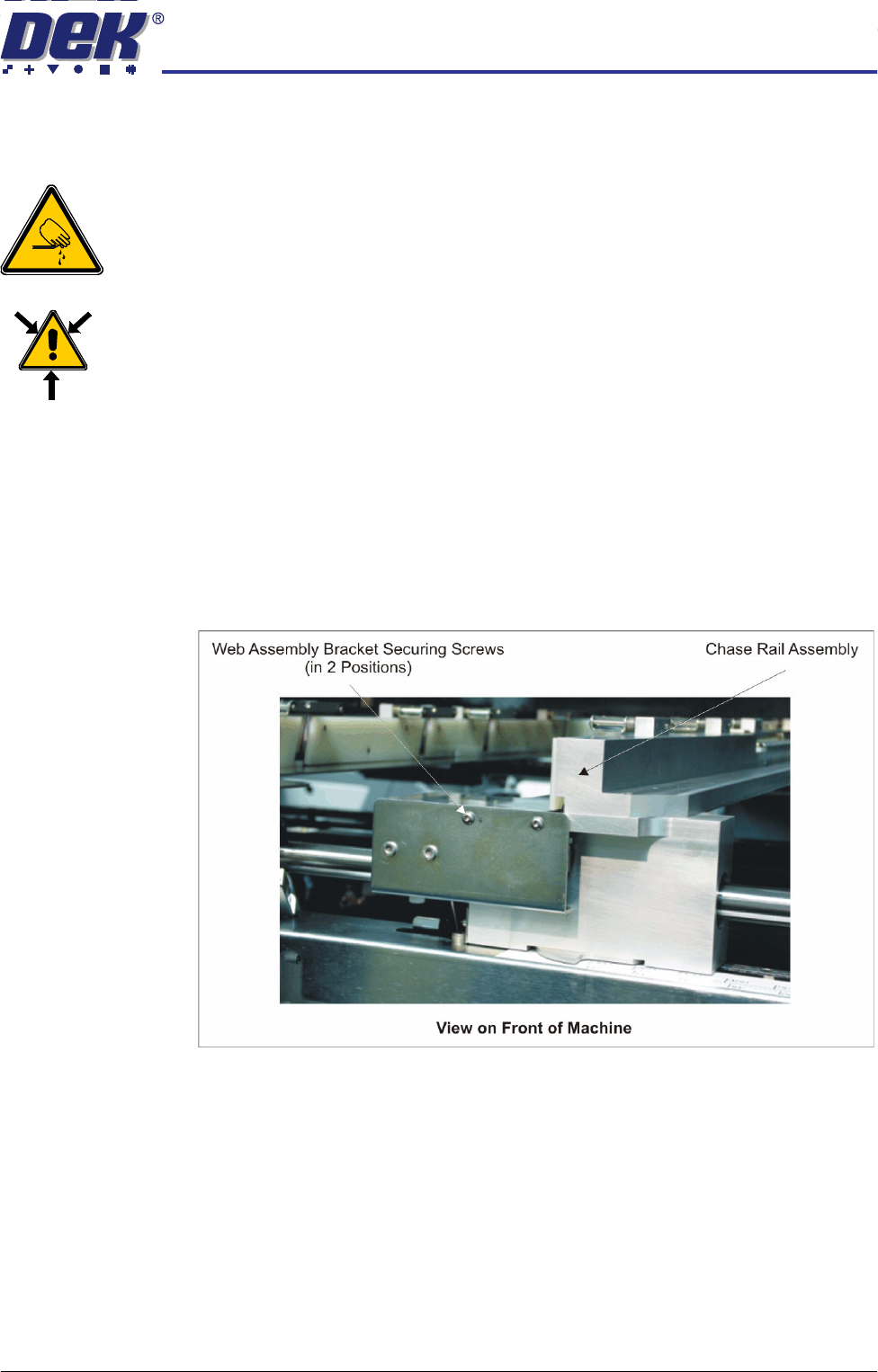
3. Remove the two web assembly bracket securing screws.
4. Tilt the web bracket forward to expose the pneumatic pipes.
ADJUSTABLE SCREEN MOUNT (ASM)
REPLACEMENT PROCEDURES
12.10 Technical Reference Manual Chapter Issue 7 Oct 06
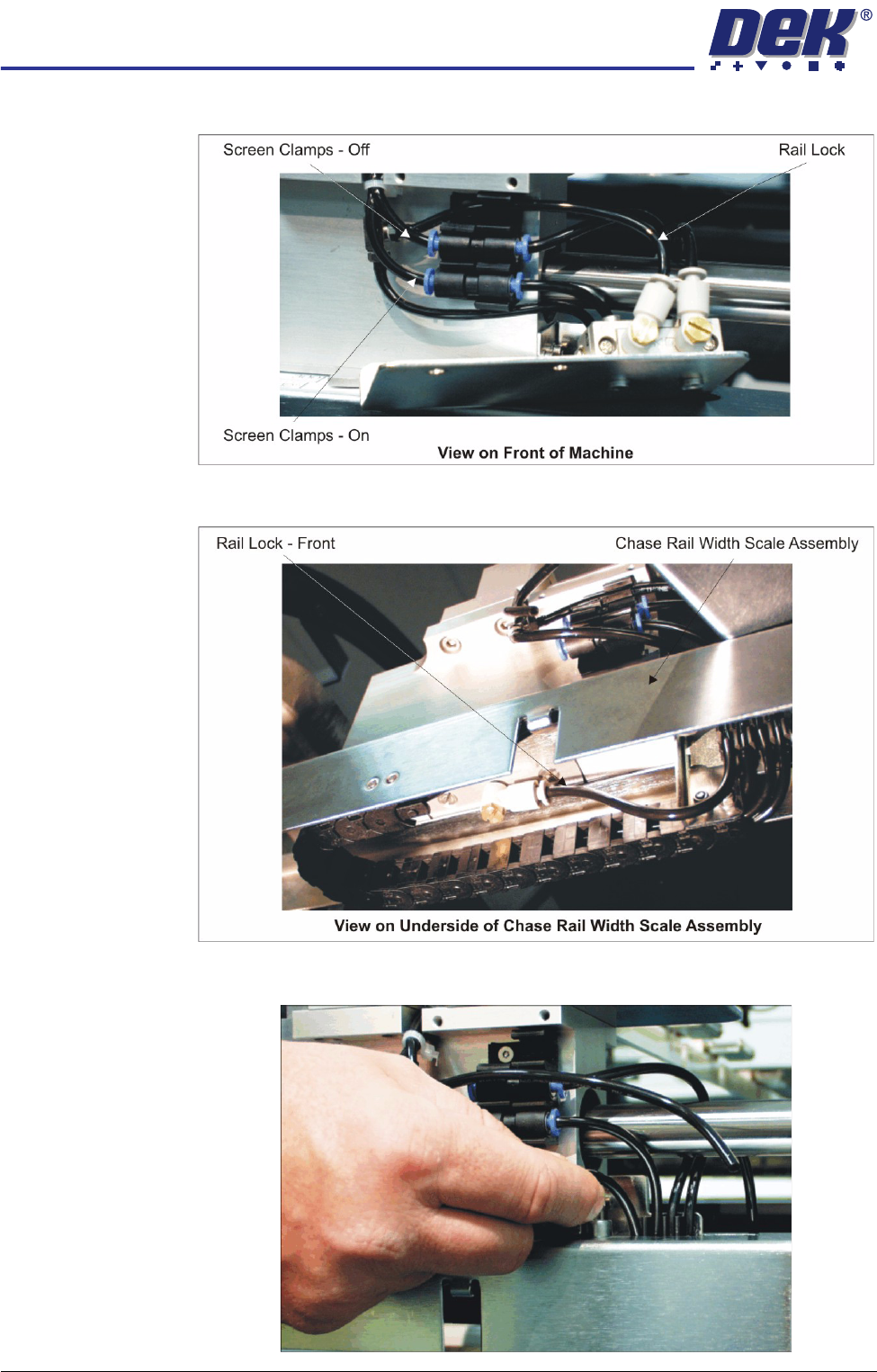
5. Disconnect the following pneumatic pipes shown in the graphic below:
6. Disconnect from the underside of the chase rail width scale assembly the
pneumatic pipe marked Rail Lock - Front.
7. Uncouple from the tube clip the pneumatic supply pipe to the Rail Lock -
Front (disconnected in Step 6).
ADJUSTABLE SCREEN MOUNT (ASM)
REPLACEMENT PROCEDURES
Chapter Issue 7 Oct 06 Technical Reference Manual 12.11
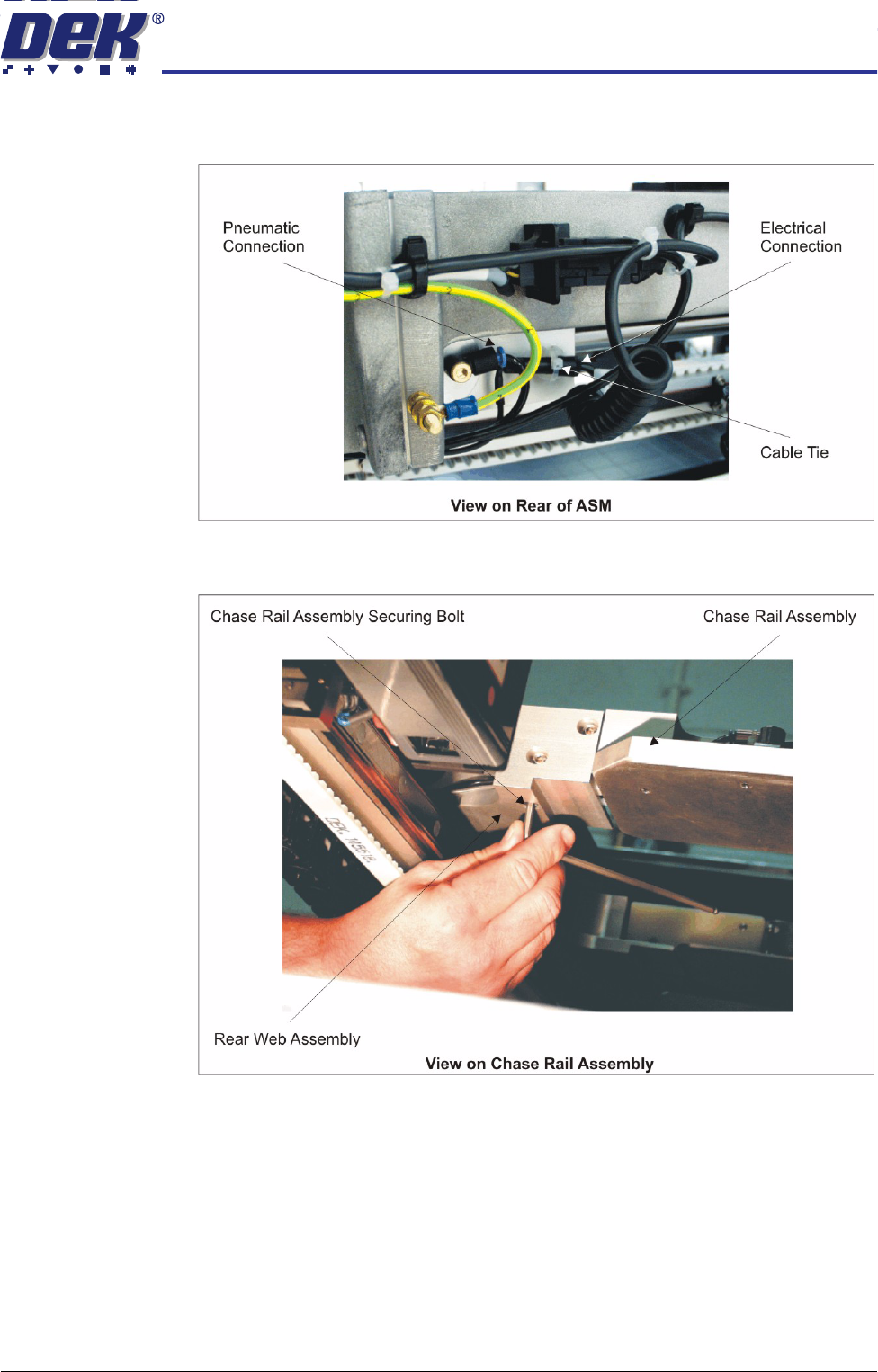
8. Gain access to the rear of the chase assembly. Disconnect the pneumatic
and electrical connectors to the rear web and remove the cable tie.
9. At the rear web assembly, remove the three chase rail assembly securing
bolts.