Printer 710_810 v8 Adjustable Screen Mount.pdf - 第17页
ADJUSTA BLE SCREEN MOUN T (ASM) REPLACEMENT PROCEDURES Chapter Issue 7 Oct 06 Technical Reference Manual 12.17 Screen at Centre Sensor T o rep lace the scr een at centr e sensor tr ansmitter or rece iver the appropriate …
ADJUSTABLE SCREEN MOUNT (ASM)
REPLACEMENT PROCEDURES
12.16 Technical Reference Manual Chapter Issue 7 Oct 06
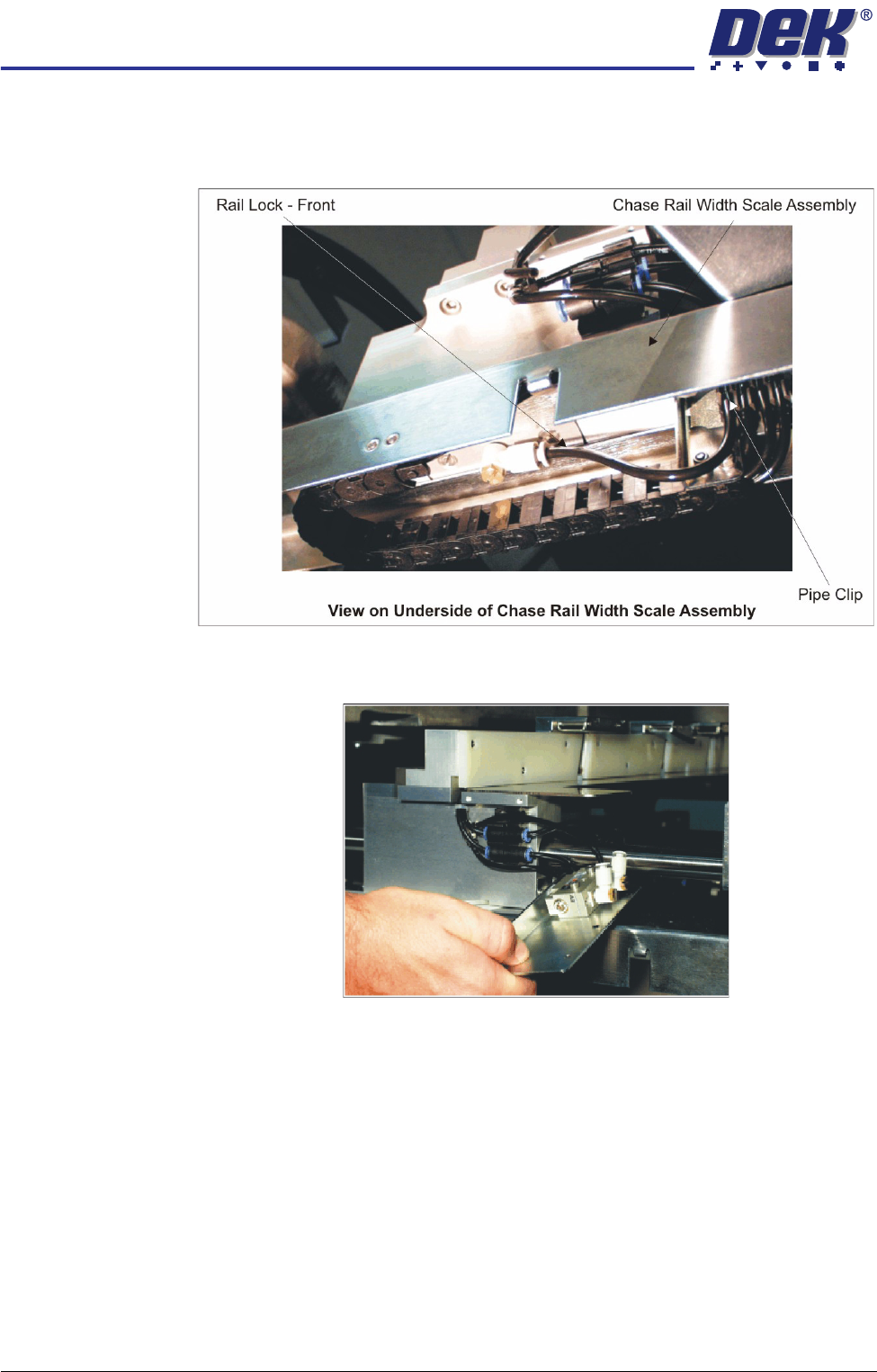
9. Thread the Rail Lock - Front pneumatic pipe through the slot in the chase
rail width scale assembly and connect the pipe to the front web assembly
pneumatic connection. Ensure the pipe is secured into the pipe clip.
10. Connect the rail lock pneumatic pipe to the push button valve on the web
bracket assembly.
11. Secure the web bracket assembly with the two securing screws.
12. Reconnect the electrical and pneumatic power to the machine and check for
air leaks.
13. Press and hold the relevant push button valve and ensure the front and rear
web assemblies release allowing the chase rail position to be adjusted.
Release the button valve and ensure the chase rail is now clamped in
position.
14. Power up the machine, in Diagnostics select Screen Change Module.
15. Select Toggle Screen Clamps and ensure the flap assemblies extend and
retract correctly.
ADJUSTABLE SCREEN MOUNT (ASM)
REPLACEMENT PROCEDURES
Chapter Issue 7 Oct 06 Technical Reference Manual 12.17
Screen at Centre
Sensor
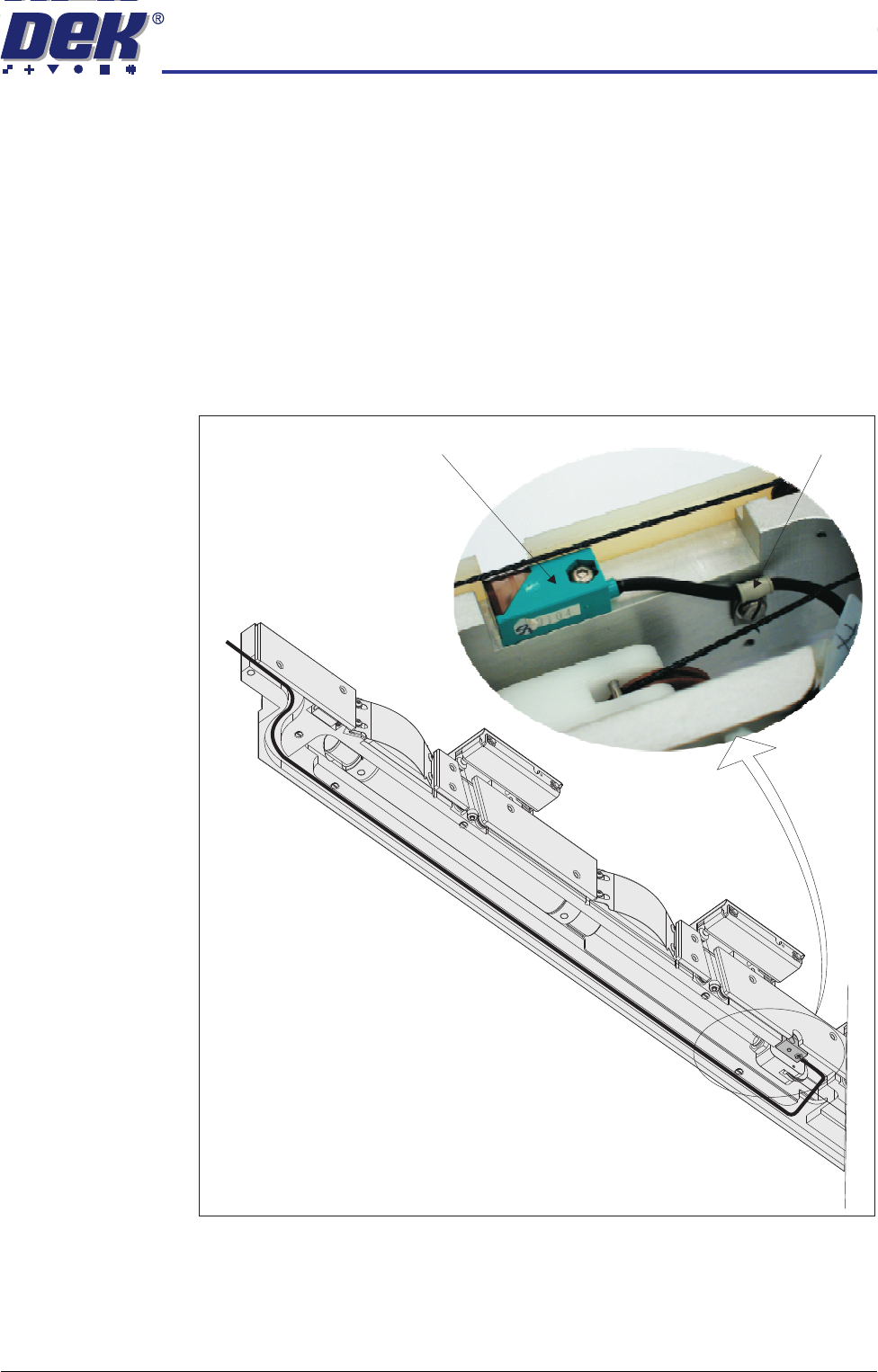
To replace the screen at centre sensor transmitter or receiver the appropriate
chase rail assembly is to be removed from the machine (see Chase Rail
Assembly - Removal procedure earlier in this section).
1. Place the chase rail assembly on a level surface with the stencil support
plate uppermost. Unscrew the nine M3 countersunk stencil support plate
retaining screws and remove the plate.
2. Remove the screen at centre M3 button headed retaining screw from the
centre of the sensor body.
3. Release the sensor loom from the ‘P’ clip fitted adjacent to the pneumatic
cylinder pulley.
4. Remove and discard the sensor loom.
5. Fit the replacement sensor to the chase rail assembly and secure with the
M3 button headed screw.
6. Fit the ‘P’ clip to the sensor loom and secure with the pan headed screw.
Ensure the loom runs beneath the cable assembly.
View on Underside of Chase Rail Assembly
(Stencil Support Plate Removed)
'P' Clip
Screen at Centre Sensor
ADJUSTABLE SCREEN MOUNT (ASM)
REPLACEMENT PROCEDURES
12.18 Technical Reference Manual Chapter Issue 7 Oct 06
7. Feed the loom through the channel of the chase rail assembly.
8. Refit the stencil support plate and secure with the nine M3 countersunk
retaining screws.
9. To refit the chase rail assembly to the machine (see Chase Rail Assembly -
Fitment procedure earlier in this section.
Cable Assembly To replace the cable assembly the appropriate chase rail assembly is to be
removed from the machine (see Chase Rail Assembly - Removal procedure
earlier in this section)
Removal 1. Place the chase rail assembly on a level surface with the stencil support
plate uppermost. Unscrew the nine M3 countersunk stencil support plate
retaining screws and remove the plate.
2. Turn the chase rail assembly through 90°. Unscrew the stencil guide strip
M3 pan head retaining screws and remove the stencil guides for access.
3. Rotate the chase rail assembly until the flap assemblies are uppermost.
Loosen the flap cover bracket retaining screws and remove the four flap
covers.
4. Lever the cable retainers from the topmost cable pulleys.
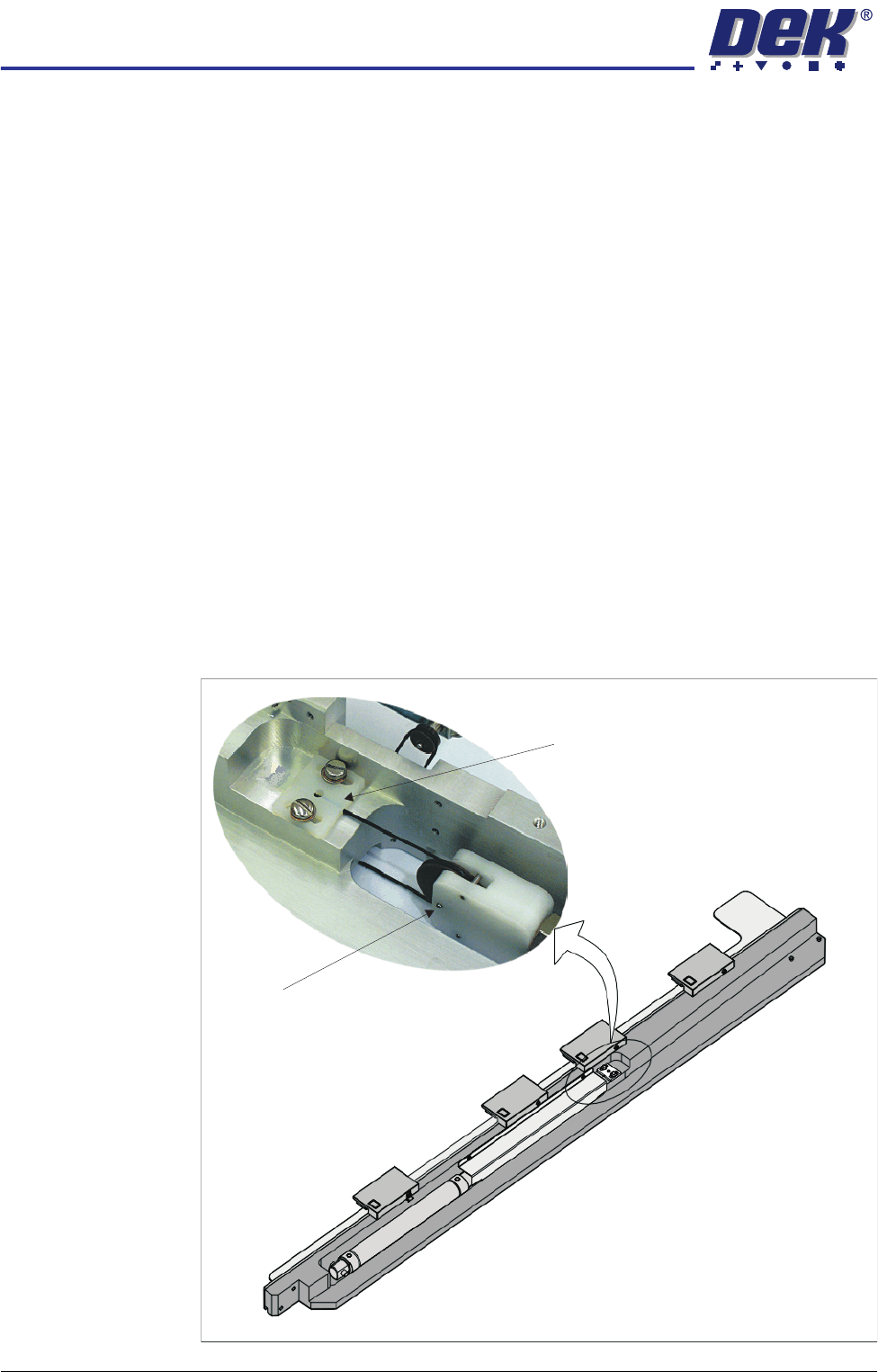
5. Unscrew the two cylinder cover securing screws and remove the cover to
gain access to the cable retainer bracket. Remove the two pan headed
retaining screws, the bracket and release the cable end.
Cable Retainer Bracket
Pulley Retaining Pin
View on Chase Rail Assembly