Printer 710_810 v8 Adjustable Screen Mount.pdf - 第11页
ADJUSTA BLE SCREEN MOUN T (ASM) REPLACEMENT PROCEDURES Chapter Issue 7 Oct 06 Technical Reference Manual 12.11 8. Gain access to the r ear of the ch ase assembl y . Disconnec t the pneumat ic and elect rical connect ors …
ADJUSTABLE SCREEN MOUNT (ASM)
REPLACEMENT PROCEDURES
12.10 Technical Reference Manual Chapter Issue 7 Oct 06
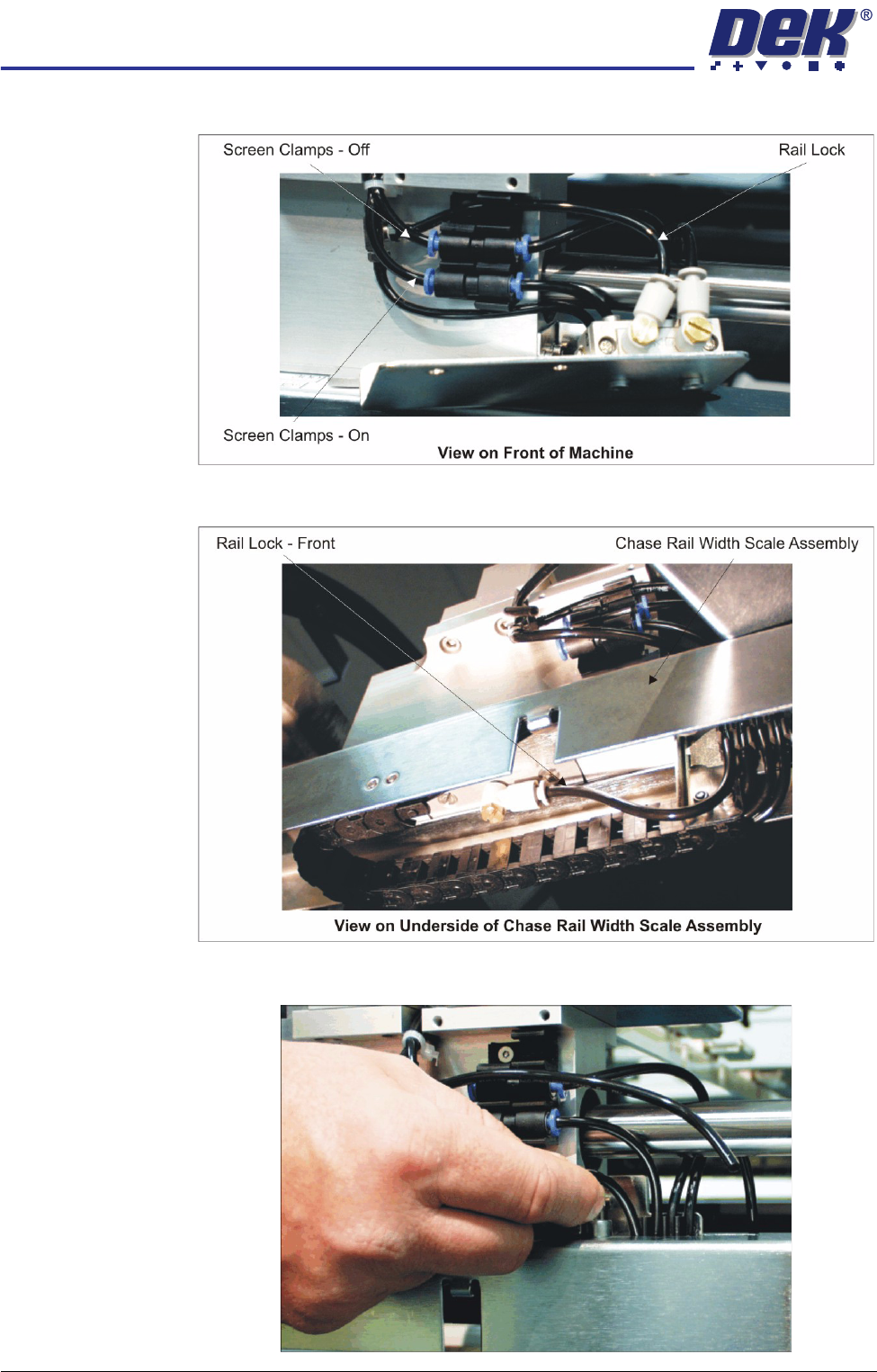
5. Disconnect the following pneumatic pipes shown in the graphic below:
6. Disconnect from the underside of the chase rail width scale assembly the
pneumatic pipe marked Rail Lock - Front.
7. Uncouple from the tube clip the pneumatic supply pipe to the Rail Lock -
Front (disconnected in Step 6).
ADJUSTABLE SCREEN MOUNT (ASM)
REPLACEMENT PROCEDURES
Chapter Issue 7 Oct 06 Technical Reference Manual 12.11
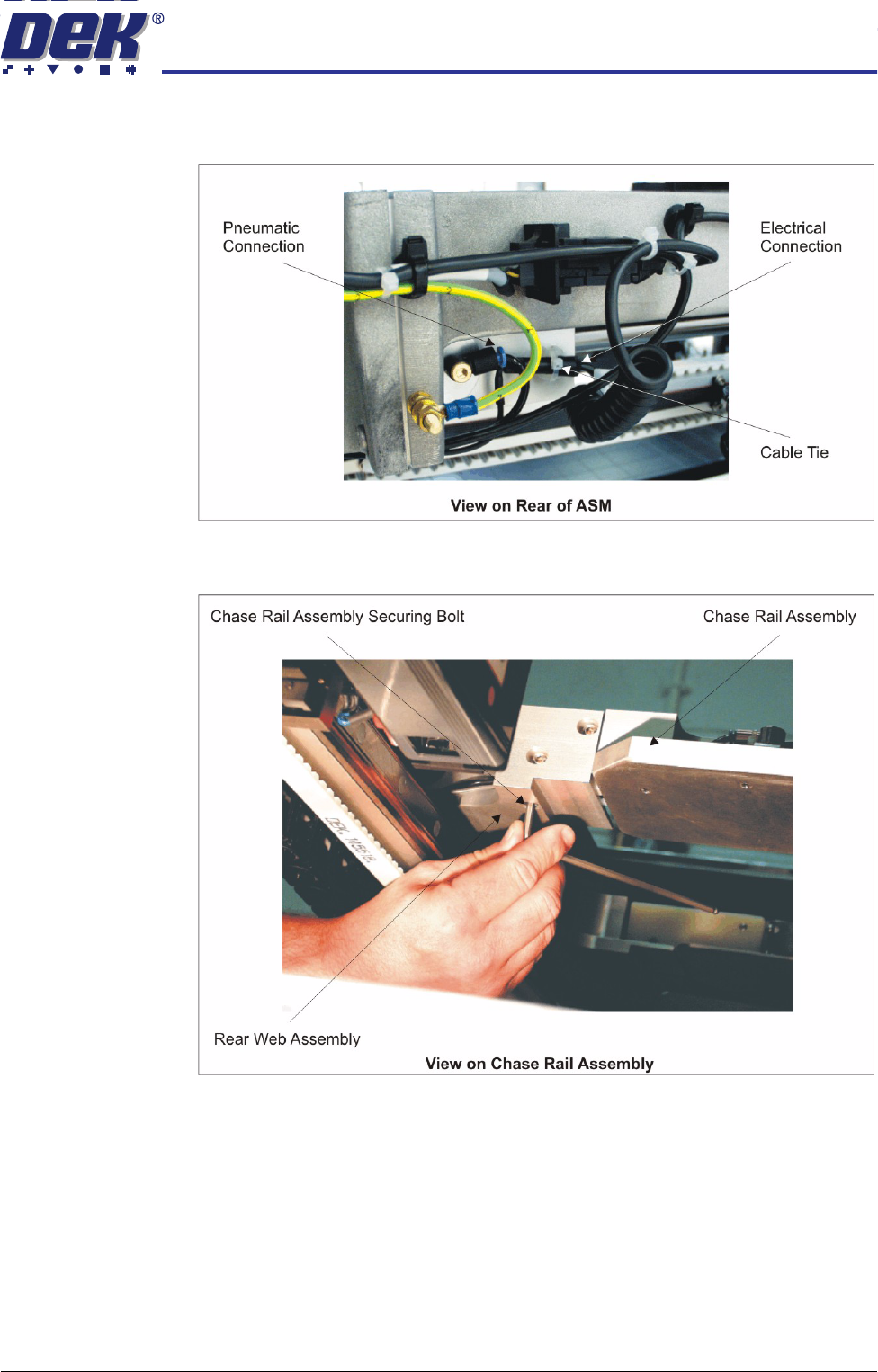
8. Gain access to the rear of the chase assembly. Disconnect the pneumatic
and electrical connectors to the rear web and remove the cable tie.
9. At the rear web assembly, remove the three chase rail assembly securing
bolts.
ADJUSTABLE SCREEN MOUNT (ASM)
REPLACEMENT PROCEDURES
12.12 Technical Reference Manual Chapter Issue 7 Oct 06
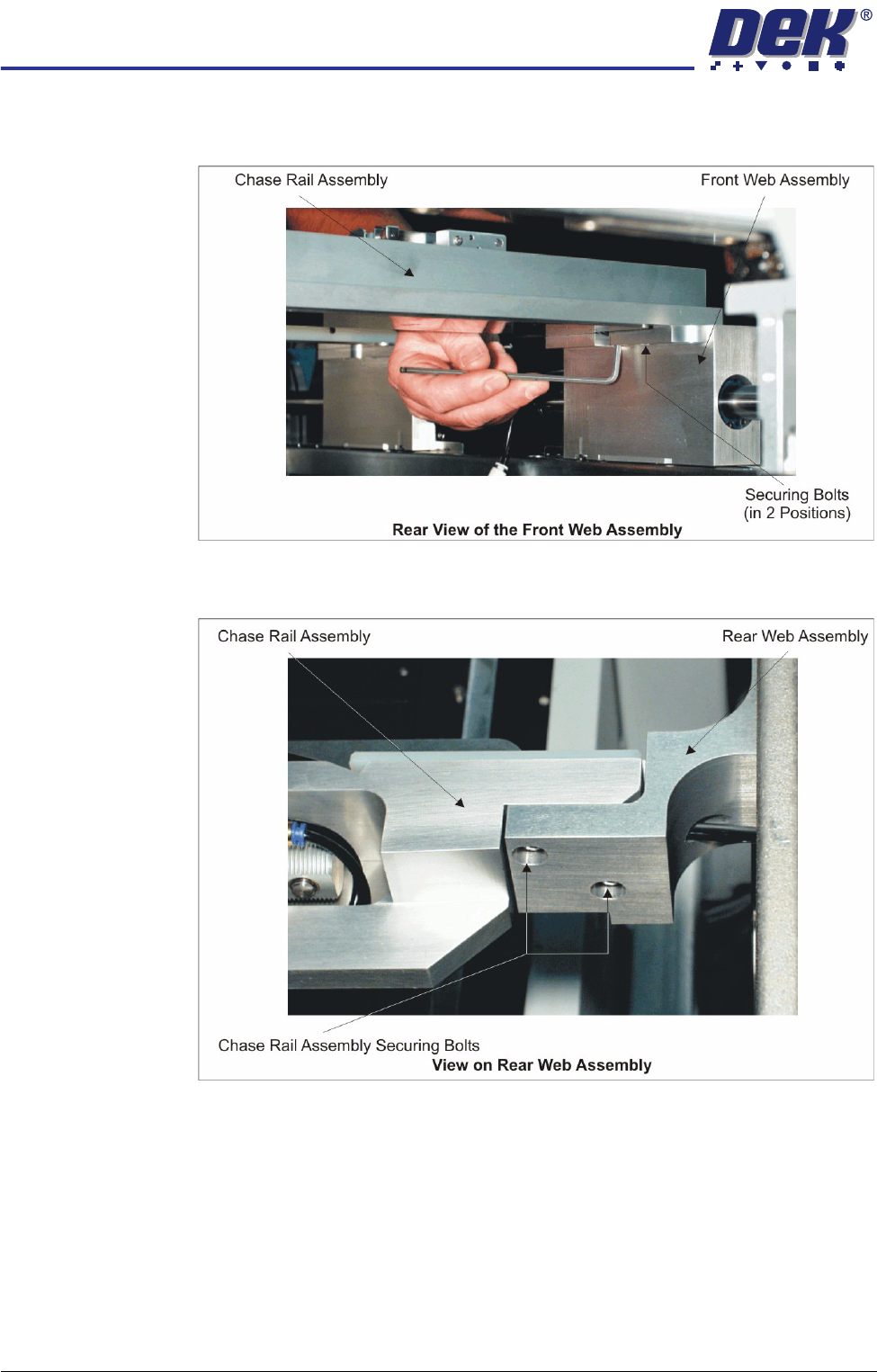
10. At the rear face of the front web assembly, remove the two chase rail
assembly securing bolts.
11. At the front face of the rear web assembly, remove the two chase rail
assembly securing bolts.