Printer 710_810 v8 Adjustable Screen Mount.pdf - 第12页
ADJUSTA BLE SCREE N MOUNT (ASM) REP LAC EMEN T PR OCED URE S 12.12 Technical Reference Manual Chapter Issue 7 Oct 06 10. At the rear face of t he front web assembl y , remove the two chase r ail assembly s ecuring bolt s…
ADJUSTABLE SCREEN MOUNT (ASM)
REPLACEMENT PROCEDURES
Chapter Issue 7 Oct 06 Technical Reference Manual 12.11
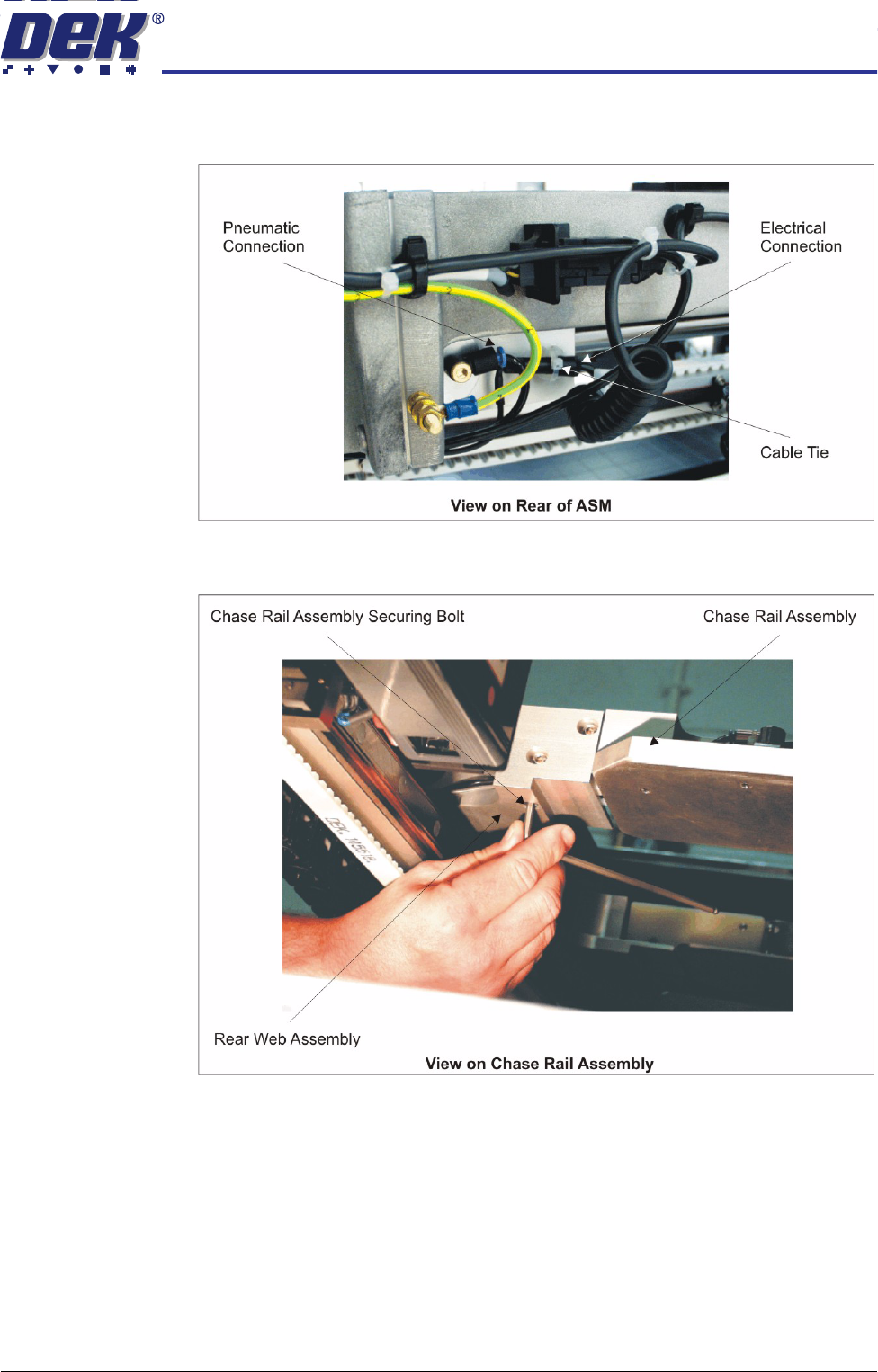
8. Gain access to the rear of the chase assembly. Disconnect the pneumatic
and electrical connectors to the rear web and remove the cable tie.
9. At the rear web assembly, remove the three chase rail assembly securing
bolts.
ADJUSTABLE SCREEN MOUNT (ASM)
REPLACEMENT PROCEDURES
12.12 Technical Reference Manual Chapter Issue 7 Oct 06
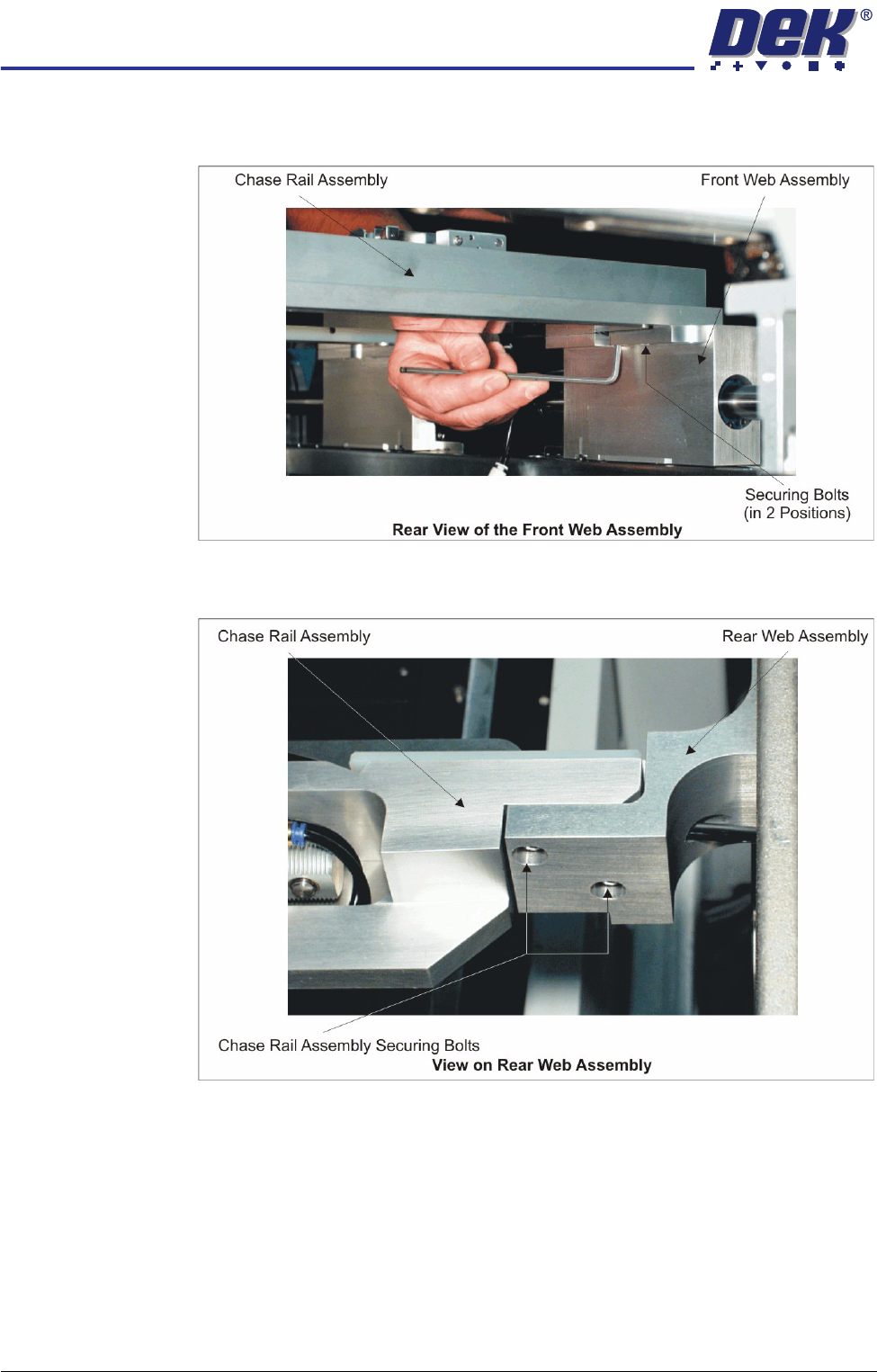
10. At the rear face of the front web assembly, remove the two chase rail
assembly securing bolts.
11. At the front face of the rear web assembly, remove the two chase rail
assembly securing bolts.
ADJUSTABLE SCREEN MOUNT (ASM)
REPLACEMENT PROCEDURES
Chapter Issue 7 Oct 06 Technical Reference Manual 12.13
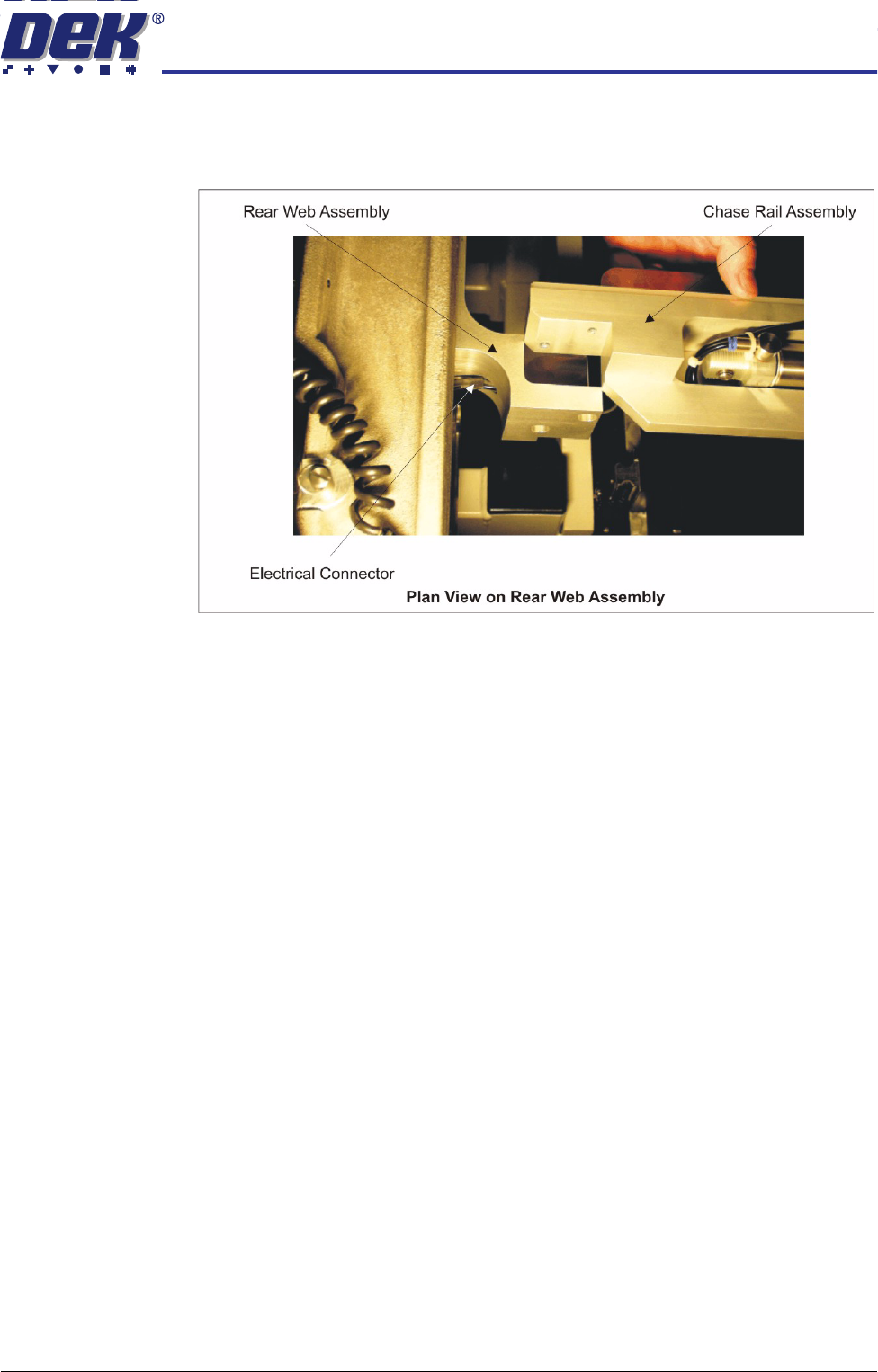
12. Lift the rear end of the chase rail assembly clear of the rear web assembly.
Carefully feed the electrical connector and pneumatic pipe through the
access hole in the rear web assembly.
13. Replace the chase rail assembly onto the rear web assembly ensuring the
electrical cable and pneumatic pipe are not trapped.
14. From the front of the machine carefully lift out the chase rail assembly
ensuring the electrical cable and pneumatic pipe does not snag on any part
of the machine.
Fitment 1. Carefully place the chase rail assembly onto the front and rear web assem-
blies from the front of the machine, ensuring the pneumatic pipes and
electrical cables are not trapped under the chase rail assemblies.
2. At the rear web assembly, lift the end of the chase rail assembly and first,
thread the electrical cable and subsequently the pneumatic pipe through the
access hole in the web.
3. Loosely assemble the chase rail securing bolts (in seven positions) to the
front and rear web assemblies.