Printer 710_810 v8 Adjustable Screen Mount.pdf - 第21页
ADJUSTA BLE SCREEN MOUN T (ASM) CALIBR ATIONS Chapter Issue 7 Oct 06 Technical Reference Manual 12.21 Chase to T able Level Adjust ment If adjustm ent is requir ed, the bearing rol ler at the appr opriate corner may be a…
ADJUSTABLE SCREEN MOUNT (ASM)
CALIBRATIONS
12.20 Technical Reference Manual Chapter Issue 7 Oct 06
CALIBRATIONS
Chase to Table
Level
NOTE
This procedure requires the use of a DEK Test Plate, DEK part number 113693.
If a DEK Test Plate is required, contact DEK Customer Support before com-
mencing.
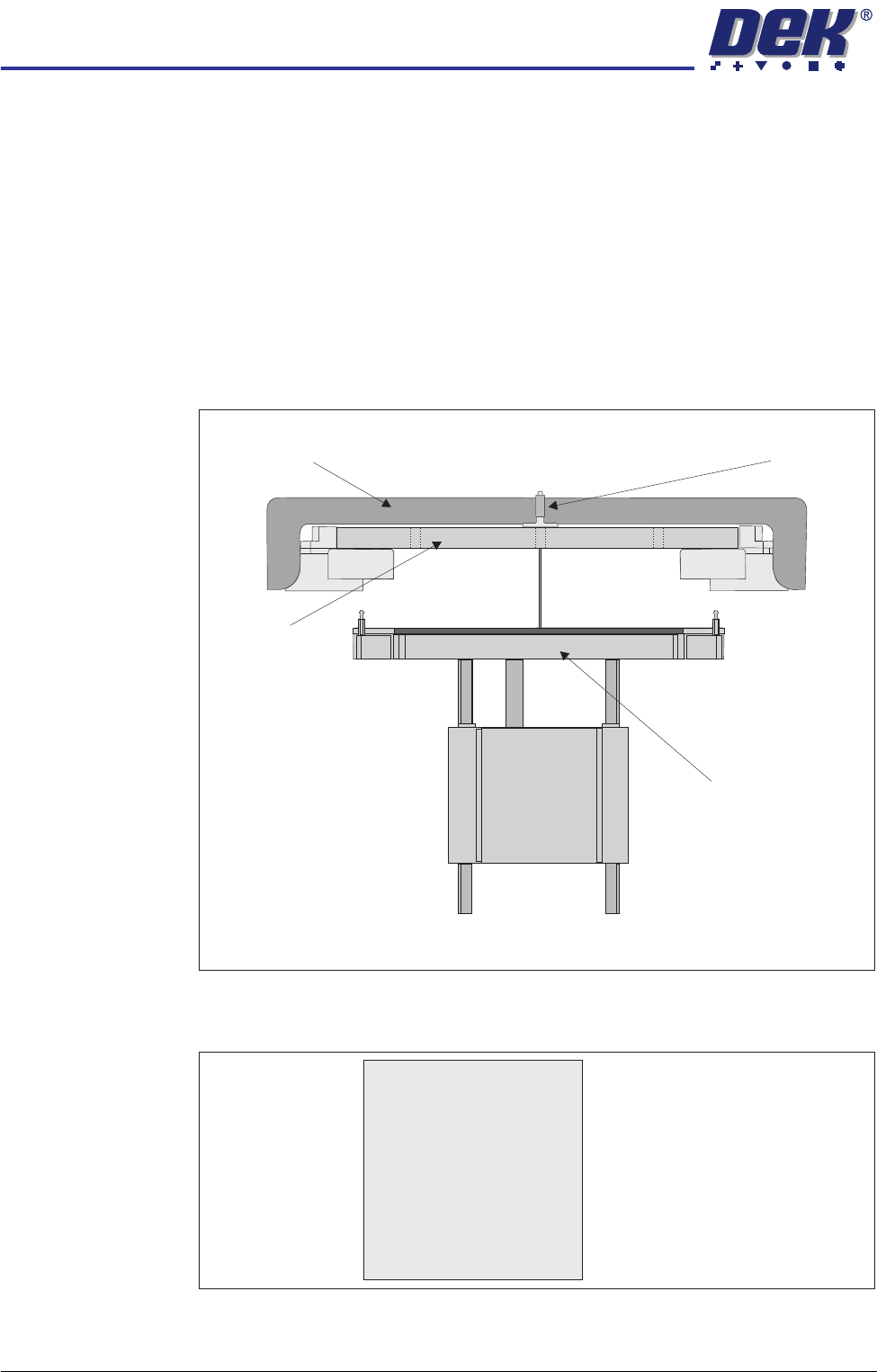
The chase to table level is checked by measuring down to 5 points on the rising
table surface from the DEK Test Plate which simulates a screen fitted in the
chase.
A datum reading is taken from the centre hole E, the range of readings must not
exceed 0.15mm of the datum.
Figure 12-4 Chase to Table Level Setting
Figure 12-5 Test Plate Recordings
Depth Micrometer
Test Plate
Adjustable Screen Mount
Rising Table
View on Front of Machine
A
B
CD
E
A .....................mm
B .....................mm
C .....................mm
D .....................mm
E .....................mm
ADJUSTABLE SCREEN MOUNT (ASM)
CALIBRATIONS
Chapter Issue 7 Oct 06 Technical Reference Manual 12.21
Chase to Table
Level Adjustment
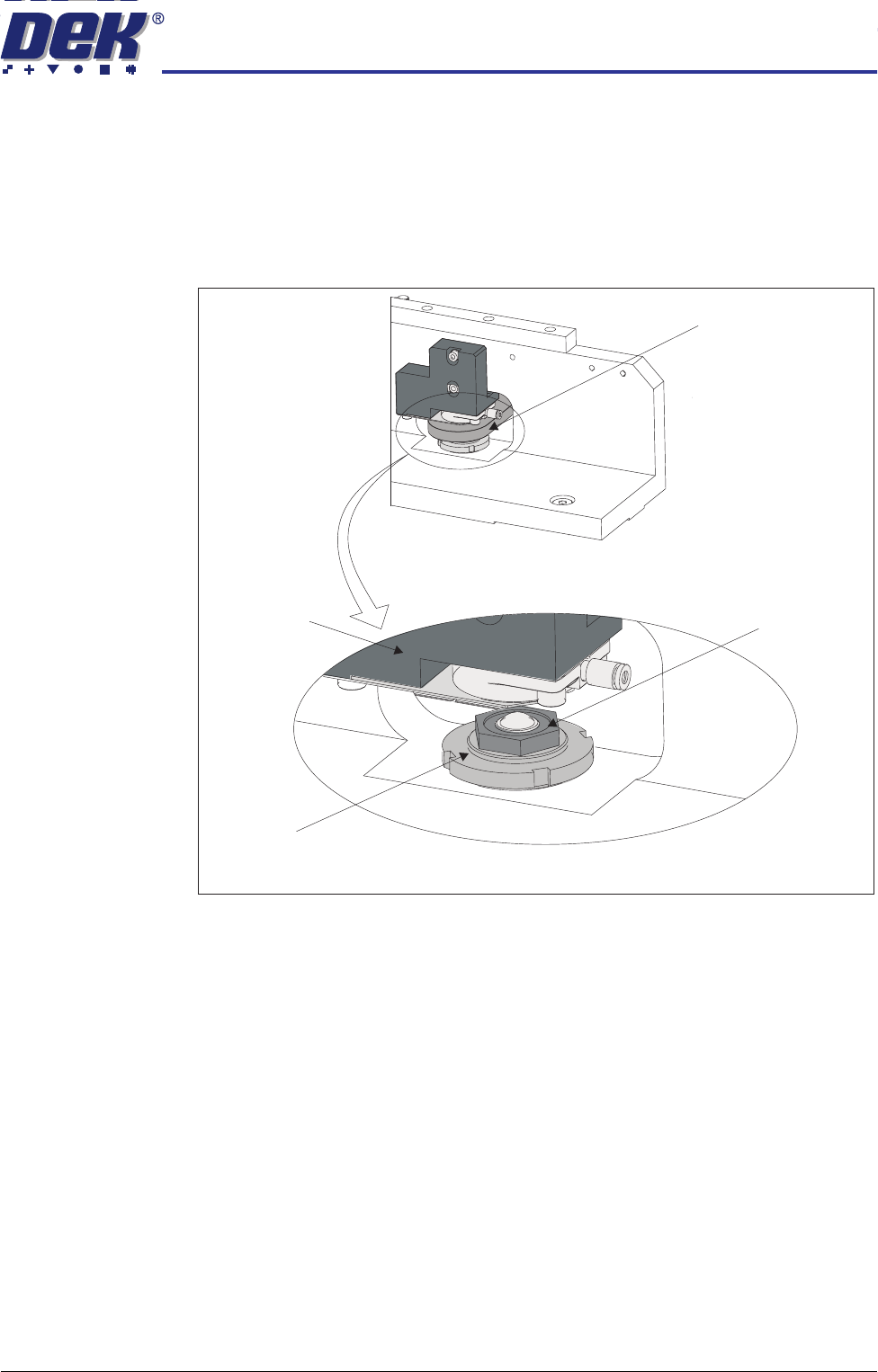
If adjustment is required, the bearing roller at the appropriate corner may be
adjusted to obtain the correct depth range.
NOTE
Be careful that this does not result in one corner of the chase ‘floating’, ie load
not being spread evenly over the four support rollers.
1. Using an appropriate sized C spanner, slacken the locking nut.
2. Using a slim 24mm spanner, raise or lower the roller bearing assembly
within the printhead assembly to achieve the required chase to table level
setting.
3. Tighten the locking nut.
4. Recheck the chase to table level setting.
View on Roller Bearing Assembly (counter plate removed for clarity)
Locking Nut
Roller Counter Plate
Chase Clamp
Roller Bearing Assembly
View on Front Left or Rear Right Printhead
ADJUSTABLE SCREEN MOUNT (ASM)
CALIBRATIONS
12.22 Technical Reference Manual Chapter Issue 7 Oct 06
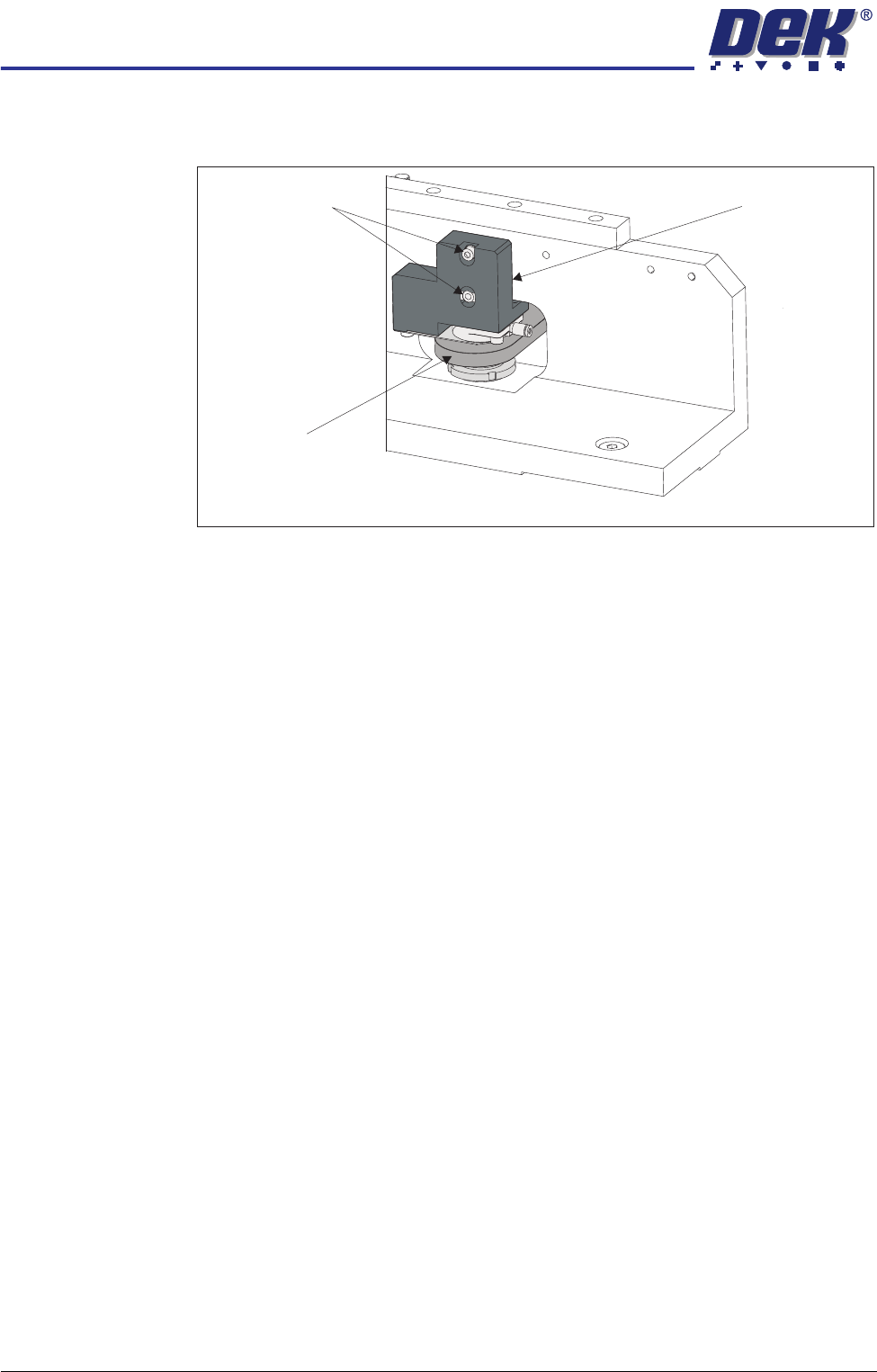
5. On the left hand printhead, ensure a 0.25mm shim/feeler gauge fits between
the roller counter plate and the chase clamp.
6. If adjustment is necessary, slacken the two securing screws and adjust the
height of the chase clamp to achieve the dimension in Step 5.
7. Tighten the two securing screws.
8. Repeat Steps 5 - 7 for the chase clamp on the right hand printhead.
Associated
Calibrations and
Adjustments
The settings shown below should be checked following adjustments to the
chase to table level.
• Chase Clamp Regulator Setting (Pneumatic Module)
• Vision Height (Camera System Module)
• Vision System Calibration (Camera System Module):
Stage 1 - Calibrate Vision
Stage 2 - Calibrate Offset
Chase Clamp
View on Front Left or Rear Right Printhead
Securing Screws
Roller Counter
Plate