00196500-04_IM_SSW_703_02_SP1_DE EN.pdf - 第46页
Installation Manual, Station Software Version 703.02 SP1 07/2010 Edition → Click the Machine service button and enter the password to c hange into this activity level. The following window is displayed for the X-series m…
Installation Manual, Station Software Version 703.02 SP1 07/2010 Edition
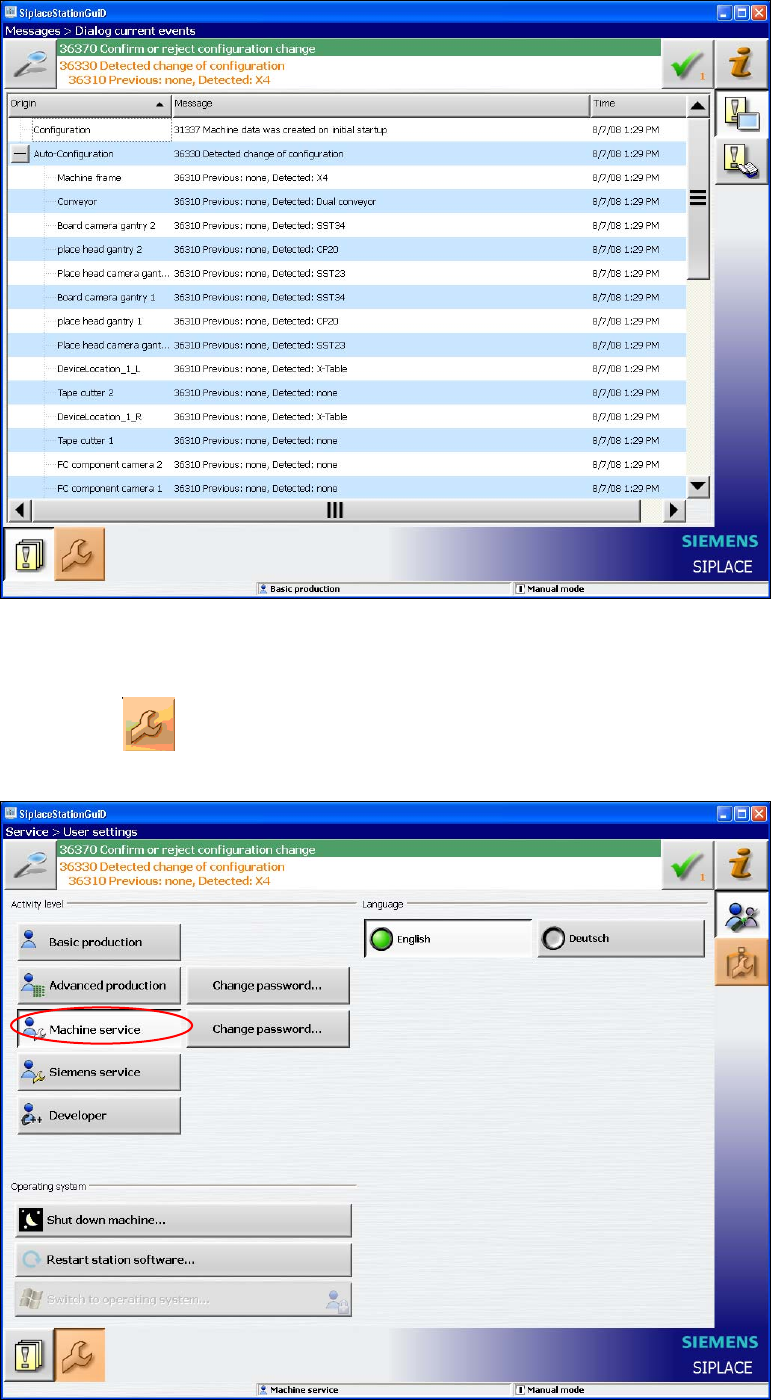
Fig. 7-2: Used hardware components
The Machine service activity level is required to execute the Auto-configuration.
→ Click the
icon to call the user settings.
The user settings are displayed.
Fig. 7-3: Changing activity level
45 of 58
Installation Manual, Station Software Version 703.02 SP1 07/2010 Edition
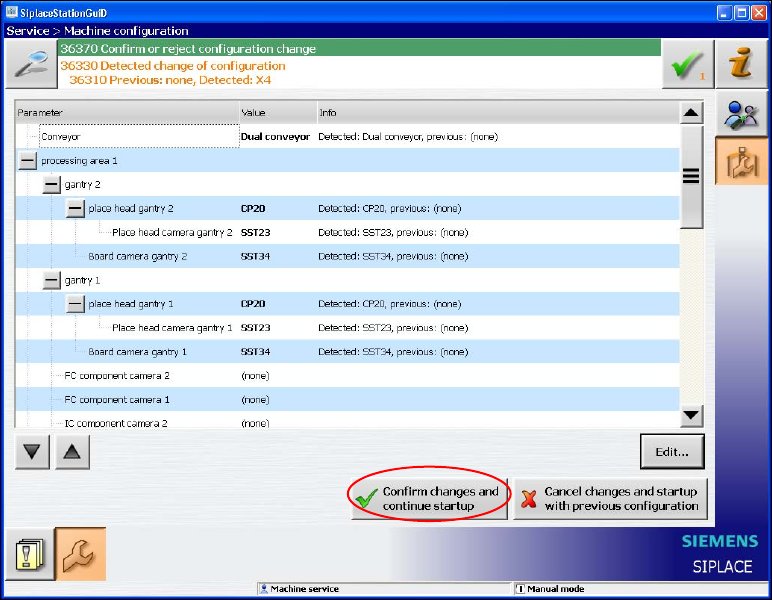
→ Click the Machine service button and enter the password to change into this activity level.
The following window is displayed for the X-series machines. Here you can edit, confirm or reject the Auto-
configuration.
Fig. 7-4: Confirming Auto-configuration for X-series
→ Click the Confirm changes and continue startup button to confirm the Auto-configuration.
46 of 58
Installation Manual, Station Software Version 703.02 SP1 07/2010 Edition
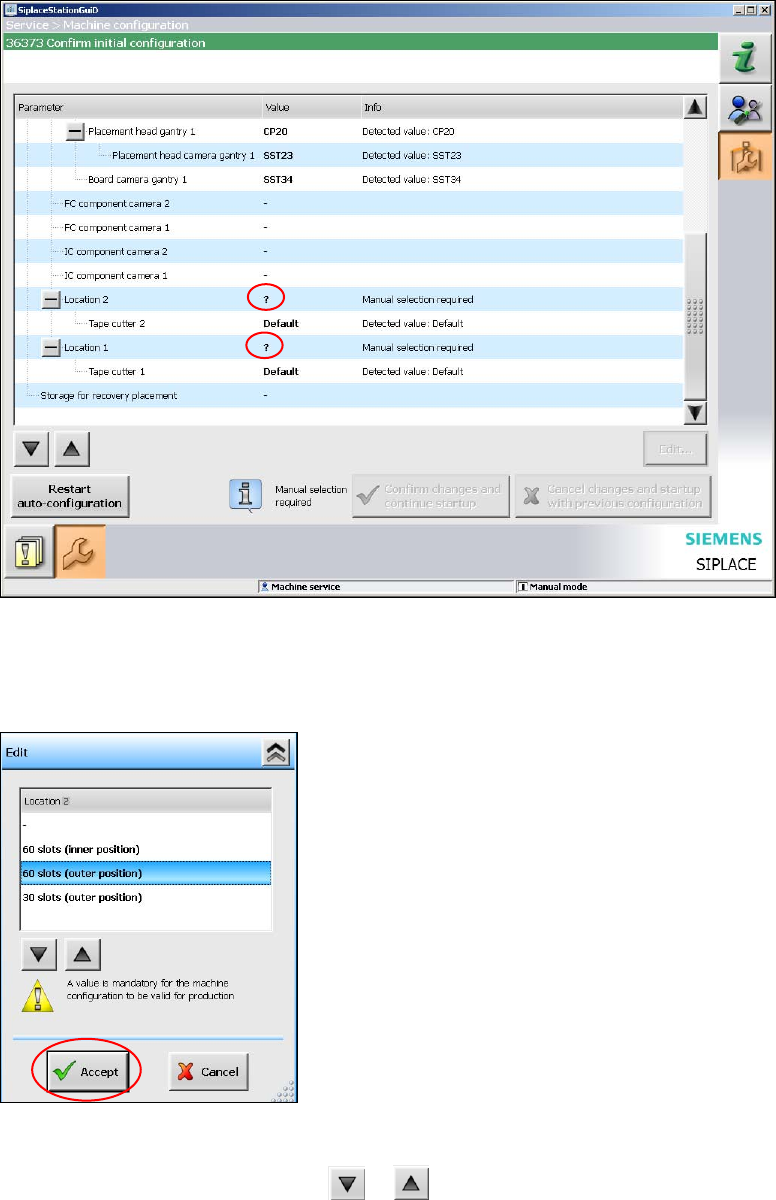
For the placement machine SX1/SX2 the following window is displayed, in which the Manual selection
required note informs, that the table configuration has to be selected manually, as this is not detected
automatically.
Fig. 7-5: Selecting table configuration
→ Click the ? question mark next to Location 2.
The selectable table configurations are displayed.
Fig. 7-6: Possible table configurations
→ Select a table configuration with or .
→ Click the Accept button.
→ Repeat the steps for Location 1.
47 of 58