TR7100_Repair-Station_Manual(V8.5_Ch).pdf - 第160页
單元 三 、 S PC 使 用手冊 AO I R e p a i r S t a t i on 使 用 手冊 156 n S t y l e 2 的 E x cel 報表 : 此 類 的 報 表 僅 能使用 於 「 G r o up M o de 」 中的 「 M o d e 2 」 查詢 模 式下 1. 點 選 E x c el , 並選擇 S t y l e 2 2. 查 看 E x c el : 每 一個 G r o up 就會 …
單元三、SPC 使用手冊
AOI Repair Station 使用手冊
155
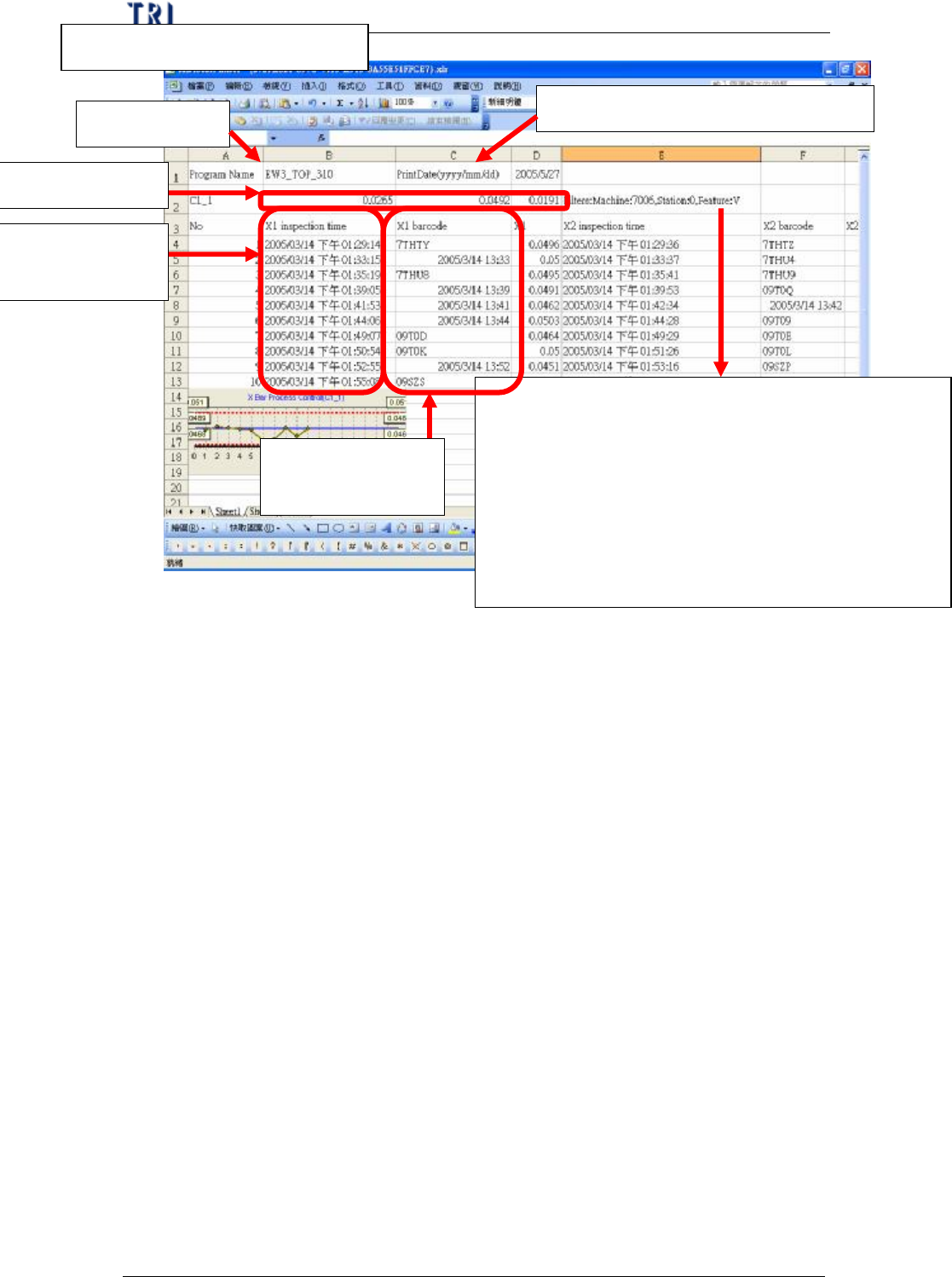
4.查看 Excel
顯示當時監控該元件所使用的條件,內容說明如下:
l Machine 代表是機台類型,有 7006/7100/ICT 三種
l Station 代表是機台 ID
l Feature 代表所選擇的 Feature 名稱,若是 7006,則有 V
(體積)、A(面積)、H(高度)、PX(X 偏移)、PY(Y
偏移);若是 7100,則有 X(X 偏移)、Y(Y 偏移)、
Theta(角度);若是 ICT,則有 Measure(測量值)
程式名稱
列印日期,格式為西元年/月/日
C1_1 規格資料
樣本所對應板子
的檢測時間資料
樣本所對應板子
的 Barcode 資料
單元三、SPC 使用手冊
AOI Repair Station 使用手冊
156
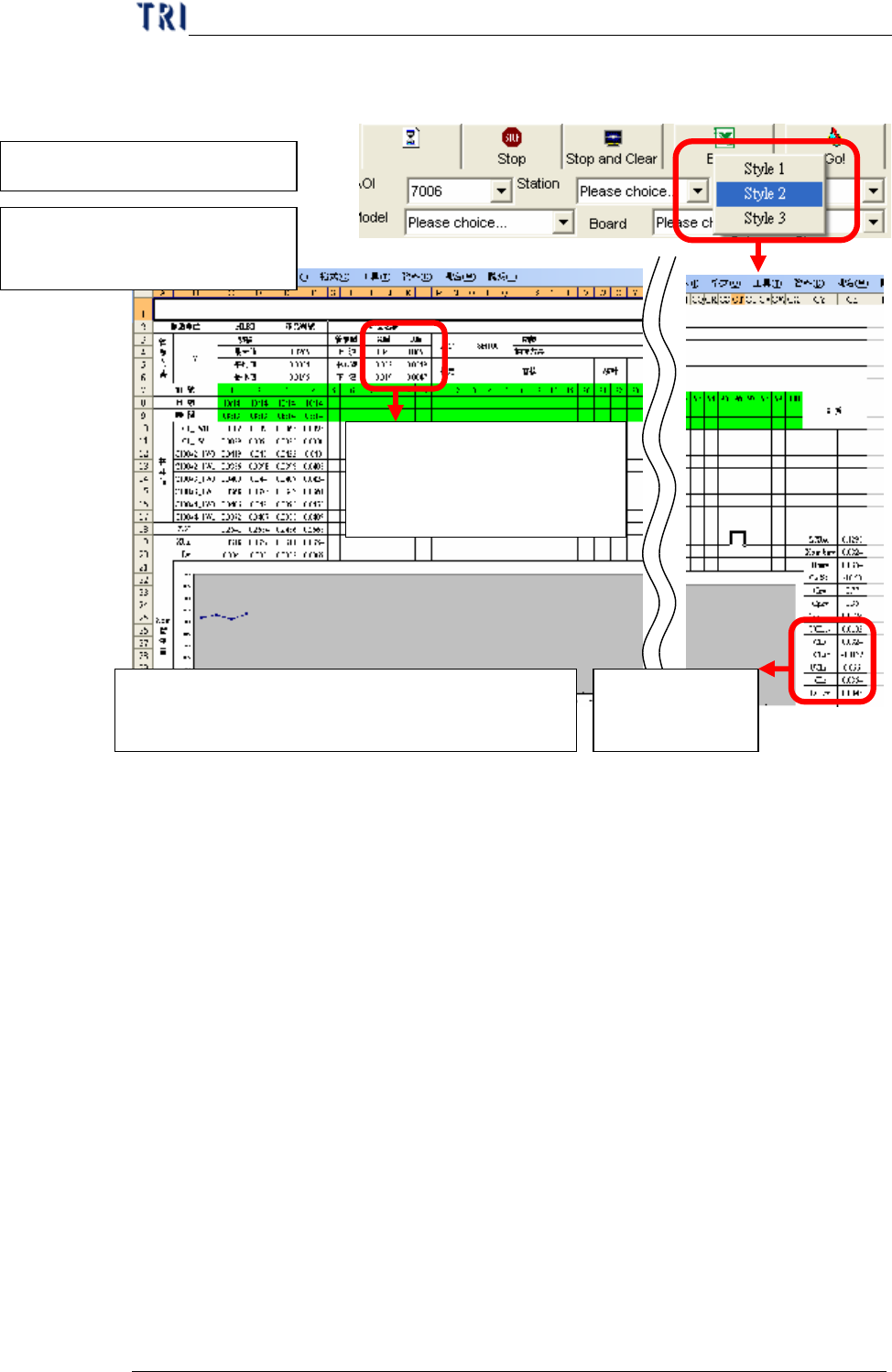
n Style 2 的 Excel 報表:此類的報表僅能使用於「Group Mode」
中的「Mode 2」查詢模式下
1.點選 Excel,並選擇 Style 2
2.查看 Excel:每一個 Group
就會使用一個 Sheet
上一週的管制界限值,若為第一
週,則 X 管制界限值使用規格
值;而 R 管制界限值設定為 0
本週到目前為止
的管制界限值
P. S :若您更改了報表中的任一個樣本值時,則所有相
關統計值與管制圖皆會跟著調整
單元三、SPC 使用手冊
AOI Repair Station 使用手冊
157
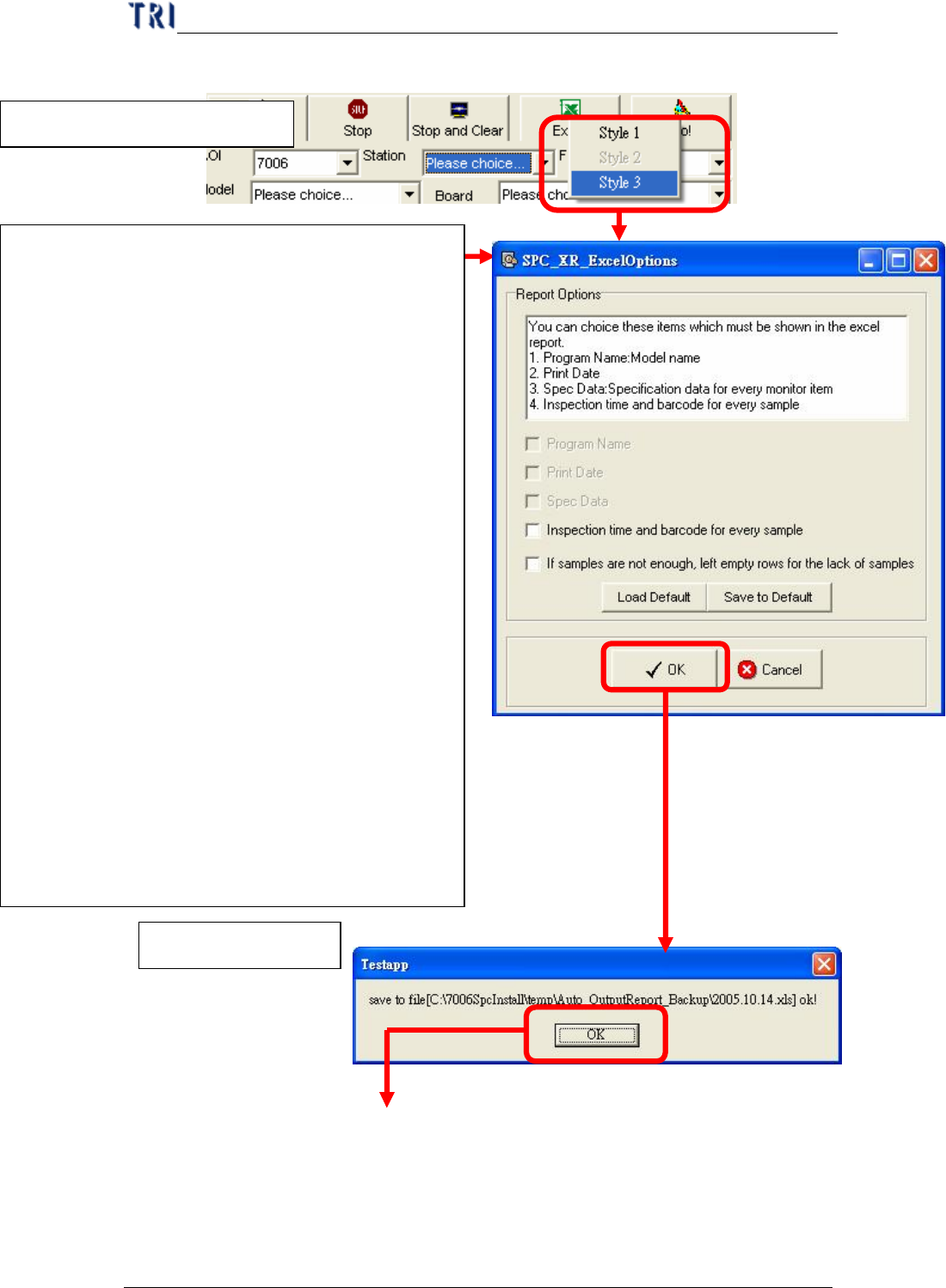
n Style 3 的 Excel 報表
3.儲存成功訊息!
1.點選 Excel,並選擇 Style 3
2.報表選項設定
可以提供你設定在 Excel 報表中,除了輸出在監
控畫面中的統計資料與管制圖外,還要顯示在此
選項清單中的資料時,您可以將其項目勾選起來
即可,各項目說明如下:
l Program Name:程式名稱(必要輸出,不用
勾選)
l Print Date:列印日期(必要輸出,不用勾選)
l Spec Data:規格資料(必要輸出,不用勾選)
l
Inspection time and barcode for every
sample : 樣 本 所 對 應 板 子的 檢測時間與
Barcode 資料
l
If samples are not enough, left empty rows for
the lack of samples:當使用者所想要的取樣組
數不足時,在報表上自動補上空白列,讓使
用者自行輸入。其中的「使用者所想要的取
樣組數」計算方式就是將報表資料時間區間
除以抽樣間隔取得,如:若報表資料時間區
間 為
2005/10/14 08:00:00~2005/10/14
20:00:00 共 12 小時,抽樣間隔為 1 小時,則
取樣組數=12/1=12 組