00194585-05_Installation_Manual_EDM_EN.pdf - 第52页
Installation Manual, SIPLACE EDM Version 1.1 SP2 Issue 12/2006 5.4 EDM configuration 5.4.1 Application templates As already mentioned, the application templates depict the static part of the cu stomer process that is rel…
Installation Manual SIPLACE EDM Version 1.1 SP2 Issue 12/2006
5.3.3 VDM Blob extension
The VDM Blob extension is started in another branch of the client workflow configuration. No
changes should be made in this section. To obtain detailed information, refer to the comments at
this location in the configuration file itself.
5.3.4 Default configuration
See 7.2. ClientWorkflow.xml
51 of 65
Installation Manual, SIPLACE EDM Version 1.1 SP2 Issue 12/2006
5.4 EDM configuration
5.4.1 Application templates
As already mentioned, the application templates depict the static part of the customer process that is
related to the data. They primarily define the object types to be transferred and whether or not they
will be overwritten.
5.4.1.1 General settings
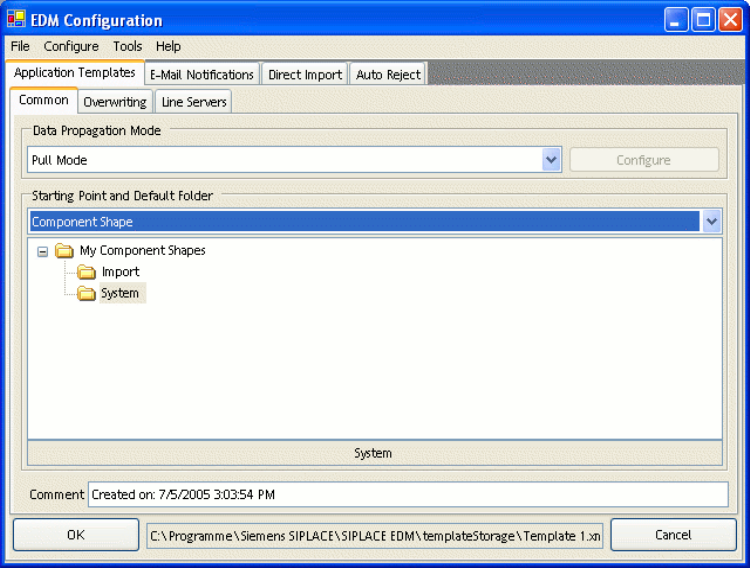
Figure 16 General settings for application templates
The general settings include:
• Type of data transfer. Currently, you can only select “Pull Mode” or “Forced Pull Mode”.
• Starting Point specifies the object type for which this template is valid. A template can only be
valid for one object type at a time, though. It is possible, of course, to define more than one
template for an object type.
• Objects found in the default folder and all its subdirectories for the data transfer from the master
can be specified later on by the line engineer.
52 of 65
Installation Manual SIPLACE EDM Version 1.1 SP2 Issue 12/2006
• An optional comment.
5.4.1.1.1 Pull mode
No additional settings can be specified for this type of data transfer between the master server and
line servers.
5.4.1.1.2 Forced pull mode
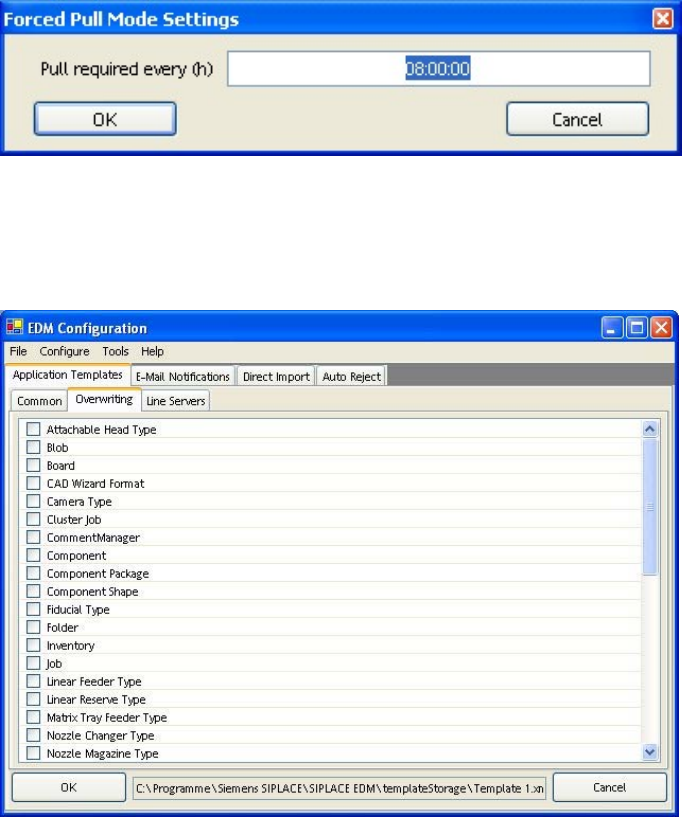
For this type of data transfer, the time after which the data preparation engineer will be notified that
no new data has been pulled for the line must be specified via “Configure”. The time is specified in
hours.
Figure 17 Forced Pull Mode configuration
5.4.1.2 Overwriting
Figure 18 Settings for overwriting object types
This is where you can select the object types to be overwritten when the data is imported to the line.
53 of 65