TP2492.Parts Set Pos Quantity Arrangement.pdf - 第13页
SMT Software Engineering Group IM Operati ons YAMAHA MOTOR CO., LTD. MDO C-SOFT502 34 13 /18 4. Click [ad d] button in the “Add setting”. Then the setting records will be added temporarily to “Setting of…
SMT Software Engineering Group
IM Operations YAMAHA MOTOR CO., LTD.
MDOC-SOFT50234 12/18
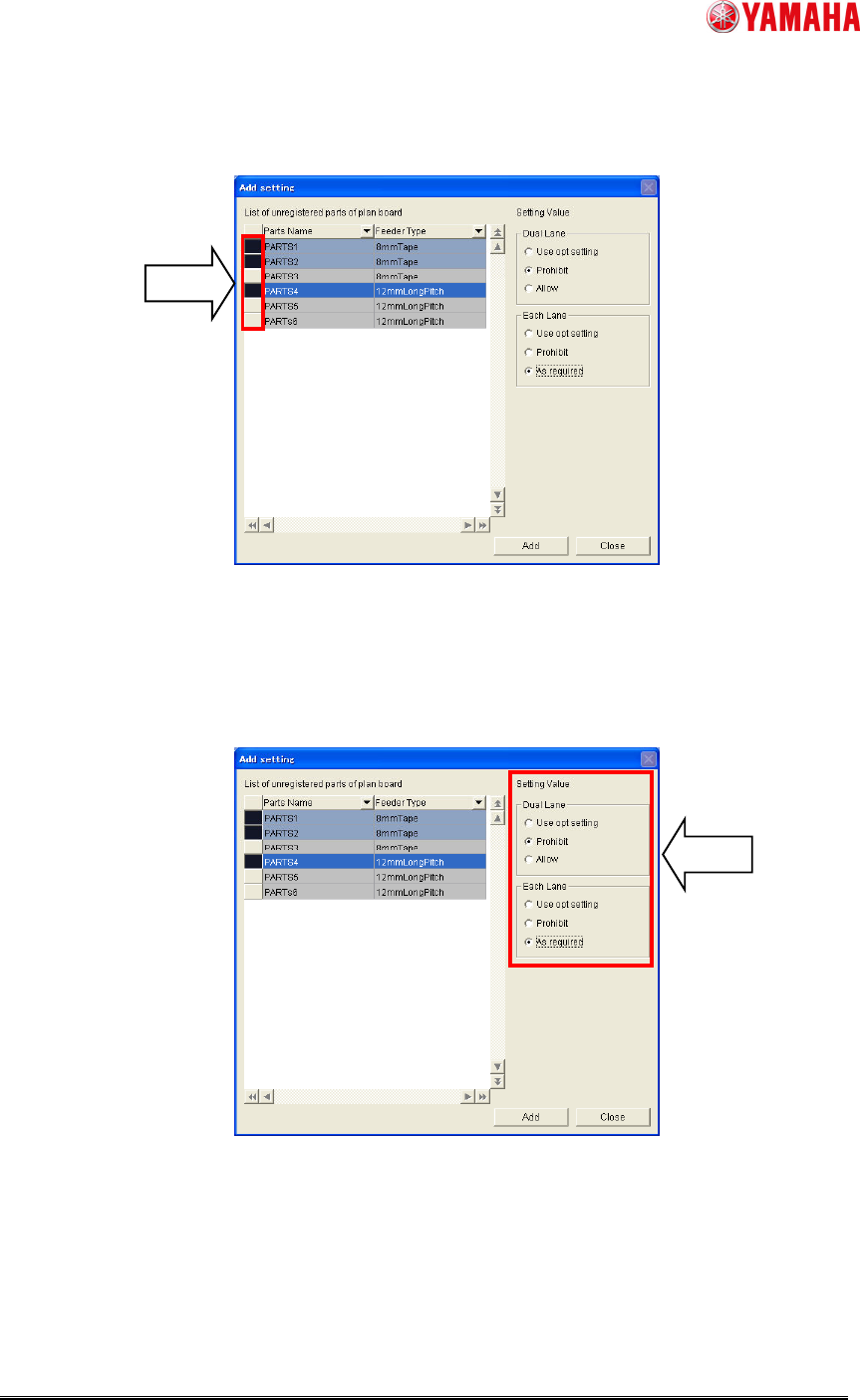
2. Click the cell in the left side of parts list. (To select plural parts, drug them.)
Fig. 10. Select parts
3. Select the parameters in [Dual Lane] and [Each Lane] in the right area of the “Add
setting”.
Fig. 11. Select parameter
SMT Software Engineering Group
IM Operations YAMAHA MOTOR CO., LTD.
MDOC-SOFT50234 13/18
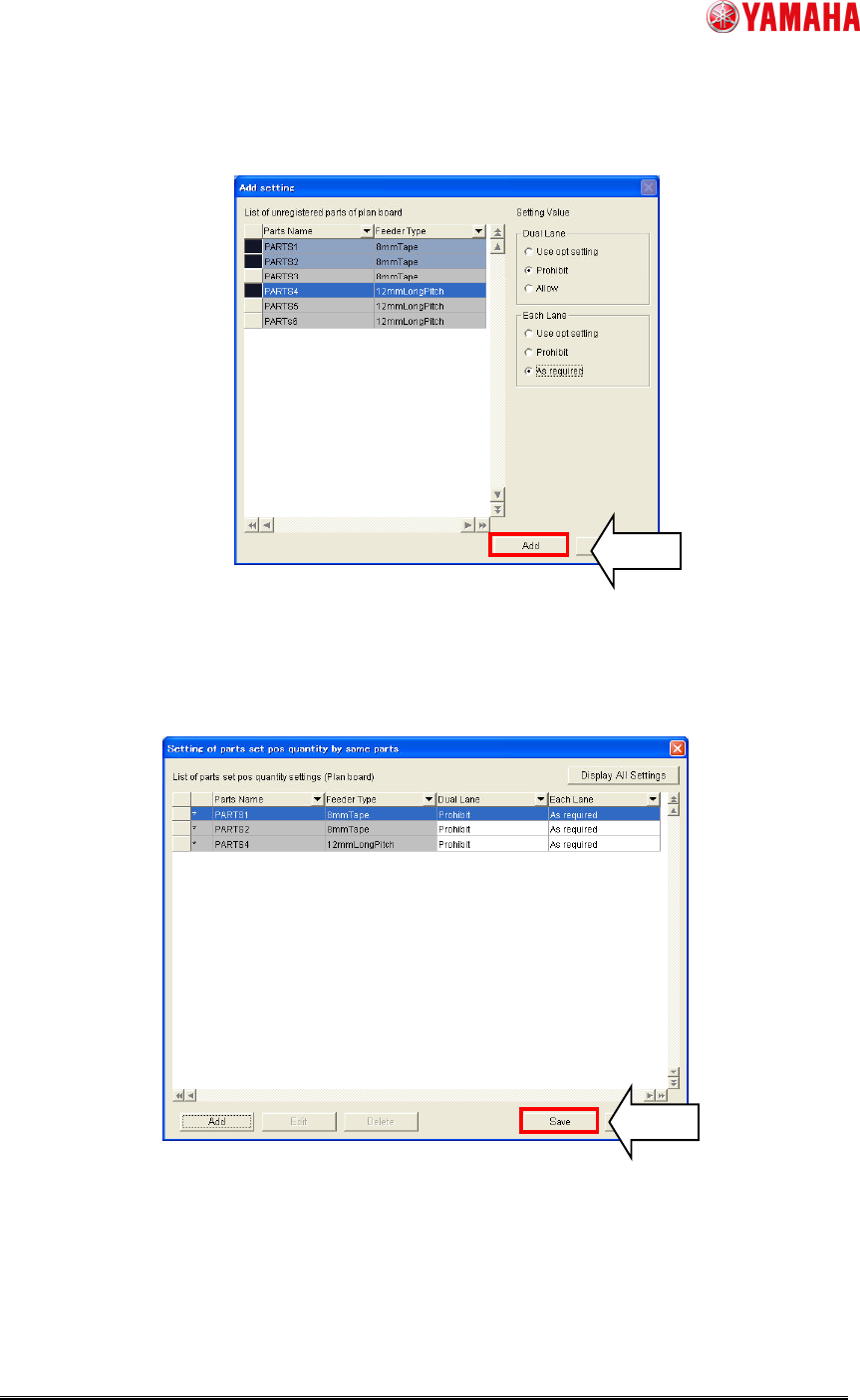
4. Click [add] button in the “Add setting”. Then the setting records will be added
temporarily to “Setting of parts set pos quantity by same parts”.
Fig. 12. [Add] button
5. Click [Save] button. Without this, the setting records won’t be saved.
Fig. 13. Save added setting records
SMT Software Engineering Group
IM Operations YAMAHA MOTOR CO., LTD.
MDOC-SOFT50234 14/18
4.2.2.3 The way to change the setting
Way 1 : Change setting each
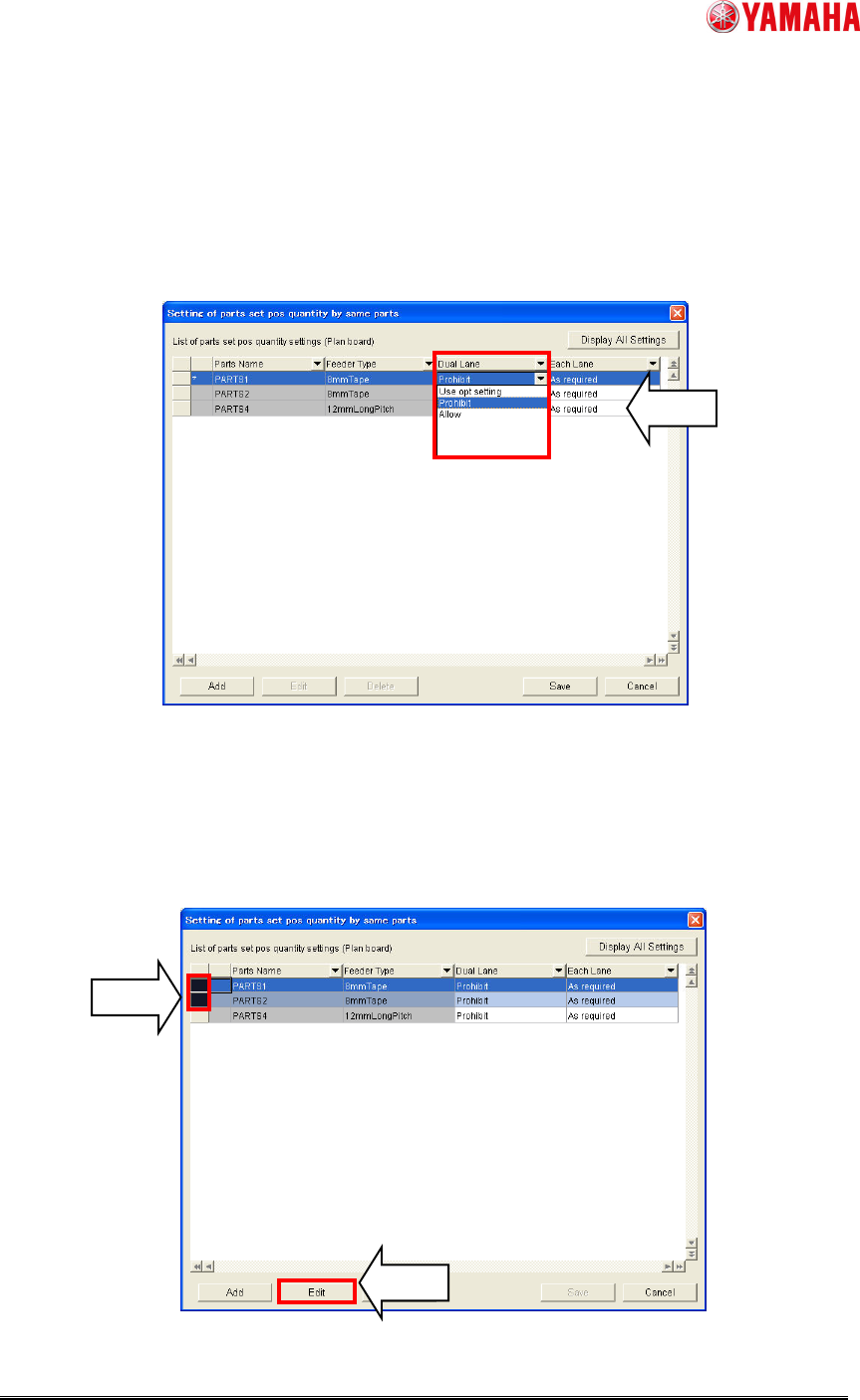
1. Select click [Dual Lane] or [Each Lane] column. Then select the parameter.
2. Click [Save] button. Without this, the setting records won’t be saved.
Fig. 14. Change parameter each
Way 2 : Change plural settings at the same time
1. Drug the left side column of the setting records. Then click [Edit] button. (*9)
(*9) Without selecting parts, the button is gray out. Select parts as above mentioned.
Fig. 15. [Edit] button