TP2492.Parts Set Pos Quantity Arrangement.pdf - 第3页
SMT Software Engineering Group IM Operati ons YAMAHA MOTOR CO., LTD. MDO C-SOFT502 34 3/18 1 A pp lic able mo dels and sof tw are versi ons Applicable items an d software v ersi on are shown as below . …
SMT Software Engineering Group
IM Operations YAMAHA MOTOR CO., LTD.
MDOC-SOFT50234 2/18
Rev
Version Chapter
Revised Contents
00 V3.32 STD R1.000 or later /
P-Tool V1.32 STD R1.000
or later
All Created
SMT Software Engineering Group
IM Operations YAMAHA MOTOR CO., LTD.
MDOC-SOFT50234 3/18
1 Applicable models and software versions
Applicable items and software version are shown as below.
Sheet 1. Applicable models and software version
Item Name Software Version Remarks
All series mounter
YFacT P-Tool
V3.32 STD R1.000 or later /
P-Tool V1.32 STD R1.000 or later
2 Outline
In the machines whose each head has restriction area for the board, there is a possibility
that “Mount Position Coordinate Errors” will occur. This function prevents some of the errors
by distributing plural feeders of the part. And this function succeeds “Lane Divide Prohibited
Part Setting” and its function in the Feeder Viewer (*1).
(*1) Feeder Viewer is the application of P-Tool of Yamaha Factory Tools.
3 Restrictions
・ There are combinations of the Optimizer Settings which are not available. Please see
Capture 4.4 for more detail.
・ “Setting of parts set pos quantity by same parts” is used in ALL LINES in common.
This setting can be set by same part.
・ Not all errors of “Mount Position Coordinate Errors” can be avoided by this function.
When the error will appear again after using this function, please check the machine
specification, Mount Data’s coordinates, the condition of Parts distribution, and
Machine Setting.
SMT Software Engineering Group
IM Operations YAMAHA MOTOR CO., LTD.
MDOC-SOFT50234 4/18
4 Detail
4.1 Function in optimization
4.1.1 Set parts to plural set position in the lane
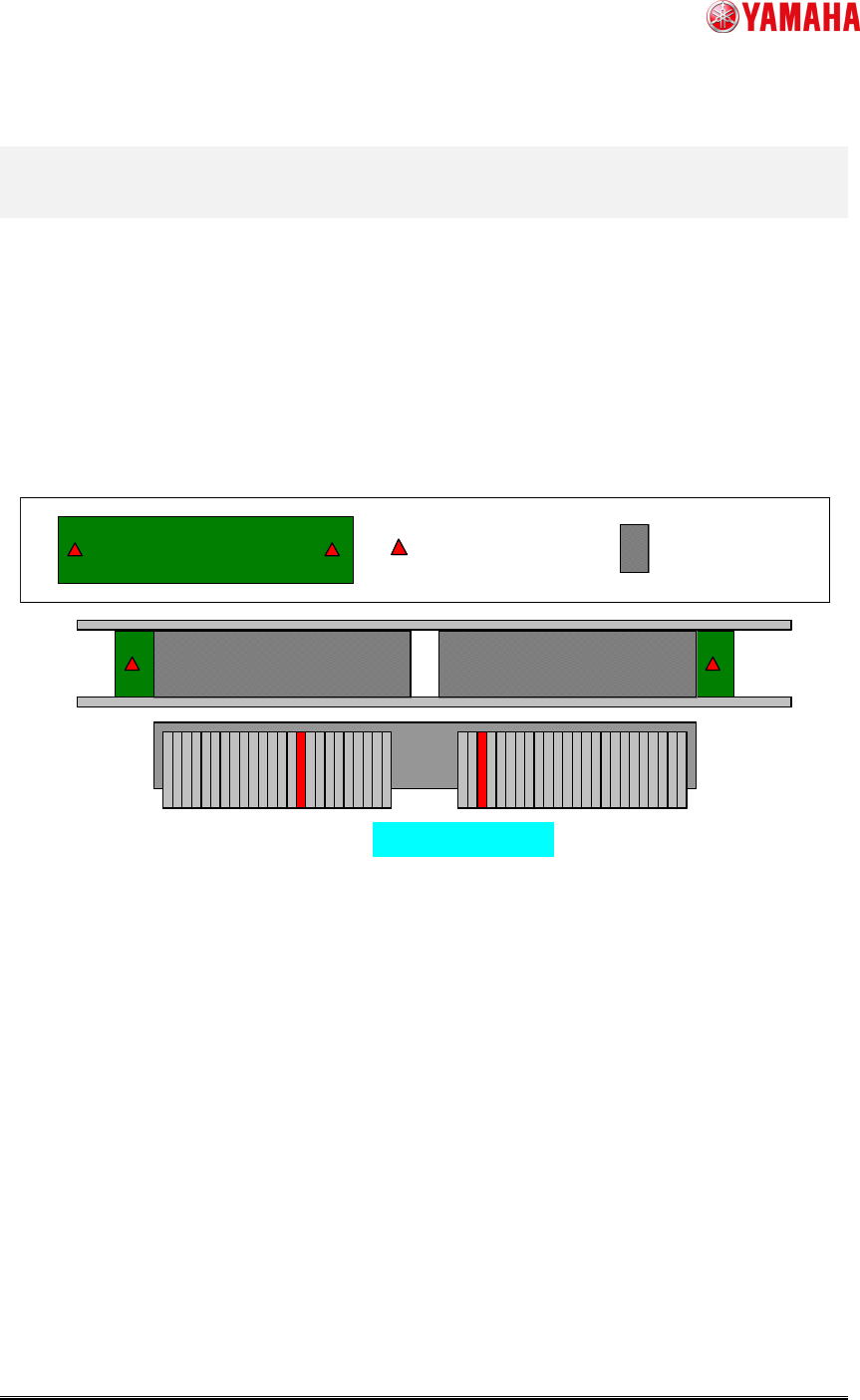
AsshownintheFig.1,whentheheadhasrestrictionareafortheboard,partshavetobeset
pluralsetpositionsmanually.Thisfunctiondoesthisautomaticallybythefollowingsettingsand
makesitpossibletomakeboarddatawhichisreadytostartproduction.
Fig. 1 Example : necessary case of plural set pos
4.1.2 Function of Lane Divide
This function succeeds the function of “Lane Divide Prohibited Parts Setting” (*2) in the
FeederViewer.Thesettingrecordsarealsosucceededautomaticallyinupgradingtheversion.
(*2)Thefunctionof“LaneDivide”istosetpartsfeedersetpositionsinbothlanesinorderto
make“ParallelMount”possible.
Set plural set pos
The area head can reachMount Position of “PART A”
Set plural set pos
The area head can reachMount Position of “PART A”