TP2492.Parts Set Pos Quantity Arrangement.pdf - 第17页
SMT Software Engineering Group IM Operati ons YAMAHA MOTOR CO., LTD. MDO C-SOFT502 34 17 /18 4.3 Change layout in “ Set optimization pa rameters” T o “Set optimization parameters”, tab layout is newly ad…
SMT Software Engineering Group
IM Operations YAMAHA MOTOR CO., LTD.
MDOC-SOFT50234 16/18
4.2.2.5 Other Operation
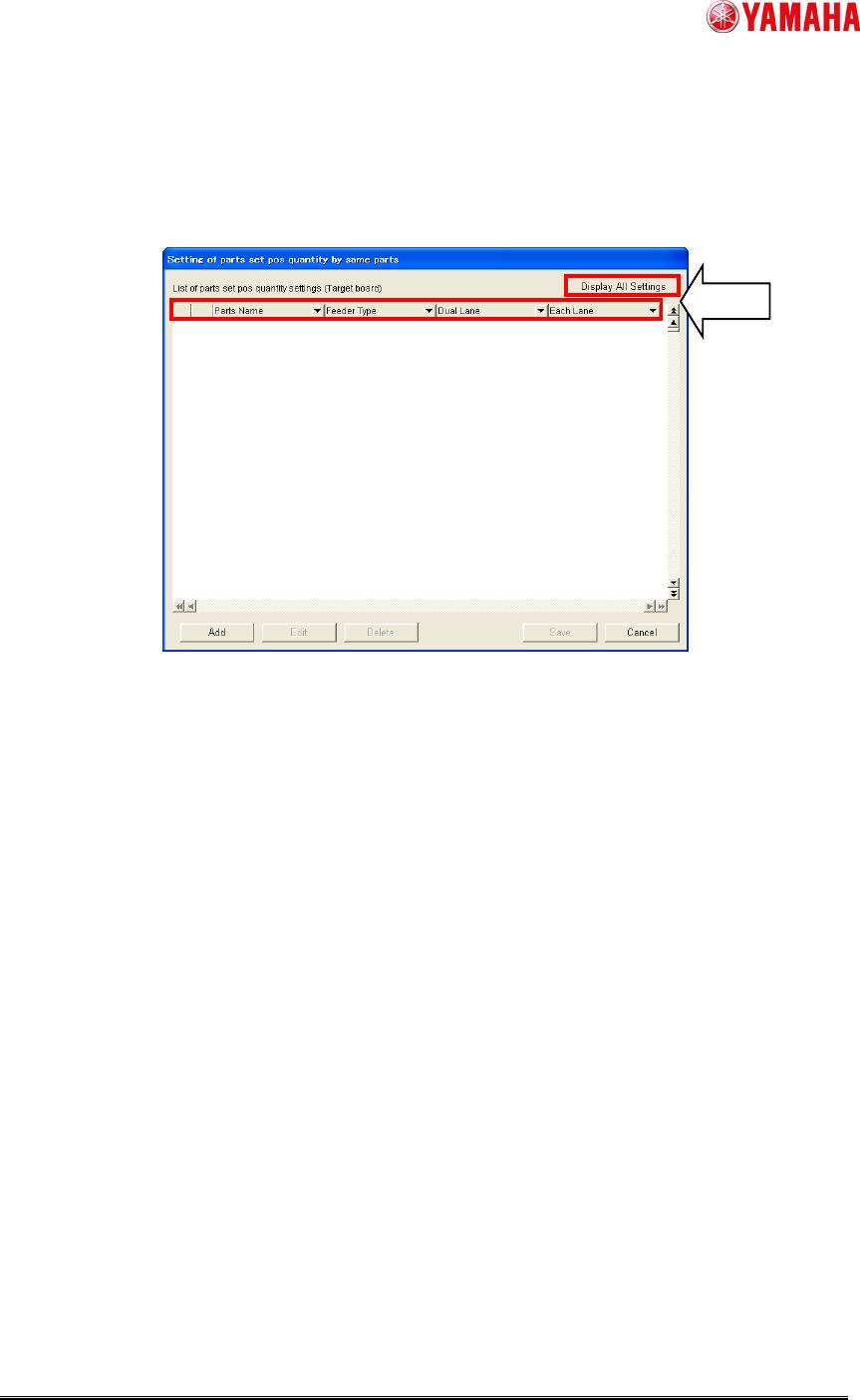
1. Sorting and filtering are available by parameter.
2. By clicking [Display All Settings], all setting records are shown.
3. By clicking left side top cell of setting records, all records will be selected.
Fig. 18. Setting of parts set pos quantity by same parts
1,3
2
SMT Software Engineering Group
IM Operations YAMAHA MOTOR CO., LTD.
MDOC-SOFT50234 17/18
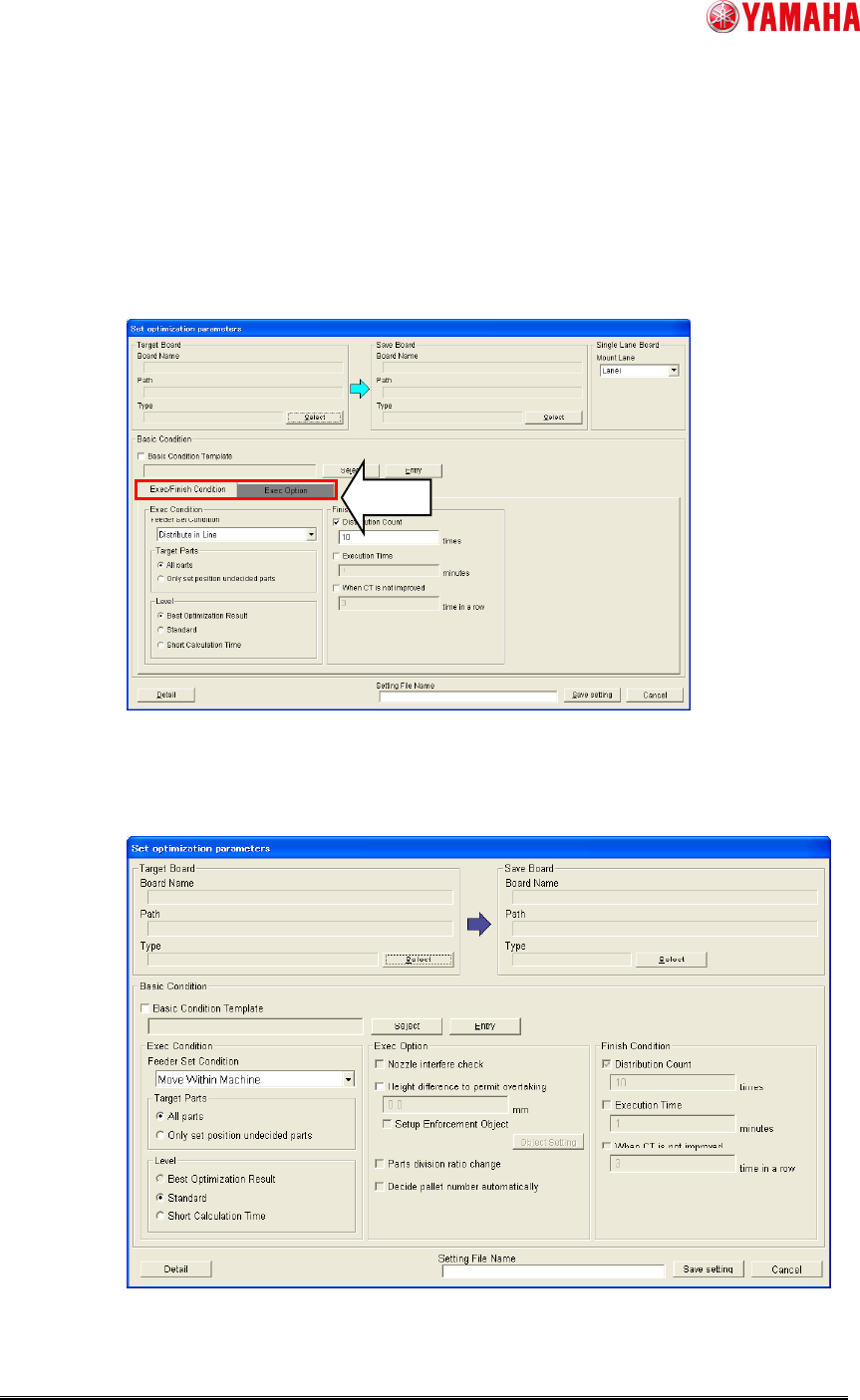
4.3 Change layout in “Set optimization parameters”
To “Set optimization parameters”, tab layout is newly added. [Exec Condition] and [Finish
Condition] in the old layout moves to [Exec/Finish Condition] tab. [Exec Option] is moved to
[Exec Option] tab. To display “Parts set pos quantity arrangement”, click [Exec Option] tab.
Fig. 19. Optimizer Setting
~ Old layout of “Set optimization parameters” ~
Fig. 20. Old “Set optimization parameters

SMT Software Engineering Group
IM Operations YAMAHA MOTOR CO., LTD.
MDOC-SOFT50234 18/18
4.4 Restrictions
Depending on the optimizer settings and board data, there are some combinations which
are not available.
・ When “Parallel Lanes” and “Asynchronous Transfer” are intended in the optimizer
setting and “Prohibit” is set to [Dual Lane] in the setting of part set pos quantity, it isn’t
possible to start the optimization. Change the [Dual Lane] in the setting of part set pos
quantity from “Prohibit” to other parameters, or change “Mount/Transfer Mode”
setting.
・ When “alternate parts” exit in the board data, it isn’t possible to execute “set parts to
plural set positions”. Once make the setting of “alternate parts” clear, then execute the
optimization again.