TP2492.Parts Set Pos Quantity Arrangement.pdf - 第8页
SMT Software Engineering Group IM Operati ons YAMAHA MOTOR CO., LTD. MDO C-SOFT502 34 8/18 [Each Lane] “Use opt setting” : Use the same p arameter which is set to “Each Lane ” in [Set optimization param…
SMT Software Engineering Group
IM Operations YAMAHA MOTOR CO., LTD.
MDOC-SOFT50234 7/18
4.2.2 Setting of “parts set pos quantity by same parts”(*5,*6)
In order to create the setting of “parts set pos quantity”, make the following two settings.
This setting is prior to the Optimizer Setting.
(*5) This is valid in the Optimizer of P-Tool.
(*6) It is possible to make this setting by same part. (The parts whose “Part Name” and
“Feeder Type” are same.)
In [Set optimization parameters] – [Basic Condition] – [Exec Option] – [Parts set pos
quantity arrangement],
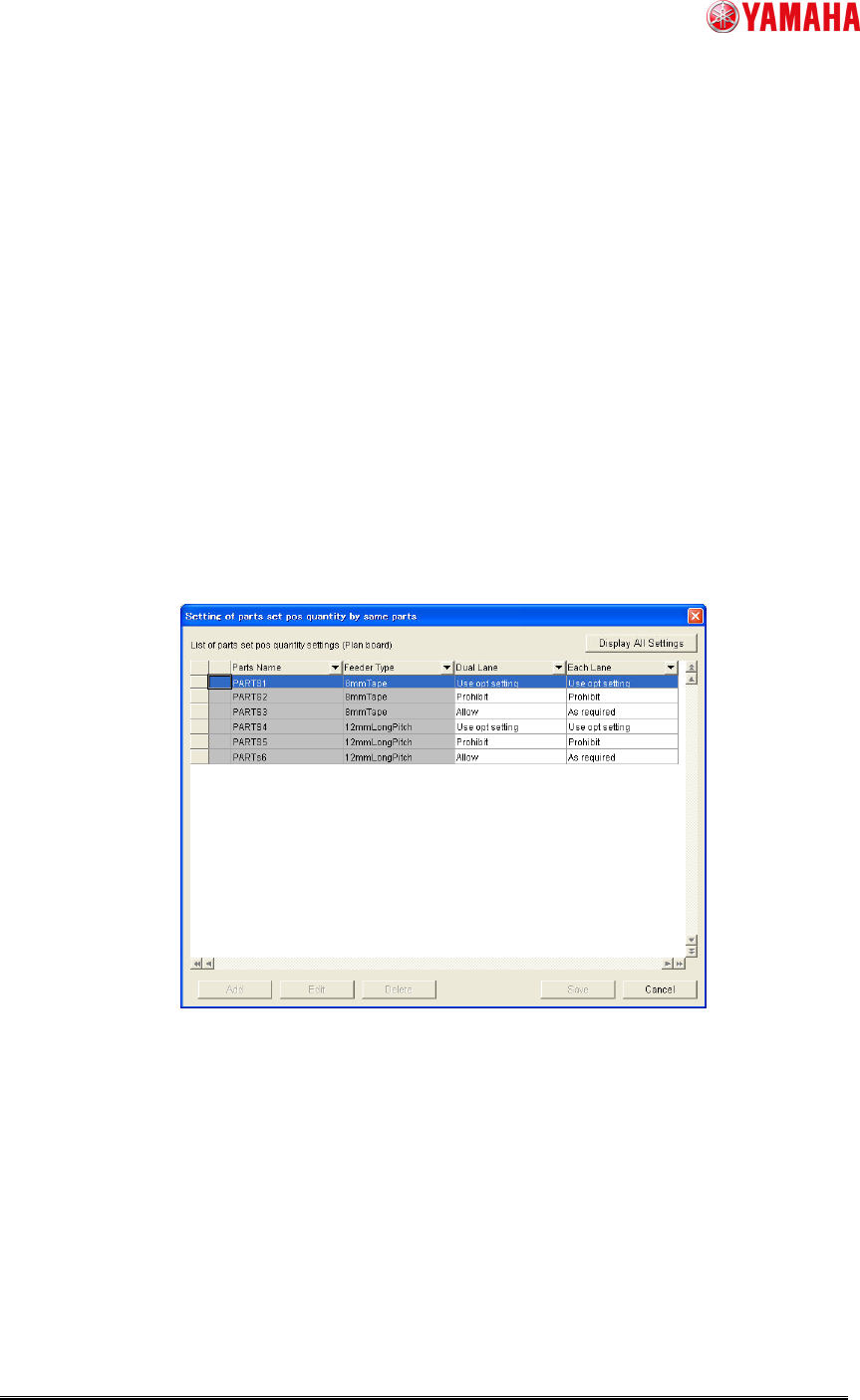
1. Check the check box of “ Enable Each Parts Setting”. (See Fig. 2.)
2. Click [Each Parts Setting] button. (See Fig. 2.) Then add the target parts to “Setting
of parts set pos quantity by same parts” and enter the parameter by same part. (See
Fig.4.)
Fig. 4. Setting of parts set pos quantity by same parts
[Dual Lane](*3)
“Use opt setting” : Use the same parameter which is set to “Dual Lane” in
[Set optimization parameters] – [Basic Condition]
– [Exec Option] – [Parts set pos quantity arrangement]
“Prohibit” : “Lane Divide” is NOT executed
“Allow” : Allow “Lane Divide” executed
SMT Software Engineering Group
IM Operations YAMAHA MOTOR CO., LTD.
MDOC-SOFT50234 8/18
[Each Lane]
“Use opt setting” : Use the same parameter which is set to “Each Lane” in
[Set optimization parameters] – [Basic Condition]
– [Exec Option] – [Parts set pos quantity arrangement]
“Prohibit” : prohibit to set parts to plural set positions
“As required” : Allow to set parts to plural set positions
4.2.2.1 The way to display the setting
There are 3 ways to display “Setting of parts set pos quantity by same parts.
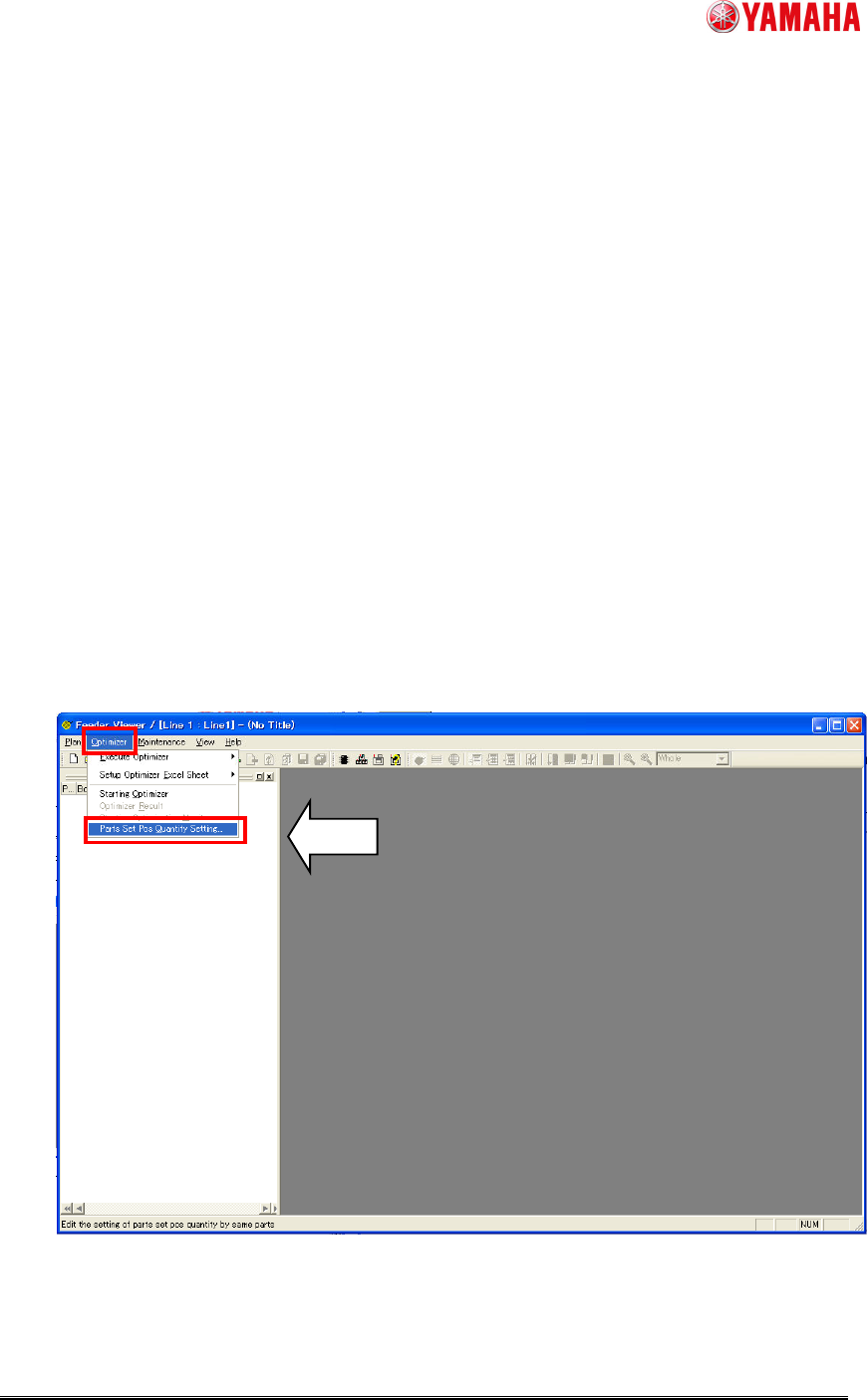
1. From the Feeder Viewer (*7)
Click [Optimizer] - [Parts Set Pos Quantity Setting] in the menu bar.
In “Setting of parts set pos quantity by same parts”, the parts which are exist in the
board data are shown by default. Before this, the board data has to be added to the
plan.
(*7) This is in P-Tool only.
Fig. 5. Display the setting from Feeder Viewer
SMT Software Engineering Group
IM Operations YAMAHA MOTOR CO., LTD.
MDOC-SOFT50234 9/18
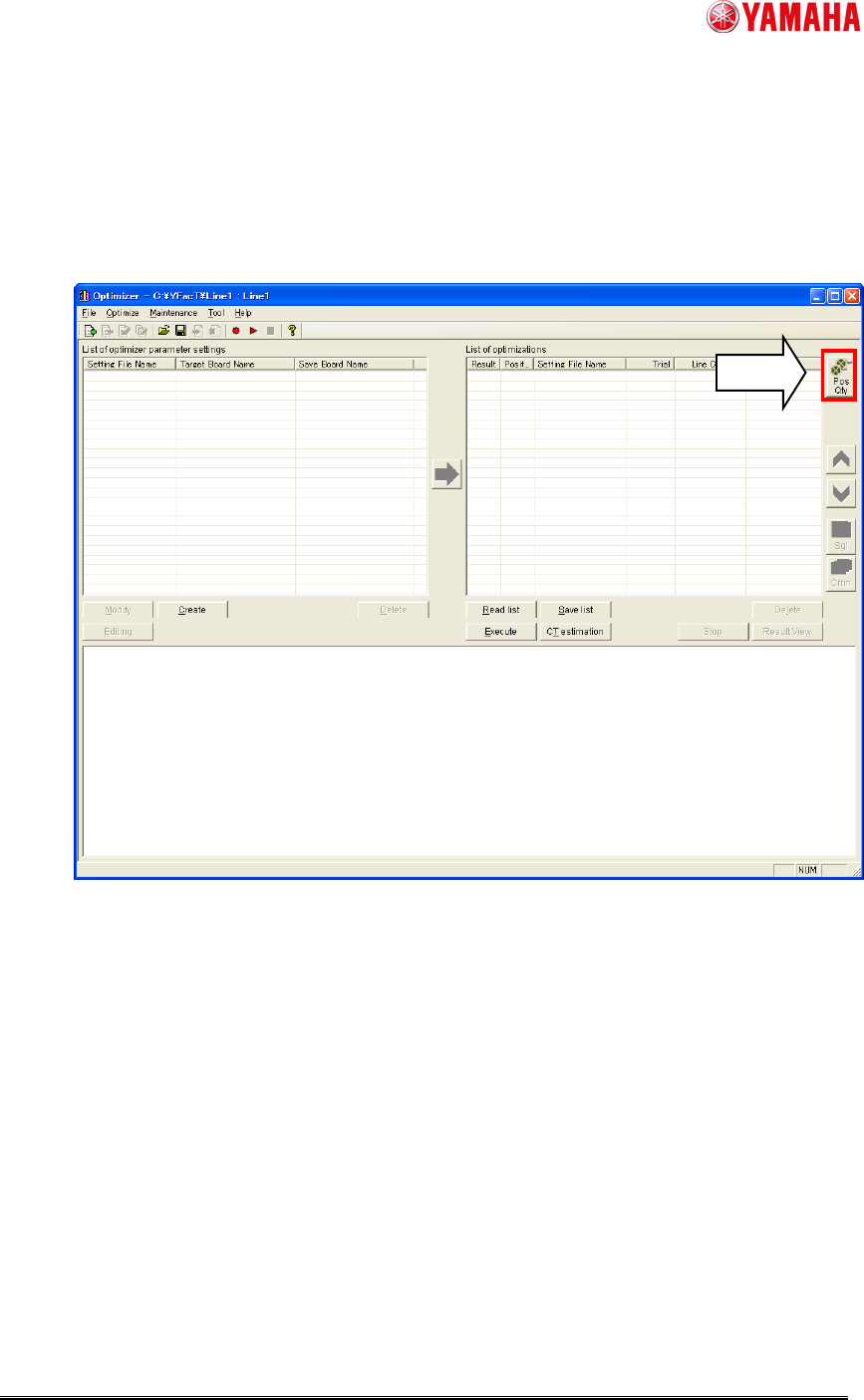
2. From the Optimizer
Click [Pos Qty] button in the right area in the Optimizer.
In “Setting of parts set pos quantity by same parts”, the parts which are exist in the
board data which are added to “List of optimizations” are shown by default.
Fig. 6. Display the setting from Optimizer
3. From the “Set optimization parameters”
Click [Each Parts Setting] button in [Set optimization parameters] – [Basic Condition] –
[Exec Option] – [Parts set pos quantity arrangement].
In “Setting of parts set pos quantity by same parts”, the parts which are exist in the
board data which are added to “List of Optimizations” are shown by default.