00196799-02_InstallGuide_DE.pdf - 第42页
3 In st al lati o n de s SIP LACE E xplor e r Inst al l atio ns - und Ko nfi gu ra tio ns an le itun g S IPL AC E Exp lo rer 3.5 Anpassu ng de r Re gi onal Se tti ng s für asi ati sc he Spra chen Ausg ab e 0 6/20 11 DE 4…
Installations- und Konfigurationsanleitung SIPLACE Explorer 3 Installation des SIPLACE Explorer
Ausgabe 06/2011 DE 3.4 SIPLACE Explorer starten
41
Über dieses Menü können Sie die Websites oder auch die Werks-Website öffnen
– Language
–Exit
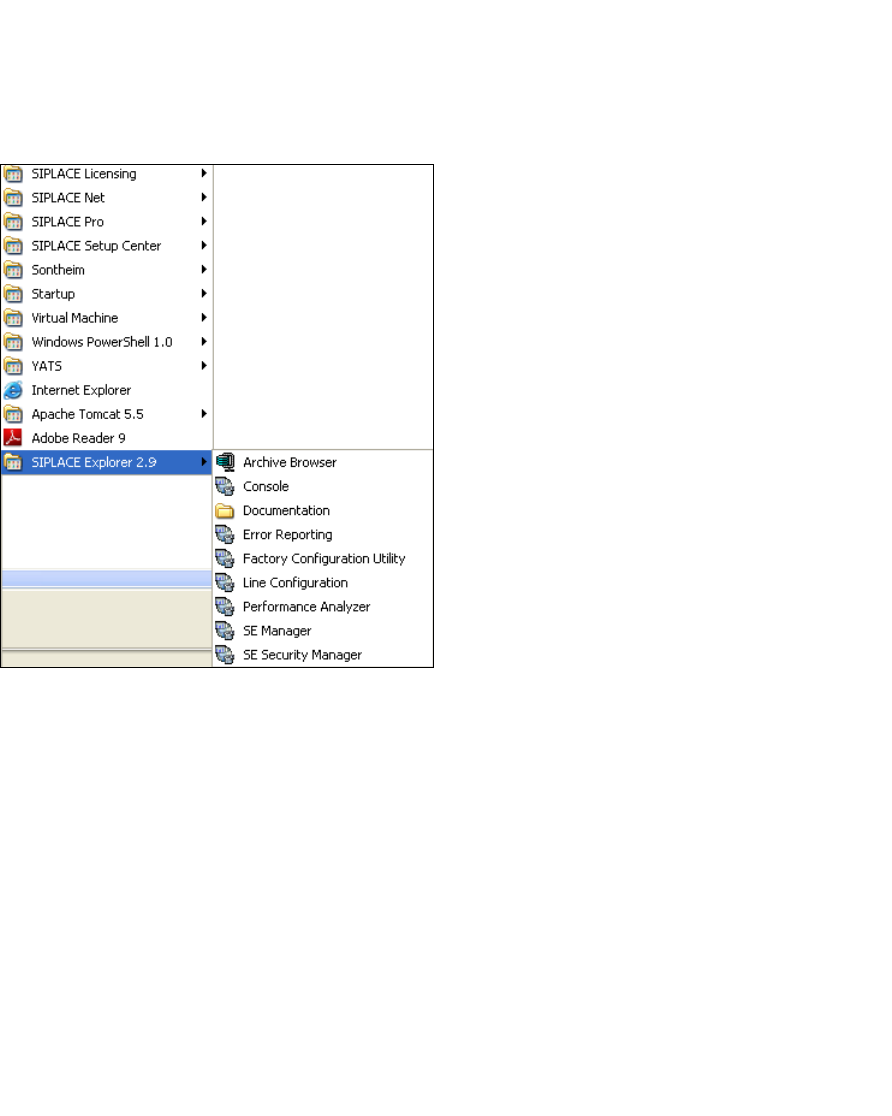
Sie können die weiteren Applikationen und Tools auch über das Windows-Menü
Programme SIPLACE Explorer 2.9 starten. 3
3
Abb. 3 - 15 RTE Windows Start Menü
Sie haben folgende Auswahlmöglichkeiten: 3
–Archive Browser
–Console
– Documentation
– Error Reporting
– Factory Configuration Utility
– Line Configuration
– Performance Analyser
– SE Manager
– SE Security Manager
3 Installation des SIPLACE Explorer Installations- und Konfigurationsanleitung SIPLACE Explorer
3.5 Anpassung der Regional Settings für asiatische Sprachen Ausgabe 06/2011 DE
42
SIPLACE Explorer V.2.9 Factory Configuration Utility
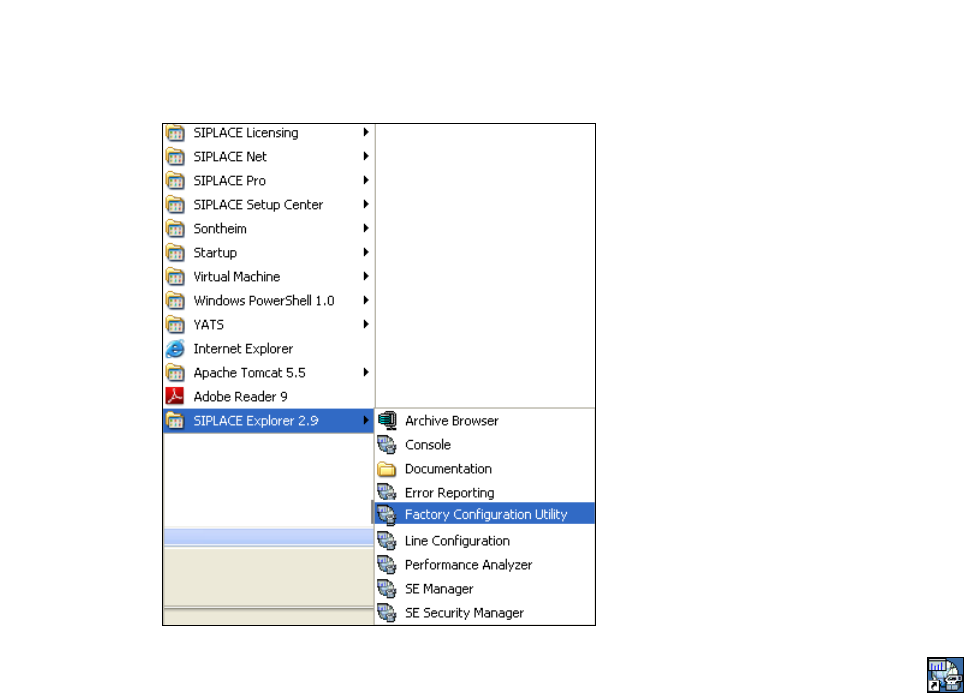
Starten Sie Factory Configuration Utility über das Windows-Menü Programme SIPLACE
Explorer 2.9 Factory Configuration Utility. 3
3
Abb. 3 - 16 Factory Configuration Utility Windows Start Menü
Oder klicken Sie auf Ihrem Desktop auf das Symbol Factory Configuration Utility .
3.5 Anpassung der Regional Settings für asiatische Sprachen
Bei einem englischen Betriebssystem muss die asiatische Sprache installiert sein. Ansonsten
werden in SIPLACE Explorer nach Einstellung der asiatischen Bedienoberfläche, die
Auswahlmenüs nicht korrekt angezeigt. Es erscheint ???. 3
Installations- und Konfigurationsanleitung SIPLACE Explorer 3 Installation des SIPLACE Explorer
Ausgabe 06/2011 DE 3.5 Anpassung der Regional Settings für asiatische Sprachen
43
3.5.1 Windows XP
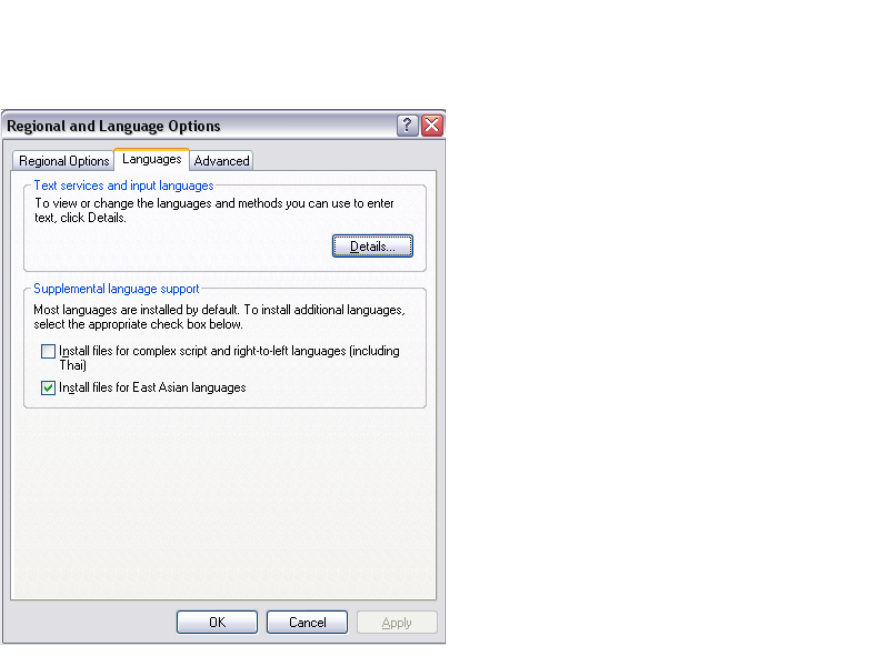
Öffnen Sie die Regional Settings über das Windows-Menu Start Control Panel
Regional and language Option.
Wählen Sie den Languages Tab.
3
Abb. 3 - 17 Regional Settings in Windows XP
Aktivieren Sie die Install files for East Asian languages Checkbox.
Bestätigen Sie mit OK.