00194547-09_InstallationManual_60103SP4_EN_DE.pdf - 第20页
Installation Manual, Station Software Version 601.03 SP4 Edition 05/2007 Fig. 4-3: TouchWare Properties – Multiple Monitors tab → Click the Map Touch Screens button. The "Multiple Monitor Layout" dialog box app…
Installation Manual, Station Software Version 601.03 SP4 Edition 05/2007
4.2.1.2 Calibrating the touchscreen
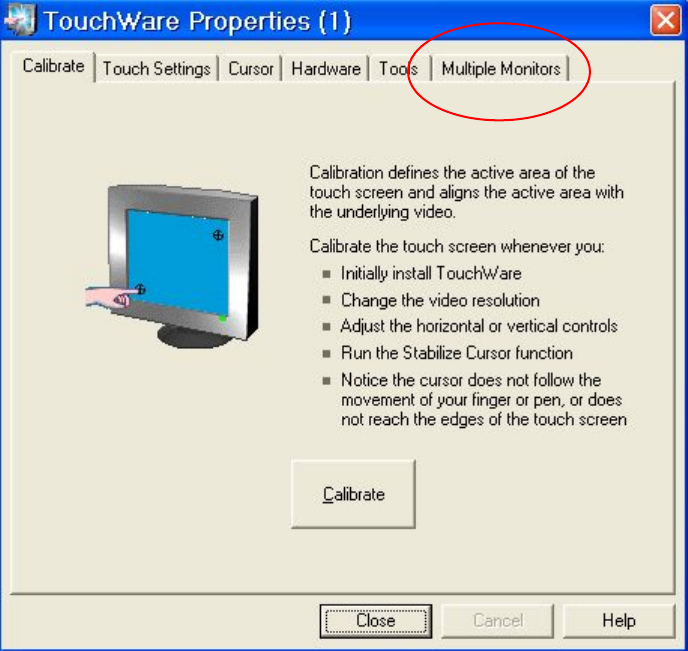
Select Start Æ Settings Æ TouchWare, to start the TouchWare Properties applet.
Fig. 4-2: TouchWare Properties
→ Open the Multiple Monitors tab.
19 of 89
Installation Manual, Station Software Version 601.03 SP4 Edition 05/2007
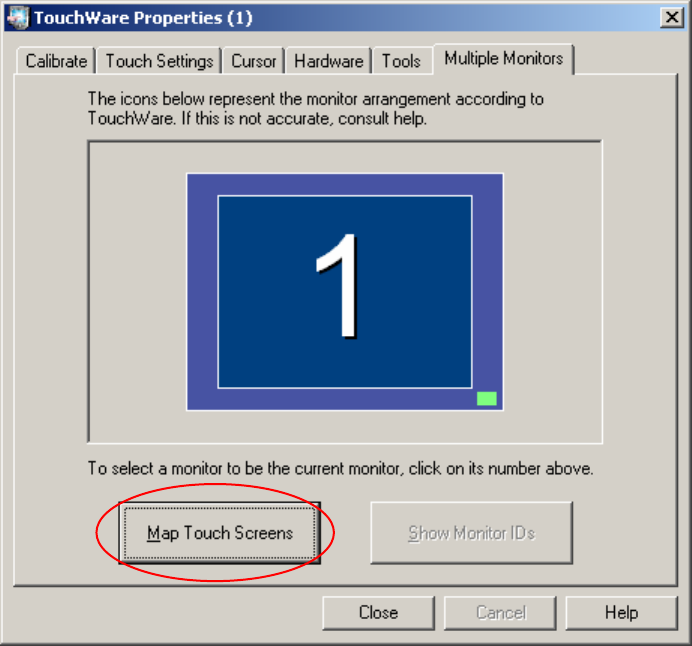
Fig. 4-3: TouchWare Properties – Multiple Monitors tab
→ Click the Map Touch Screens button.
The "Multiple Monitor Layout" dialog box appears.
20 of 89
Installation Manual, Station Software Version 601.03 SP4 Edition 05/2007
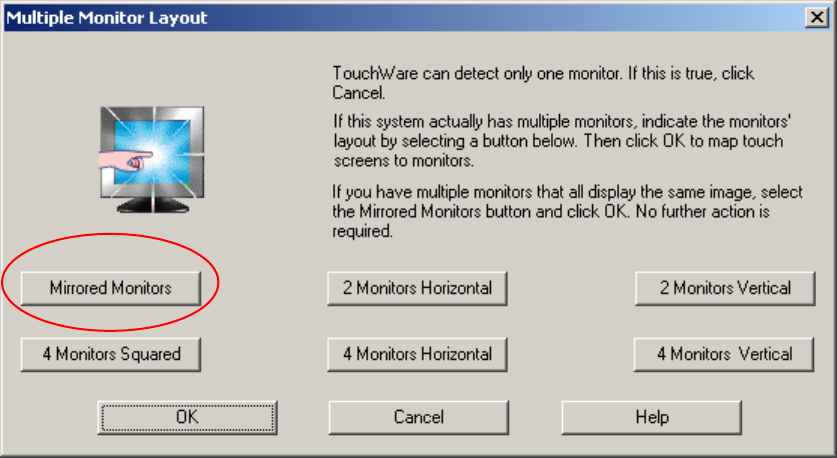
Fig. 4-4: "Multiple Monitor Layout" dialog box
→ Click the Mirrored Monitors button.
→ Confirm your entry with OK.
The touchscreens are now mapped and the "Multiple Monitors" tab is displayed again.
21 of 89