TR7500_Hardware_en.pdf - 第55页
54 6 . 1 .5 S y s te m Con f i gu r a t i on : l C h e c k t h e C o n t r o l P an e l / S y s t e m /H a r d w a r e / D e v i c e Ma n a g e r / P o r t t o c h e c k i f t h e U SB t o R S - 2 32 ( C O M8 ) de v i c …
53
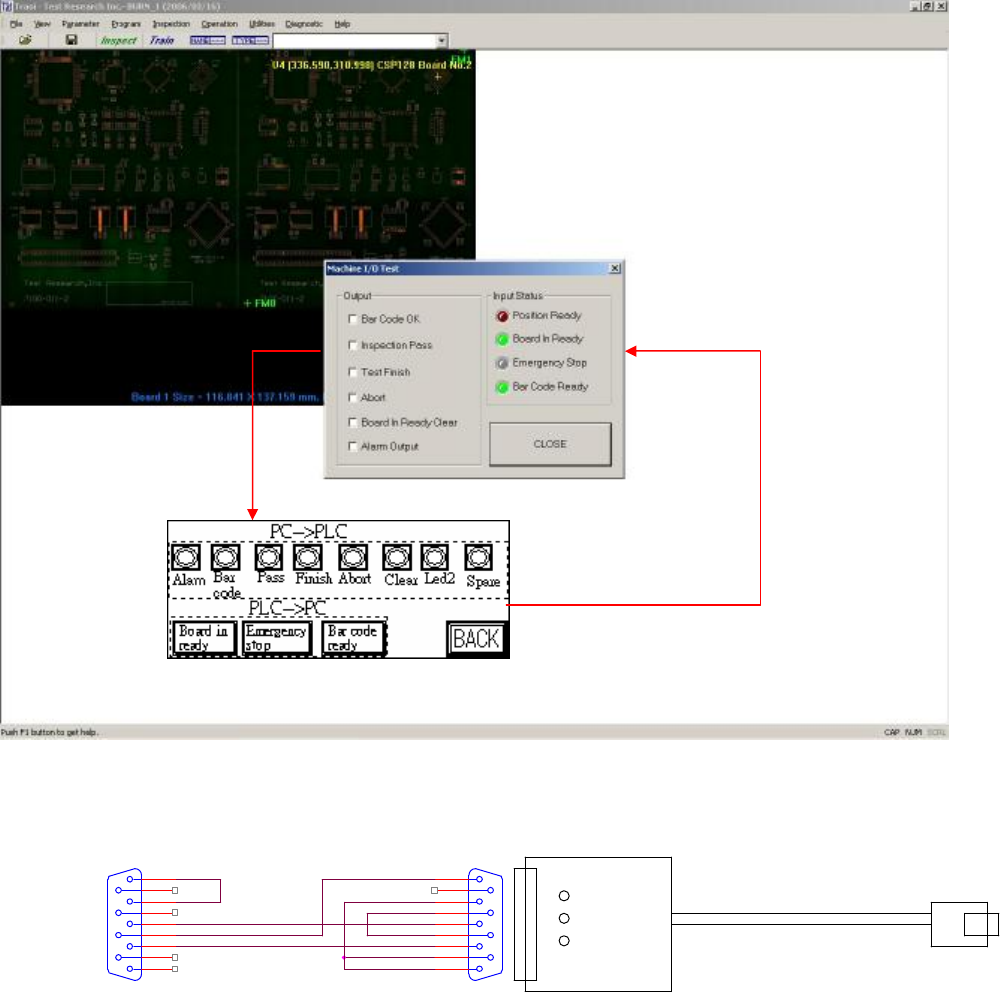
6.1.3 Testing Method
l After opening the PC and PLC I/O Testing display, tick the PC output to see if there is a
response from PLC input; press on PLC output to see if there is a response at PLC input.
6.1.4 Hardware Wiring:
l Check or replace the PLC and PC connection cable.
P2
CONNECTOR DB9
5
9
4
8
3
7
2
6
1
PLC()
公
USB TO PC
P1
CONNECTOR DB9
5
9
4
8
3
7
2
6
1
54
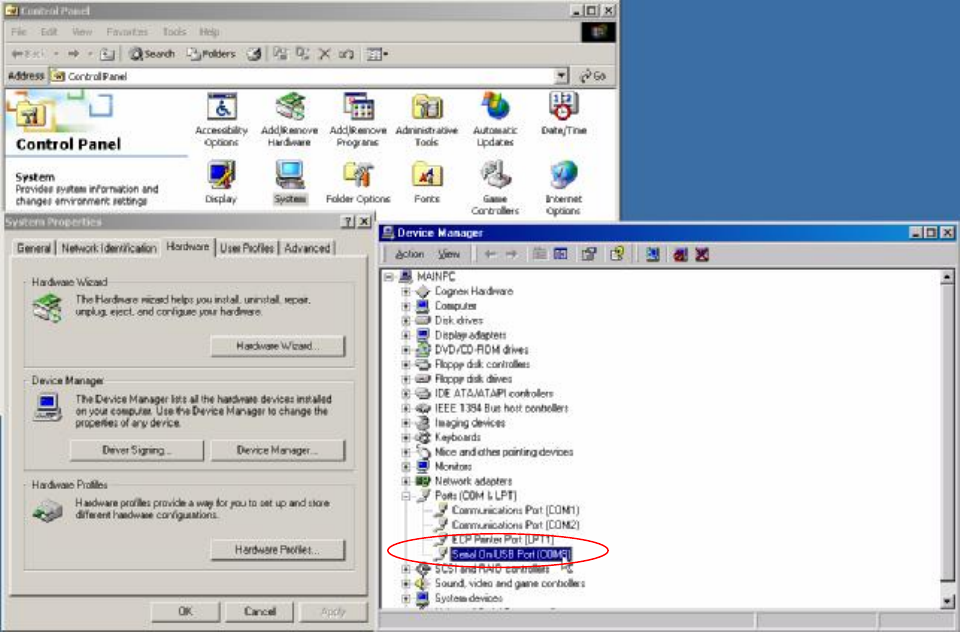
6.1.5 System Configuration:
l Check the Control Panel/System/Hardware/Device Manager/Port to check if the USB to
RS-232 (COM8) device is operating normally.
55
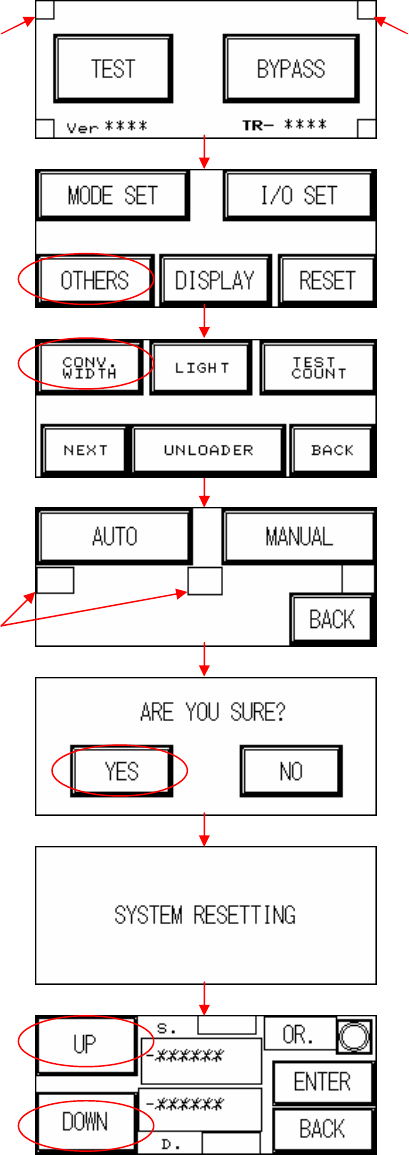
6.2 Automatic Conveyor Width
l Automatic Conveyor Width: First perform a test manually (the two hidden buttons must be
pressed simultaneously, the setting procedure is as shown in the figures below) and
depending on the results, refer to the table below and troubleshoot.
Hidden button Hidden button
Hidden button