TR7500_Hardware_en.pdf - 第77页
76 l A f t e r cl i c ki n g o n a d e v i c e i t s r e l a t e d i n f o r m a t i o n w i ll be s ho w n on t he r i g h t si de o f t h e p r o g r a m d i s p l a y a s s h o w n i n t h e p i c t u r e b e l o w . …
75
6.6.2.4 Expansion Device Scanning Function
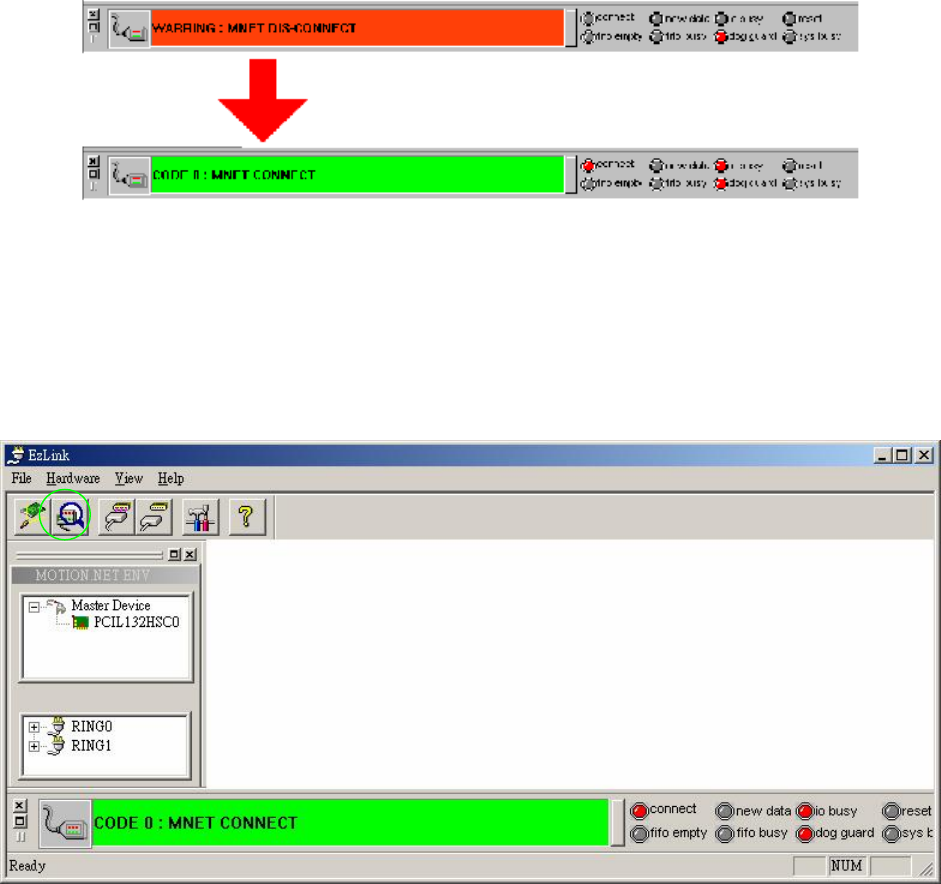
l After confirming that the serial communications mechanism is operating and connected,
next a scan must be conducted to determine how many serial expansion modules are
currently online and in use. The expansion device scanning function is used to determine
the number of modules online available for use or in operation, as well as the characteristics
of these modules.
6.6.2.5 Expansion Device Connection Message
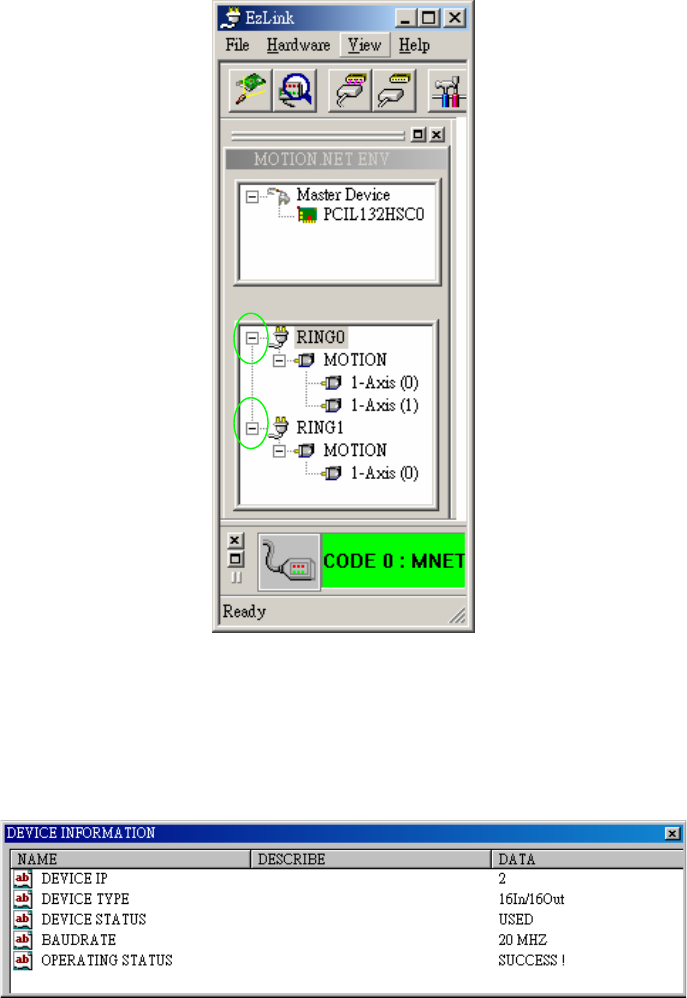
l Once the user has completed the scanning of the Master devices, the Master device will
connect to the expansion modules and conduct a scan. As shown in the picture below, in the
device listing on the left side of EzLink the status of device connections and allocations will
be shown automatically.
76
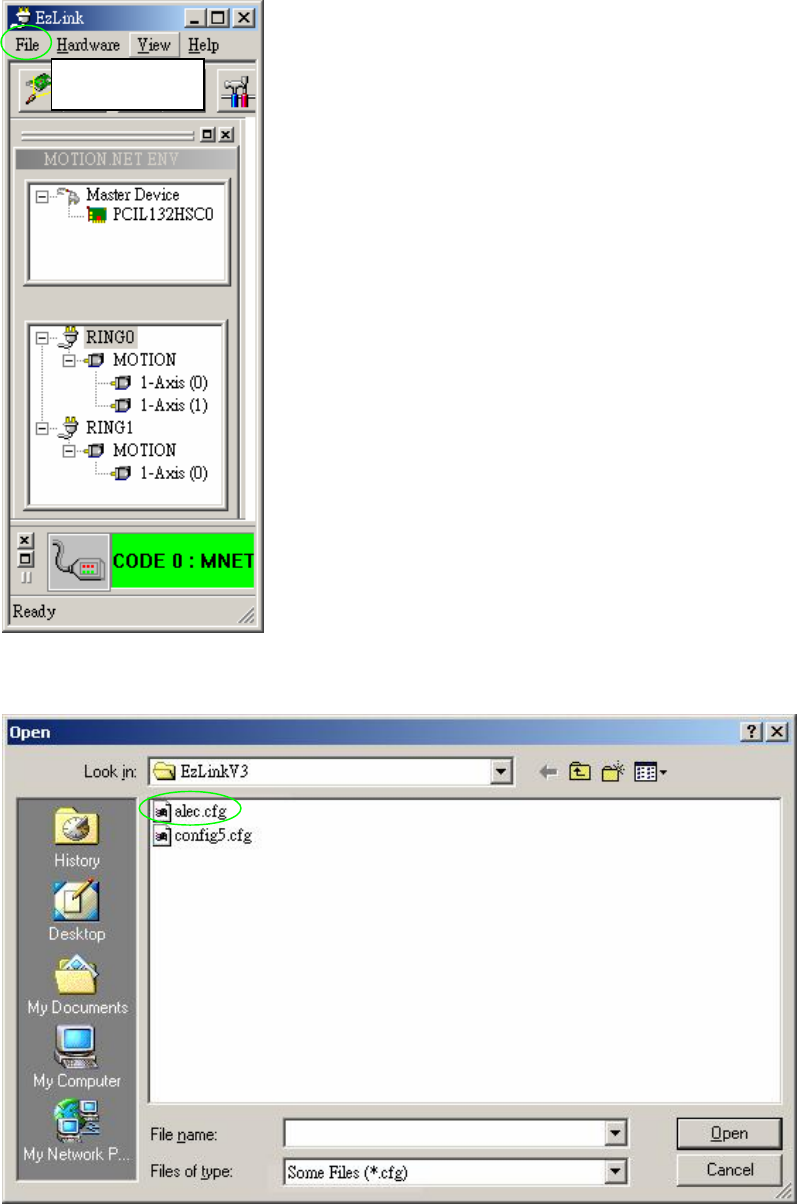
l After clicking on a device its related information will be shown on the right side of the
program display as shown in the picture below.
l The device information dialog window will show the device’s IP number, device type, device
status, the serial connection’s baud rate and whether its operation was successful.
77
6.6.2.6 Loading Parameters
l Choose File\Load Config
l Choose file to Load.
Load Config