TR7500_Hardware_en.pdf - 第9页
8 F i g u r e 1 . 1 3 S e t t i n g – P a ge 2 1 . 3 . 4 . 1 . B U ZZ E R ( F i gu r e 1 . 1 4 ) : C o n f i r m i f a n a l a r m b u z z e r w i l l s o u nd t o w a r n t h e ope r a t o r i f t h e U n l oa d e r i s…
7
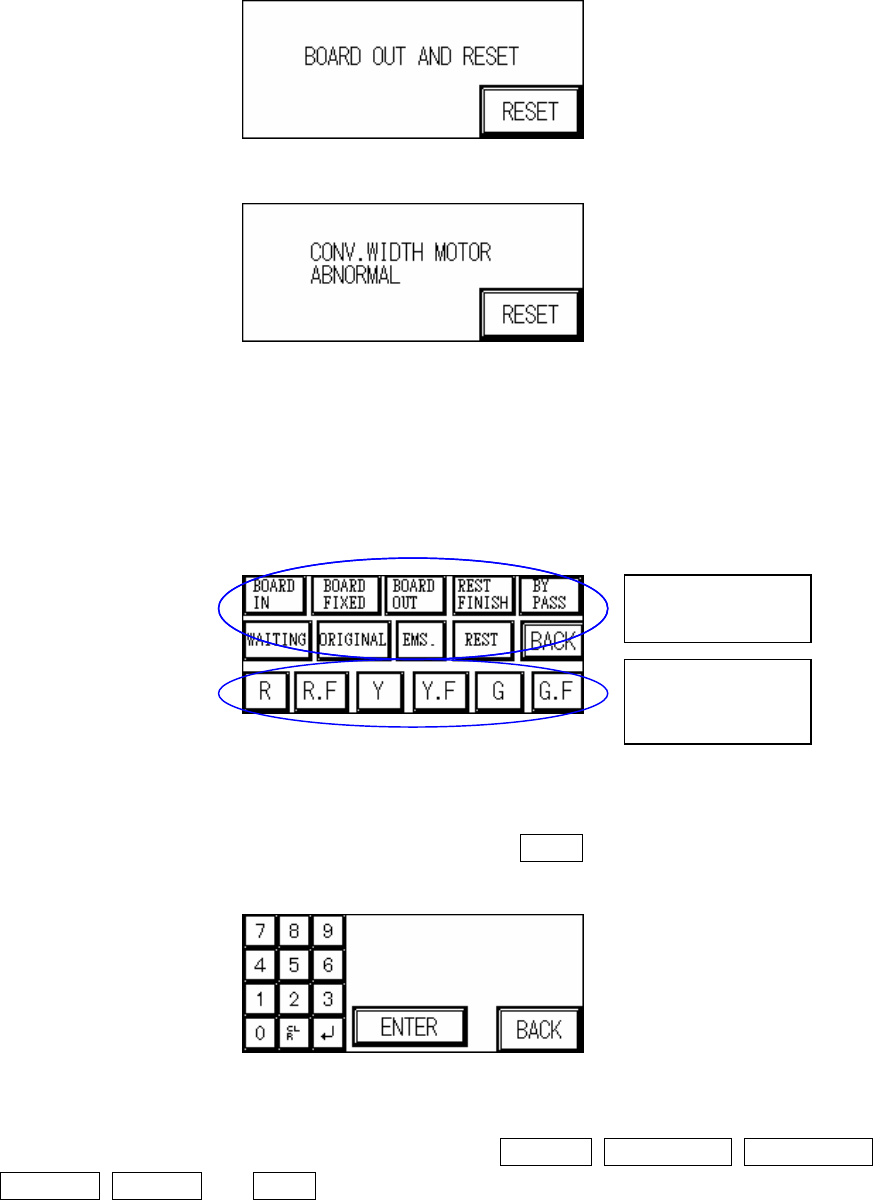
Figure 1.9 Please Remove Board
Figure 1.10 Abnormal Operation for CONV. WIDTH Motor
1.3.2 Indicator Lights (Figure 1.11): Three Colored Indicator Light Display Setting. First press to
highlight the status position to set, then select the lights to display for that step. If no
settings are made then the factory default will be used.
Figure 1.11 Indicator Lights
1.3.3 TEST COUNT: (Figure 1.12): Set the number of test cycles to perform in TEST mode. If
set as 0, then the number of cycles is infinite. Press BACK to return to the starting page
(Figure 1.1).
Figure 1.12 TEST COUNT
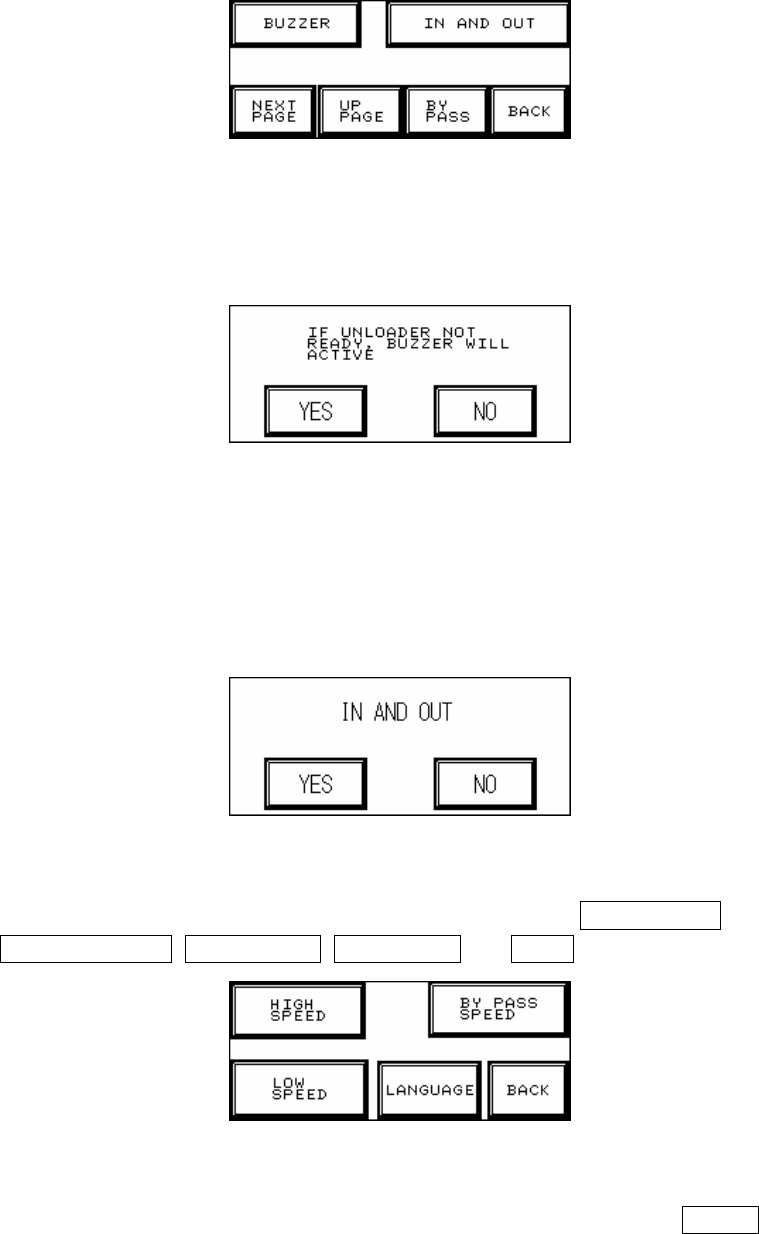
1.3.4 NEXT PAGE (Figure 1.13): Options available are: BUZZER, IN AND OUT, NEXT PAGE,
UP PAGE, BYPASS and BACK.
Status Position
Indicator Lights
to Display
8
Figure 1.13 Setting – Page 2
1.3.4.1. BUZZER (Figure 1.14): Confirm if an alarm buzzer will sound to warn the operator if the
Unloader is not ready to avoid causing a board blockage at the Loader.
Figure 1.14 BUZZER
1.3.4.2. IN AND OUT (Figure 1.15): If you choose simultaneous In and Out a board can be
unloaded while another one is loaded (the test board length must be less than 200mm or
there may be an issue with board overlap); if NO is chosen then a board must be fully
unloaded before another is loaded.
Figure 1.15 IN AND OUT
1.3.4.3. NEXT PAGE (Figure 1.16): The five options available are: HIGH SPEED,
BYPASS SPEED, LOW SPEED, LANGUAGE and BACK.
Figure 1.16 Setting – Page 3
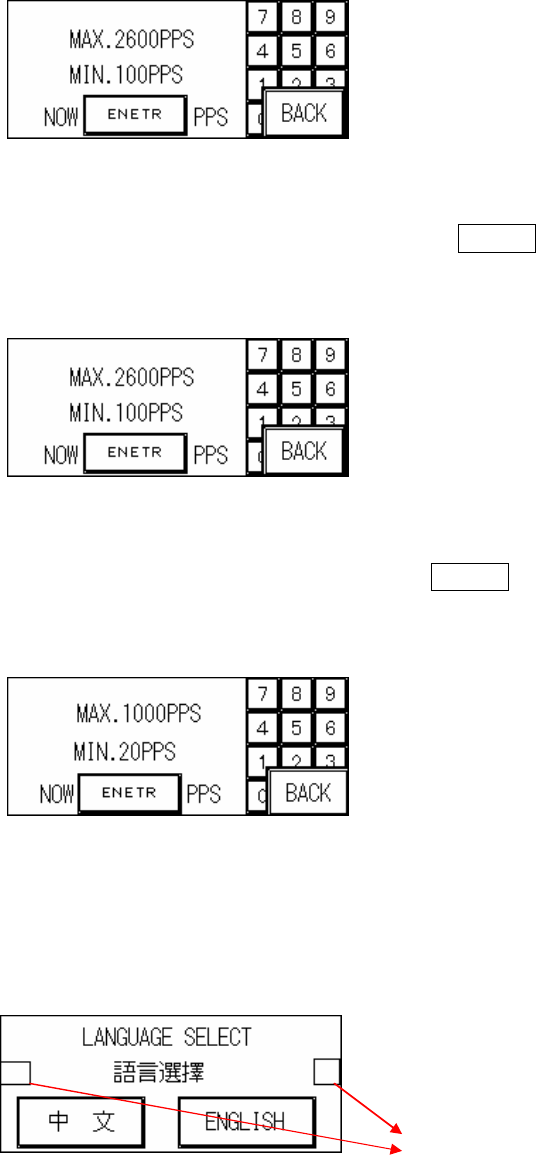
1.3.4.3.1. HIGH SPEED (Figure 1.17): This is the normal I/O speed, press ENTER at Figure
1.17 to set this speed. The speed range has an upper limit of 2600PPS and lower
limit of 100PPS.
9
Figure 1.17 High Speed Setting
1.3.4.3.2. BYPASS SPEED (Figure 1.18): This is the bypass speed, press ENTER at Figure
1.18 to set this speed. The speed range has an upper limit of 2600PPS and lower
limit of 100PPS.
Figure 1.18 Bypass Setting
1.3.4.3.3. LOW SPEED (Figure 1.19): This is the reduced speed, press ENTER at Figure 1.19
to set this speed. The speed range has an upper limit of 1000PPS and lower limit of
20PPS.
Figure 1.19 Low Speed Setting
1.3.4.3.4. LANGUAGE (Figure 1.20): Choose Chinese or English user interface at Figure 1.20.
Once selection has been made it will be automatically saved and does not need to
be set again the next time the machine is turned on.
Figure 1.20 LANGUAGE
u Type and Barcode Testing Setting: Press the hidden buttons located in Figure
1.22 separately (within a 2 second interval) to display the machine type and
barcode setting display as shown in Figure 1.20.
Hidden Button (For
Choosing Machine
Type.)