TR7500_Hardware_en.pdf - 第82页
81 l C he c k t o s ee i f t h e i nd i c a t o r o n t h e r i g h t s i de i s n o r m a l w he n SE R V E R O N. l P r e ss H o m i n g t o s e e i f X Y T AB L E mo v e s . A f t e r SE R V E R O N, c hoo s e H o m i…
80
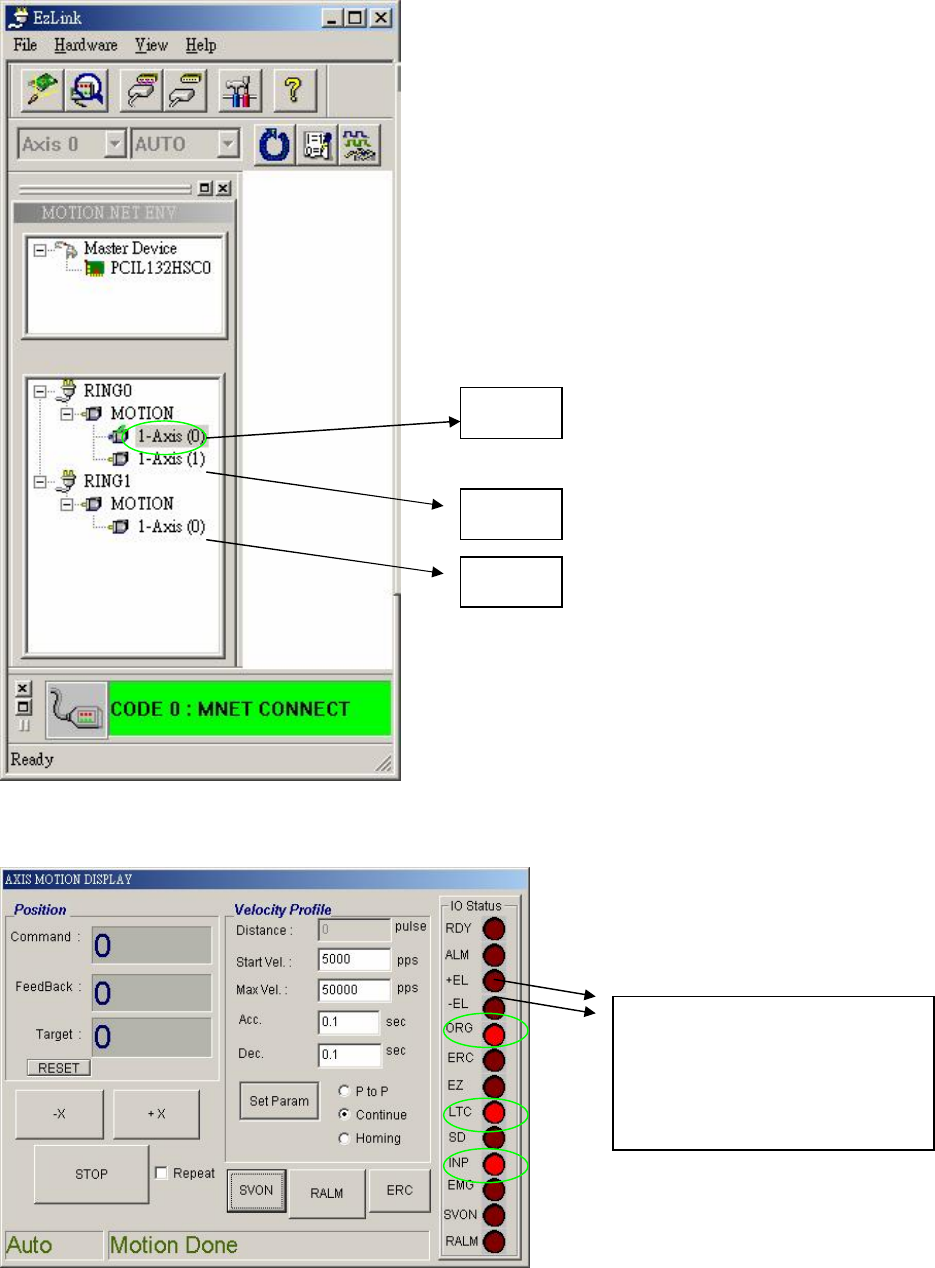
6.6.2.7 Test the Home Operation
l Choose the axis to test.
l Check to see if the indicator on the right side is normal when SERVER OFF.
X Axis
Y Axis
Z Axis
If the TABLE is stopped on
the LIMIT SWITCH
SENSOR, one of theses two
lights will be lit.
81
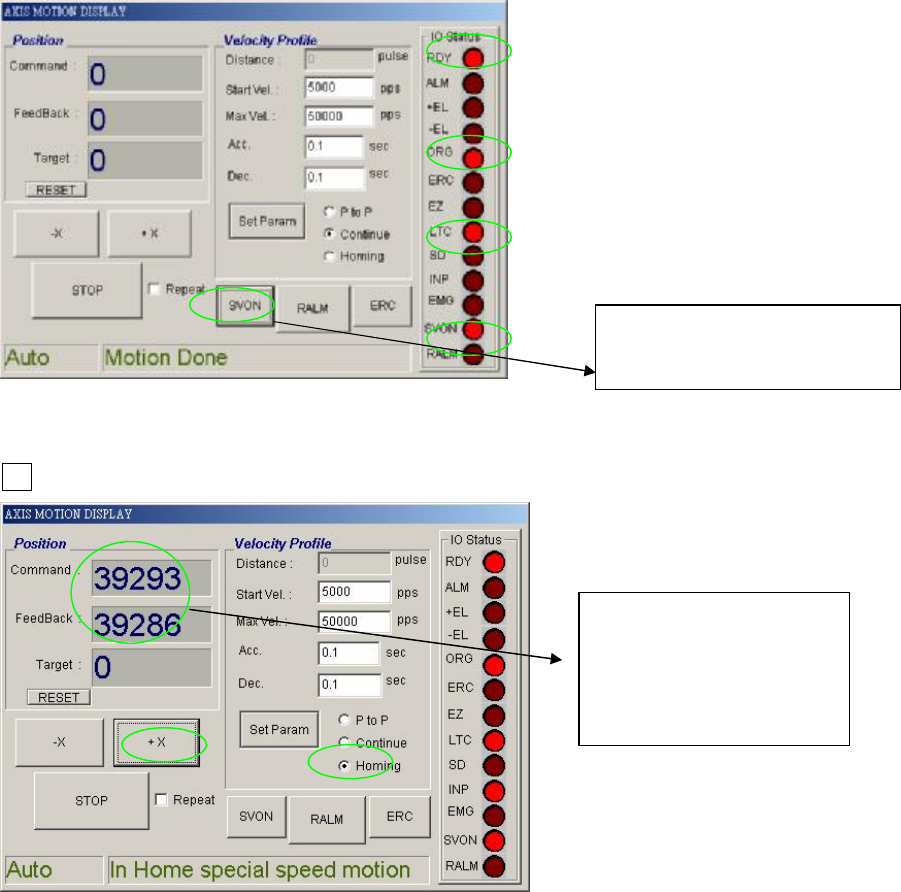
l Check to see if the indicator on the right side is normal when SERVER ON.
l Press Homing to see if XY TABLE moves. After SERVER ON, choose Homing, then press
+X.
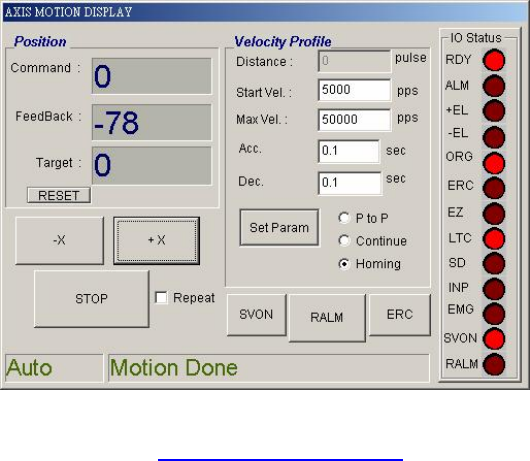
l Once in operation, the display is as below
Press SERVER ON
Then press SERVER OFF
When in operation
these two values will
change and be very
close to each other.
82
l Please refer to 錯誤! 找不到參照來源。 DSP Motion Wiring and Dip Switch Settings