Micron Technical Reference V9 Volume 1.pdf - 第285页
PROFLOW MODULE REPLACEMENT PROCEDURES Chapter Issue 2, Aug 14 Technical Reference Manual 11.11 using a 5mm Allen key . 4. Ensure that the locking clip on the pressure mechanism is pressed over to the right and clicks int…
PROFLOW MODULE
REPLACEMENT PROCEDURES
11.10 Technical Reference Manual Chapter Issue 2, Aug 14
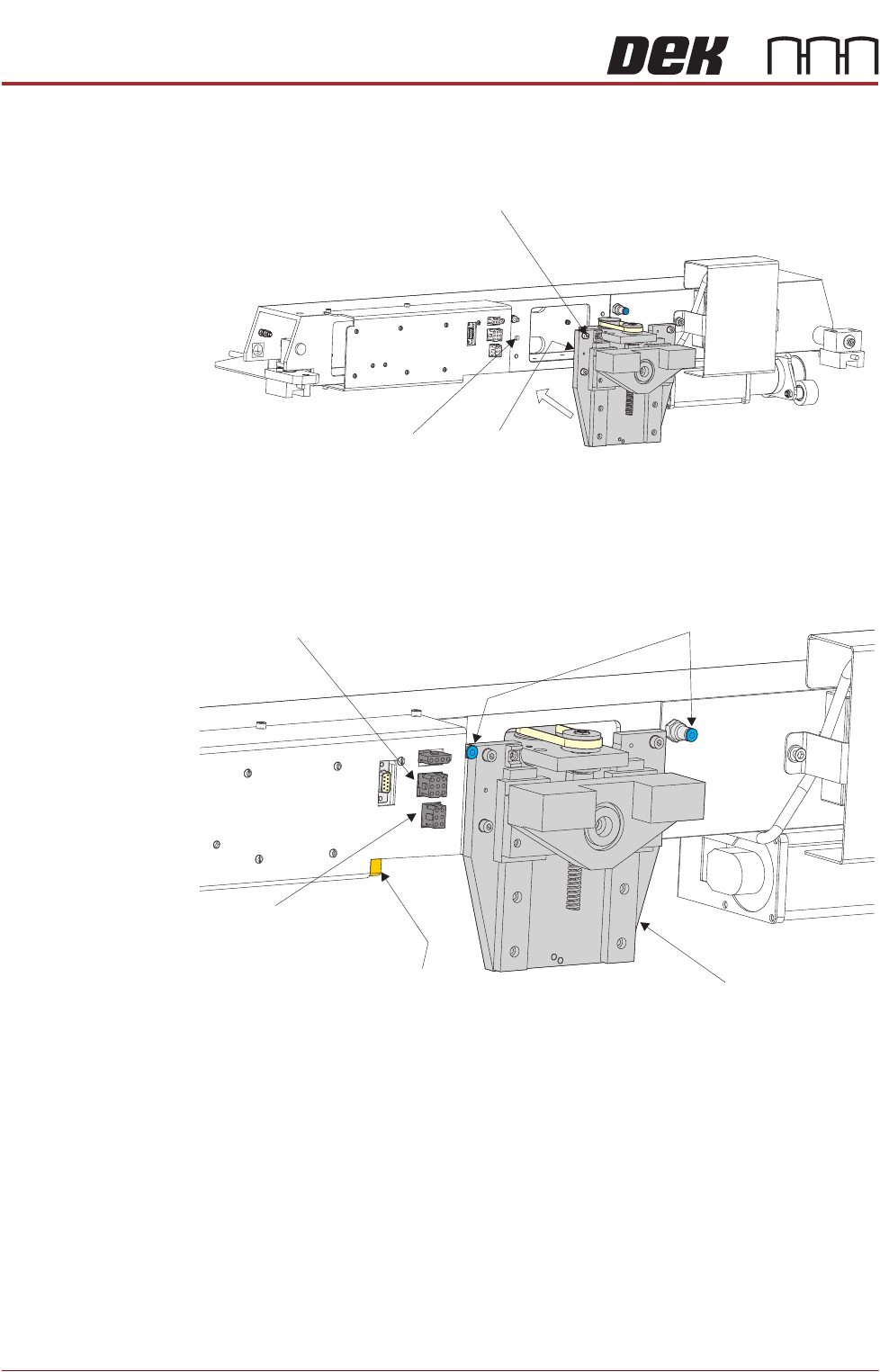
Fitting ProFlow 1. Carefully position the ProFlow printhead mechanism so that both locating
dowels locate into the print carriage locating holes. Secure the unit to the
print carriage by means of the four captive screws.
2. Connect the following connectors to the print carriage, left hand side:
• ProFlow Motor
• Home Sensor
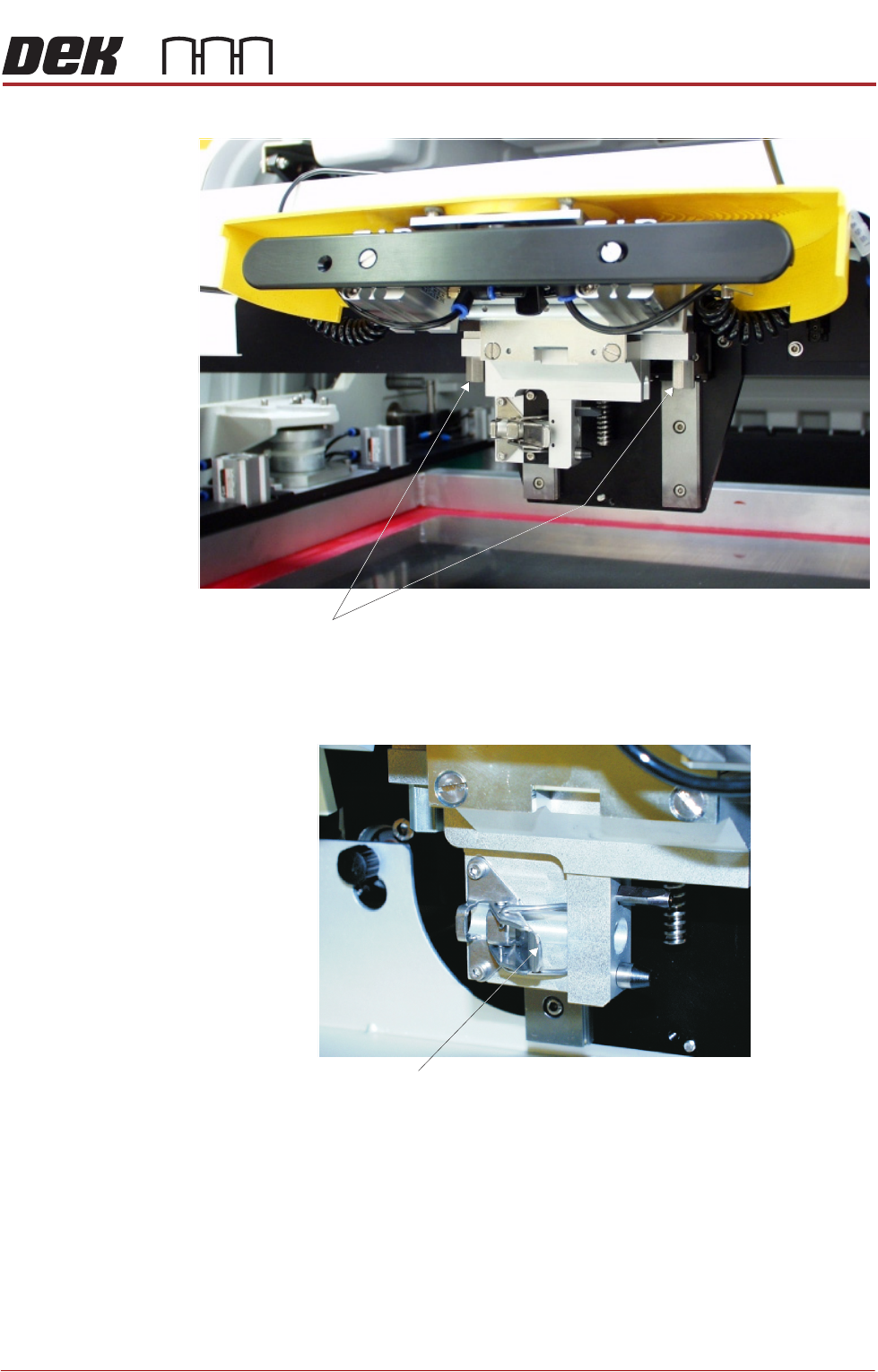
3. Fit the pressure mechanism part of the ProFlow unit to the ProFlow print-
head mechanism bearing block by means of the two securing bolts. Tighten
Captive Screw (in 4 positions)
Locating Dowel
(in 2 positions)
Print Carriage Locating
Hole (in 2 positions)
Pneumatic Connectors
ProFlow Motor
(9SK17)
Home Sensor
(9SK08)
ProFlow Paste Level
Sensor (9PL61)
ProFlow Printhead
Mechanism
PROFLOW MODULE
REPLACEMENT PROCEDURES
Chapter Issue 2, Aug 14 Technical Reference Manual 11.11
using a 5mm Allen key.
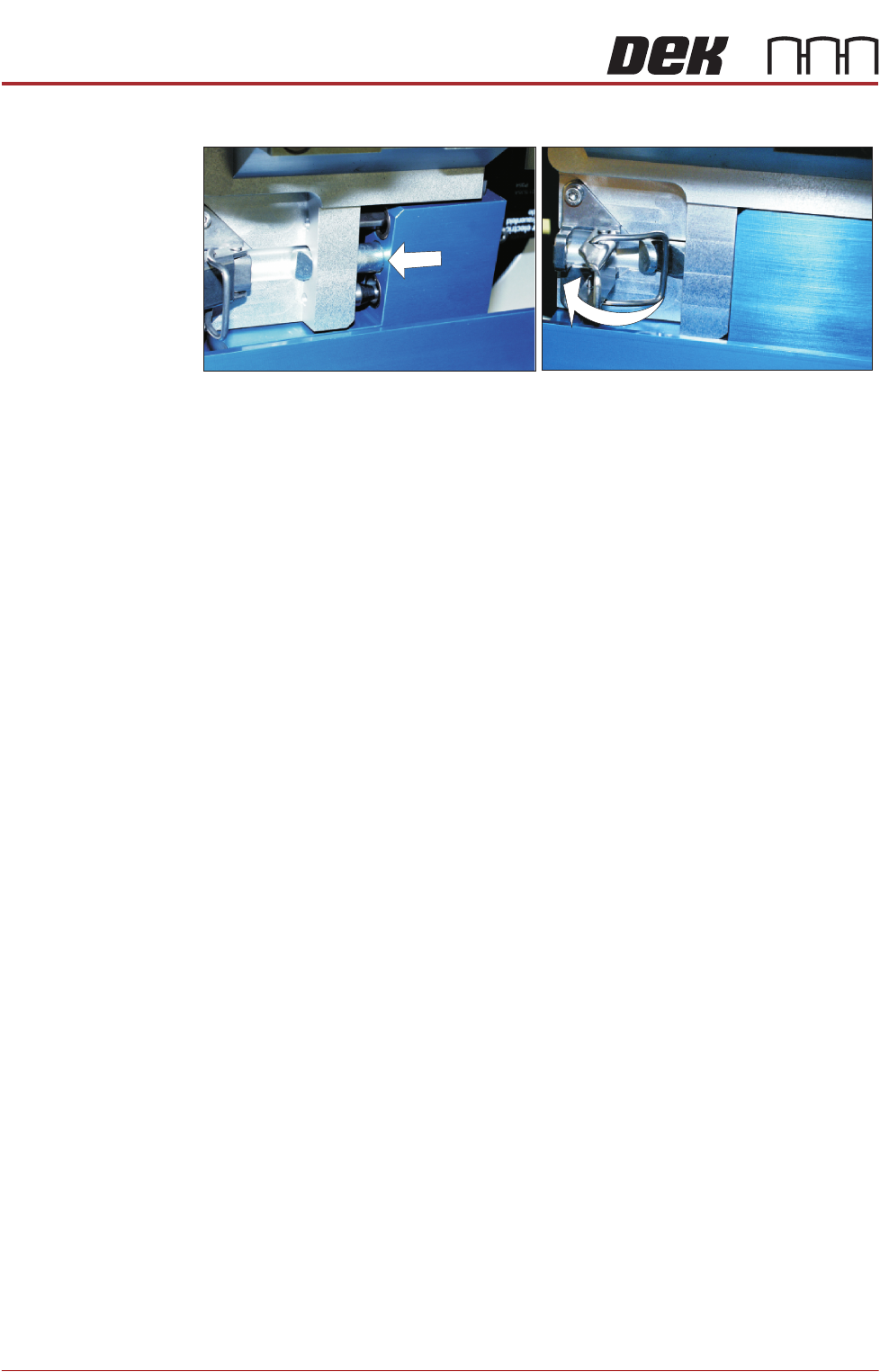
4. Ensure that the locking clip on the pressure mechanism is pressed over to
the right and clicks into place, as shown in the figure below. This ensures
that the locking clip is in the correct position to secure the transfer head.
5. Locate and fit the ProFlow transfer head unit to the pressure mechanism by
means of the two locating dowels. Slide the unit onto the pressure mecha-
Securing Bolts
Locking Clip
PROFLOW MODULE
REPLACEMENT PROCEDURES
11.12 Technical Reference Manual Chapter Issue 2, Aug 14
nism. Once the unit is slid fully home, it is secured by closing the locking clip.
6. Connect both curly air lines to the self-seal pneumatic connectors situated
either side of the ProFlow printhead mechanism, figure in Step 2 refers.
7. Connect the ProFlow Paste Level connector (9PL62) to the amplifier con-
nector 9PL61, left hand side, figure in Step 2 refers.
CAUTION
ELECTRICAL CONNECTION.
This electrical connection informs the
machine of ProFlow fitment and must always be connected whilst the
ProFlow unit is fitted otherwise damage may occur if machine is run.
NOTE
If the squeegee paste dispenser is fitted to the print carriage, before using
ProFlow, ensure that the paste dispenser regulator gauge reads '0' pres-
sure.
8. Switch the mains isolator to ON and ensure that the machine recognizes the
ProFlow module fit by displaying ProFlow Uninitialised during the machine
initialisation sequence.
9. Carry out the ProFlow Contact Position Setup in the Calibrations section
later in this chapter.
Drive Belt
Replacement
1. Select Open Cover Commands.
2. Select Carriage To Front.
3. Select Back.
4. Select Shut Down.
5. Select Continue.
6. Switch the mains isolator to OFF.
7. Open the front printhead cover.
8. Disconnect both curly air lines from the self-seal pneumatic connectors
situated either side of the ProFlow printhead mechanism.
9. Disconnect the following connectors from the print carriage, left hand side
(figure in Step 8 of Squeegees to ProFlow section refers):
• ProFlow Motor
• Home Sensor
• ProFlow Paste Level
10. Remove the ProFlow pressure mechanism and transfer head.