00195374-0202_AI_LBO-D1D2_DE+EN.pdf - 第54页
2 Assembly instructions Long board op tion SIPLACE D1 / D2 Long board option 06/2007 Edition 54 2.8 Changes in SIPLACE PRO The option must be entered in the line configuratio n in SIPLACE PRO and in the set-up. 2 2.8.1 L…
Long board option 2 Assembly instructions Long board option SIPLACE D1 / D2
06/2007 Edition
53
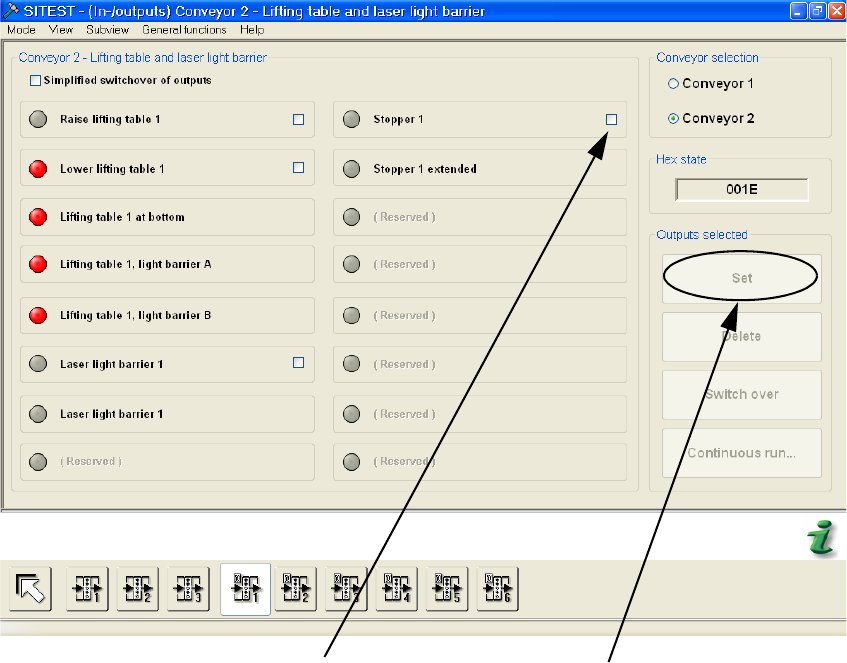
: Click on the boxes behind "Stopper" and on the "Set" box that appears.
Click box "Stopper"
Click "Set"
2
2
2
2
2
2
2
2 Assembly instructions Long board option SIPLACE D1 / D2 Long board option
06/2007 Edition
54
2.8 Changes in SIPLACE PRO
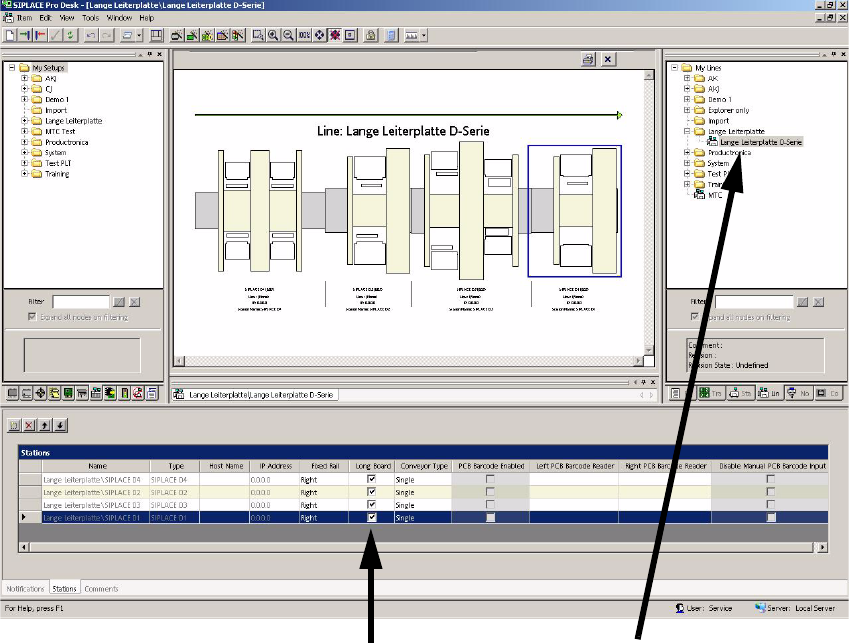
The option must be entered in the line configuration in SIPLACE PRO and in the set-up. 2
2.8.1 Line configuration
: Select the line and "Long Board" at the "Stations" check box.
Select "Long Board"
Select the line
2
2
2
2
2
2
2
Long board option 2 Assembly instructions Long board option SIPLACE D1 / D2
06/2007 Edition
55
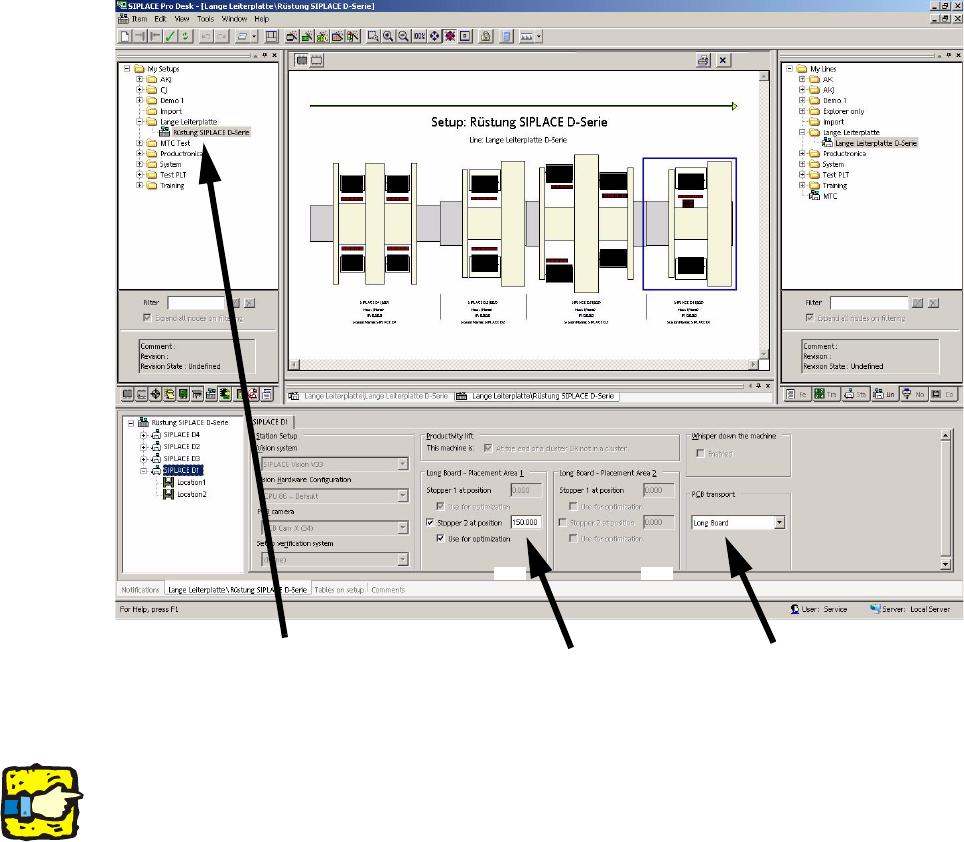
2.8.2 Set-up
: Select a set-up (see picture).
: For the PCB conveyor, select "Long Board" and enter the value 150.000 under "Stopper 2 at
po
sition" for both processing areas.
Select the set-up
Enter 150.000
Select Long Board
150.000 150.000
2
2
2
The stopper position is not included in the optimization unless the "Use for optimization" box is
checked. 2
2
2
2
2